Upgrading Kernel Minor Version of Database Proxy
Download
Modo Foco
Tamanho da Fonte
TDSQL-C for MySQL periodically updates the database proxy version. New versions may include feature updates, performance optimizations, or bug fixes. You can view the database proxy version update announcements. This document describes the procedures and instructions for manually upgrading the database proxy version via the console.
Warning:
If a bug occurs in the backend program or if the system identifies a security vulnerability, the system will send upgrade notifications via internal messages, SMS, and other channels. TDSQL-C for MySQL will perform system upgrades and fixes at the scheduled time. However, this automatic upgrade is only a system-assisted upgrade method and does not guarantee that all instances can be immediately upgraded to the latest kernel minor version. You can check the kernel minor version status on the database proxy page and manually upgrade the kernel minor version in a timely manner to avoid potential risks that may exist in historical kernel minor versions. If you have not completed the upgrade within 6 months after receiving an emergency service upgrade/version upgrade notification due to your own reasons, you will be responsible for any losses and consequences arising from business interruptions, data loss, and other issues. For details, see TDSQL-C for MySQL Service Level Agreement.
Prerequisites
The database proxy version of the current instance is not the latest version.
Upgrade Scheme
You can select the upgrade switch time according to the actual business situation to achieve a smoother upgrade.
Within maintenance time: An upgrade can be performed within the instance maintenance time. To set the instance maintenance time, see Modifying Instance Maintenance Time.
Upon upgrade completion: The selected database proxy version can be immediately switched to upon completion of the upgrade.
Rolling upgrade: New database proxy version nodes can be started. After startup, new connections will access the database through new database proxy version nodes, and old database proxy version nodes will no longer accept new connection requests. The switch waiting time can be set. When the switch time is reached, old database proxy version nodes will be reclaimed, and existing old connections on old nodes will be disconnected.
Note
During the database proxy version upgrade process, there will be a second-level momentary disconnection. Perform the upgrade during off-peak hours if possible, and ensure your application has an automatic reconnection mechanism.
When the database proxy version is upgraded, all proxy nodes will be upgraded simultaneously by default. If some proxy nodes have status exceptions, the upgrade cannot proceed.
The database proxy version can be upgraded only and cannot be downgraded.
Executable Tasks During Upgrade
During the database proxy version upgrade process, when Status/Task is Upgrading kernel minor version, you can perform the following operations on the database proxy: modify the database proxy network, modify the database proxy private network addresses, and modify the remarks of the database proxy addresses. You cannot perform the following operations on the database proxy: adjust configuration, disable the database proxy, upgrade the kernel minor version, rebalance the load, modify the network, or modify the IP address. To perform these operations, wait until the upgrade task is completed.
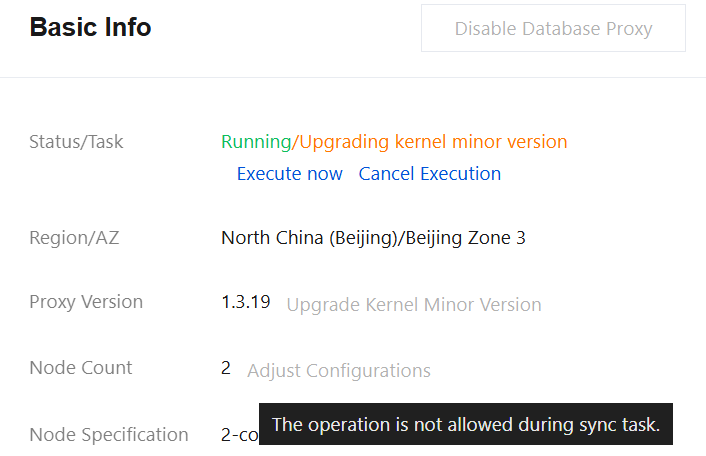
Upgrading the Database Proxy Version
1. Log in to the TDSQL-C for MySQL console, select the region at the top, and click the target cluster ID to go to the Cluster Management page.
2. On the Cluster Management page, select the Database Proxy page.
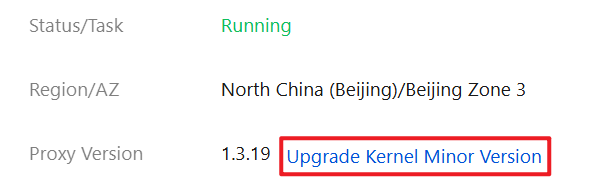
3. On the Database Proxy page, choose Overview > Basic Info > Proxy Version, and click Upgrade Kernel Minor Version.
4. In the pop-up dialog box, select the target version of the upgrade, and select the upgrade switch time. After confirming that everything is correct, click OK.
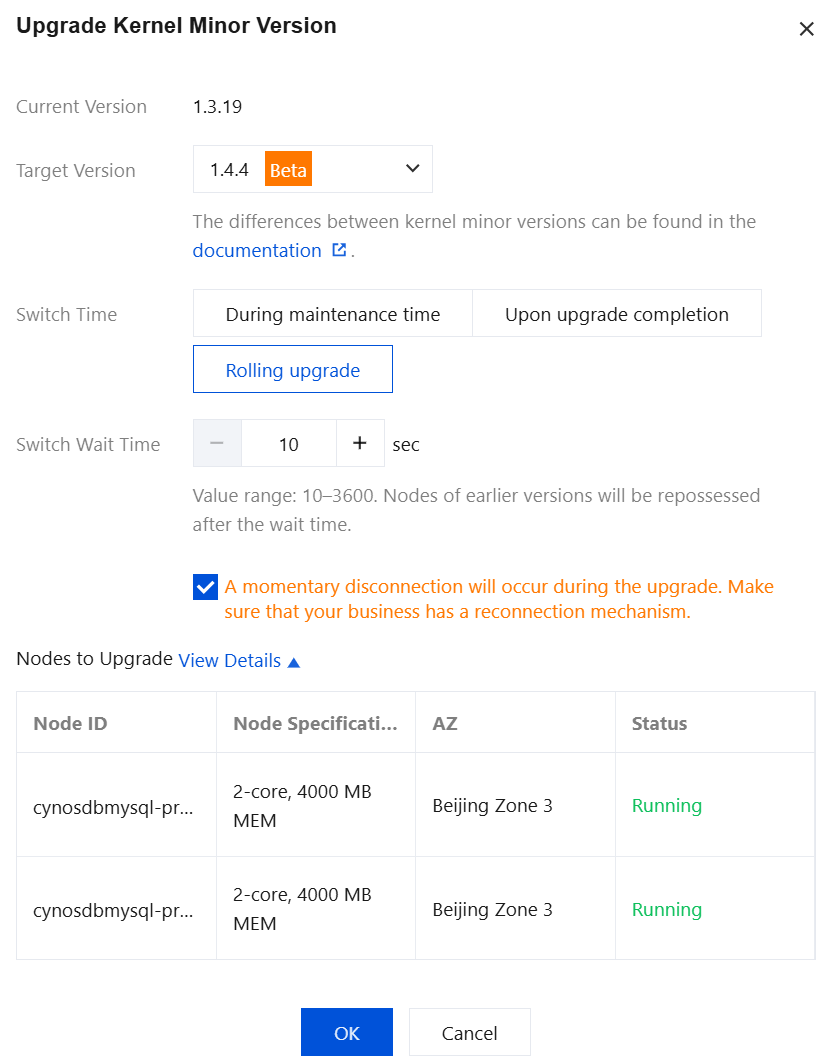
Parameter | Operation Instruction |
Current Version | The current database proxy version of the instance is displayed. |
Target Version | Select the target database proxy version. For update notes of each version, see Database Proxy Version Update Notes. |
Switch Time | Select the upgrade switch time. Available options: Within maintenance time, Upon upgrade completion, and Rolling upgrade. During maintenance time: If you select Within maintenance time, the upgrade switch will be completed during the next maintenance period. Upon upgrade completion: If you select Upon upgrade completion, the switch will be performed immediately when the version upgrade is completed. Rolling upgrade: If you select Rolling upgrade, you need to set the switch waiting time (default time: 10 seconds; value range: 10 to 3600 seconds). When the switch waiting time is reached, the system will reclaim the old version nodes. Notes: When you select rolling upgrade, existing connections to nodes of earlier versions are not terminated immediately. All new connections are automatically routed to the new version nodes. Existing connections to nodes of earlier versions are forcibly disconnected after the wait timeout expires, causing minimal disruption to services. The specific process is as follows: 1. The system spins up new database proxy version nodes. 2. Existing connections to nodes of earlier versions are maintained. 3. The upgrade task is paused and remains in a waiting state (the waiting time is the "switch waiting time" you set). 4. When the "switch waiting time" is reached, the system sends a signal to disconnect nodes of earlier versions, then disconnects them, and cleans up their configurations. |
Nodes to Upgrade | The database proxy node information involved in this upgrade is displayed under this item. |
Canceling Execution
During the database proxy version upgrade process, if the switch time is set to Rolling upgrade but the switch waiting time has not been reached, you can cancel the task execution depending on the actual situation. After cancellation, the database proxy version will not be upgraded this time.
1. On the Database Proxy page, choose Overview > Basic Info > Status/Task, and click Cancel Execution.
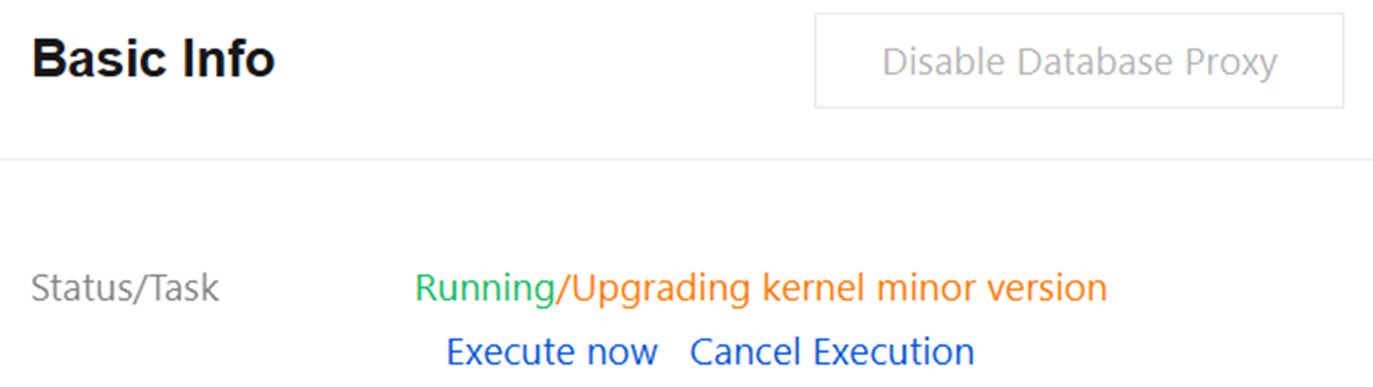
2. In the pop-up window, click OK.
Executing Immediately
Notes:
After immediate execution, the old database proxy version nodes will be immediately reclaimed, and existing connections on the old database proxy version nodes will be immediately disconnected.
During the database proxy version upgrade process, if the switch time is set to During maintenance time but the maintenance time has not been reached, or if the switch time is set to Rolling upgrade but the switch waiting time has not been reached, you can perform the upgrade immediately and switch the database proxy version by following the steps below.
1. On the Database Proxy page, choose Overview > Basic Info > Status/Task, and click Execute Now.
2. In the pop-up window, click OK.
Related APIs
API | Description |
This interface (UpgradeCDBProxyVersion) is used to upgrade the database proxy version. |
Ajuda e Suporte
Esta página foi útil?
Você também pode entrar em contato com a Equipe de vendas ou Enviar um tíquete em caso de ajuda.
comentários