Applying for an Electronic Authorization Letter
Baixar
Modo Foco
Tamanho da Fonte
This document describes how partners can apply for, query, and download electronic authorization letters online in the partner center.
Target audience
This document is intended for single-tier resellers, distributors, and agents. The term "reseller" is used throughout the following text.
Note:
The application for a second-level reseller's authorization letter is initiated by their superior (distributor / first-level reseller) on their behalf. The second-level reseller cannot initiate the application themselves.
Prerequisites
You have registered a Tencent Cloud account and have become a Tencent Cloud partner (possessing any of the partner roles mentioned above).
You have logged in to the partner center using your partner account.
The online/offline contract has been signed.
Authorization Letter Types
The system provides the following four authorization letter templates. Please select the corresponding type based on your role.
Authorization Type | Template Name | Target audience |
Agent Authorization | Tencent Cloud Agent Authorization Letter | Agent partners |
Single-tier Reseller Authorization | Tencent Cloud Single-tier Reseller Authorization Letter | Single-tier reseller |
Distributor Authorization | Tencent Cloud Distributor Authorization Letter | Distributor (the superior in a multi-tier system) |
Second-level Reseller Authorization | Tencent Cloud Second-level Reseller Authorization Letter | Second-level reseller (initiated by its distributor) |
Operation Steps
1. Log in to the partner center. In the left sidebar, go to the Organization > Authorization Online page.
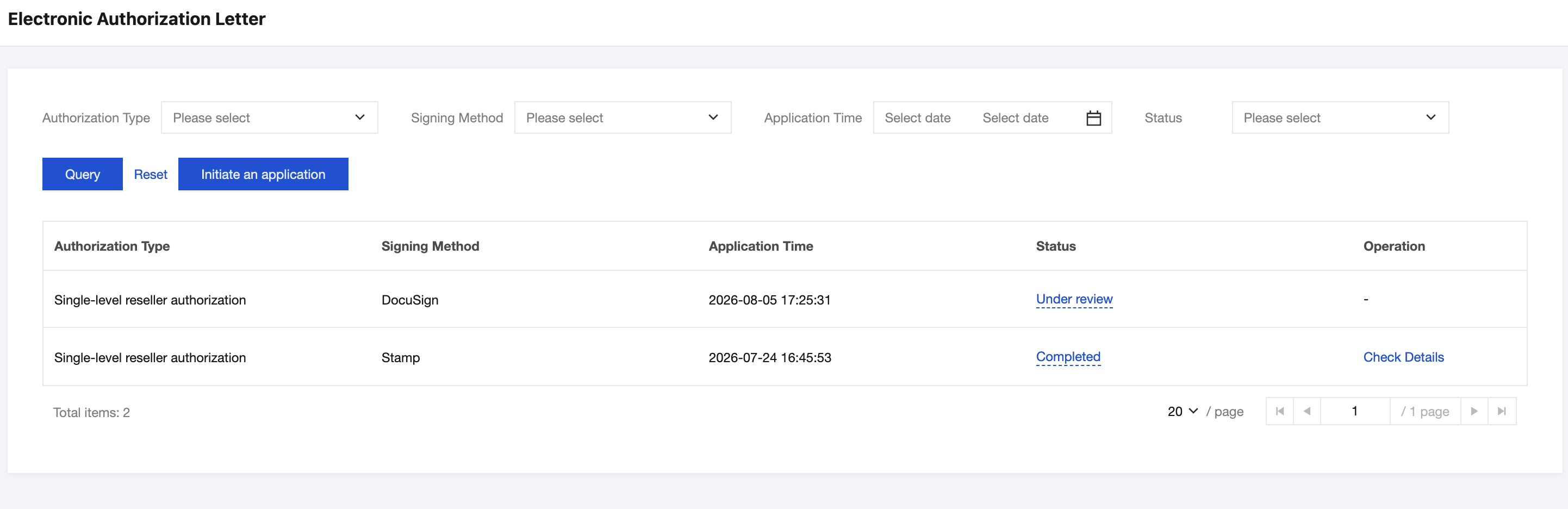
2. On the Electronic Authorization Letter page, click Initiate an application. Select the required authorization letter template type (Agent / Single-tier Reseller / Distributor / Second-level Reseller Authorization) and the signing method: seal or DocuSign.
If you select seal as the signing method, the production cycle is expected to take 3 to 7 business days.
If you select DocuSign as the signing method, the production cycle is expected to take 7 to 15 business days.
Note:
Your partner name and the authorization letter's validity period are automatically populated into the authorization letter template. The validity period is retrieved from your online contract.
The validity period of the authorization letter aligns with that of the agreement. For contracts signed offline, the validity period is supplemented by Tencent upon provision, and the template is not available for preview.
If you are a distributor and initiate an application on behalf of a second-level reseller, the second-level reseller's customer name is populated into the template, and the authorization letter's validity period aligns with the distributor's contract validity period.
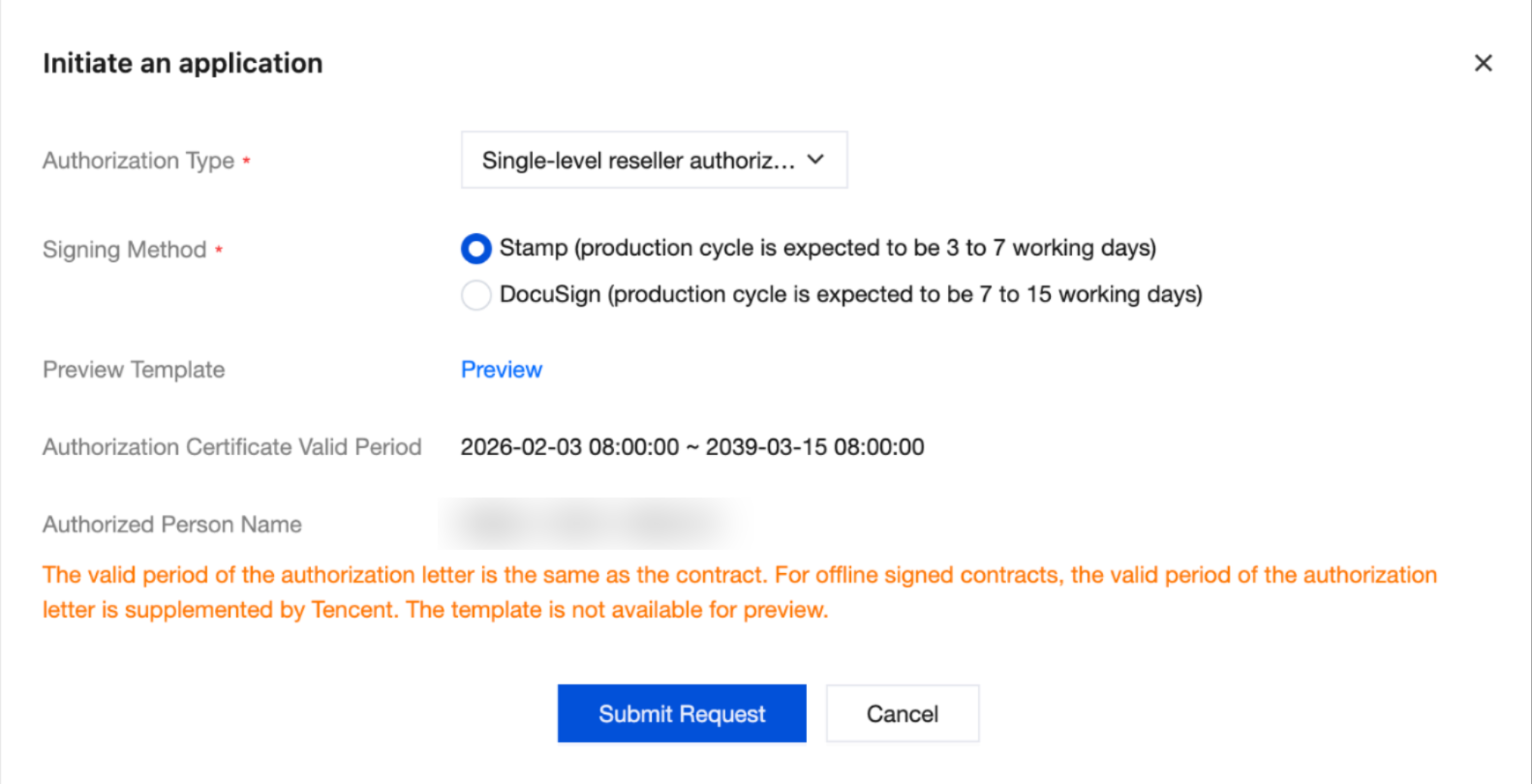
3. After confirming the application information, click Submit Request. Upon successful submission, the system automatically creates an application ticket, changes its status to Under Review, and notifies Tencent Cloud channel managers for processing.
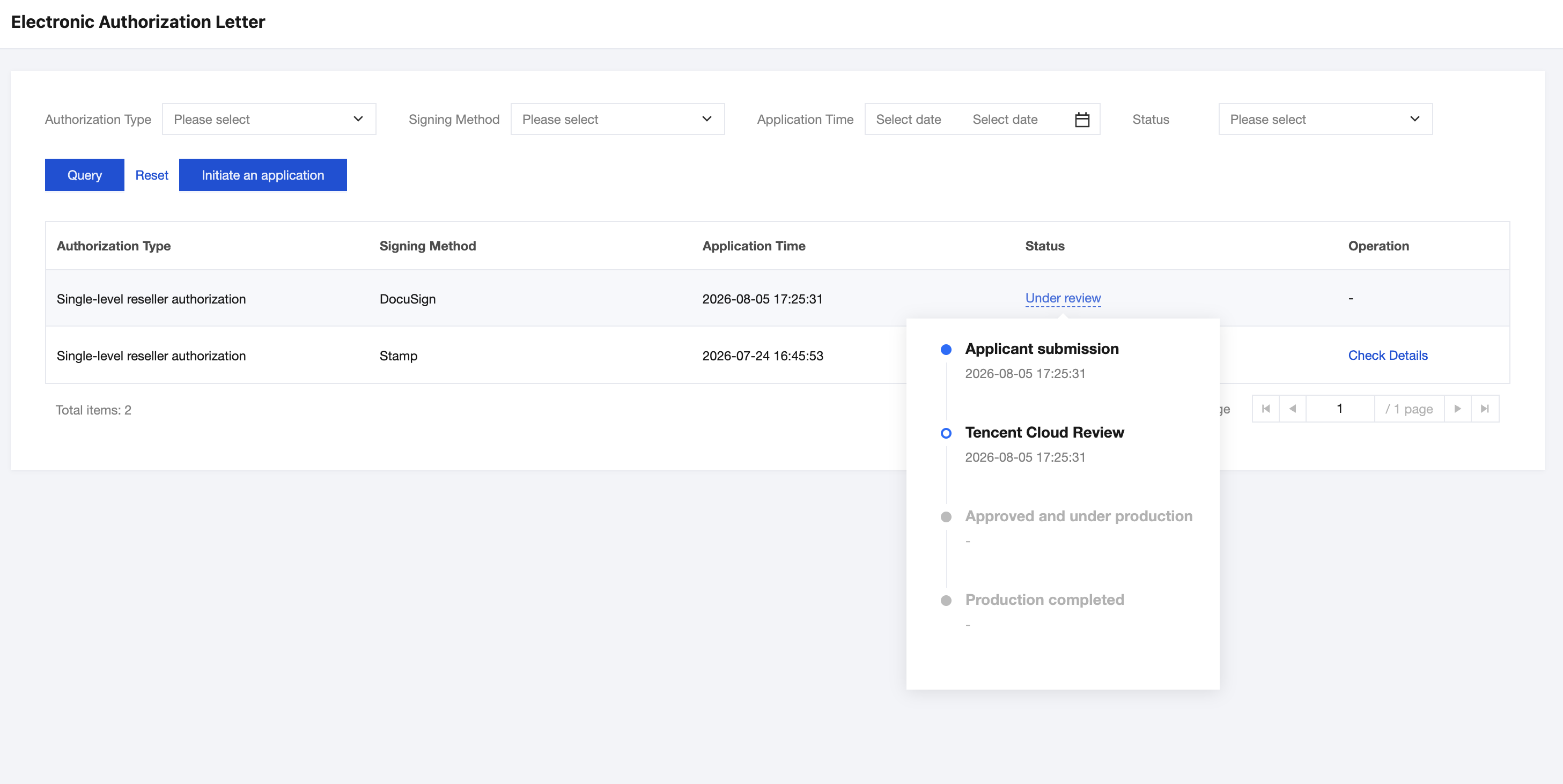
4. After submitting the application, you can check the status of the application ticket in the Electronic Authorization Letter list at any time to track the current processing progress in real time. At key milestones (application approved, application rejected, authorization letter production completed), the system automatically sends notifications to you via internal message, email, and SMS.
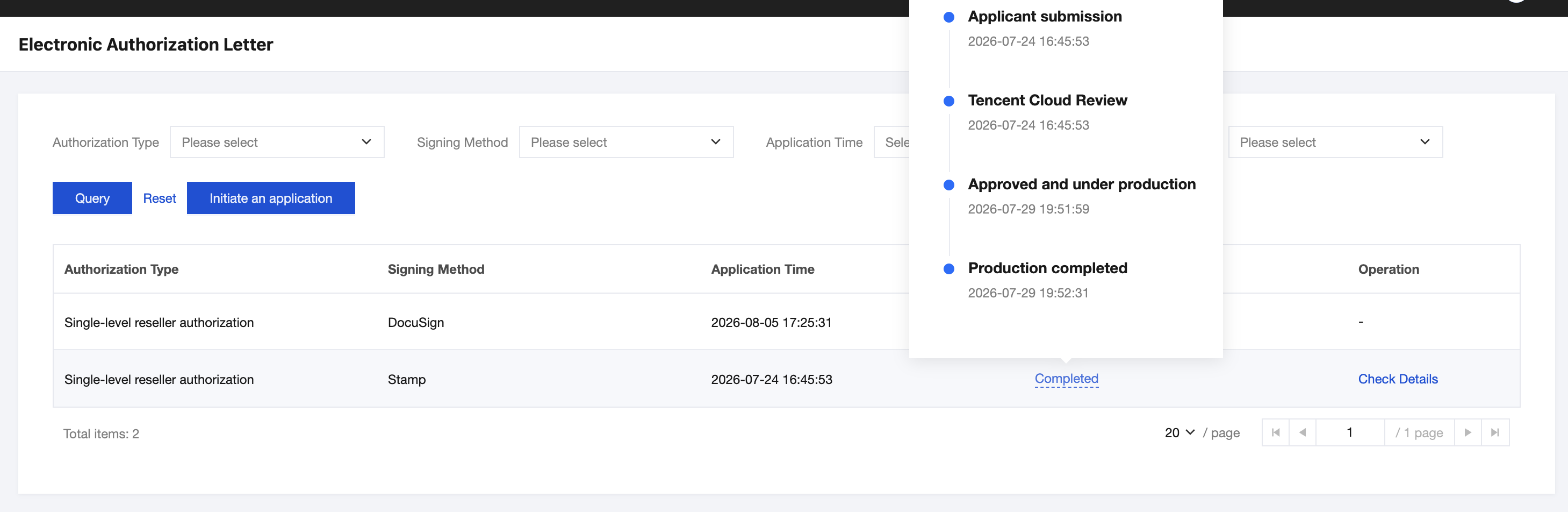
5. Click Check Details to directly download the opened file in your browser.
Ajuda e Suporte
Esta página foi útil?
Você também pode entrar em contato com a Equipe de vendas ou Enviar um tíquete em caso de ajuda.
comentários