Audience Viewing(iOS)
Baixar
Modo Foco
Tamanho da Fonte
TUILiveKit Voice Chat Room provides a comprehensive, ready-to-use interface for pure audio live streaming scenarios. It allows you to quickly implement essential features such as audience listening and mic interaction, eliminating the need to manage complex UI or seat management logic yourself.Feature Overview
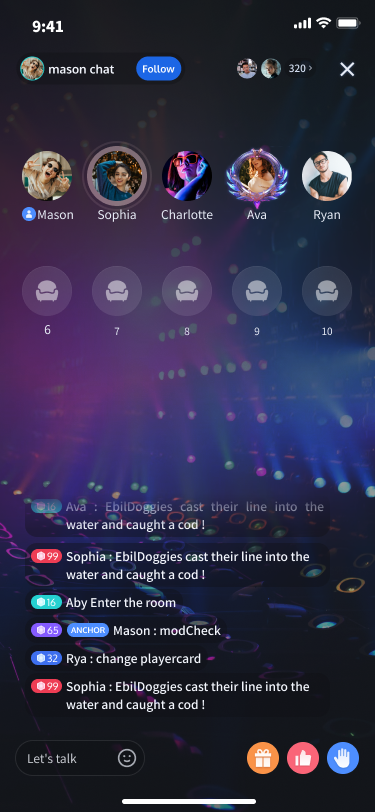
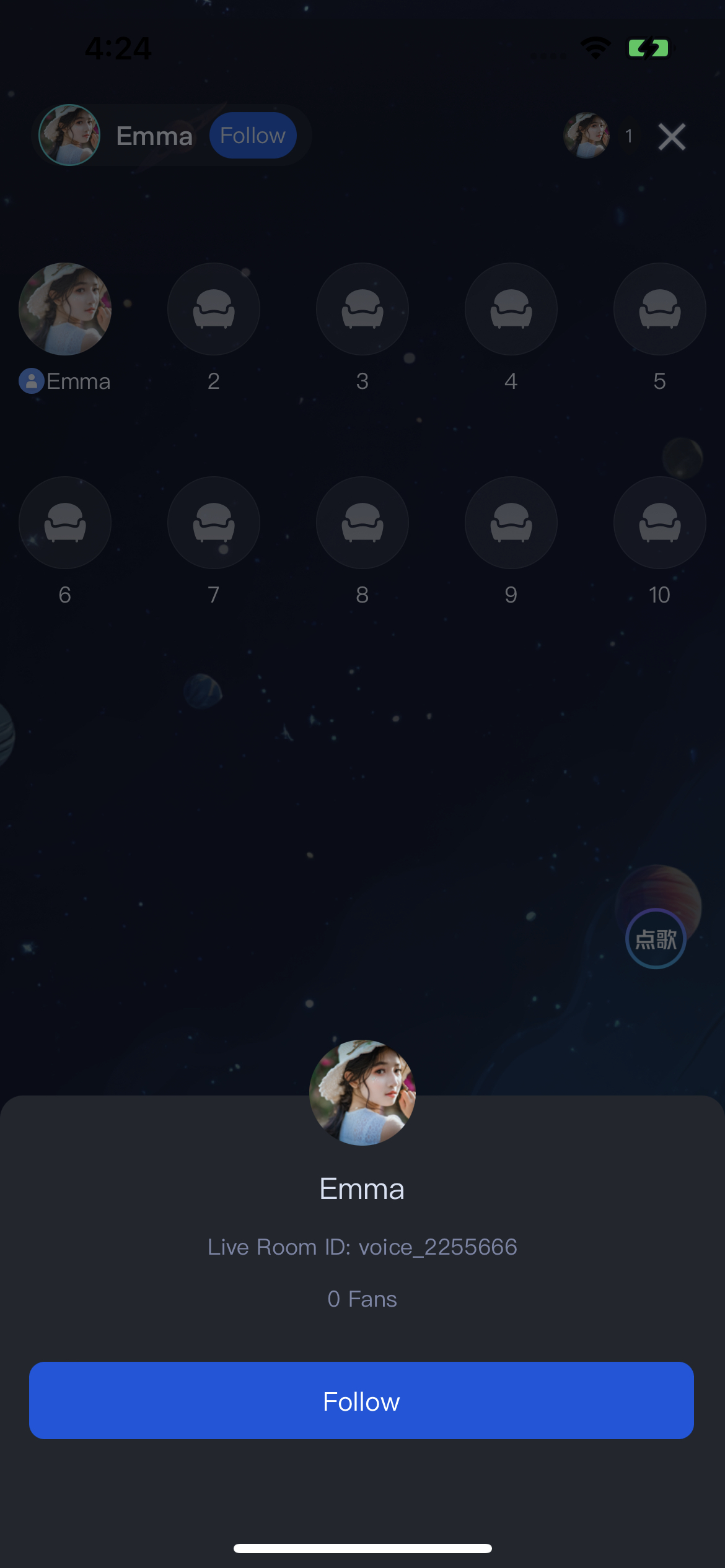
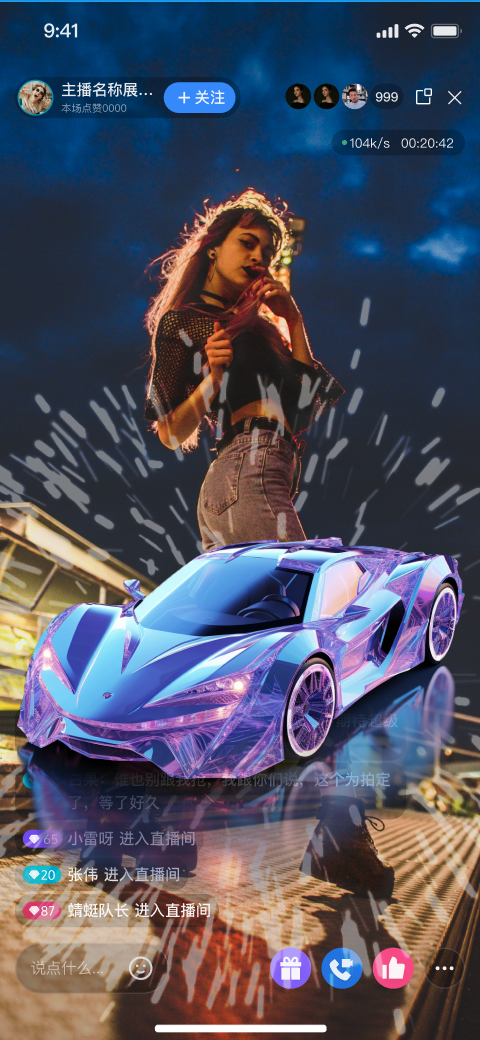
Listen to Live Streams: Hear the host’s real-time audio stream with clarity and low latency.
Co-guest: Request to join the mic and interact with the host via audio.
Live Information: View room announcements and see the list of online audience members.
Live Interaction: Engage with features such as bullet comments, gifts, and likes.
Listen to Live Streams | Co-guest | Live Information | Live Interaction |
 |  |  |  |
Quick Integration
Integrate the Component
Create and Present the Voice Room View Controller
The
TUIVoiceRoomViewController provides a complete audience-side UI and business logic for the voice room scenario. Simply instantiate and present this view controller to allow users to enter a live room. Typically, when a user taps a room in the Live Stream List, navigate to the audience view page. See the example below:import TUILiveKitimport UIKit// YourLiveListViewController represents your live list view controllerclass YourLiveListViewController: UIViewController {// Handle "Join Voice Room" action@objc func onJoinVoiceRoomClicked(roomId: String) {// 1. Instantiate the voice room controller// - roomId: The ID of the live room to join// - behavior: .join indicates joining as an audience memberlet voiceRoomVC = TUIVoiceRoomViewController(roomId: roomId, behavior: .join)voiceRoomVC.modalPresentationStyle = .fullScreen// 2. Present the voice room pagepresent(voiceRoomVC, animated: true)}}
TUIVoiceRoomViewController Parameters:
Parameter | Type | Description |
roomId | string | Globally unique live room ID. |
behavior | RoomBehavior | Room entry behavior: - autoCreate: Automatically create and join the live room.- prepareCreate: Enter a pre-live preview page. The room is created and joined after the user taps "Start Live".- join: Join the room as an audience member. |
Customize UI
TUILiveKit supports UI customization to meet a variety of business needs. You can easily modify interface text and icons.Text Customization (Localization)
TUILiveKit uses the Apple Strings Catalog(.xcstrings) format, introduced in Xcode 15, to manage the text displayed in the UI. You can modify the string resources using Xcode's graphical interface:Note:
Apple Strings Catalog (.xcstrings) is a localization format introduced in Xcode 15. It enhances how developers manage localized strings, supporting a structured format to handle plurals, device-specific variants, etc. This format is becoming the recommended way to manage localization for iOS and macOS applications.
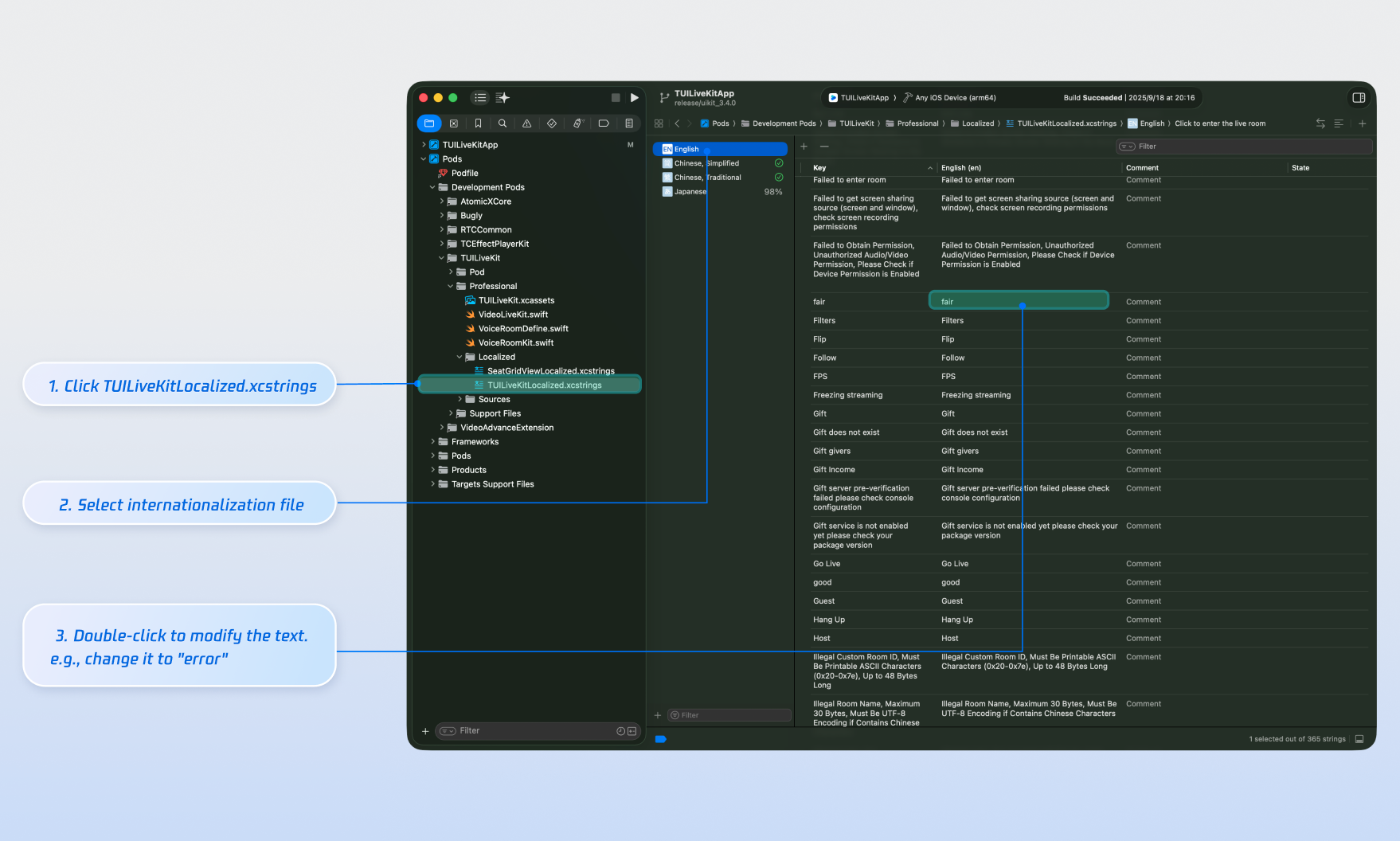
Icon Customization (Image Assets)
TUILiveKit uses TUILiveKit.xcassets to manage the image resources for the UI. You can quickly modify the custom icons using Xcode's graphical tools.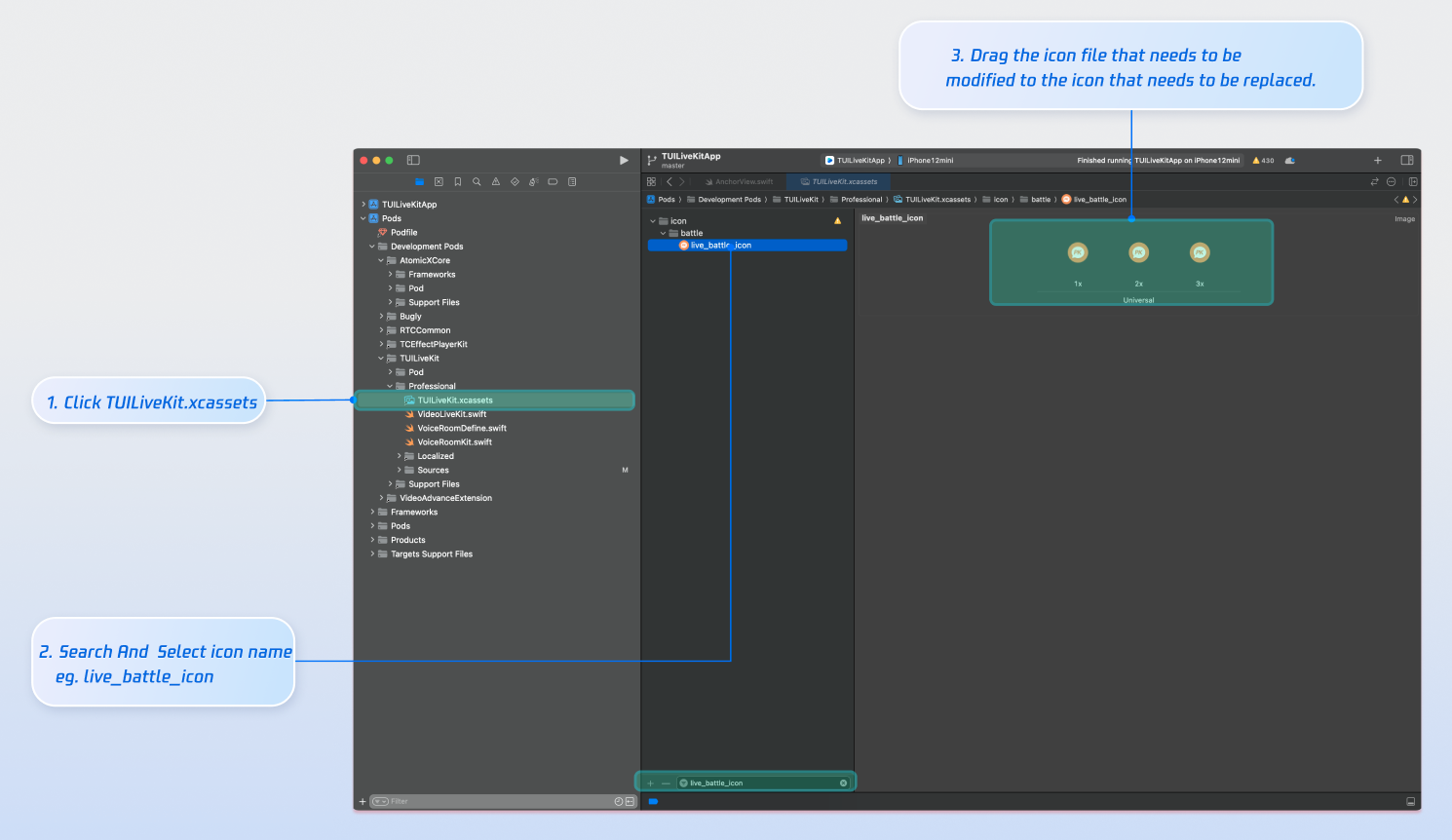
Next Steps
You have successfully integrated Audience Viewing. Next, implement additional features such as host broadcasting, live stream list and gift system. See the table below for details:
Feature | Description | Integration Guide |
Host Broadcasting | Complete host live streaming workflow, including pre-live preparation and interactive features after going live. | |
Live Stream List | Display the live room list UI and features, including room list and room information display. | |
Gift System | Support custom gift asset configuration, billing system integration, and gift-sending in PK scenarios. |
FAQs
No sound when an audience member after co-guest?
Go to your device's
Settings > App > Microphone and ensure that microphone permissions are enabled.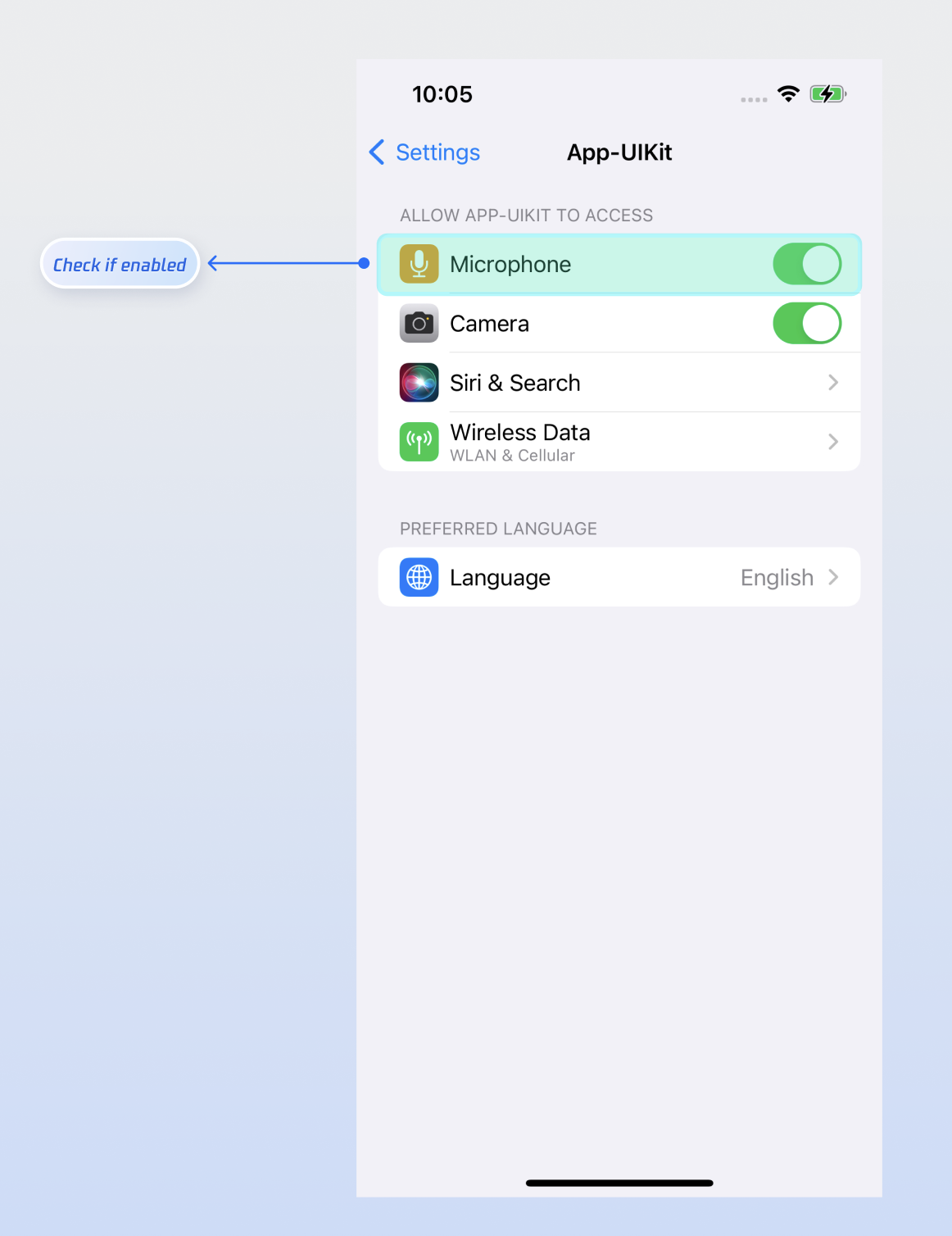
Bullet comments sent by an audience member are not visible to others in the room?
There are 3 reasons you can refer to:
Check the network connection to ensure the audience member’s device is online.
The audience member has been muted by the host and cannot send bullet comments.
The bullet comment contains blocked keywords. Confirm that the comment complies with room rules.
Ajuda e Suporte
Esta página foi útil?
Você também pode entrar em contato com a Equipe de vendas ou Enviar um tíquete em caso de ajuda.
comentários