Step 1. Set the Basic Channel Information
Download
포커스 모드
폰트 크기
Before creating a channel, make sure you have the following information:
1. The input. Make sure you have created an input to bind to the channel.
2. The output protocol and destination.
3. The audio and video encoding parameters for the output group.
Setting the basic channel information
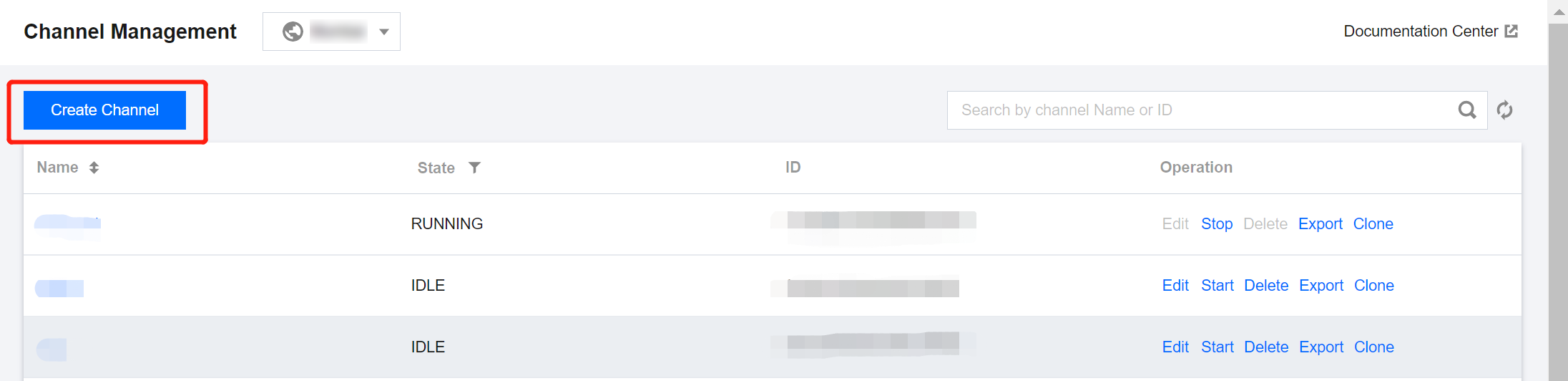
1. Log in to StreamLive Console > Channel, Click Create Channel.
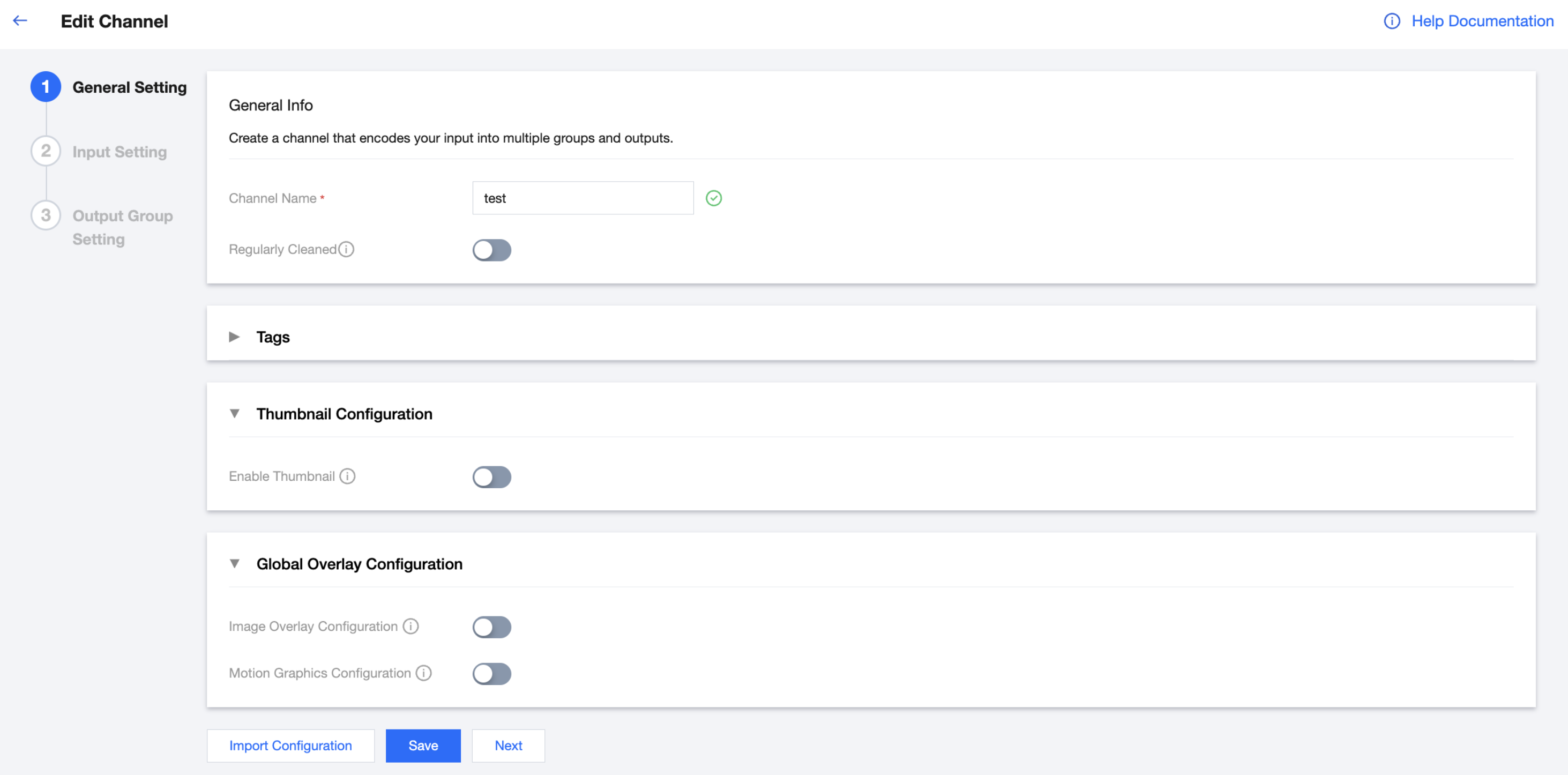
2. Enter a channel name. The channel name can contain up to 32 characters. Letters, numbers, and underscores are allowed.
3. Enable/Disable Regularly cleaned. This is disabled by default. If you enable it, the events of a plan will be cleared automatically seven days after execution. You can ignore this if you don’t use plans. For details, see Plan Management.
4. Tags:Tencent Cloud tags are used to manage cloud resources by category. StreamLive also supports associating tags with channels.
5. Thumbnail Configuration:If you want to preview and monitor the I-frame images of the input stream, you can enable this feature here. Once the channel is started, the input stream preview thumbnails will be displayed in the channel information for monitoring.
6. Global Overlay Configuration:If you need to overlay static image/motion graphic on live stream in StreamLive channel, you can enable the corresponding feature switches here, then configure static image/motion graphic overlay event in the channel's plan.
피드백