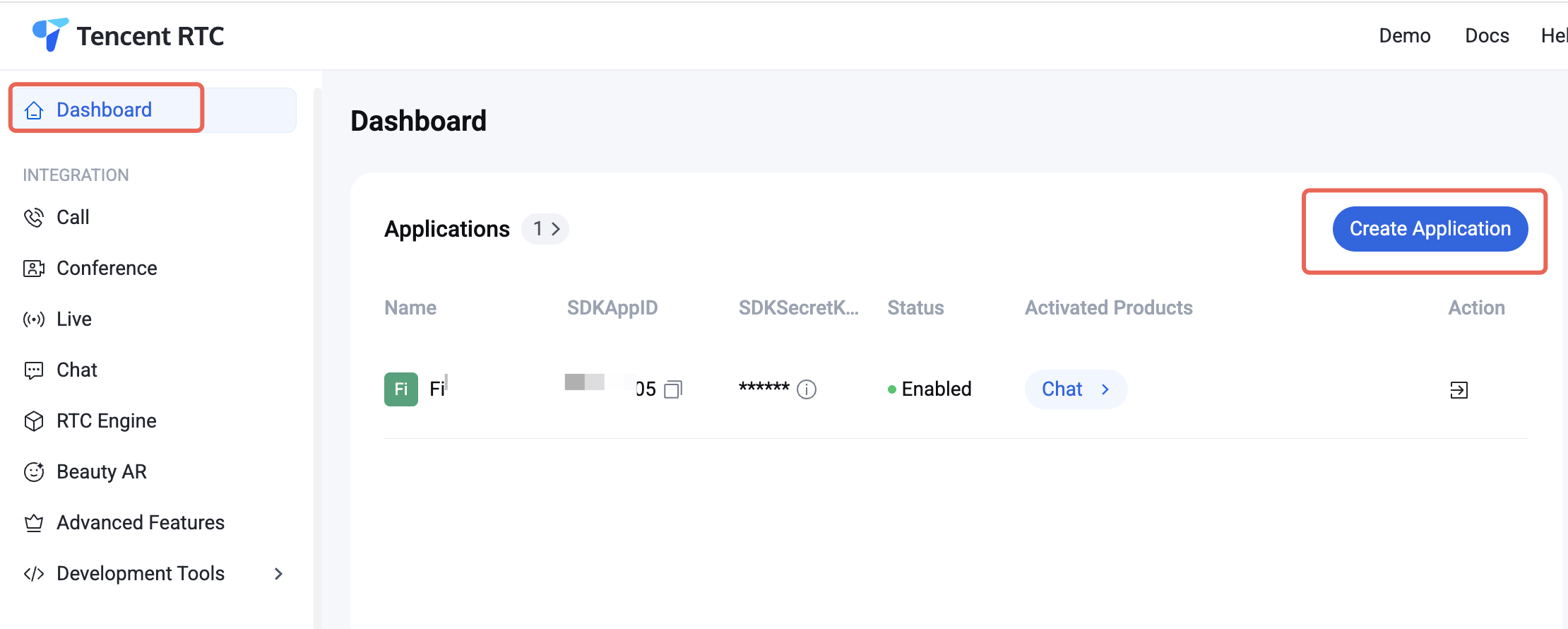
1. Log in to the Console. If you already have an application, record its SDKAppID and SDKSecretKey and proceed directly to the next section.
2. Click Create on the overview panel to start creating a new application.
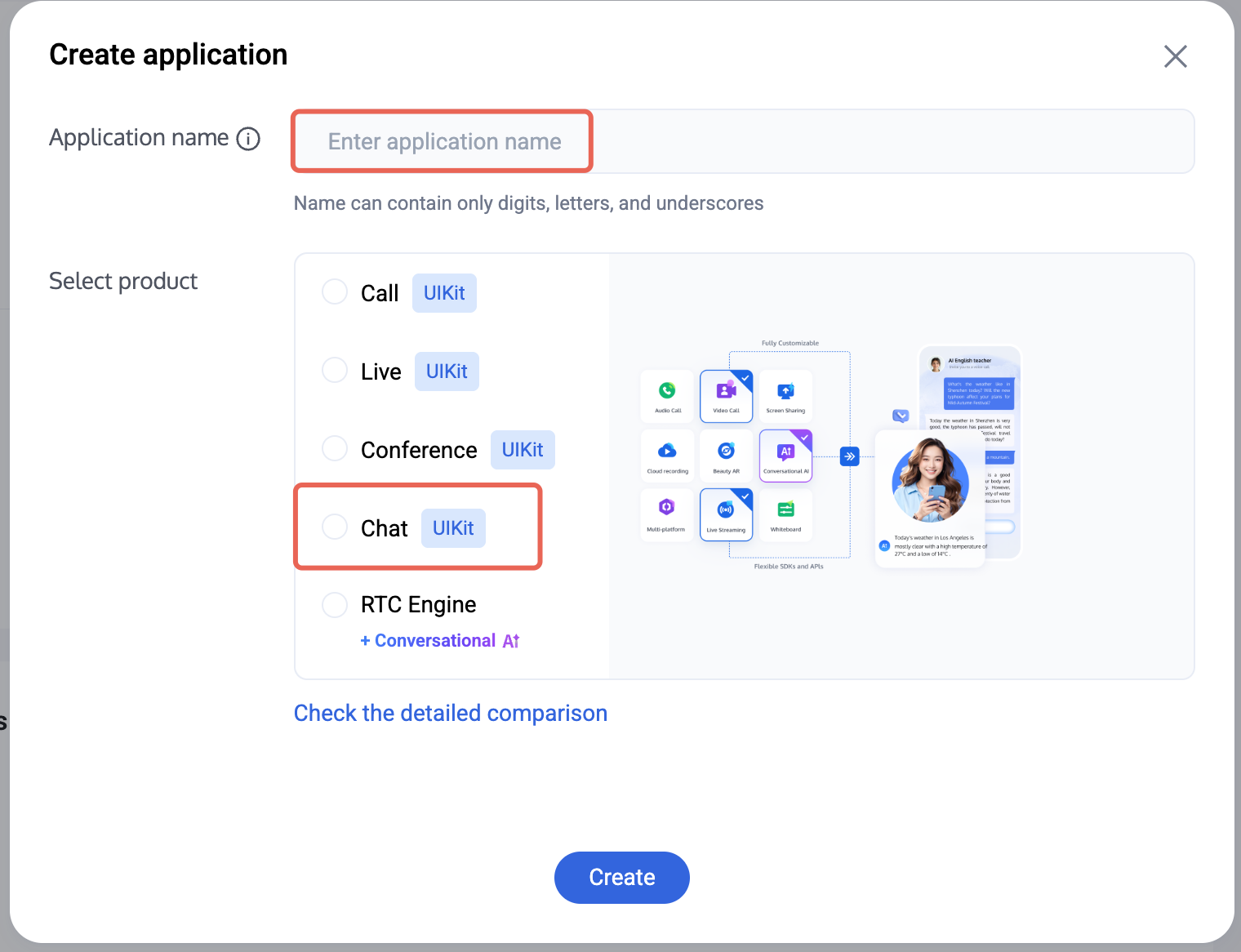
3. In the application creation dialog, enter the Application Name and select Chat as the product.
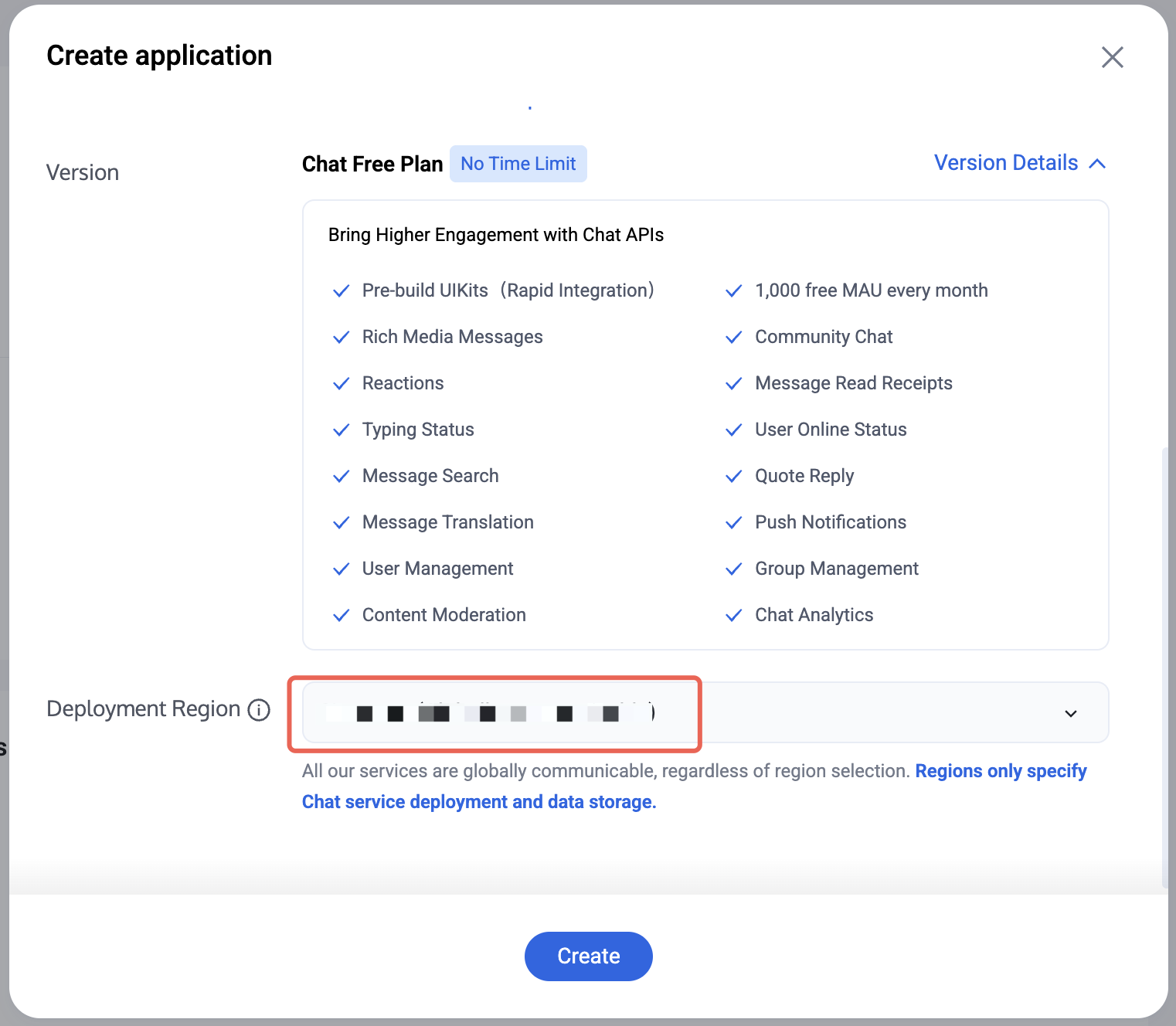
4. After selecting the product, the Deployment Region will be displayed. Choose as needed.
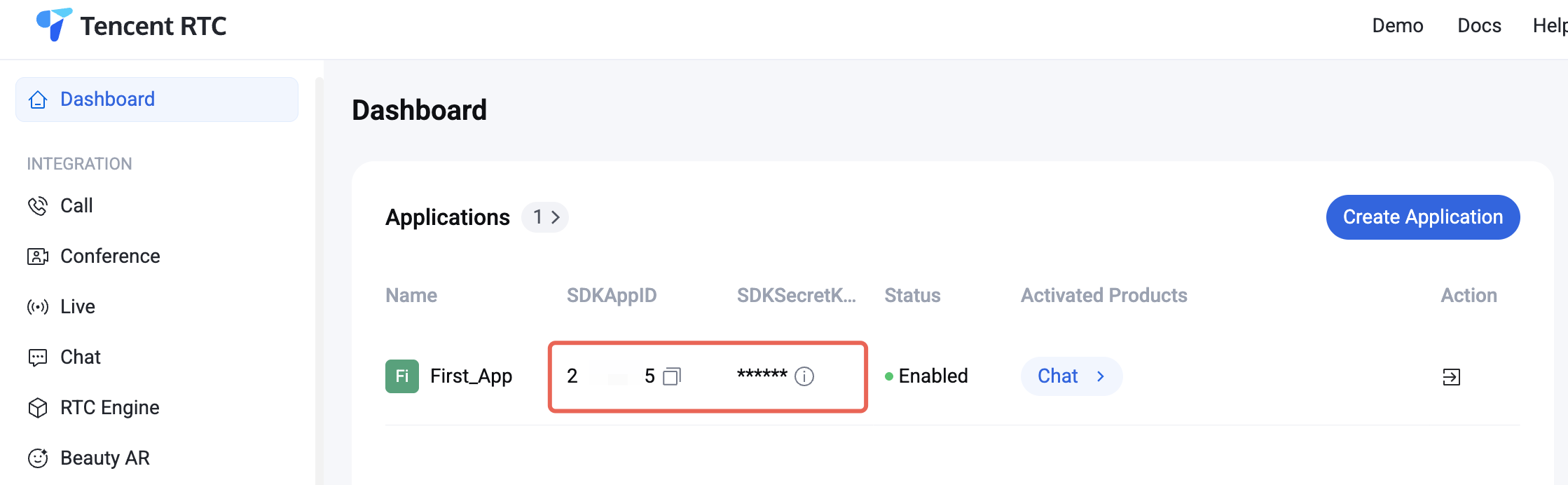
5. Once creation is complete, you can view the SDKAppID and SDKSecretKey for the new application in the console overview panel. You will need these two pieces of information to run the Demo later.
Warning:
Please keep your SDKSecretKey safe to prevent leakage!
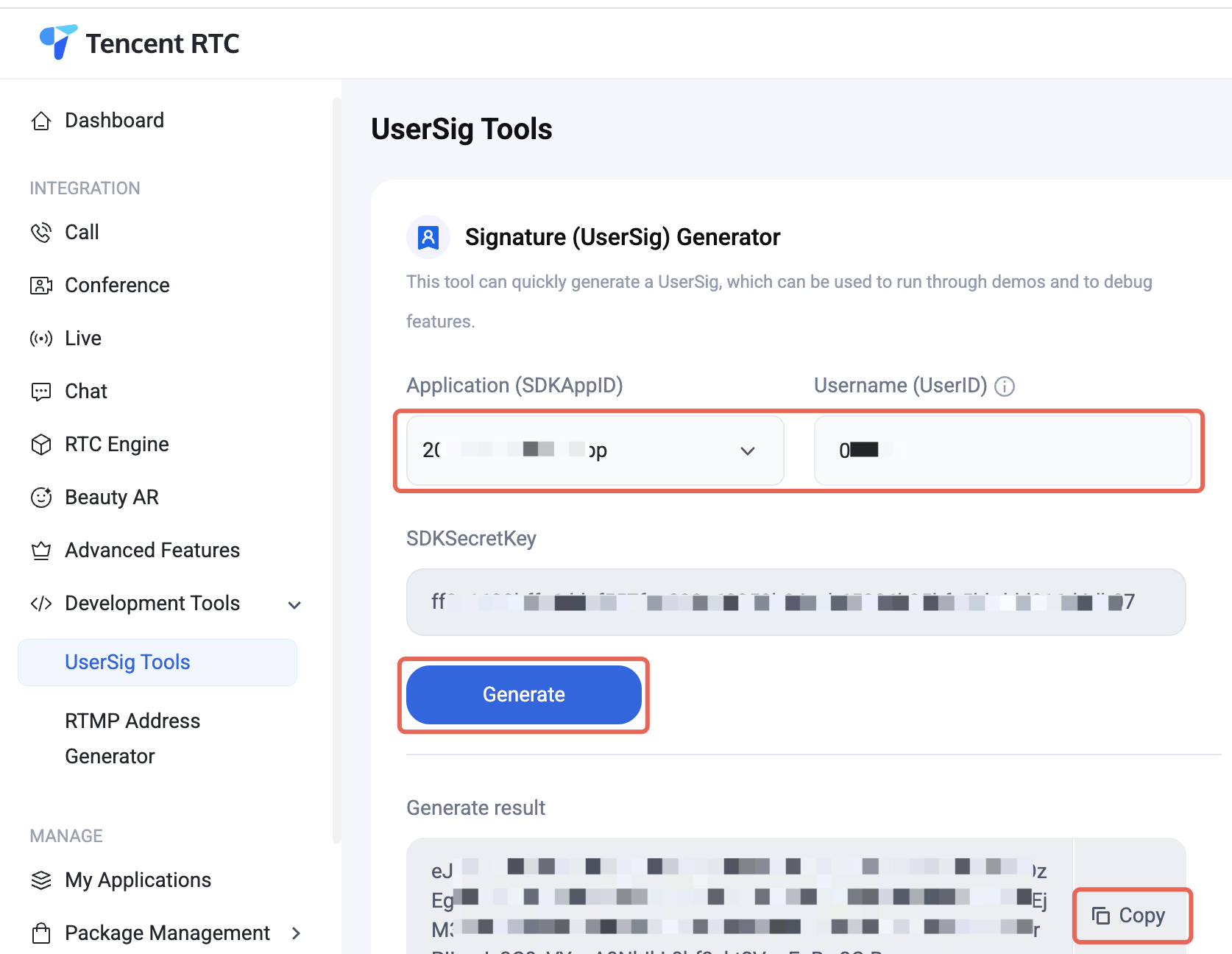
6. Go to the UserSig tool, select the application you just created, enter the UserID, and generate the corresponding UserSig. Copy this information for later login use.
2. Find and open /IM_Demo/Source/debug/include/DebugDefs.h.
3. Set parameters in DebugDefs.h as follows.
SDKAPPID: Default is 0. Set this to your actual SDKAppID.
SECRETKEY: Default is "". Set this to your actual SecretKey.
Forbidden:
In this document, the method to obtain UserSig is to configure a SECRETKEY in the client code. In this method, the SECRETKEY is vulnerable to decompilation and reverse engineering. Once your SECRETKEY is disclosed, attackers can steal your Tencent Cloud traffic. Therefore, this method is only suitable for locally running a demo project and feature debugging.
The correct UserSig distribution method is to integrate the calculation code of UserSig into your server and provide an application-oriented API. When UserSig is needed, your application can send a request to the business server for a dynamic UserSig. For more information, see Generating UserSig on the Server.
Config Demo
1. Double-click to open /IM_Demo/IM_Demo.uproject.
2. Compile, run, and test the project.
macOS
Windows
iOS
Android
File -> Package Project -> Mac
File -> Package Project -> Windows -> Windows(64-bit)
What should I do if the error "Attempt to construct staged filesystem reference from absolute path" occurs on Android?
Close the project in UE4, open CMD, and run the following commands:
adb shell
cd sdcard
ls(you should see the UE4Game directory listed)
rm-r UE4Game
Compile your project again.
Using Emoji Packs
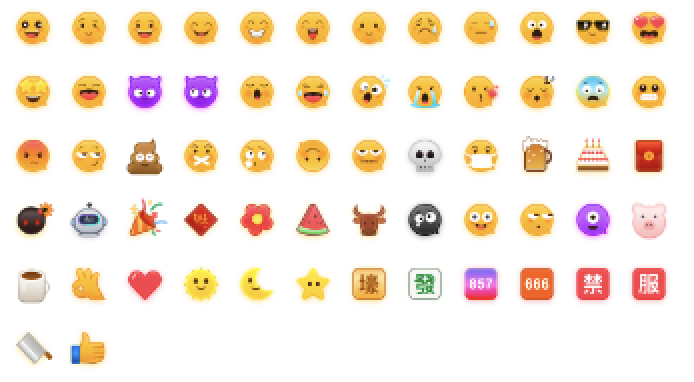
To respect the copyright of emoji designs, the Chat Demo/TUIKit project does not include cutouts of large emoji elements. Please replace them with your own designs or other emoji packs for which you hold the copyright before officially launching for commercial use. The default smiley face emoji pack shown below is copyrighted by Tencent RTC, you can upgrade to Chat Pro Plus Edition and Enterprise Edition to use it for free.