Get a Temporary Access Credential
Baixar
Modo Foco
Tamanho da Fonte
After logging in to the Identity Management user portal, users can access their accounts in the CAM role mode, or obtain a temporary access credential (STS Token) with one click on the page. This article shows you how cloud Identity Management users can obtain an STS Token.
Usage Instructions
Token Permission
When you grant permission configuration for an account to Identity Management users or user groups, the permission configuration will deploy a CAM role within the member account. The STS Token permission scope of this role is defined in the Identity Management permission configuration.
Token Validity Period
The STS Token obtained by accessing through the CAM role is a short-term temporary access token, and its validity period depends on the session duration defined in the permission configuration and will automatically become invalid after expiration.
Obtaining Temporary Keys
1. Log in to the Identity Management user portal. For details, see Identity Management User Login.
1.1 Obtain the user login URL from the admin.
1.2 Log in to the Identity Management User Portal via SSO.
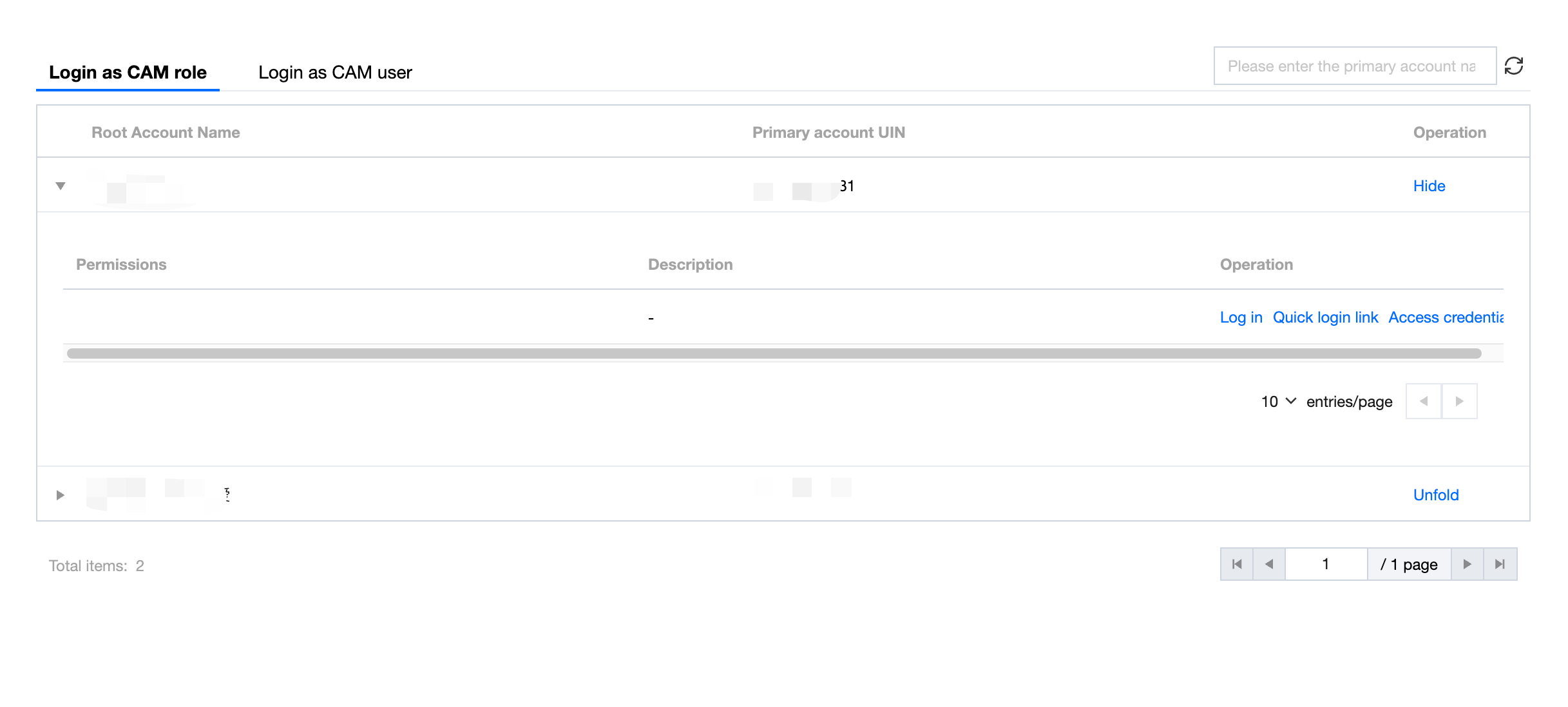
2. On the Log in as CAM role tab, click Unfold in the operating column of the target account.
3. Click Access credential in the target operation column.
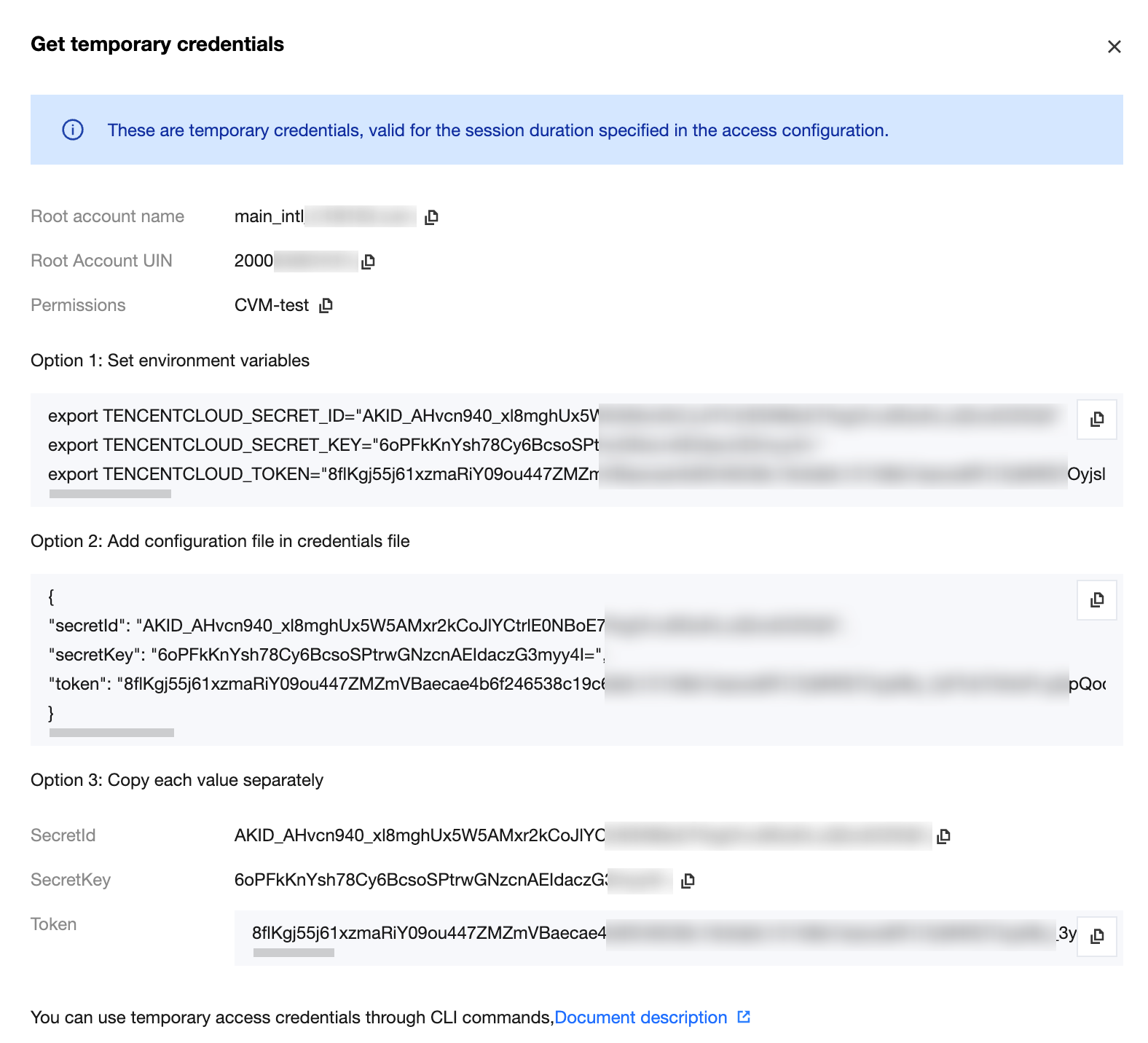
4. View and copy temporary access credentials.
Ajuda e Suporte
Esta página foi útil?
Você também pode entrar em contato com a Equipe de vendas ou Enviar um tíquete em caso de ajuda.
comentários