tencent cloud

Tag

Product Introduction
Overview
Features
Scenarios
Use Limits
Resource Types Supporting Tag APIs
Purchase Guide
Getting Started
Creating Tags and Binding Resources
Querying Resources by Tag
Operation Guide
Creating Tags
Tagging Resources
Unbinding Tags
Unbinding or Modifying Tags in Batches
Deleting Tags
Viewing Tagged Resources
Querying and Editing Resource Tags
Setting Tag Quotas
Exporting Resource Tags
Query Tag Modification Record
CreatedBy
Tag Policy
Exporting a Tag List
API Documentation
History
Introduction
API Category
Making API Requests
Write APIs
Read APIs
Project APIs
Data Types
Error Codes
FAQs
Glossary

Enabling Tag Policy

PDF
포커스 모드
폰트 크기
마지막 업데이트 시간: 2023-07-20 15:51:10

Overview

If there are resources of multiple Tencent Cloud services under your account, you can create tags and bind them to your resources, so that you can manage the resources by category. If you need to specify tags to which resources must be bound, you can also enable tag policy to improve the tag management efficiency. After tag policy is enabled, you can edit tags for existing resources, but not newly created resources.

Instructions

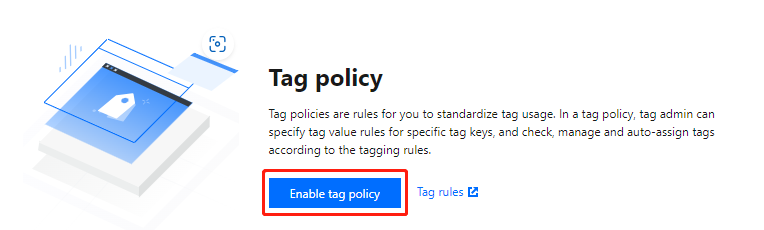
1. Log in to the Tag console and click Tag Policy > Policy List on the left sidebar.
2. Click Enable tag policy and click Enable to confirm enabling.

Subsequent Steps


도움말 및 지원

문제 해결에 도움이 되었나요?

피드백