Associated Product
다운로드
포커스 모드
폰트 크기
How do I use WAF together with CDN or Anti-DDoS Pro services?
You can use WAF with Anti-DDoS Pro directly, or use it with CDN by setting the CDN origin server IP as the IP of a WAF instance. Recommended deployment architecture: Client > CDN > WAF + Anti-DDoS Pro > CLB > Real server.
If you need the CDN and Anti-DDoS capabilities, simply set the CNAME provided after the connection to WAF as the CDN origin server, and associate Anti-DDoS Pro with the WAF instance. In this way, the user traffic, after going through CDN, is forwarded to WAF, which has the capability of cleansing high-traffic DDoS attacks, and finally reaches the real server for full protection.
How do I connect a CDN domain name to WAF?
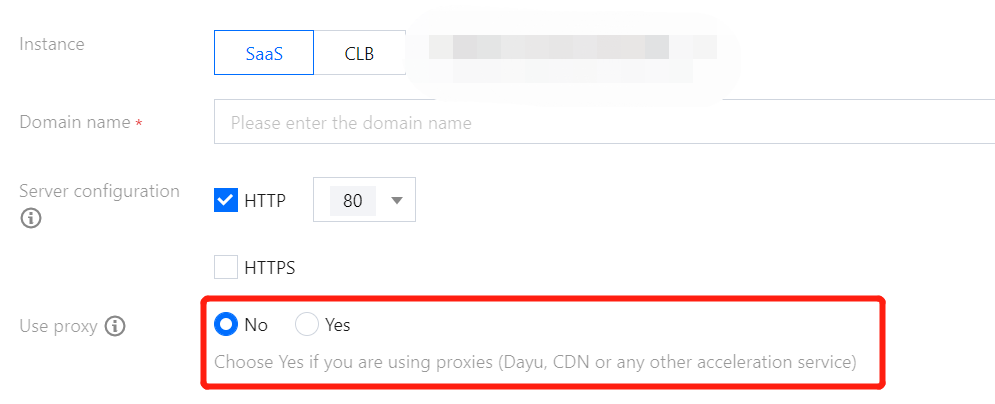
To connect a CDN domain name, simply use the CNAME address that WAF assigned for your domain name as the CDN real server. The content is pulled from the origin as traffic flows in the order "user > CDN > WAF > CLB > real server". Meanwhile, you can log in to the WAF console, and select Yes for Use proxy on the Add domain name page. Then, WAF obtains the real IP of your client for protection based on the XFF field in HTTP headers.
피드백