If you have multiple users managing different Tencent Cloud services such as CVM, VPC, and TencentDB, and they all share your Tencent Cloud account access key, you may face the risk of your key being compromised. Therefore, we recommend you create sub-users and let them manage different services to avoid such risk.
By default, sub-users have no permission to use DTS. Therefore, you need to create policies to allow them to use it.
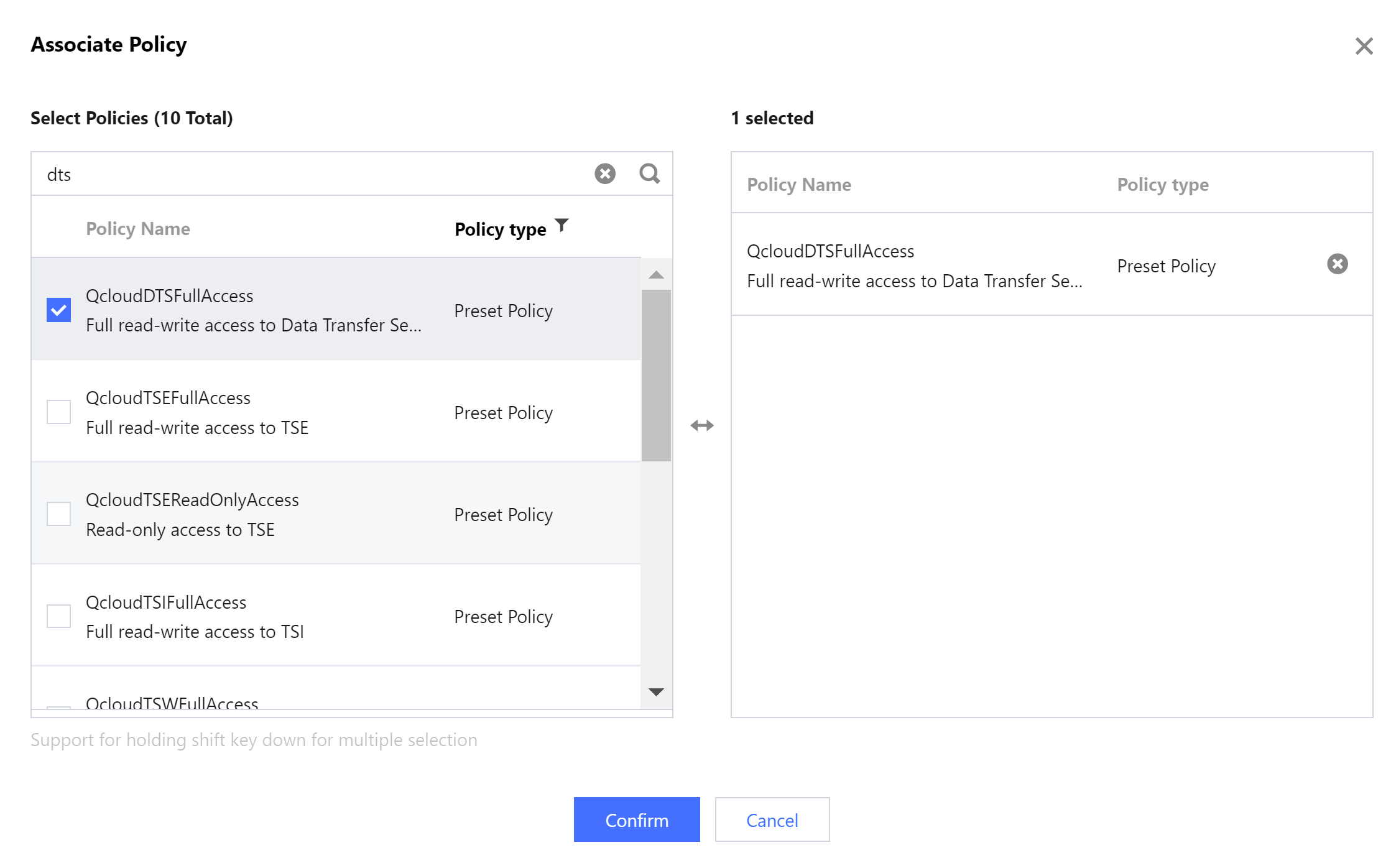
You can skip this section if you don't need to manage the permissions of DTS resources for sub-users.
2. On the left sidebar, select User > User List to enter the user list management page.
3. Click Create User to enter the user creation page.
4. On the user creation page, select the creation method.
5. On the Quick User Creation page, set the sub-user name, access method, user permission, etc.
Console Login: Select Console access or Programming access.
User permission: Select the permission as needed. If you select QcloudDTSFullAccess, the sub-user will be granted all read/write permissions of the DTS service. If you select QcloudDTSReadOnlyAccess, only the read-only permission will be granted.
6. Click Create User.
7. You will be redirected to the page prompting that the user is successfully created, and you can get the sub-user information in the following two methods:
Click Copy to directly get and copy the login information of the sub-user.
Click Send, enter the email address, and the system will send the complete sub-user information to the specified email address.
Authorizing Existing Sub-user to Use DTS
1. Log in to the CAM console with the root account, locate the target sub-user in the user list, and click Authorize.
2. In the pop-up window, select the QcloudDTSFullAccess preset policy and click OK to complete the authorization.