Basic Remote Terminal Operations
Download
포커스 모드
폰트 크기
Connecting to a Container through Remote Terminal
1. Log in to the TKE console and select Cluster in the left sidebar.
2. On the Cluster Management page, click the cluster ID (cls-xxx) to go to the cluster details page.
3. In the left sidebar, select Node Management > Node. On the Node List page, click the node ID to go to the Pod management page.
4. In the instance list, click Remote login in the Operation column of the instance.

Note:
Containers meeting any of the following conditions do not support remote login:
The namespace is kube-system.
A bash is not built in the container image.
5. In the container login pop-up window, select shell and select Login on the right side of the container you want to log in.
Running Commands for Containers Without Shell
1. Go to the remote terminal page.
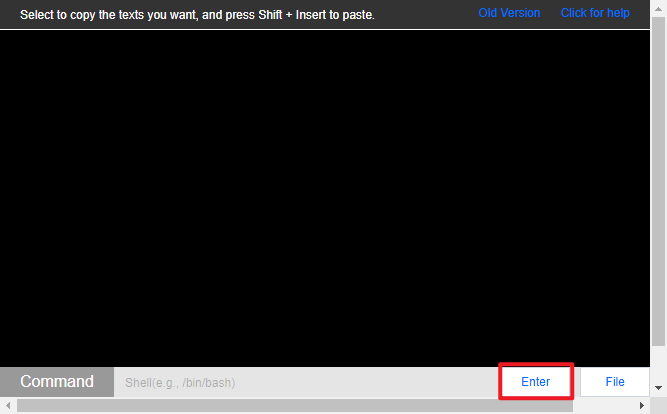
2. Enter the command to be run below and click Enter, as shown in the following figure:
Uploading and Downloading Files
1. Go to the remote terminal page.
2. Click File and select Upload File or Download File.

Upload File: Specify the directory to which the files are to be uploaded.
Download File: Specify the path of the files to be downloaded.
피드백