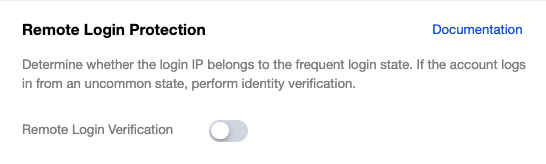
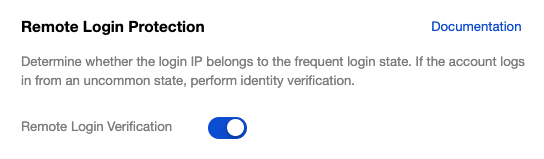
Remote login refers to a scenario where the IP address used for an account login is not from a frequently used login state. After you enable remote login protection, the system determines whether the login IP address belongs to a frequently used login state. If the account logs in from a non-frequently used state, identity verification is required.
Note:
To enable abnormal login restriction for a sub-account, you must use a root account or a sub-account with the required permissions. For detailed operations, see Login Restriction.
Remote login alerts are enabled by default for all accounts and cannot be disabled. This alert is independent of whether remote login protection is enabled for the account. If your account logs in from a non-frequent location, a remote login alert message is sent to you.
Operation Steps
Enabling Abnormal Login Protection
1. Log in to the Tencent Cloud console and go to the Security Settings page.
2. In the Remote Login Protection section, click
next to Remote Login Verification.
3. In the Identity Verification window that pops up, complete identity verification as prompted on the page to enable remote login protection.
Note:
If the identity verification method is unavailable, please contact us or submit a ticket to obtain support.
Disabling Remote Login Protection
1. Log in to the Tencent Cloud console and go to the Security Settings page.
2. In the Remote Login Protection section, click
next to Remote Login Verification.
3. In the Identity Verification window that pops up, complete identity verification as prompted on the page to disable remote login protection.
Note:
If the identity verification method is unavailable, please contact us or submit a ticket to obtain support.