Downloading Reports
This document introduces how to download the historical reports of a completed performance testing task.
Operation Steps
1. Log in to the TCOP console.
2. Choose PTS > Test Scenarios in the left sidebar.
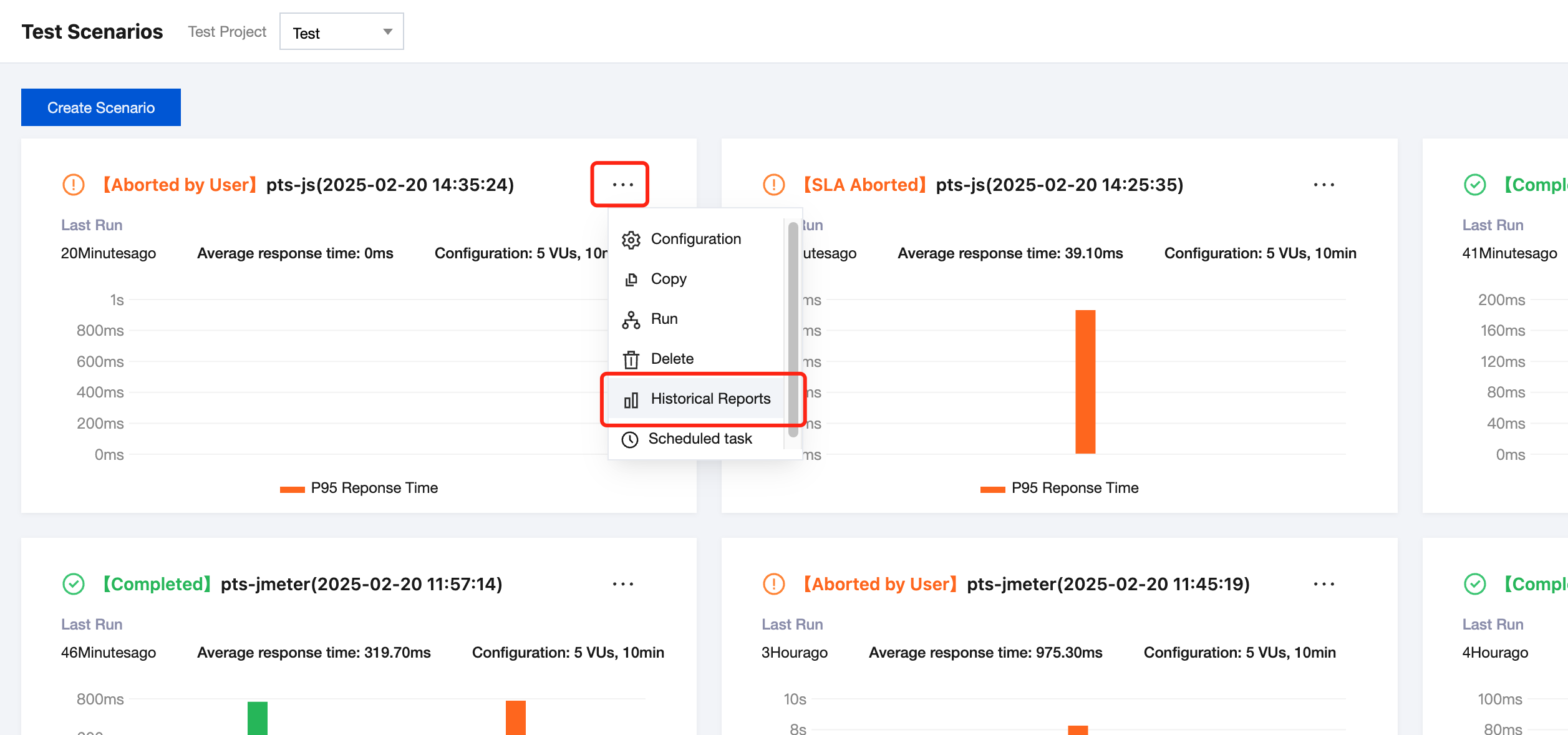
3. In the top-right corner of Test Scenarios, click 
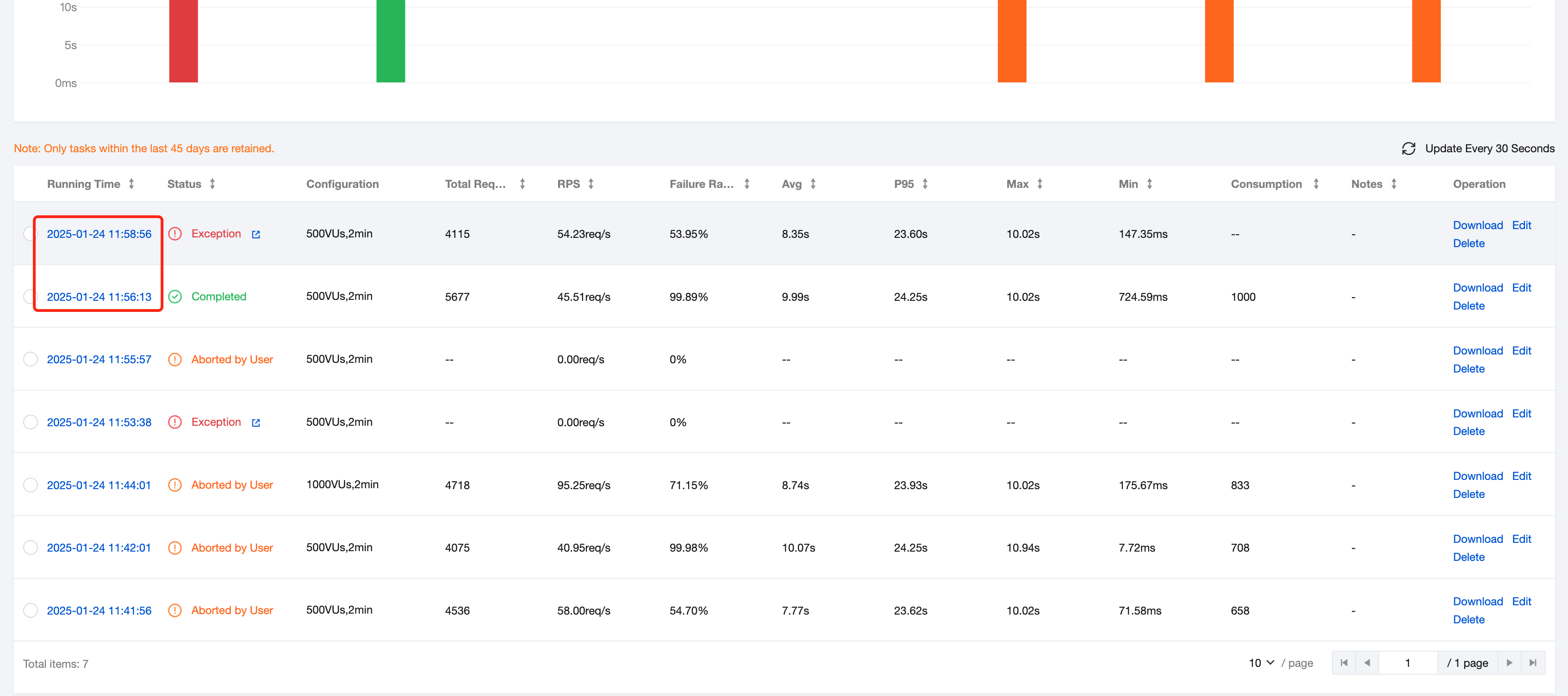
4. On the Historical Report page, click the historical report you want to download.
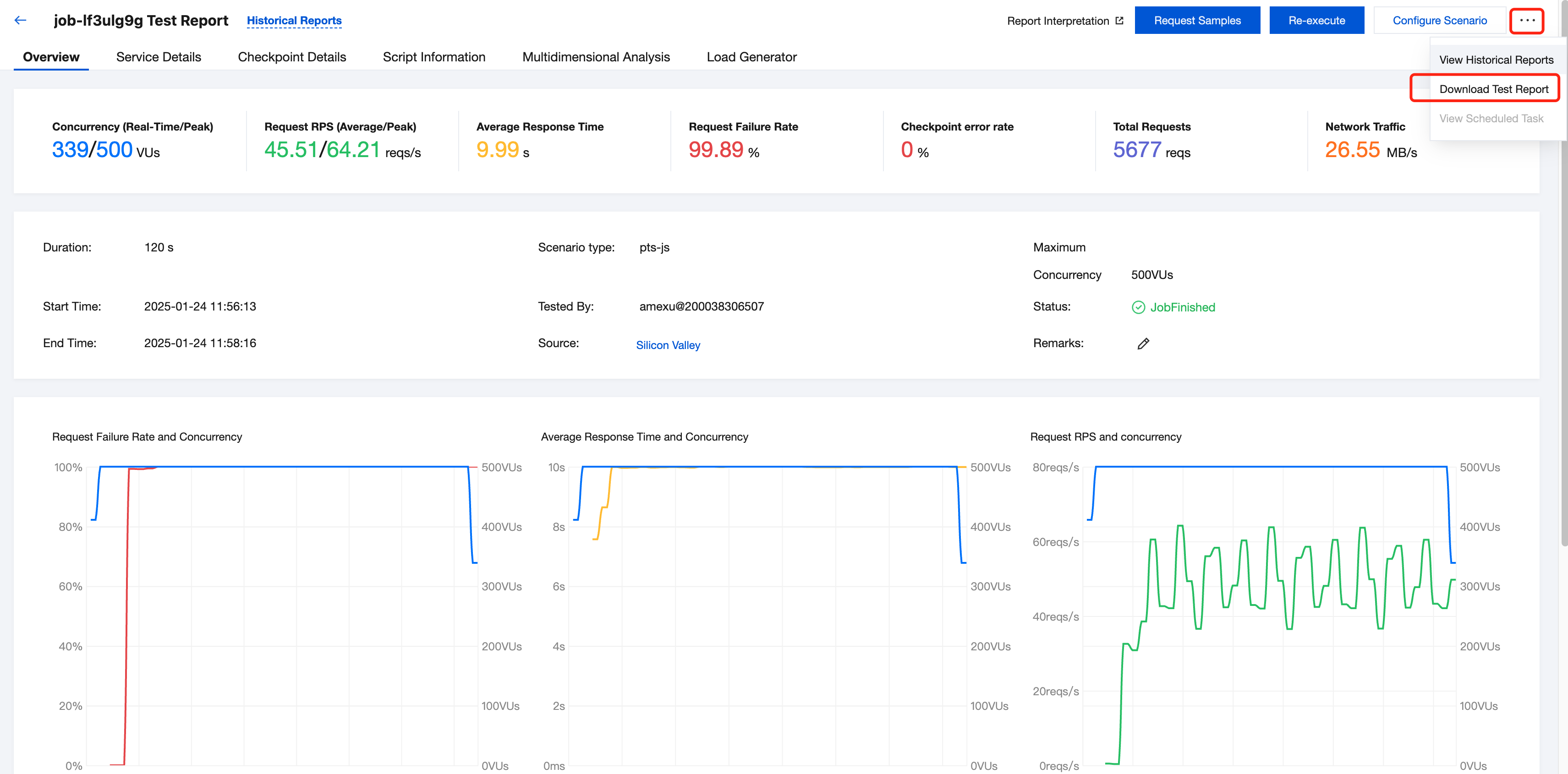
5. On the Report page, click 
Ajuda e Suporte
Esta página foi útil?
Você também pode entrar em contato com a Equipe de vendas ou Enviar um tíquete em caso de ajuda.
comentários