Standard Access (CX Platform: Megaport)
下载
聚焦模式
字号
Prerequisites
You already have a Megaport account.
A Port must be provisioned for the account in the region where you need to establish a connection.
If you do not have an account, you can contact sales or create one yourself on the Megaport page. If you have questions about using the page, you can contact Megaport sales for guidance or contact Megaport online services to obtain support.
Operation Steps
1. Placing an Order on the Megaport Side
1. Go to the Services page on Megaport.
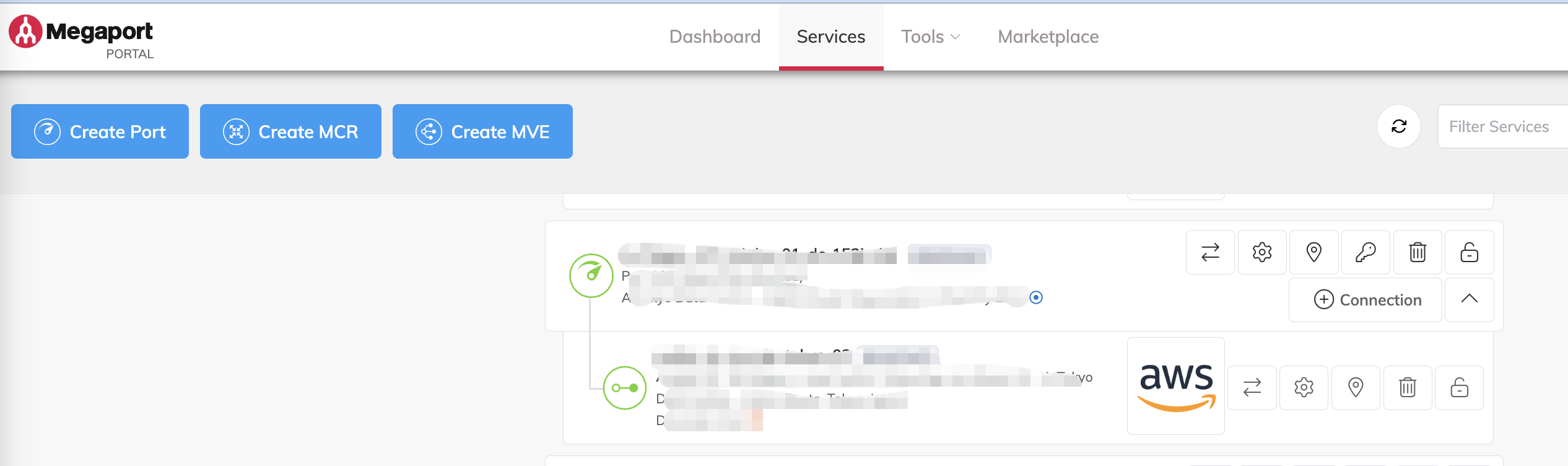
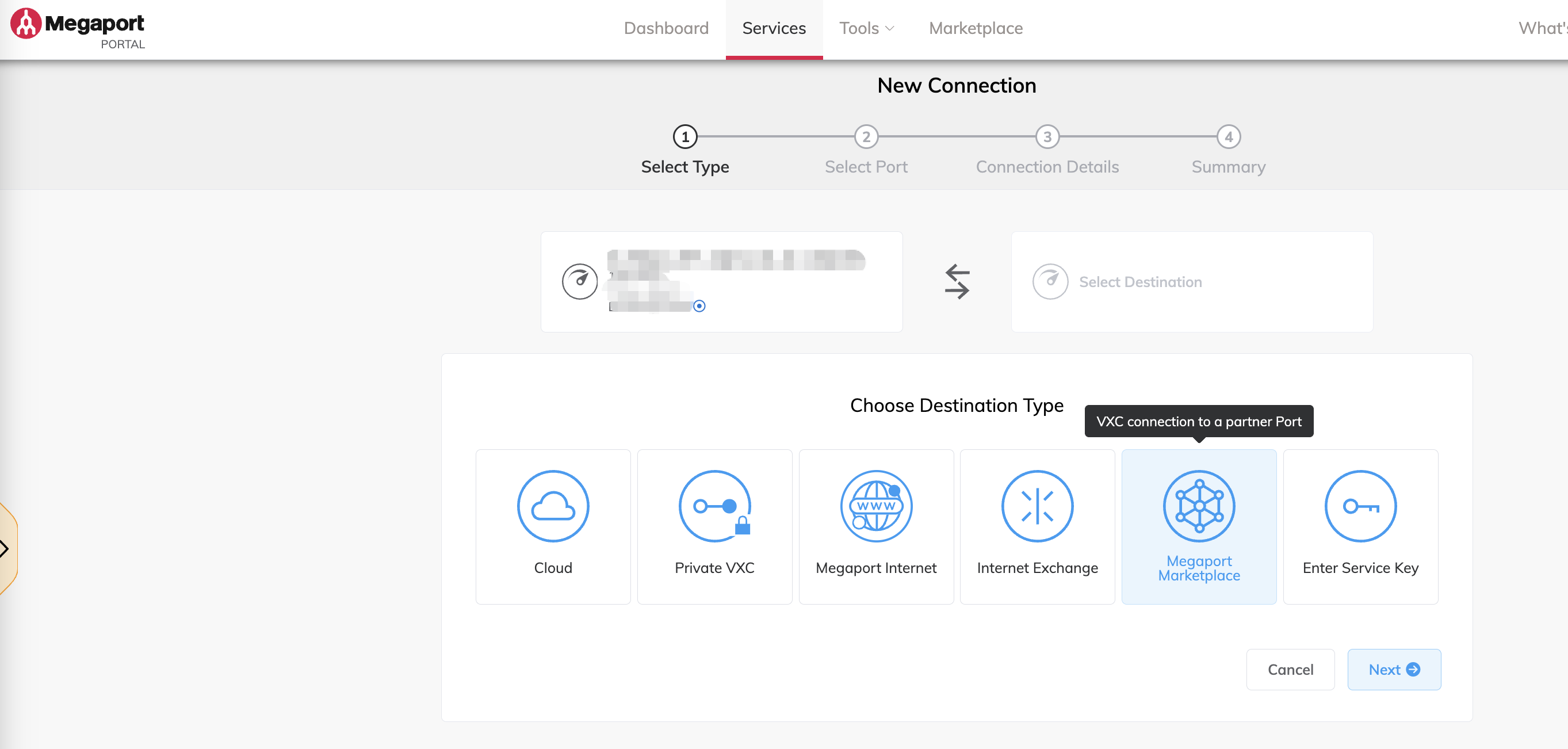
2. After selecting a suitable Port, click to create a Connection: For Type, select Megaport Marketplace.
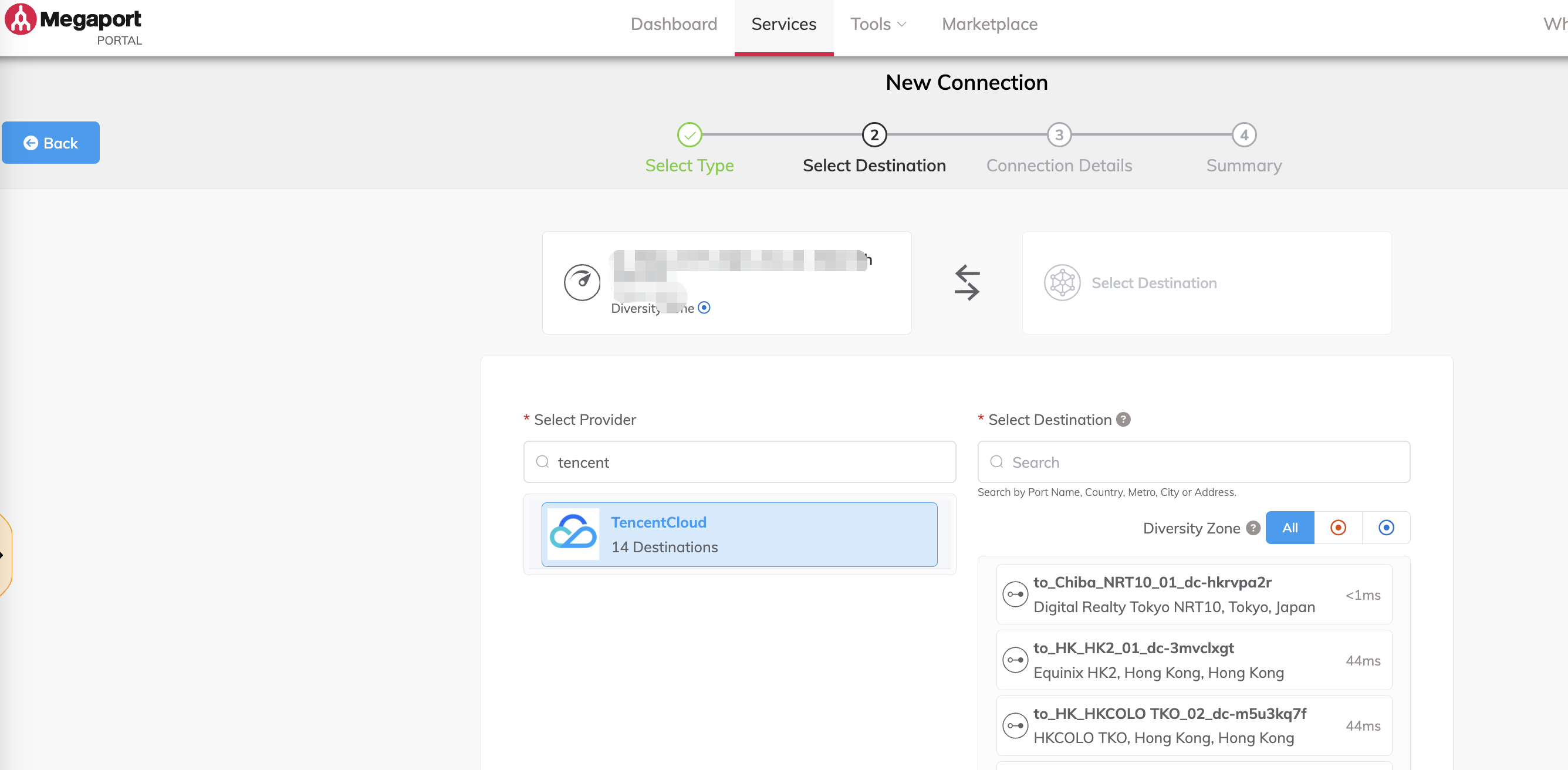
3. In Provider, search for Tencent, select TencentCloud, and then choose a suitable Destination.
Note:
Before you select a target Megaport port resource, it is recommended that you first contact Tencent Cloud. This helps you choose a suitable port resource and further assists you in building a standardized network.
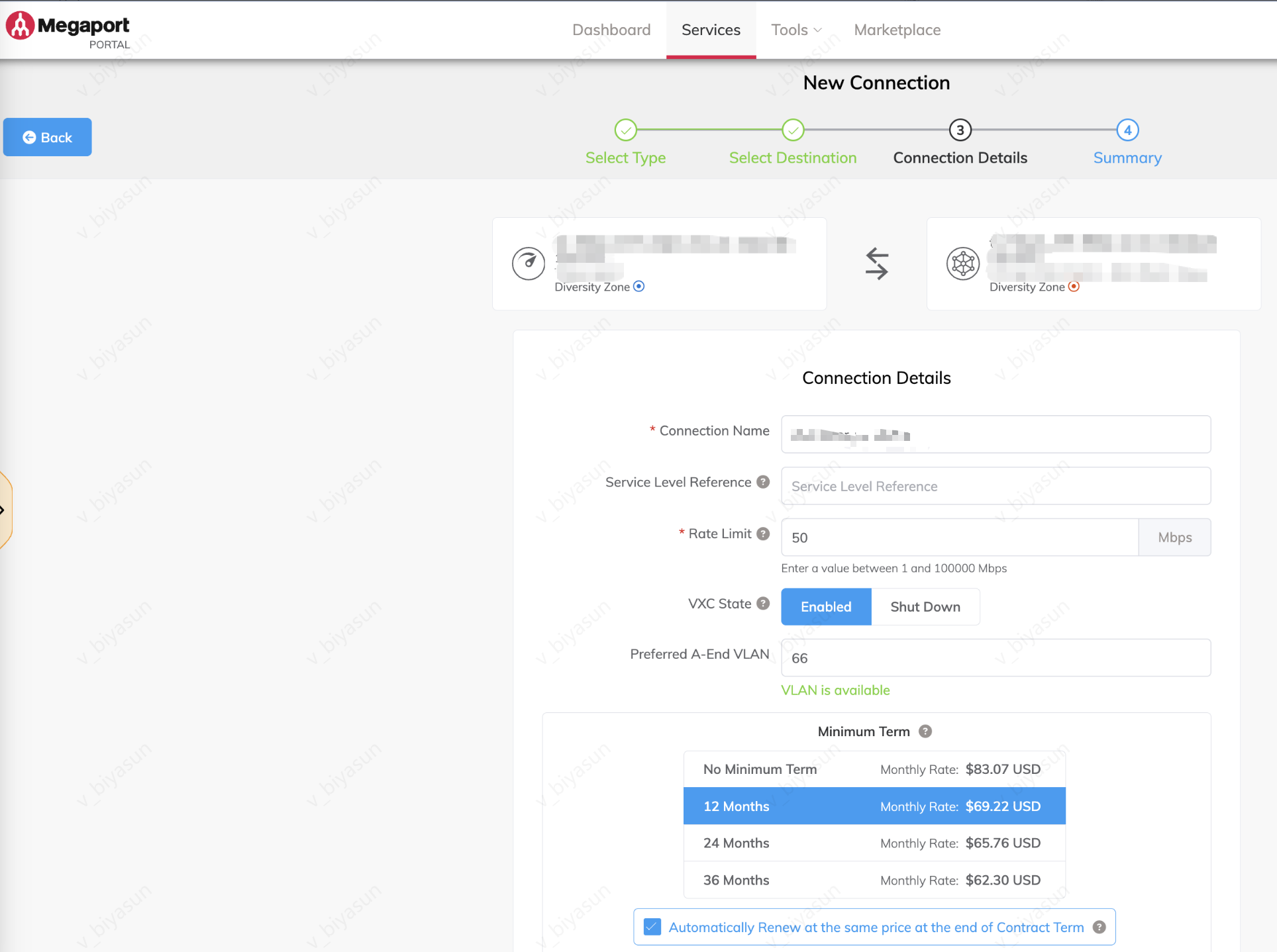
4. Configure the connection details: Connection Name, Bandwidth, Connection Status (select Enabled), VLAN, and so on.
5. Configuration verification: Review and verify the connection parameter configurations. After confirming, click Add VXC.
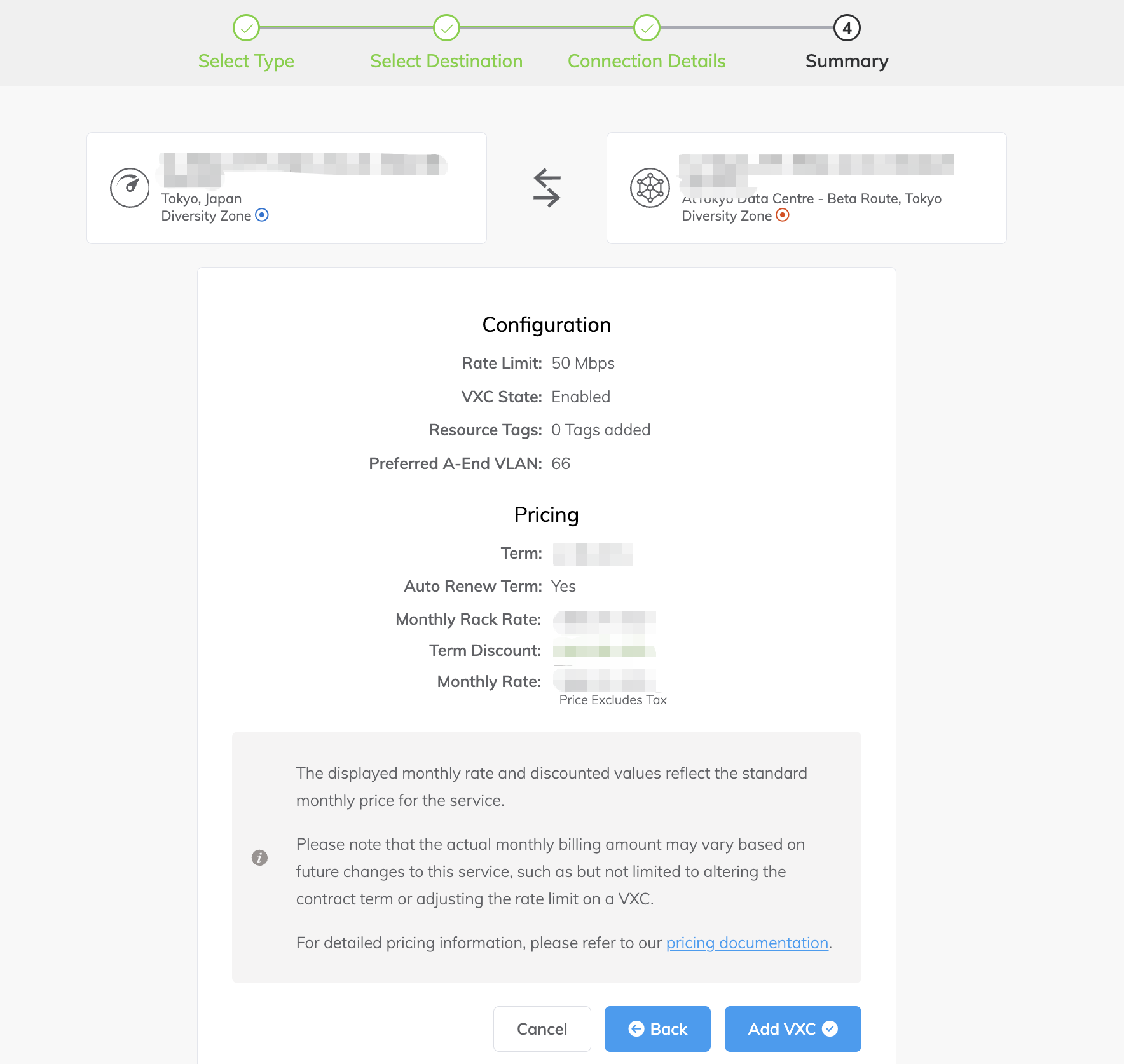
Note:
After you complete the above configurations on the CX platform, you need to contact your business manager or submit a ticket to contact Tencent Cloud for the subsequent line review and configuration work.
2. Building Tencent Cloud Resources
1. Log in to the Direct Connect Access Console. In the left navigation pane, click Cloud Exchange to go to the Cloud Exchange list page. Purchase Cloud Exchange resources. For billing details, see Billing Overview.
2. When the cloud exchange instance status is Operational, it indicates connectivity with Equinix, and you can create Tencent Cloud resources. In the row of the specific instance, click Build Cloud Resources with One Click. On the build page, configure the corresponding parameters based on your actual situation. For details on configuring parameters, see Dedicated Tunnel.
文档反馈