iOA SaaS Local Self-Built Accounts
다운로드
포커스 모드
폰트 크기
This document describes how to create a local account and use it to log in to the client.
Add catalogs
1. Log in to the Tencent iOA Zero Trust Security Management System console, and select Organizational Structure Management in the left sidebar.
2. On the Organizational Structure Management page, click Add New Organizational Structure.
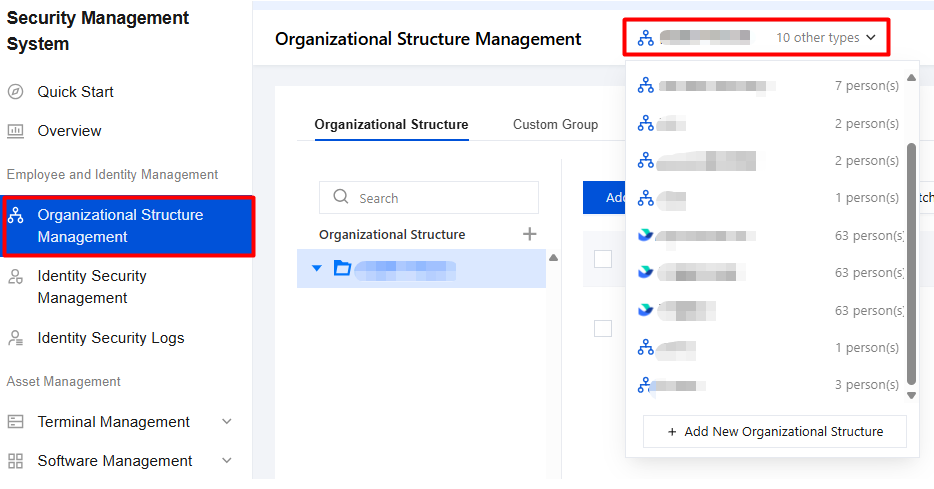
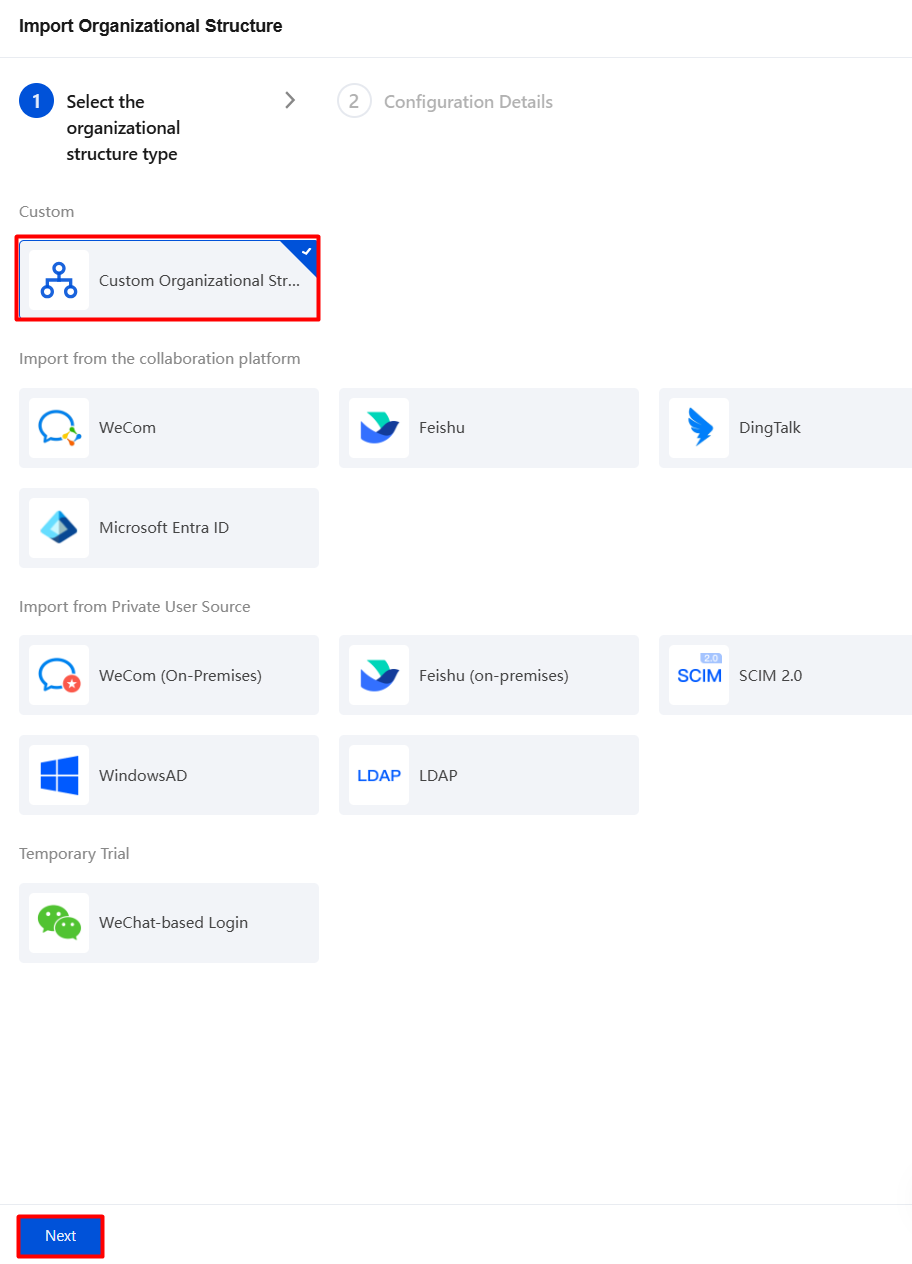
3. On the Import Organizational Structure page, select Custom organizational structure, click Next, enter a name for the organizational structure, and click Finish.
Allows you to add groups
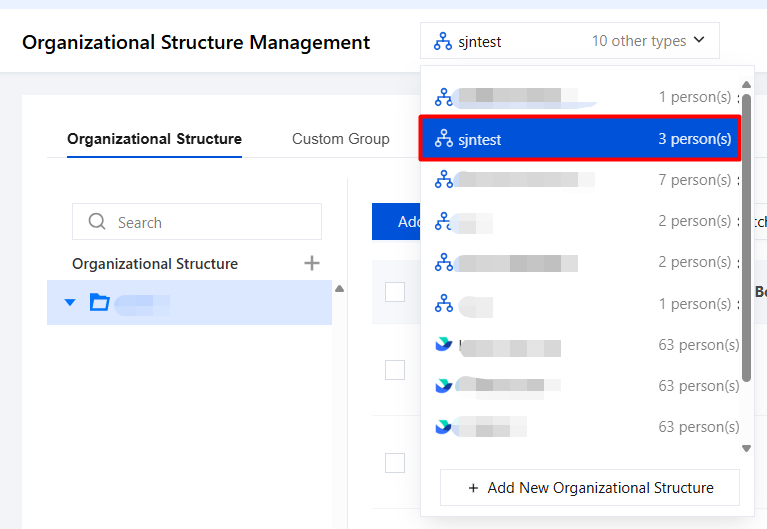
1. On the Organizational Structure Management page, select the desired directory and click its directory name.
2. On the organizational structure page, account groups and account status under the directory organizational structure are displayed. Click 
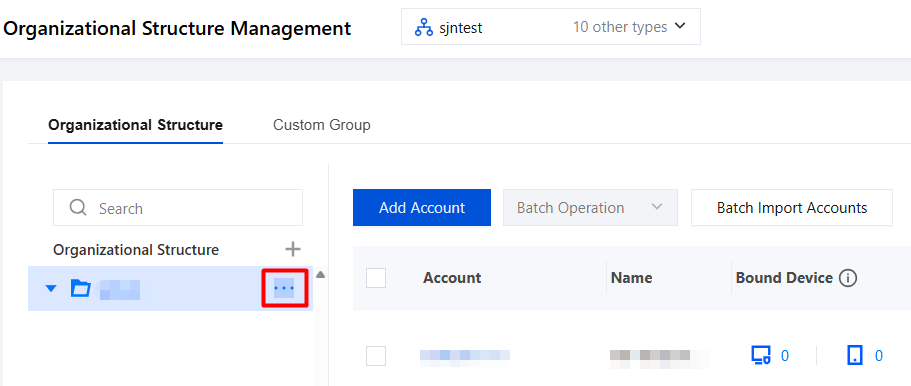
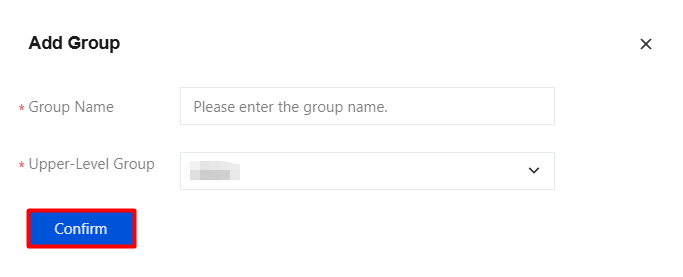
3. In the Add Group dialog, enter the group name, select the parent group, and click OK.
Creating a Single Account
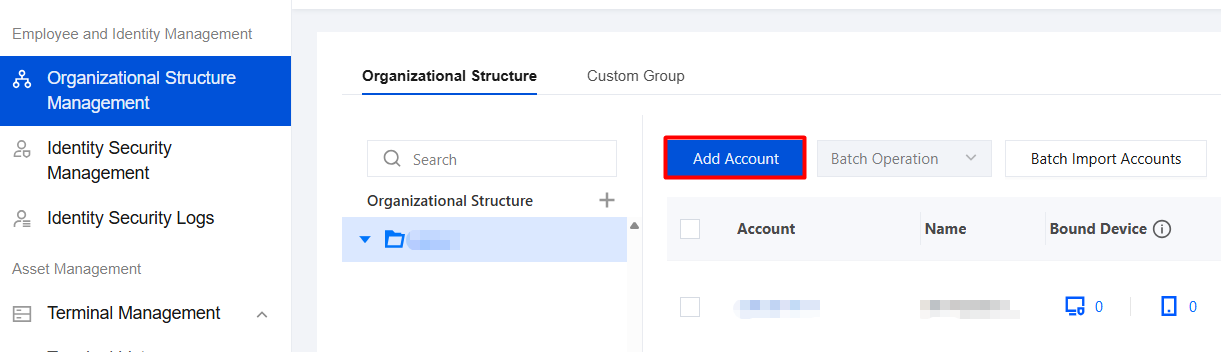
1. On the Organizational Structure page, click Add Account.
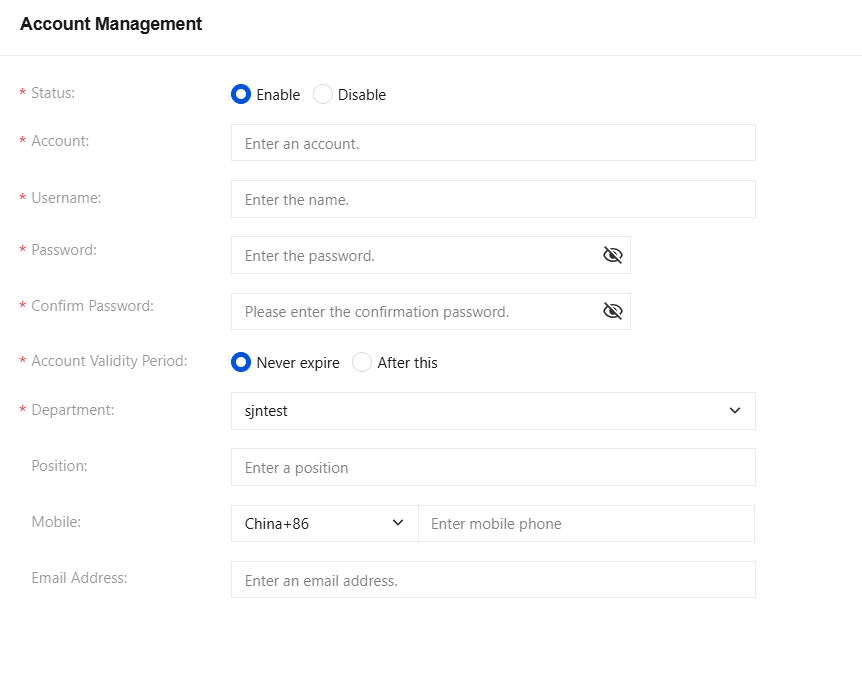
2. On the Account Management page, configure the relevant parameters and click Confirm.
Logging In to the Client
Open the iOA client and enter your self-created account and password to log in.
피드백