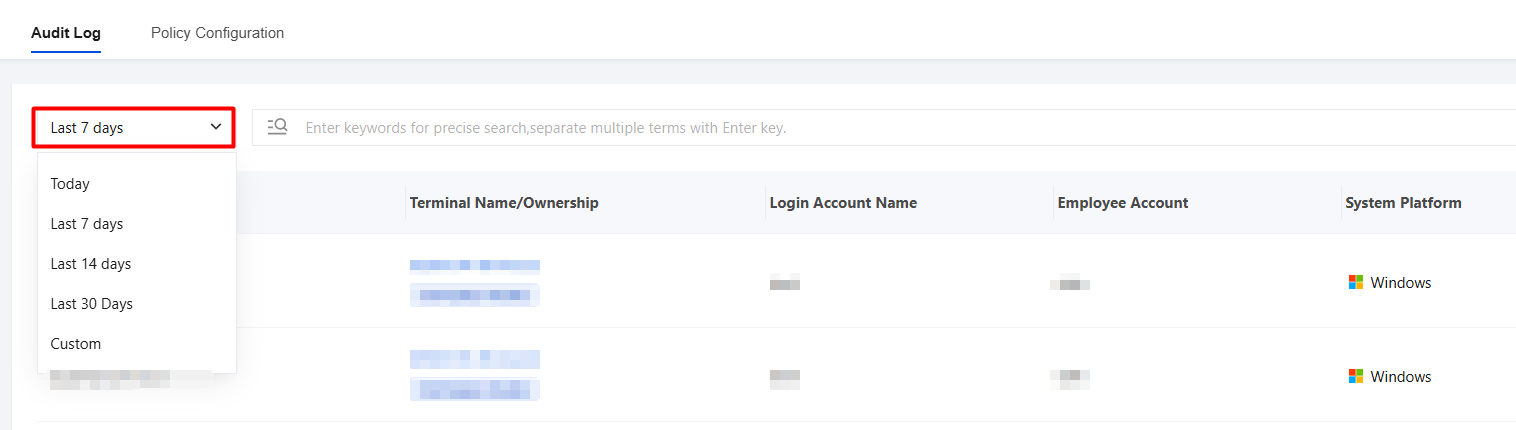
2. Time-based filtering is supported with a standard time filter control. Use the "Last 7 days" dropdown list in the upper-left corner to quickly switch between audit logs within different time ranges, such as "Today", "Last 7 days", "Last 14 days", "Last 30 days", or "Custom date".
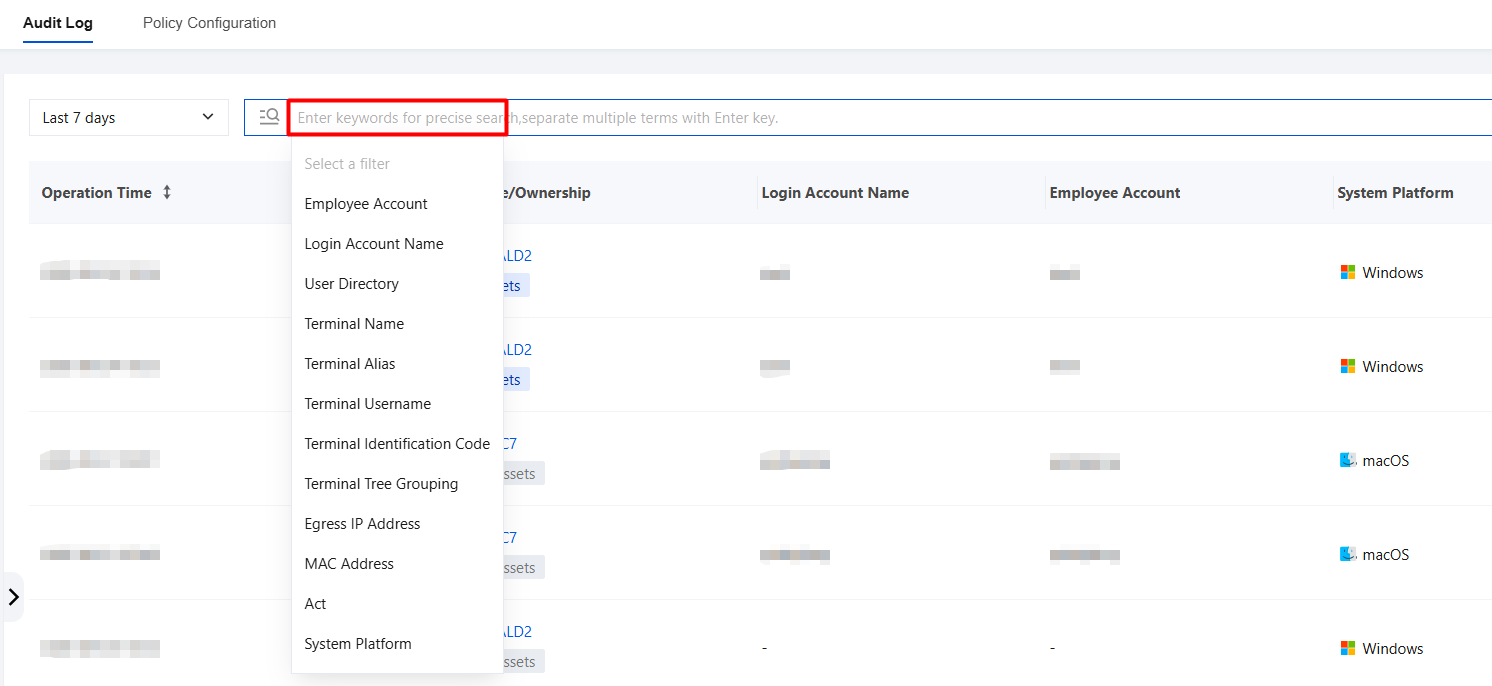
3. Keyword precise search: In the search box labeled "Enter keywords for precise search", you can enter specific keywords (such as terminal username, behavior, and so on), and the system will filter out log records that contain these keywords.
4. Log export time can be selected: the current log filter time is selected by default.
5. Click
, and the selected fields will be displayed in the list fields.