Configuring Voice Interaction
다운로드
포커스 모드
폰트 크기
Overview
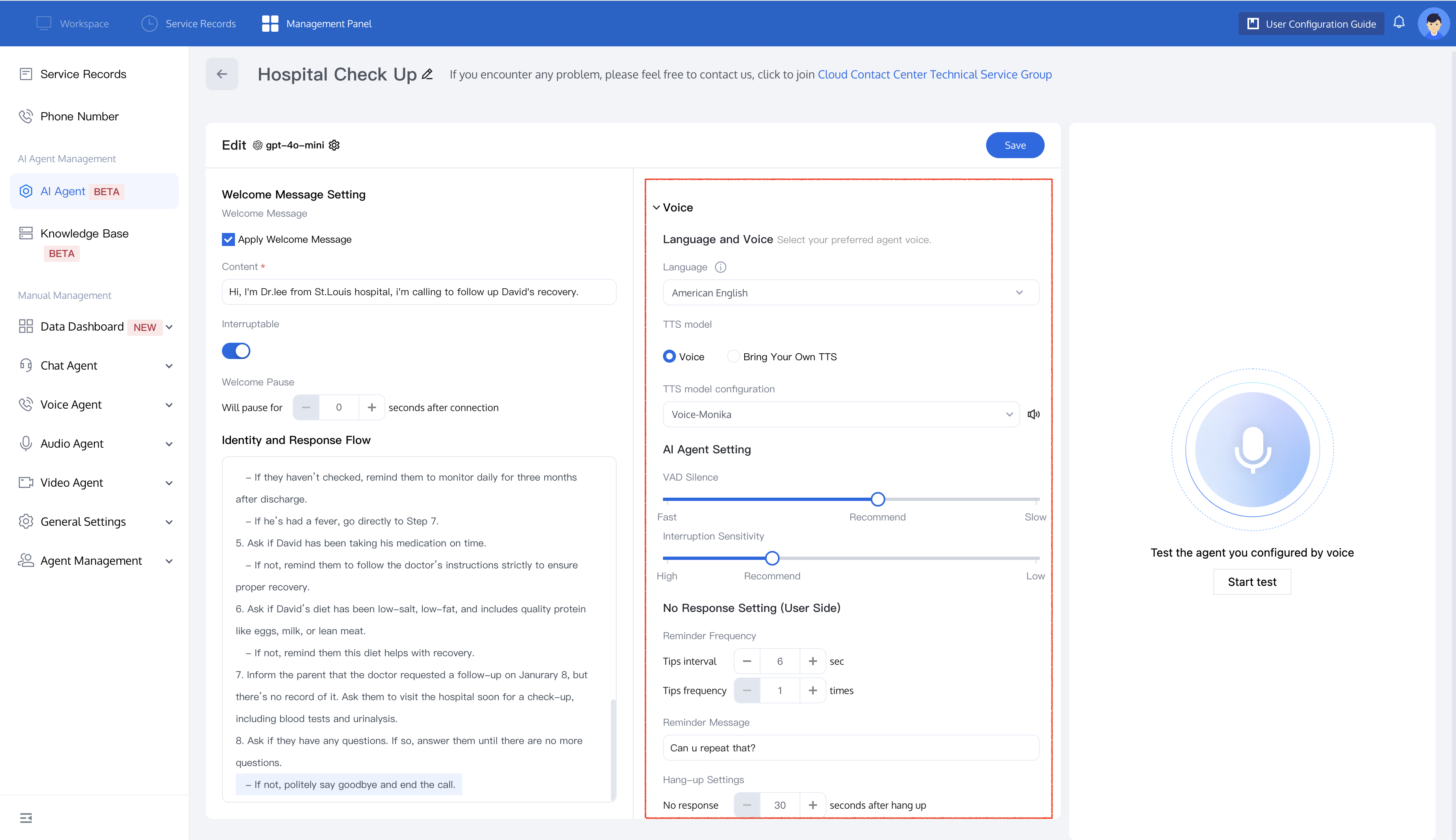
On the AI Agent editing page, you can configure voice interaction, including language and voice preferences, AI Agent settings, and no-response settings.
Prerequisites
Language and Voice
Selecting a Language
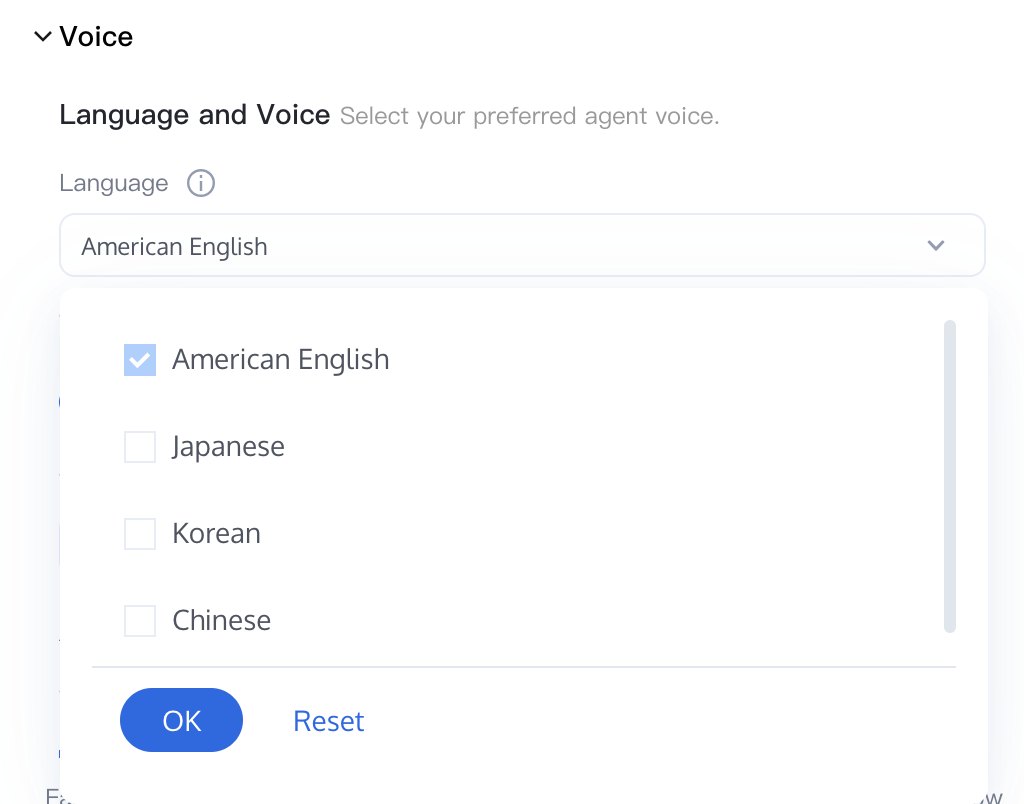
Select a language for the AI Agent. Currently supported languages and ASR engines:
Language | Code | ASR Engine | TTS Supported or Not |
Mandarin Chinese | zh-CN | Tencent self-developed | Yes |
Cantonese | zh-HK | Tencent Cloud | Yes |
English (American) | en-US | Tencent self-developed | Yes |
Indonesian | id-ID | Tencent self-developed | Yes |
Korean | ko-KR | Tencent Cloud | Yes |
Japanese | ja-JP | Tencent Cloud | Yes |
When you select a language, the AI Agent automatically uses the matching ASR/TTS combination. You do not need to configure them separately.
Voice (Built-in TTS)
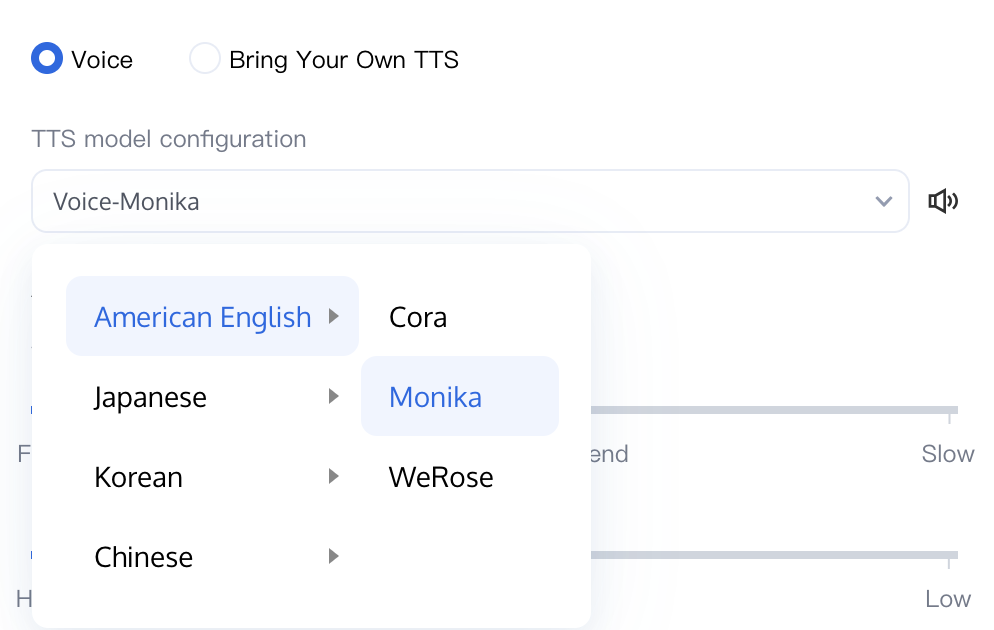
Select a built-in voice timbre that matches your brand and application scenarios. The platform provides Tencent's self-developed natural voice timbres for Mandarin Chinese, Cantonese, and American English:
Language | Voice (English) | Voice (Chinese) | Voice ID |
Mandarin | Deep Ming | Deep male voice | zh-CN-DeepMing |
Mandarin | Gentle Feng | Gentle male voice | zh-CN-GentleFeng |
Mandarin | Vibrant Nini | Vibrant female voice | zh-CN-VibrantNini |
Mandarin | Cool Wen | Cool female voice | zh-CN-CoolWen |
Cantonese | Calm Wing | Aloof female voice | zh-HK-CalmWing |
Cantonese | Cool Sam | Cool male voice | zh-HK-CoolSam |
English (American) | Narrative Eli | Narrative male voice | en-US-NarrativeEli |
English (American) | Bright Peter | Bright male voice | en-US-BrightPeter |
English (American) | Mellow Chloe | Mellow female voice | en-US-MellowChloe |
English (American) | Soft Luna | Soft female voice | en-US-SoftLuna |
Before saving, you can preview each voice timbre from the dropdown menu. To change the voice timbre of a published AI Agent, open that AI Agent, switch the voice timbre, and then click Save. The new voice timbre takes effect immediately in the next call.
Custom TTS (Integrating Your Own Voice Provider)
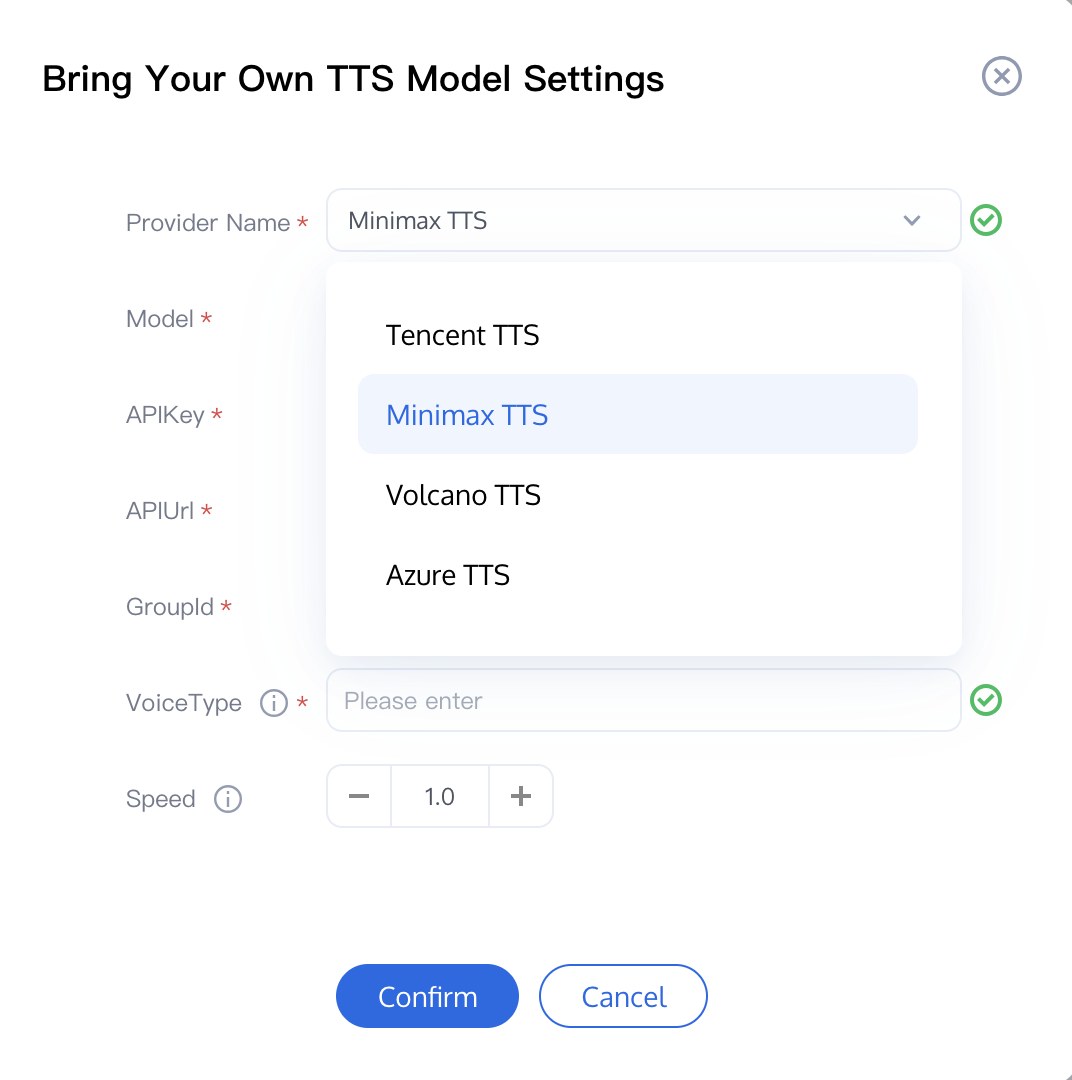
If the built-in voice timbres cannot meet your requirements for example, if you have a brand voice on Minimax, an Azure Neural voice that your enterprise has standardized on, or a quick voice clone on Tencent Clou you can switch the voice mode to Custom TTS.
This configuration uses a single JSON Configuration input box. Paste your vendor's parameters in JSON format into it. The editor validates the syntax in real time and highlights errors before you save.
Inserting a Provider Template
Click Insert Template above the JSON editor and select your vendor. The editor pre-fills a usable JSON skeleton you only need to replace the key/secret fields within it with your own credentials.
Tencent Cloud TTS
{"TTSType": "tencent","AppId": "<your_app_id>","SecretId": "<your_secret_id>","SecretKey": "<your_secret_key>","VoiceType": 101001,"Speed": 1.25,"Volume": 5,"PrimaryLanguage": 1,"FastVoiceType": "<fast_voice_clone_id>"}
FastVoiceType is an optional parameter used only for quick voice cloning. Refer to the Tencent Cloud TTS reference documentation.Minimax TTS
{"TTSType": "minimax","Model": "speech-01-turbo","APIUrl": "https://api.minimax.chat/v1/t2a_v2","APIKey": "<your_api_key>","GroupId": "<your_group_id>","VoiceType": "Cantonese_Warm_Reporter_vv2","Speed": 1.2}
Volcano Engine TTS (Volcengine)
{"TTSType": "volcengine","AppId": "<your_app_id>","Token": "<your_token>","Speed": 1.0,"Volume": 1.0,"Cluster": "volcano_tts","VoiceType": "zh_male_aojiaobazong_moon_bigtts"}
Azure TTS
{"TTSType": "azure","SubscriptionKey": "<your_subscription_key>","Region": "chinanorth3","VoiceName": "zh-CN-XiaoxiaoNeural","Language": "zh-CN","Rate": 1}
Alibaba CosyVoice
{"TTSType": "ali_cosyvoice_tts","Token": "<your_token>","AppKey": "<your_app_key>","APIUrl": "wss://nls-gateway.cn-shanghai.aliyuncs.com/ws/v1","Voice": "longxiaochun","Volume": 50,"PitchRate": 0}
Tip:
Legacy Configuration Auto-Migration: If you previously configured a custom TTS vendor using the legacy multi-field form, the system automatically converts your settings into equivalent JSON the next time you open that AI Agent for editing. You do not need to re-enter your keys.
Troubleshooting: If a custom TTS call fails at runtime, the test panel and call logs display "External voice model call failed. Please check or replace the TTS model." This typically indicates an invalid key, exhausted quota, or incorrect region. Verify your JSON, save, and retry.
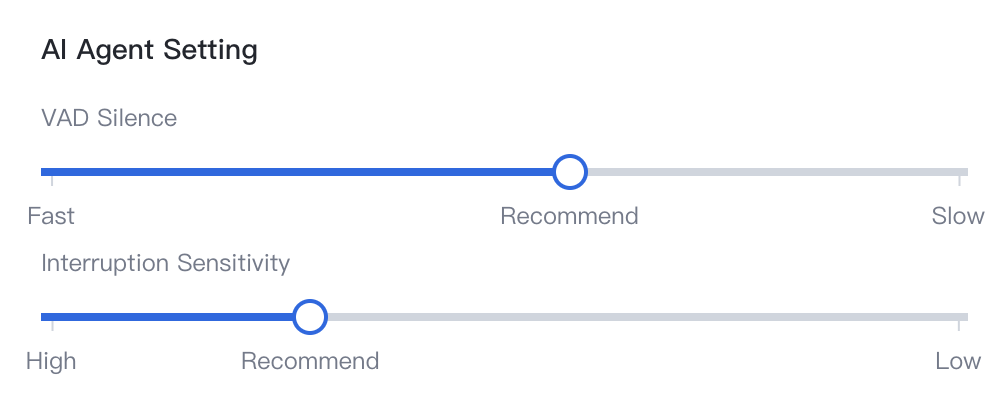
AI Agent Settings
ASR Speed
Adjust ASR speed by modifying the system's wait time. A setting of 700 milliseconds is recommended. Shorter wait times accelerate AI responses but may increase the likelihood of interrupting the user during conversation.
Interruption Sensitivity
Adjust the interruption sensitivity to control how easily the AI is interrupted. A setting of 500 milliseconds is recommended. Higher sensitivity makes the AI more prone to interruption.
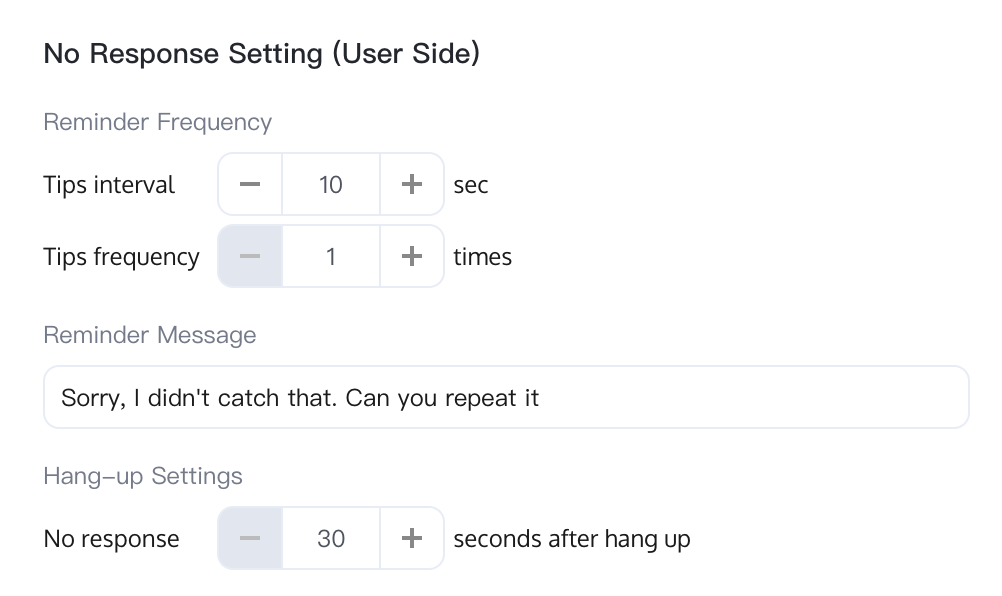
User No Response Settings
Reminder Frequency
Tips interval: The maximum duration, in seconds, that the AI Agent waits for a user response. The default is 10 seconds.
Tips frequency: The maximum number of times the AI Agent repeats a reminder when the user does not respond. The default is 1.
Reminder Script
The default script used by the AI Agent when there is no response, for example: "Sorry, I didn't catch that. Could you please repeat?".
Hang-Up Settings
If the user does not respond within the specified time, the AI Agent automatically hangs up the call. The default time is 30 seconds.
Related Guides
Select the corresponding path based on your deployment method:
First time user? Deploy a functional AI Agent in just five minutes create a conversation flow or integrate an external model.
Want to learn about our conversation flow nodes? Go to Conversation Nodes.
Want to build a knowledge base for your dialogue flow? Go to Build Your Knowledge Base.
How to test your model? Refer to Test Dialogue Workflow.
Configure a voice AI Agent with your own model? Go to Integrate External Model, Edit Conversation Content, Configure Voice Interaction, and Add Call Control.
Want to view application scenarios? Try Voice Notification, Lead Mining, Feedback Collection, or Customer Support.
How to make outbound and inbound calls with an AI Agent? Refer to AI Agent Outbound Calls or AI Agent Inbound Calls.
View data logs? Refer to Call Records, Call Recordings, Latency.
How to create and view post-call tags? Refer to Post-call Tags (Created via Conversation Flow) or Post-call Tags (Created via External LLM).
피드백