Web
다운로드
포커스 모드
폰트 크기
Initializing SDK
Note:
The following steps should be performed after the 'tccc.events.ready' event is successful.
Answering Methods
Method 1: Answer via SDK API
1. Bind the inbound call event
tccc.events.callIn through tccc.on to monitor the inbound call and obtain sessionId;2. Use
tccc.Call.accept() to answer actively.Sample code:
let sessionId; //Exists in the public zone, and can be conveniently used at any time// Monitors inbound call eventswindow.tccc.on(window.tccc.events.callIn, (response) => {// Triggered when a session calls in, and stores this session's sessionId in a public zonesessionId = response.data.sessionId;})// Implements the answering methodfunction accept() {if (sessionId) {window.tccc.Call.accept({ sessionId }).then(() => {// Successfully answers and starts the call}).catch(err => {// Failed to answer, and displays detailed error reasonconst error = err.errorMsg;})} else {console.error('The session to be answered was not found');}}// Then, accept() can be executed at the required place to trigger answering the call
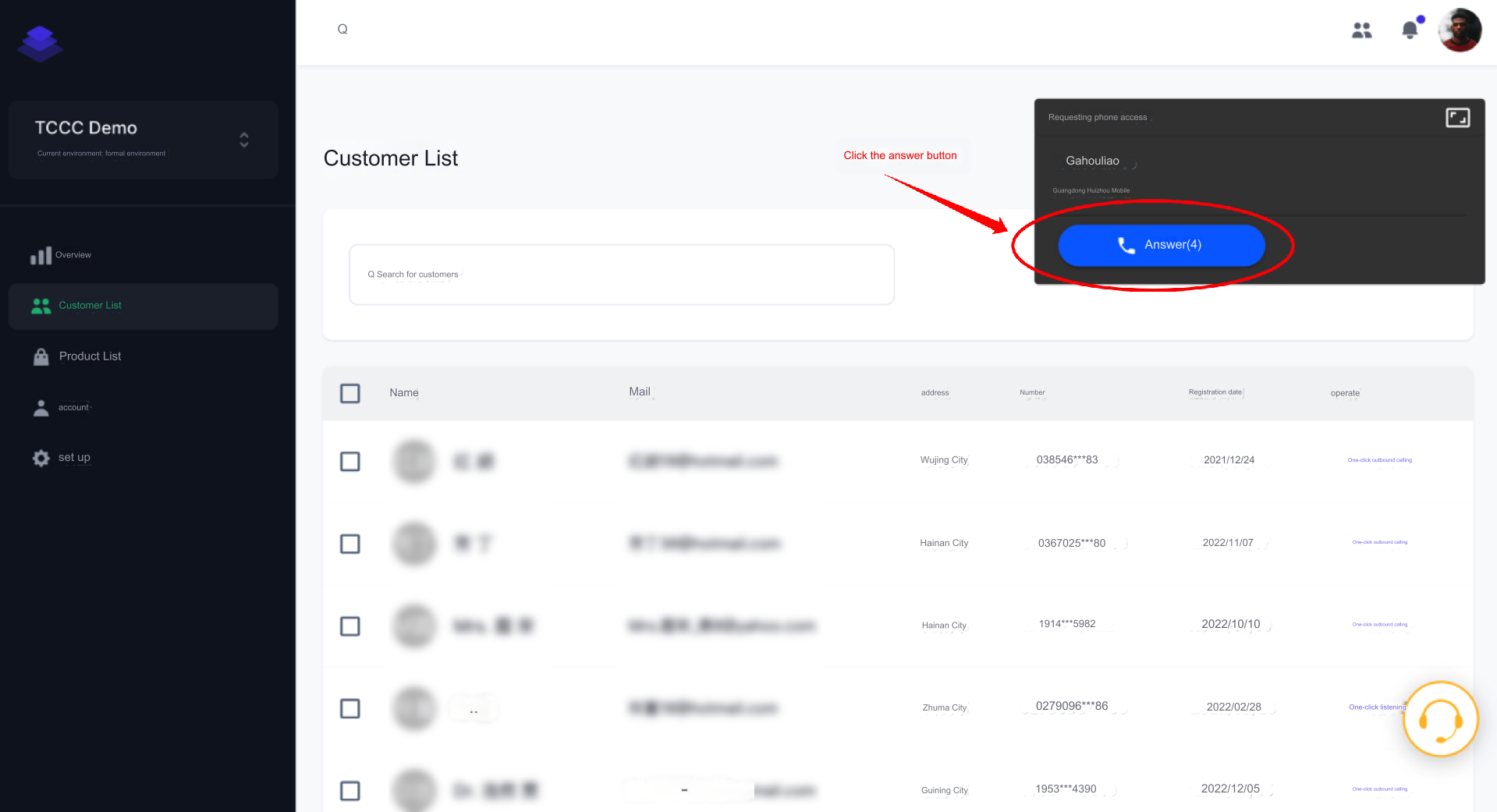
Method 2: Answer by Clicking on the Call Bar
Other Related Events
window.tccc.on(window.tccc.events.callIn, (response) => {// Triggered when session calls in})window.tccc.on(window.tccc.events.userAccessed, (response) => {// Agent connection})window.tccc.on(window.tccc.events.sessionEnded, (response) => {// Triggered when session ends})
피드백