Practical Tutorial
Tutorial 1: Allow the EMR Engine Network Security Group
For the initial use of the EMR engine in WeData Studio, you need to check if the security group used by EMR allows access to the WeData Studio network segment (30.22.32.0/19). If not, perform the following operations on the security group:
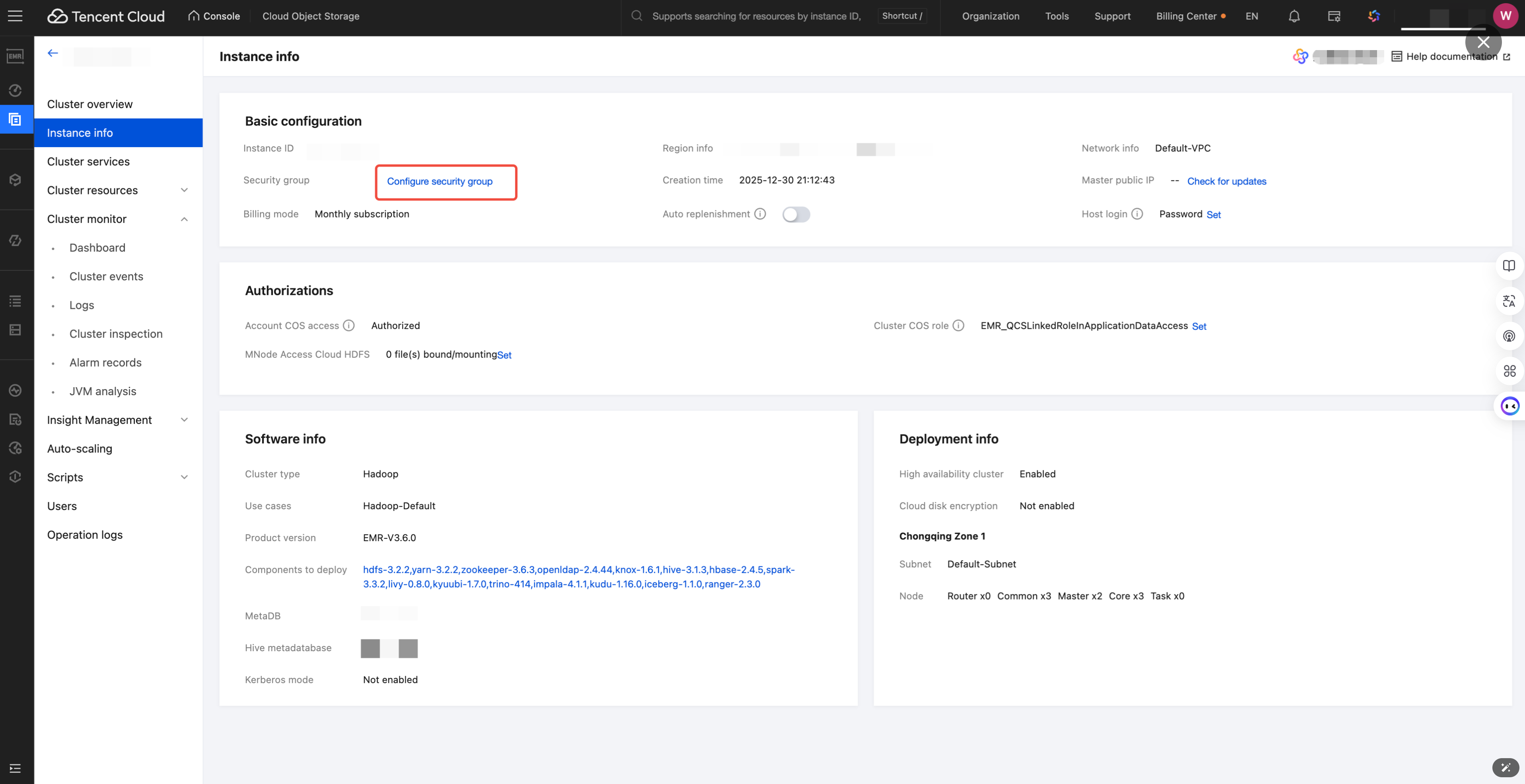
1. Enter the EMR Console, select specific engine > instance information > configure security group.
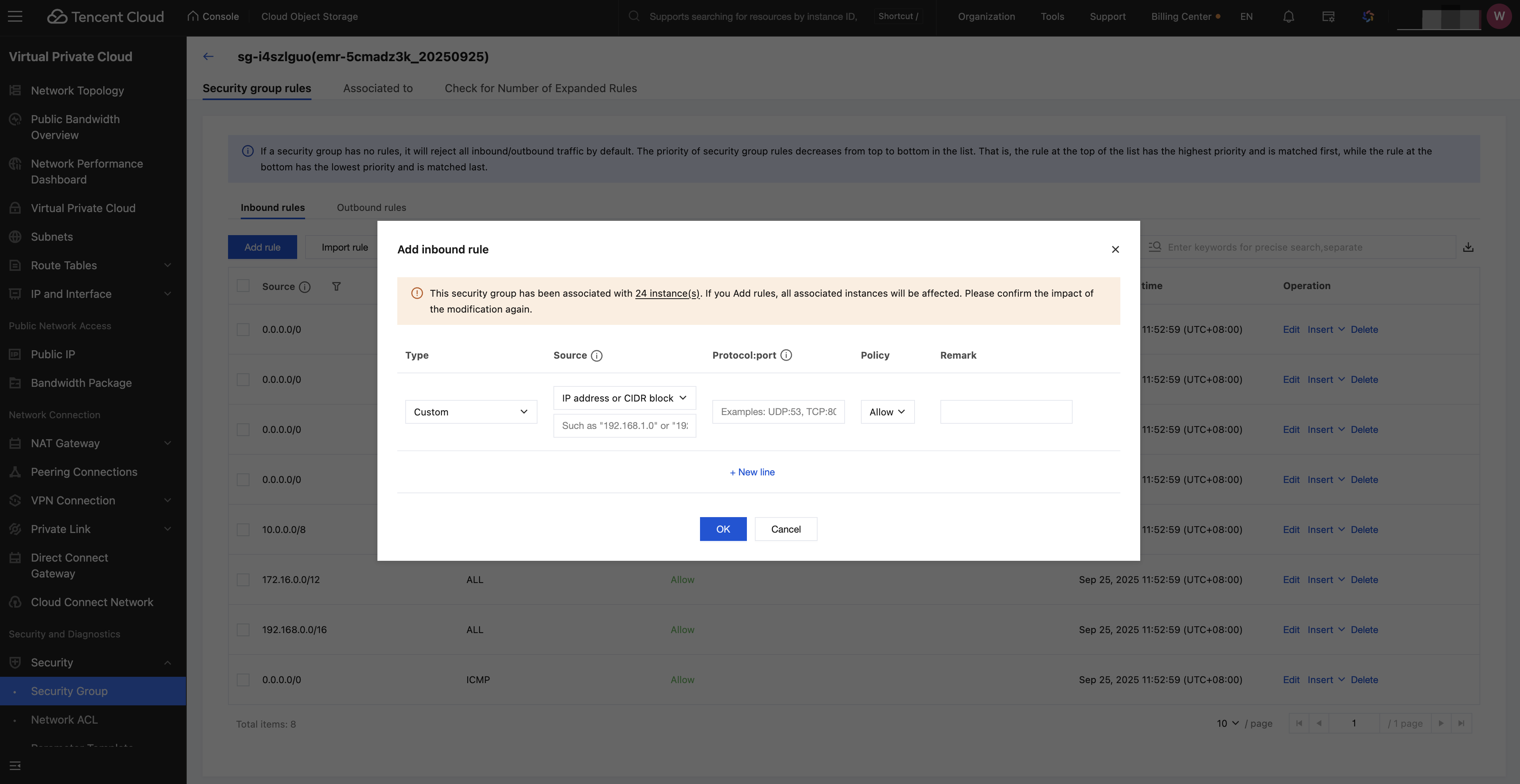
2. Click the specific security group, add inbound rule: 30.22.32.0/19 TCP:8888, then click confirm.
Tutorial 2: Refer to Another Python File in a Notebook
1. Define a function add_numbers in the b.py file, return the value of a+b.
def add_numbers(a,b):return a+b
2. In the a.ipynb file, refer to b.py, call the functions defined in file b, and output the return value.
import bresult = b.add_numbers(3, 4)print(result)# 7
Tutorial Three: Reading a CSV File in a Directory in Notebook
1. Click folder > upload to upload the CSV file you need to use to the directory.
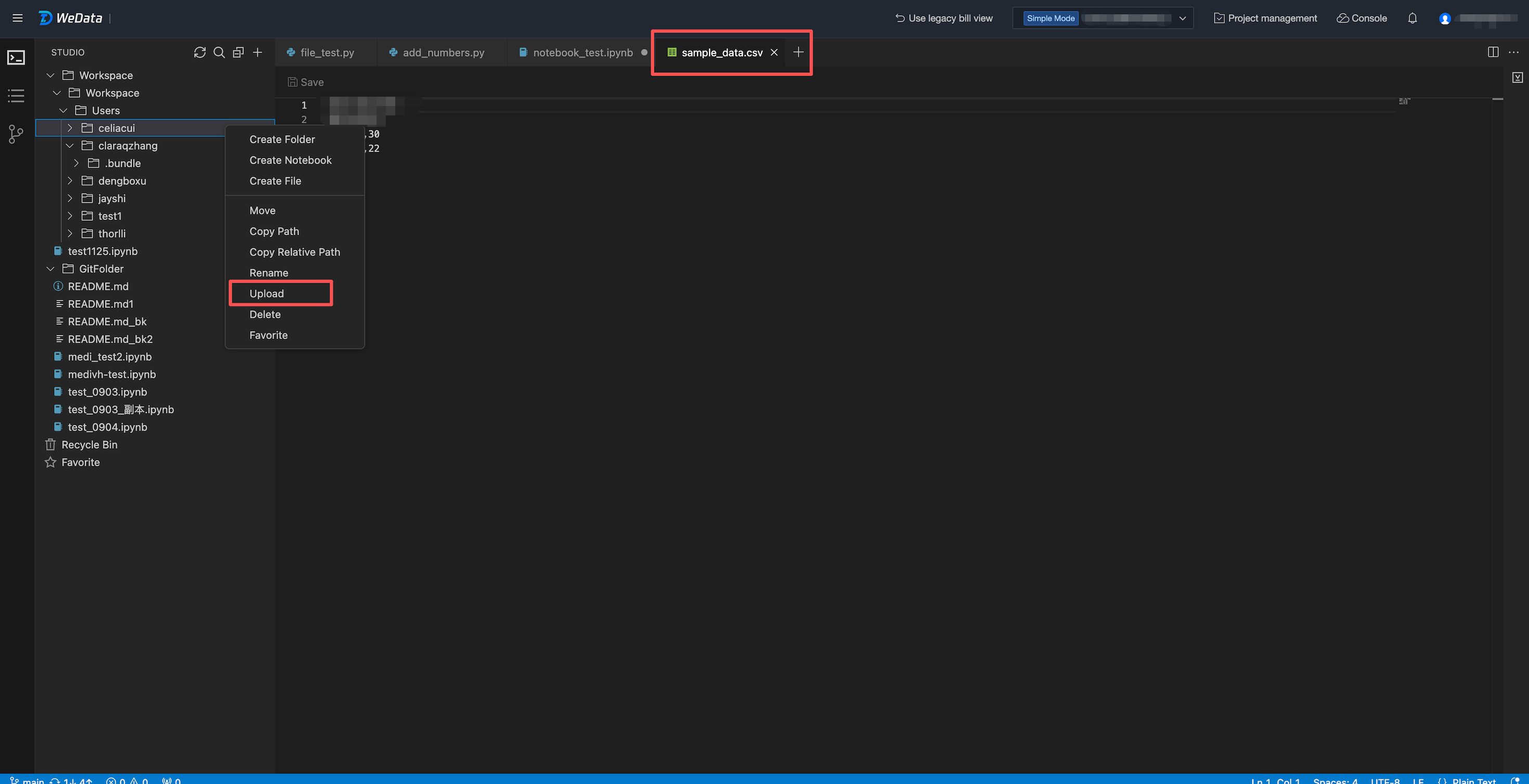
2. Read the CSV file in the directory through code in the Notebook and print it.
file_path = "/Workspace/Workspace/Users/celiacui/sample_data.csv" #replace with your csv file pathdf = spark.read.csv(file_path, header=True, inferSchema=True)#print dfdisplay(df)
피드백