1. On the Data Integration page, in the left sidebar, click Real-time Sync.
2. At the top of the Real-time Sync page, select Single Table Sync to create a new one (you can choose between form and canvas modes) and enter the configuration page.
3. Click the left write, click and select HDFS node and configure node information.
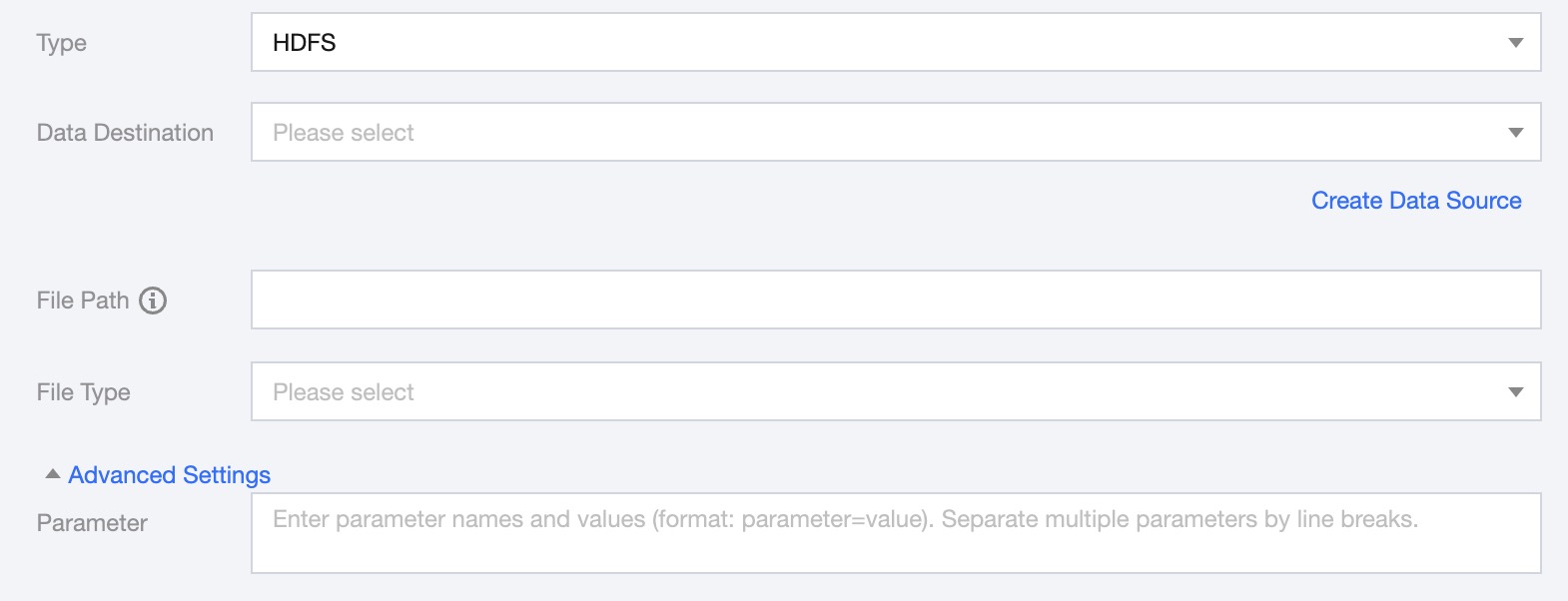
4. You can refer to the table below to configure parameter information.
Parameters
Description
Data Destination
Select available HDFS data sources in the current project.
File Path
Path information of the file system. The path supports using '*' as a wildcard. After specifying the wildcard, multiple file information will be traversed.
File Type
HDFS supports four file types: txt, orc, parquet, csv.
txt: represents TextFile file format.
orc: represents ORCFile file format.
parquet: represents standard Parquet file format.
csv: represents standard HDFS file format (logical two-dimensional table).
Advanced Settings
You can configure parameters according to business needs.
5. Preview Data Fields and map them with Read Node Configuration Fields, click Save.
HDFS Log Collection Write Node Configuration
Parameters
Description
Data Destination
Select available HDFS data sources in the current project.
File Path
Path information of the file system. The path supports using '*' as a wildcard. After specifying the wildcard, multiple file information will be traversed.
File Type
HDFS supports four file types: txt, orc, parquet, csv.
Advanced Settings (optional)
You can configure parameters according to business needs.