This is suitable for configuring a resource group's VPC to access the public internet.
Operation step
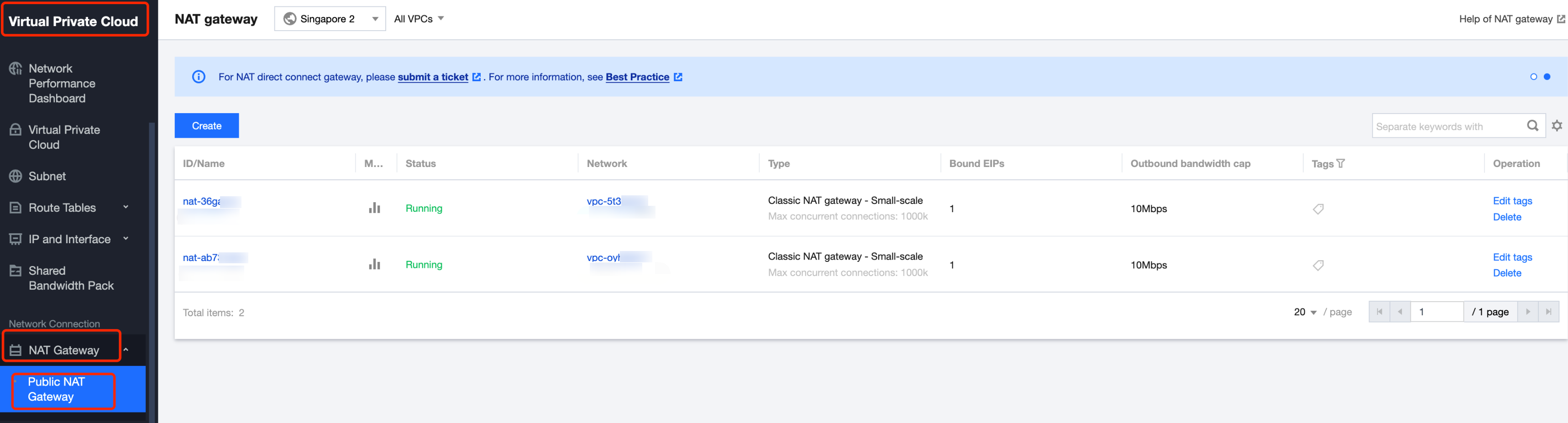
1. Go to Virtual Private Cloud > NAT Gateway. In the corresponding region, click Create NAT Gateway.
2. Purchasing a NAT Gateway:
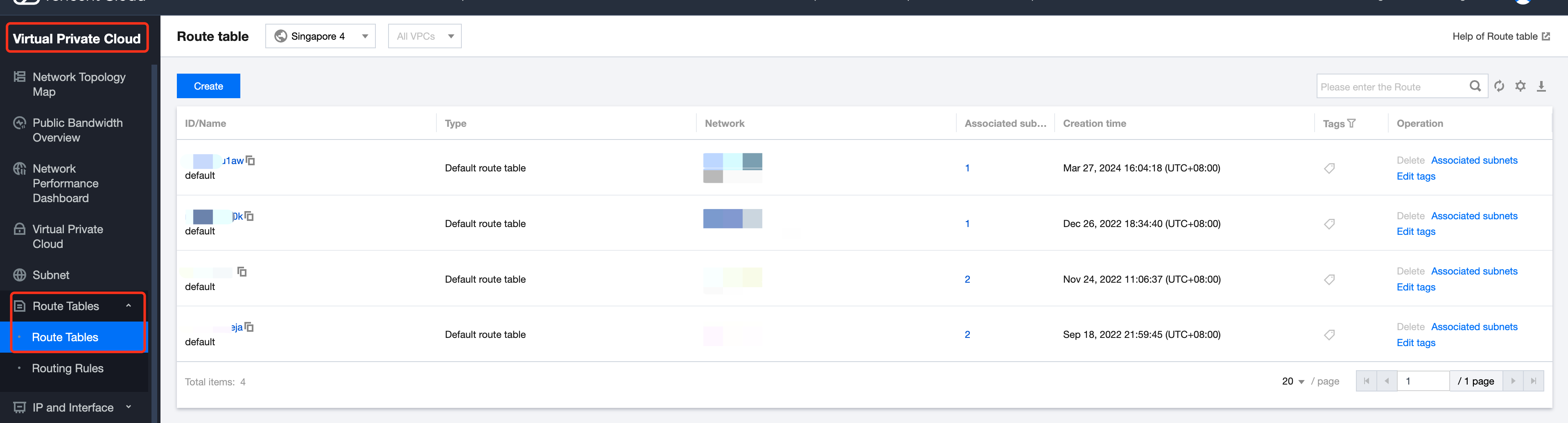
3. Go to Virtual Private Cloud > Route Table, create and bind the route table pointing to the NAT Gateway.
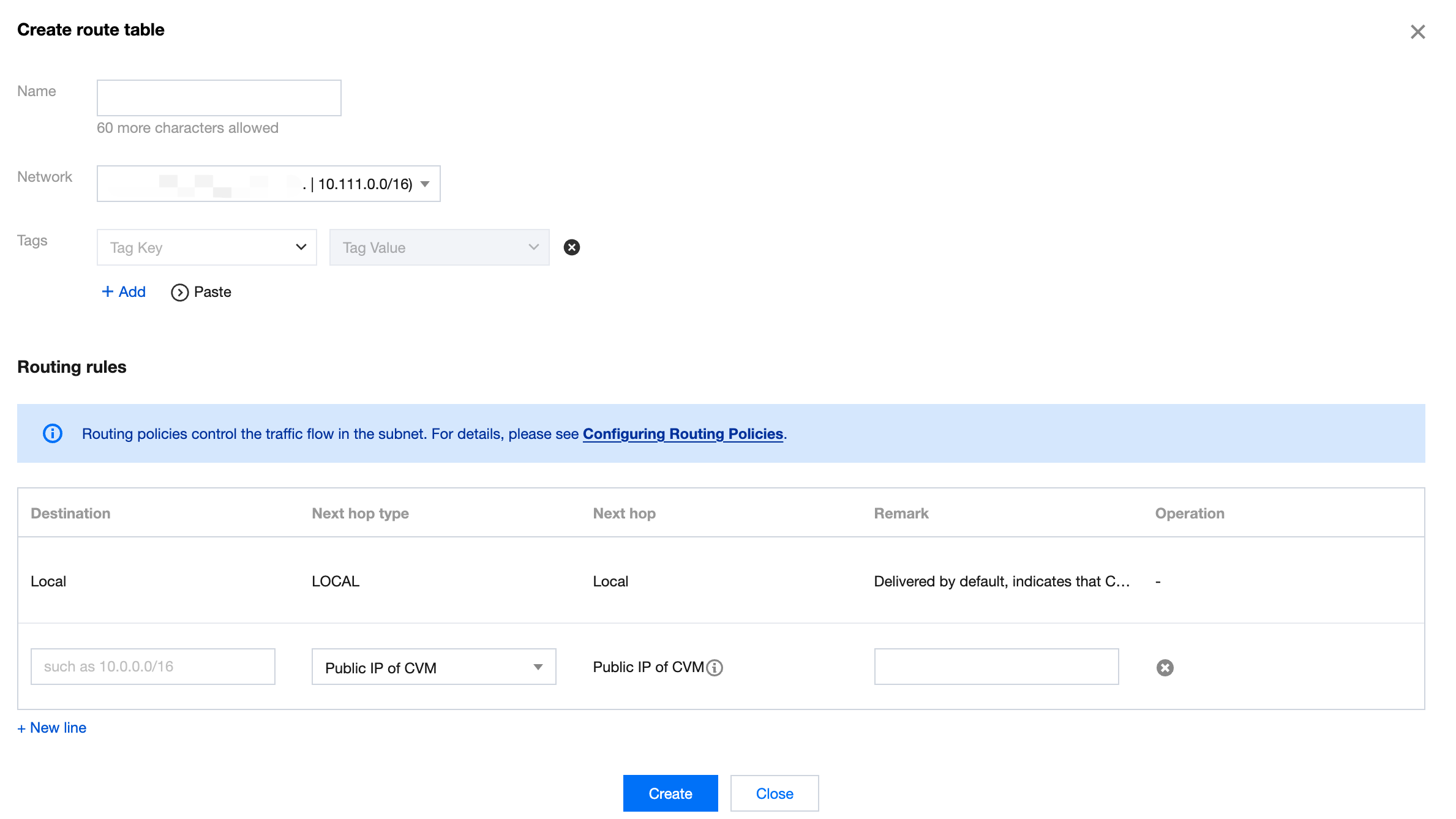
4. Create a Custom Route Table, select the associated VPC network, fill the destination with 0.0.0.0/0 or a specific route, select the Next Hop Type as NAT Gateway, and choose the NAT Gateway you just created as the next hop:
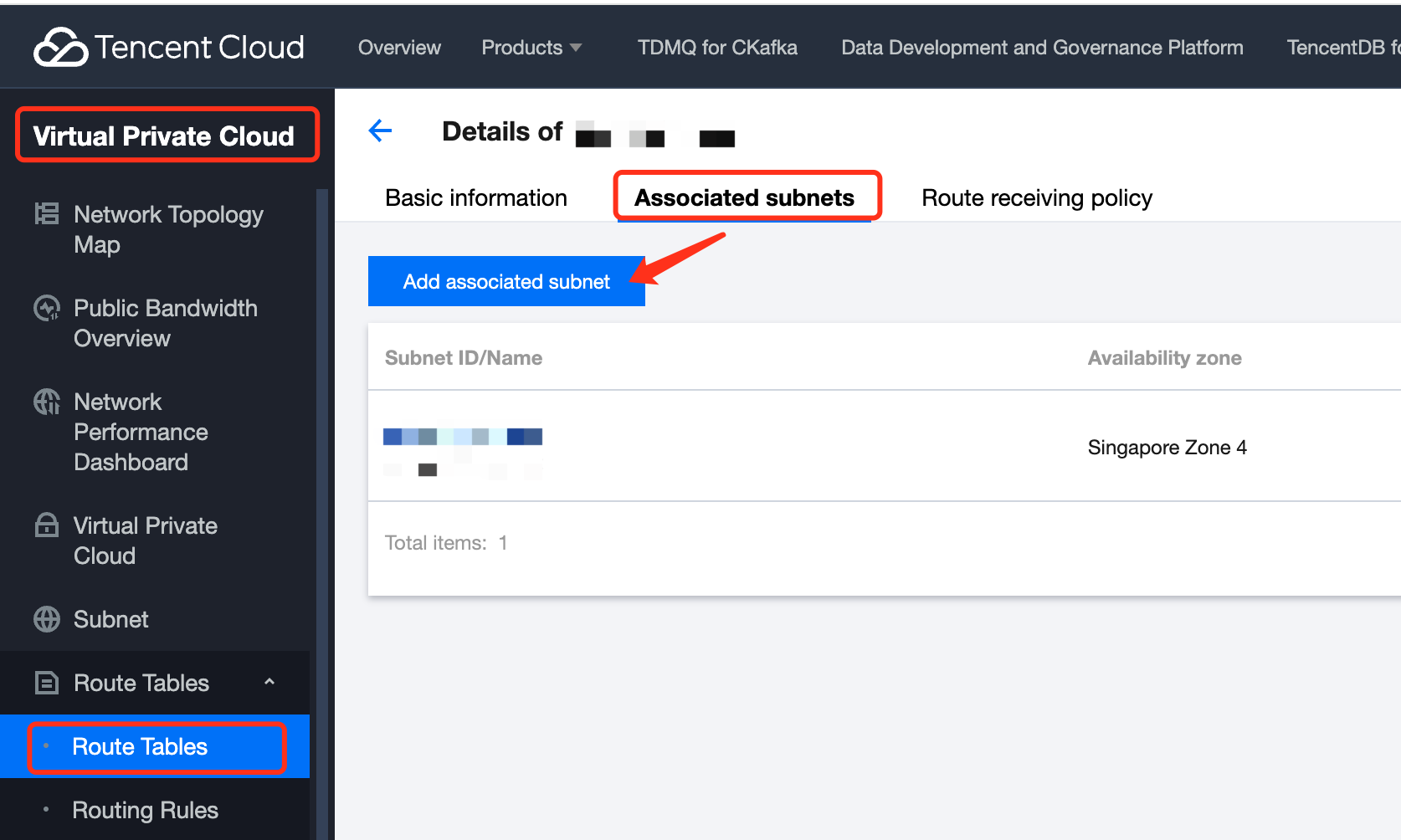
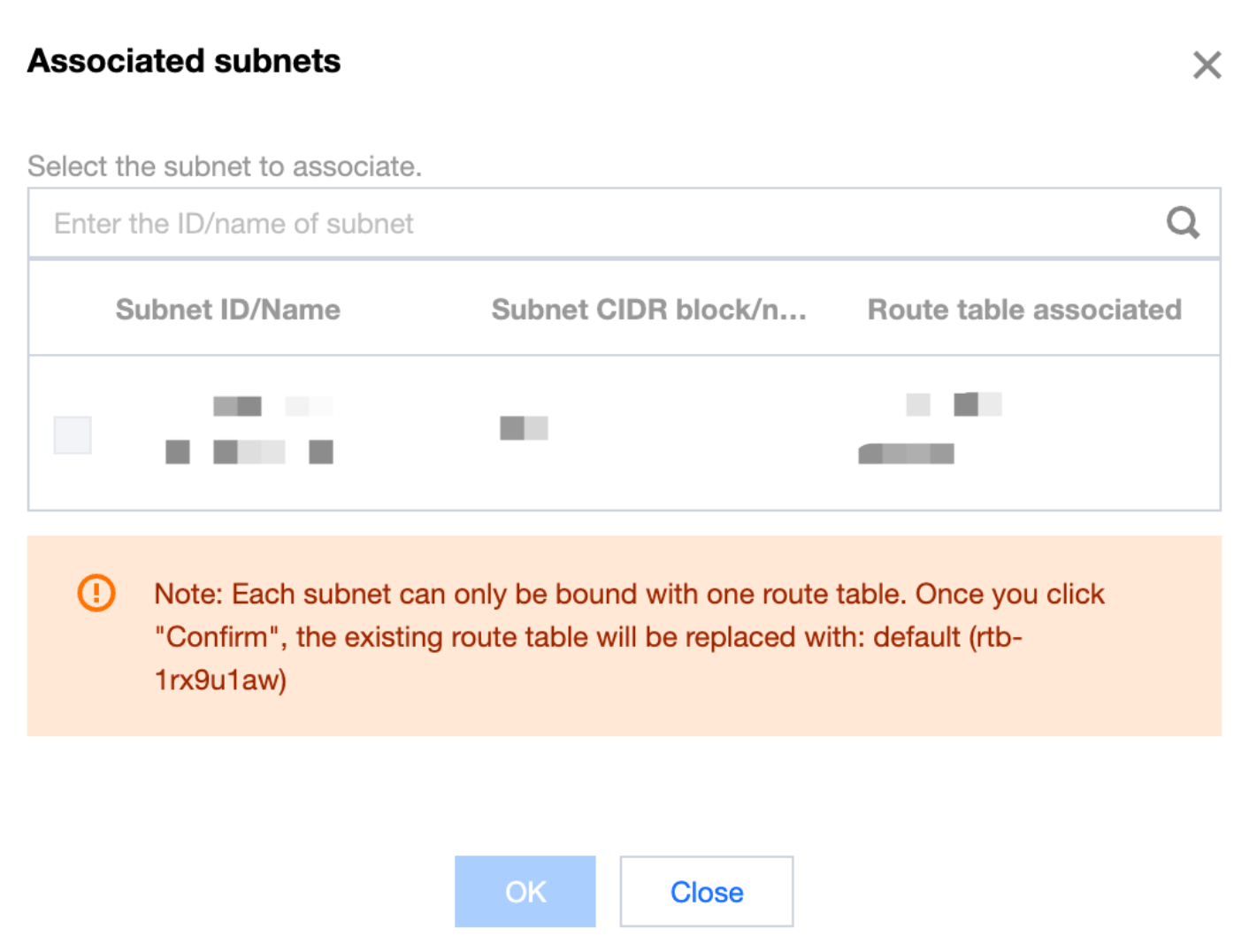
5. After the route table is created, go to the route table details to associate subnets:
6. Select the subnets to be associated and bind them: