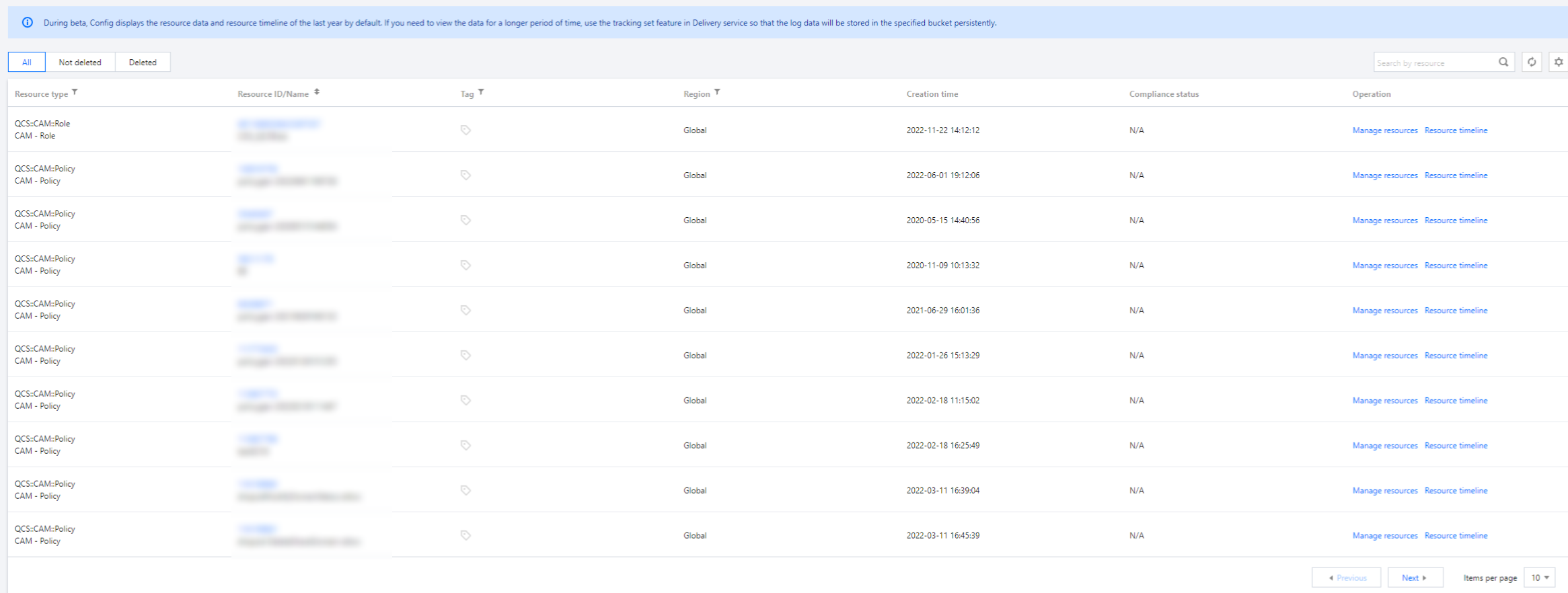
1. You can log in to the Config console, and click Resource in the left sidebar to view the latest resource list updated by Config.
2. All resources support cross-regional search. You can search for resources by fields such as resource ID, resource name, resource type, resource status, tag, and region.
Note:
To facilitate viewing, for CAM policies (QCS::CAM::Policy), only custom policies are displayed in the resource list while predefined policies are not.
3. You can click the resource name in the resource list to go to the Resource Details page for the detailed information about the resource.You can click Manage Resources to go to the corresponding page for further resource management. You can also click Resource Timeline to go to the resource timeline page for configuration change records of the resource.
4. You can click the resource name in the resource list to go to the resource details page for the detailed information about the resource. You can click Manage resources to go to the corresponding page for further resource management. You can also click Resource timeline to go to the resource timeline page for configuration change records of the resource.