Database Management Center (DMC) is a database management tool of Tencent Cloud. It provides database management services that integrate database and table-level operations, real-time monitoring, instance session management, SQL window, and data management. This document introduces how to connect to TDSQL-C for MySQL using the DMC console.
Prerequisite
Directions
Note:
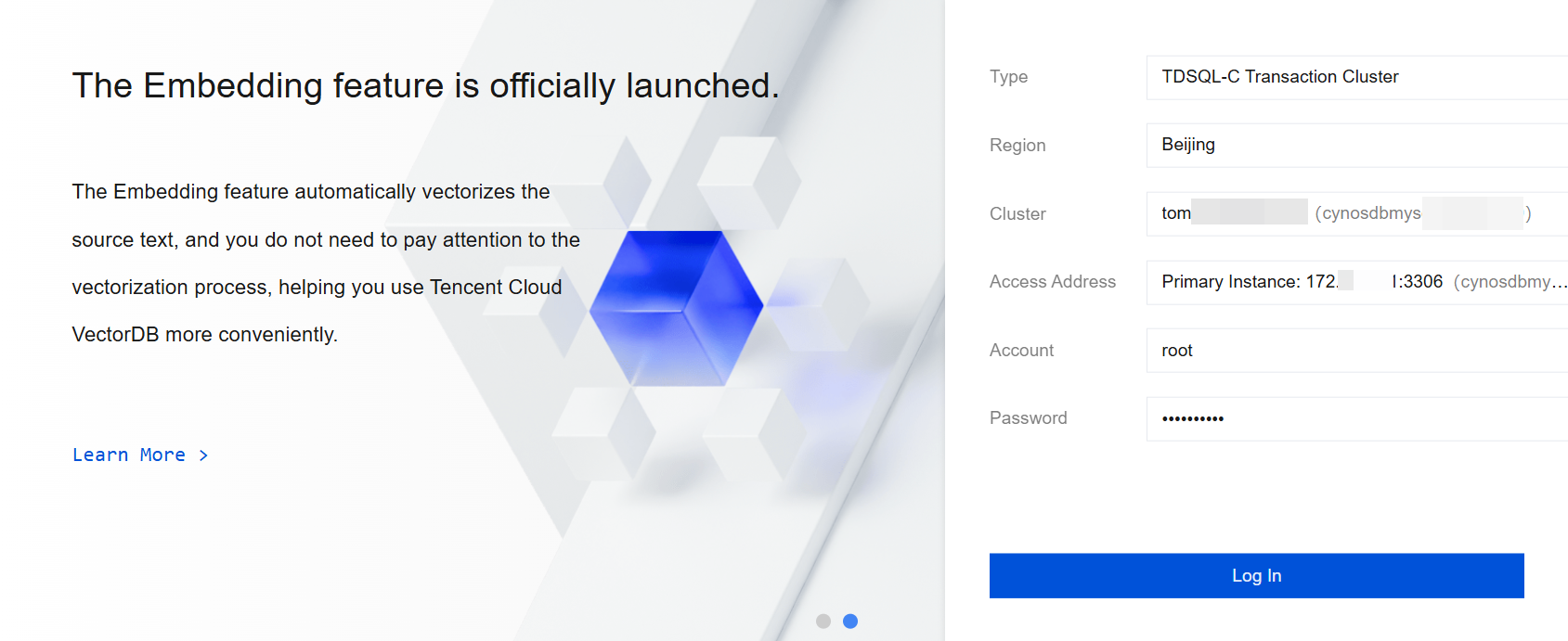
The option settings during login are as follows:
Type: TDSQL-C transactional cluster and TDSQL-C analysis cluster are available. You can select the cluster to be connected as needed.
Region: Select the region where the cluster to be connected is located.
Cluster: Select the cluster you want to connect to and log in. After clicking the drop-down icon, you can search by cluster ID for quick filtering.
Access Address: Select the specific access address under the cluster to be connected and logged in. Supported options include the primary instance, read-only instance, read-only analysis engine, and database proxy under the cluster.
Account: Enter the account name corresponding to this cluster.
Password: Enter the password corresponding to the account.
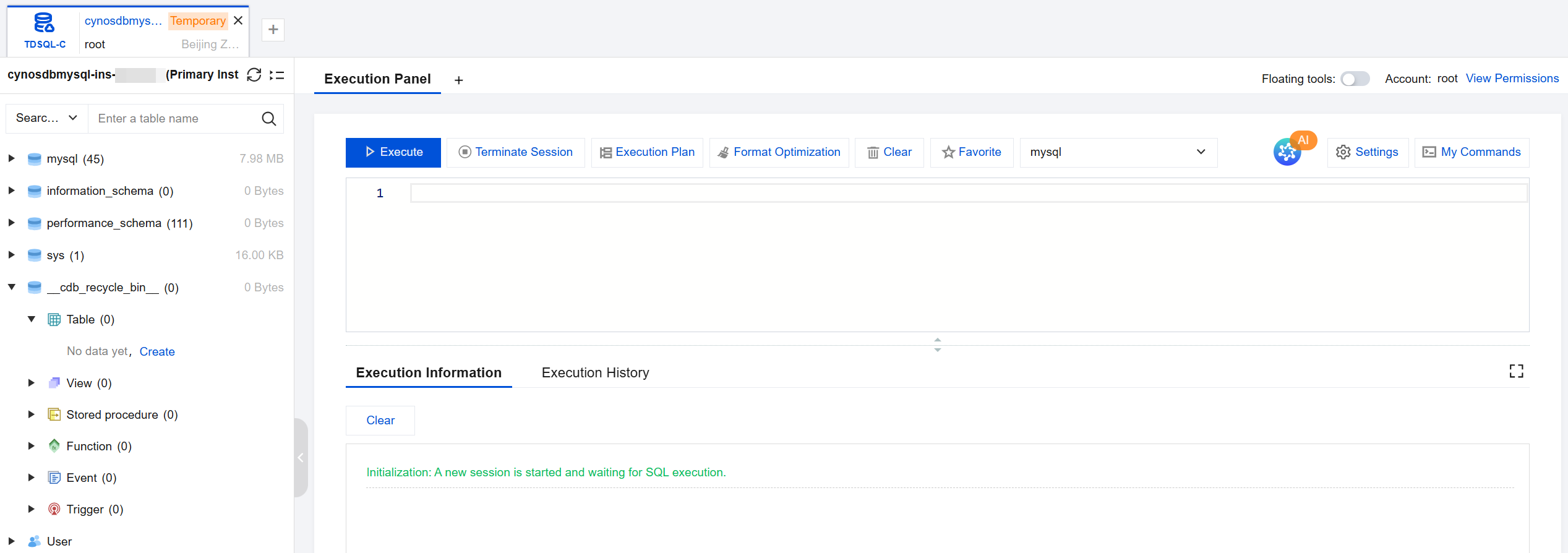
2. The interface after successful login is as shown below.
Other ways to connect to a cluster
FAQs
Are There Charges for Connecting Through the DMC Console?
It is currently free of charge.
What Should I Do When Login Failed with an Error Code of ER_ACCESS_DENIED_ERROR[-10001] [2c67ce67-82fc-e5df-7831-18feb87c7367]?
Cause 1: The account name or password is incorrect.
Solution: Reset the password and then log in. Ensure the account name is entered correctly. Cause 2: The host address of the account is restricted.