Video Delivery Acceleration
다운로드
포커스 모드
폰트 크기
VOD automatically generates acceleration links for recording files stored in it.
Notes
VOD supports forbidding videos. After a video is forbidden, it cannot be watched. The forbidding takes effect in 5 minutes.
You can determine whether the video is forbidden or normal by the video status.
Directions
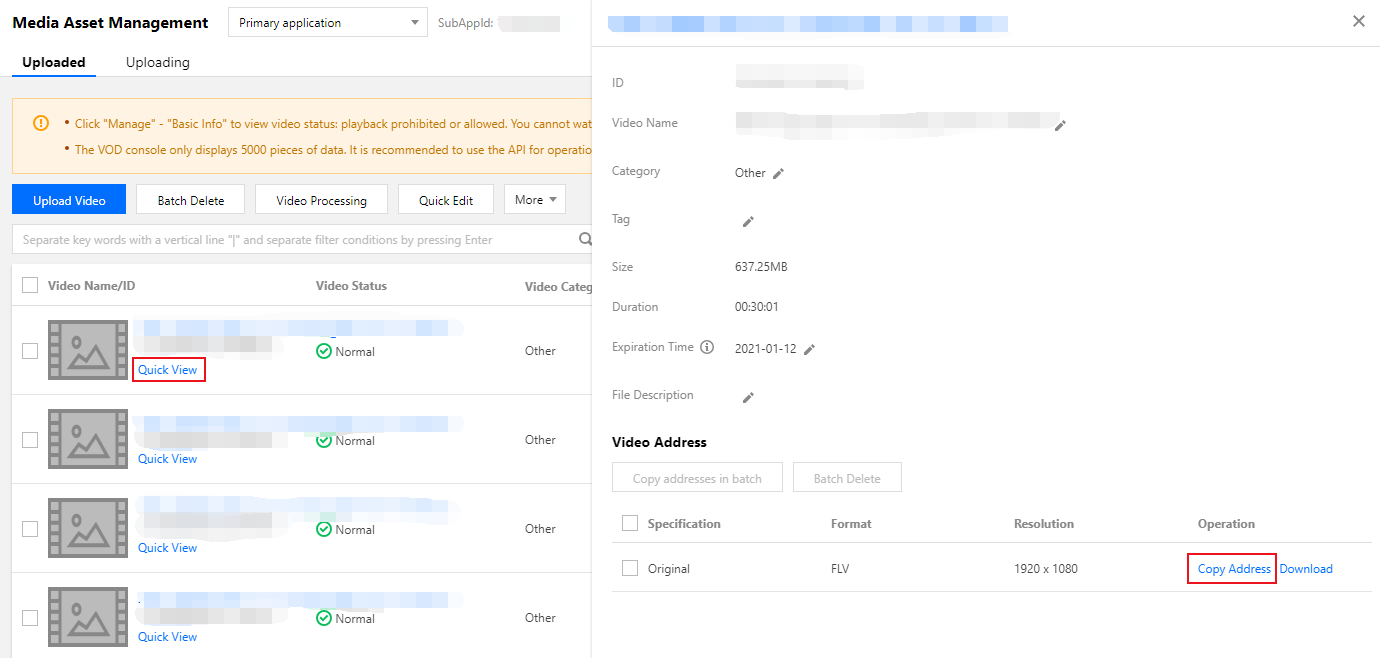
1. Log in to the VOD console and click Media Assets > Video Management on the left sidebar on the non-admin page to enter the video list page.
2. Select the video you want to view, click Quick View in the Video Name column, or click Manage on the right to enter the Basic Info page and view the corresponding acceleration link.
피드백