This document describes how to reset the login password for a TCR Individual instance.
Notes
The login password for a TCR Individual instance is a fixed password, which is consistently applied among all regions.
Directions
1. Log in to the TCR console and select Instance Management in the left sidebar.
On the page that appears, you can view the list of instances under the current account. Select a TCR Individual instance in any region.
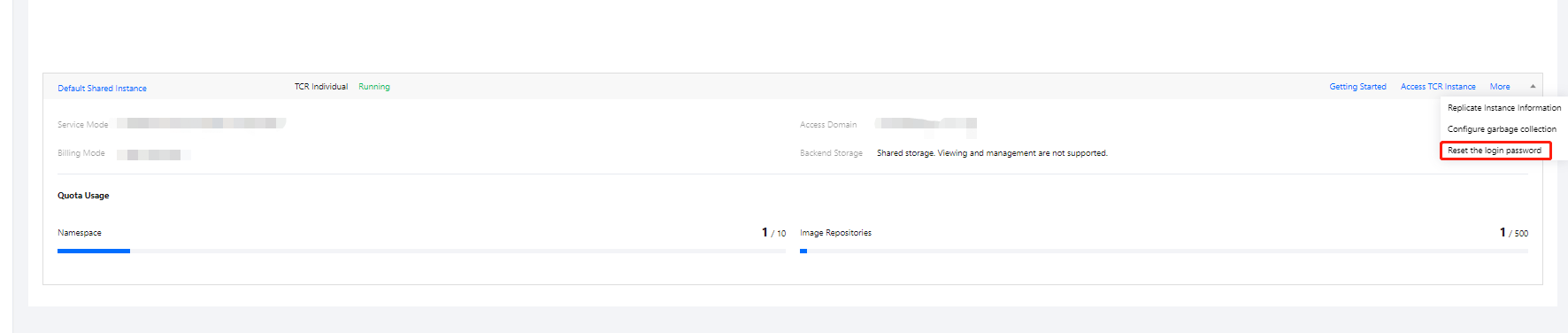
2. Click More > Reset the login password, as shown in the following figure.
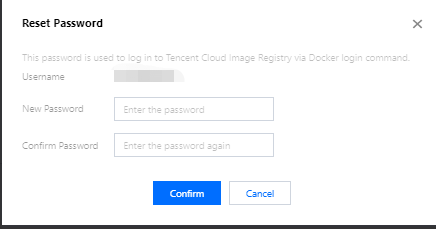
Username: The current Tencent Cloud account ID.
New password: The new password you want to use. It is recommended that you configure a strong password.