tencent cloud

Chat

제품 소개
제품 개요
Basic Concepts
응용 시나리오
기능 소개
계정 시스템
사용자 정보 및 관계망
메시지 관리
그룹 시스템
Official Account
Audio/Video Call
사용 제한
구매 가이드
과금 개요
요금 안내
Purchase Instructions
Renewal Guide
연체 안내
Refund Policy
다운로드 센터
SDK & Demo 소스 코드
업데이트 로그
시나리오 솔루션
Live Streaming Setup Guide
AI Chatbot
대규모 엔터테인먼트 협업 커뮤니티
Discord 구현 가이드
IM을 게임에 통합하는 방법
WhatsApp Channel-style Official Account Integration Solution
Send Red Packet
Firewall Restrictions
클라이언트 APIs
SDK API(Web)
Android
iOS & macOS
Swift
Flutter
Electron
Unity
React Native
C APIs
C++
서버 APIs
Secure authentication with UserSig
RESTful APIs
Webhooks
콘솔 가이드
New Console Introduction
애플리케이션 생성 및 업그레이드
기본 설정
기능 설정
계정 관리
그룹 관리
Official Channel Management
콜백 설정
모니터링 대시보드
Viewing Guide for Resource Packages
Real-Time Monitor
개발 보조 툴
액세스 관리
Advanced Features
FAQ
uni-app FAQs
구매
SDK 관련 질문
계정 인증
사용자 정보 및 관계망
메시지
그룹
라이브 방송 그룹
닉네임 및 프로필 사진
협약 및 인증
Service Level Agreement
컴플라이언스 인증
IM 정책
개인 정보 보호 정책
데이터 개인 정보 보호 및 보안 계약
에러 코드
문의하기
문서Chat

Flutter

포커스 모드
폰트 크기
마지막 업데이트 시간: 2026-03-02 18:07:07

Component Overview

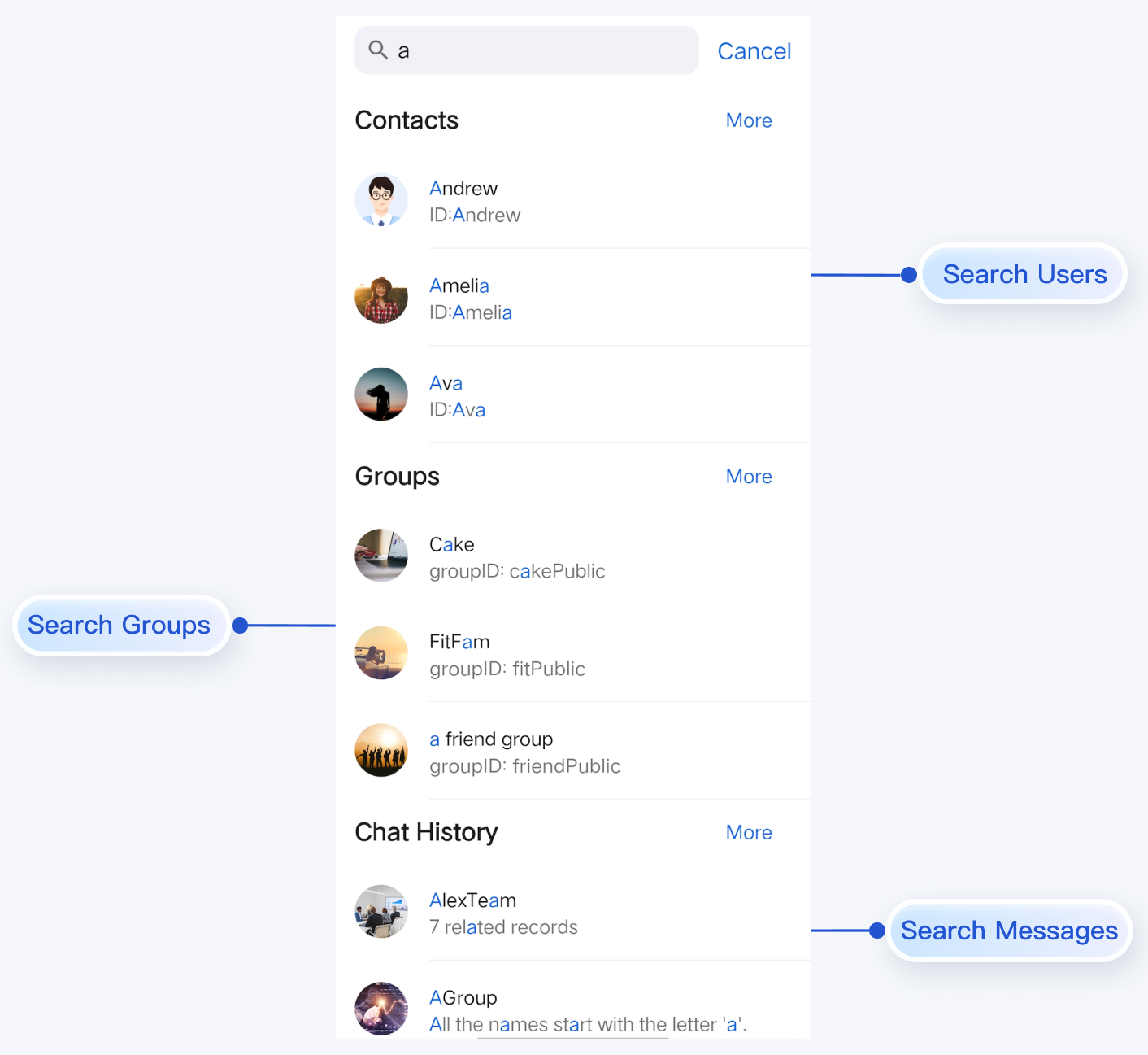
The Search component provides a full-featured search experience, including a search bar, results display, and seamless page navigation. It supports searching for users, groups, and messages, and offers extensive interactive Webhook integration for custom workflows.
Note
Search is available in the Pro edition and Enterprise edition. To use Search function, you need to purchase either the Pro or Enterprise package. For details, see Billing Information.
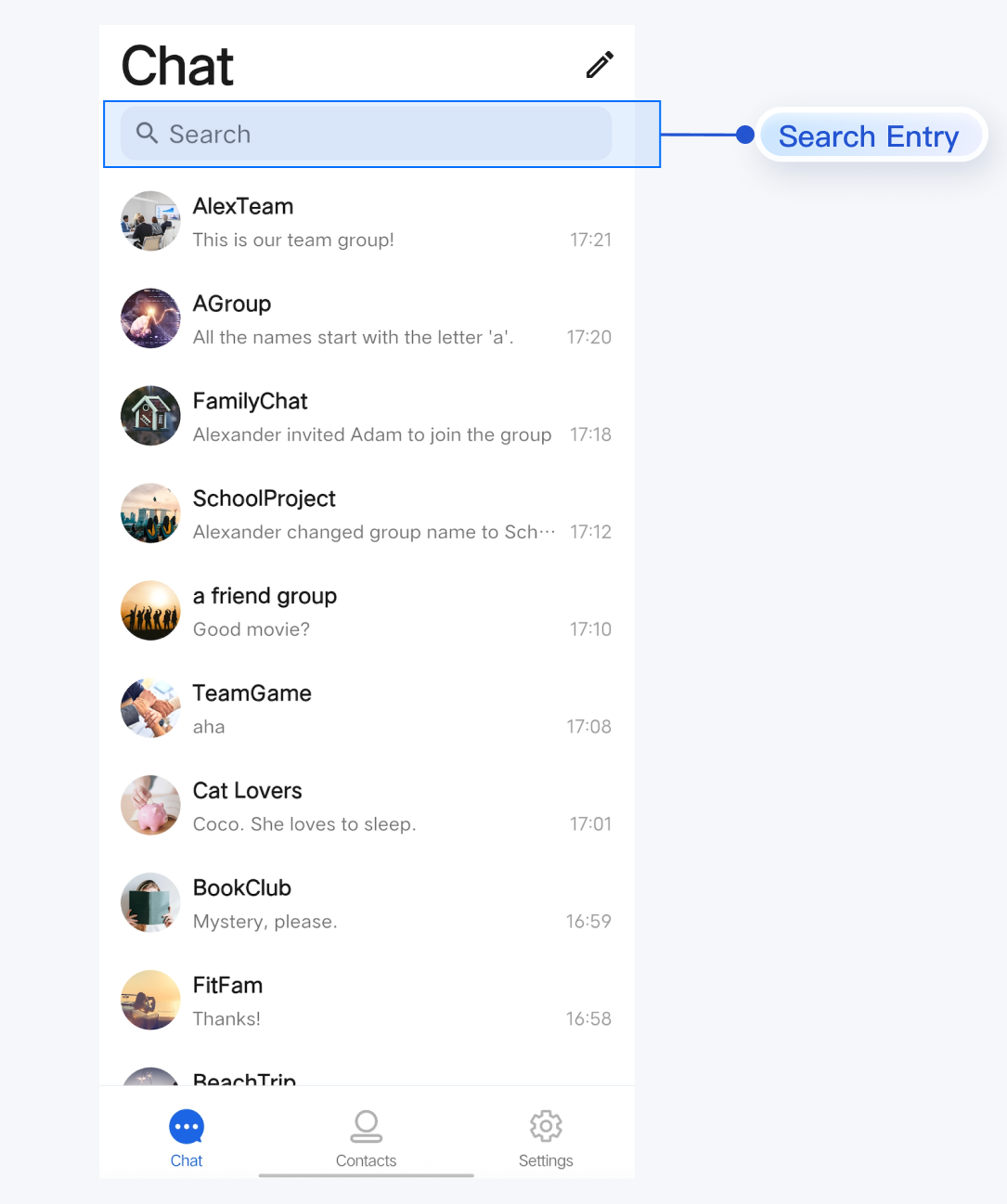
Search Entry
Search Results


Component Integration

Search is included in TUIKit Flutter. To use the Search component, integrate TUIKit Flutter into your project and complete the login flow. For detailed integration steps, refer to the TUIKit Flutter documentation.

Component Descriptions

SearchBar serves as the primary Widget for search and is typically placed at the top of your Scaffold body. Only the initialization method for the Search component is exposed; all internal logic is handled within SearchBar.
Method
Parameter
Description
SearchBar
onContactSelect: (FriendSearchInfo selectedContact) {}
Webhook triggered when a contact result is clicked; optional parameter.
SearchBar
onGroupSelect: (GroupSearchInfo selectedGroup) {}
Webhook triggered when a group result is clicked; optional parameter.
SearchBar
onConversationSelect: (MessageSearchResultItem selectedConversation) {}
Webhook triggered when a conversation result is clicked; optional parameter.
SearchBar
onMessageSelect: (MessageInfo selectedMessage) {}
Webhook triggered when a message result is clicked; optional parameter.

Basic Usage

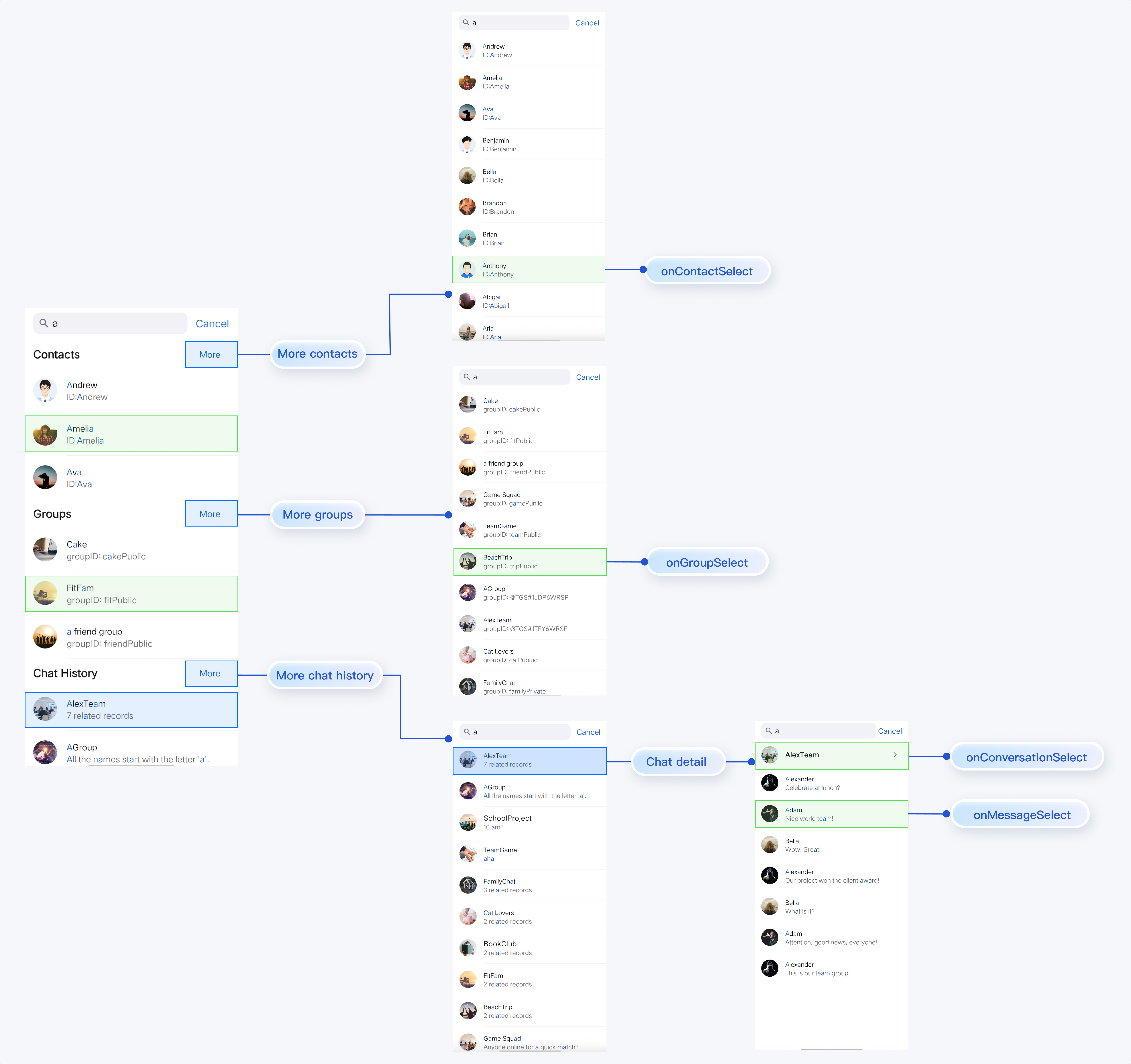
SearchBar manages navigation for search results in two ways:
Automatic Routing: When users click the More button or a chat history item in the search results page, the component uses Flutter's Navigator to automatically handle page transitions.
Custom Routing: When a user selects a contact, group, conversation, or message, the corresponding Webhook (onContactSelect, onGroupSelect, onConversationSelect, or onMessageSelect) is triggered. Implement your custom navigation logic within these Webhooks (for example, routing to your own chat interface).
Example:

To initialize and use SearchBar, simply add it to your widget tree:
SearchBar(
onContactSelect: (FriendSearchInfo selectedContact) {
// Handle contact selection
},

onGroupSelect: (GroupSearchInfo selectedGroup) {
// Handle group selection
},

onConversationSelect: (MessageSearchResultItem selectedConversation) {
// Handle conversation selection
},

onMessageSelect: (MessageInfo selectedMessage) {
// Handle message selection
},
),


도움말 및 지원

문제 해결에 도움이 되었나요?

피드백