You can configure common parameters by modifying the YML parameter configurations of your Tencent Cloud Elasticsearch Service (ES) instance.
Directions
Viewing configuration items
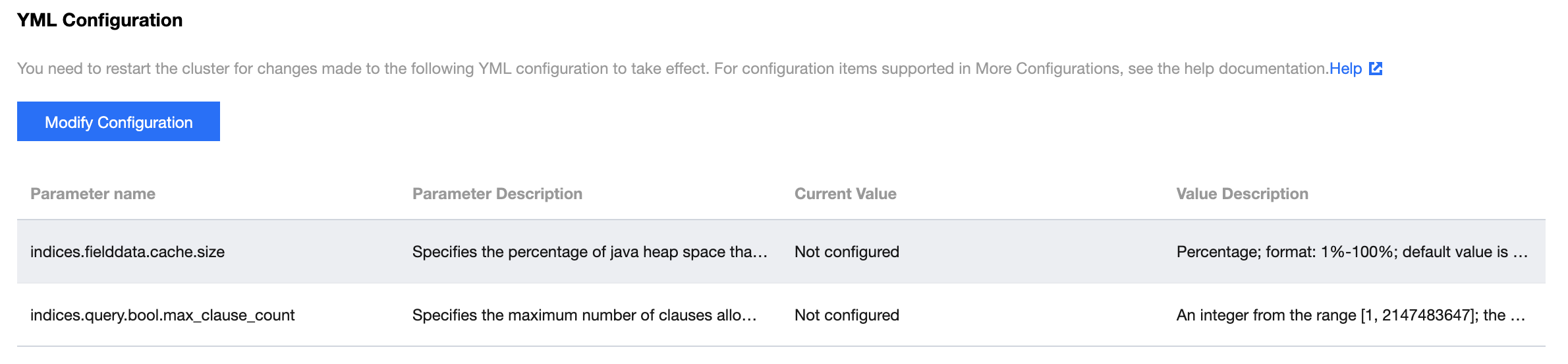
Log in to the ES Console and click the ID/name of the cluster you want to modify to enter the details page. Click Advanced configuration to view configuration items.
Modifying configuration items
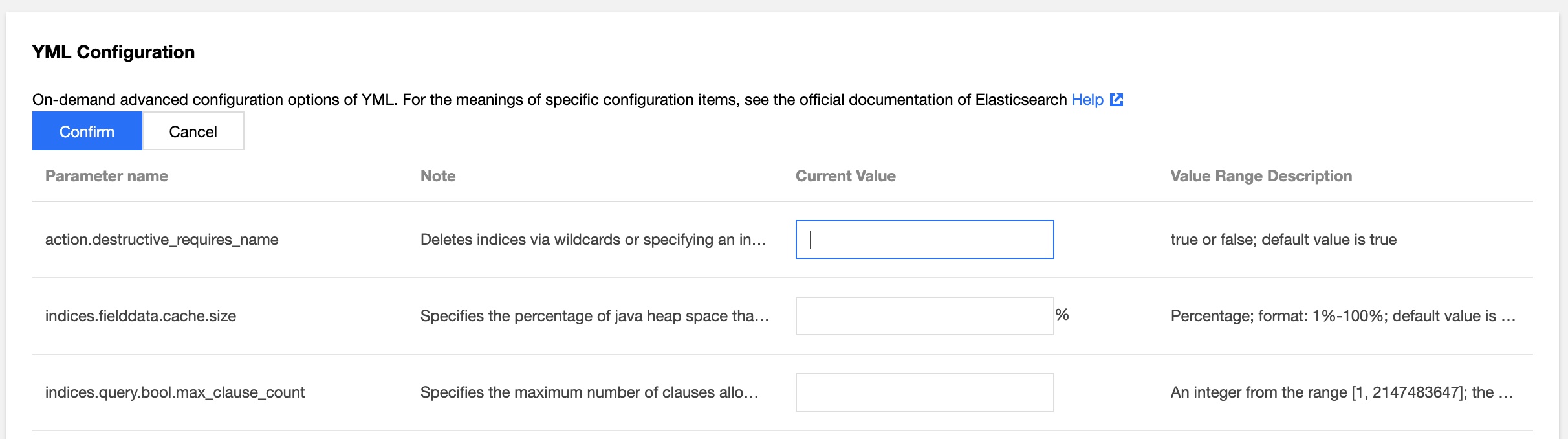
Click Modify Configuration in the YML Configuration section to modify the configuration items. Please see the "Value Description" column for descriptions of the specific input. You can customize other configuration items under More Configurations with YML syntax support.
Click Confirm and the configured parameter will apply to your cluster. Check "Got It" on the pop-up window and click Restart to restart the cluster. We recommend you perform the restart during off-peak hours if there are replicas of the indices in your cluster, although the operation will not affect your business.
Note:
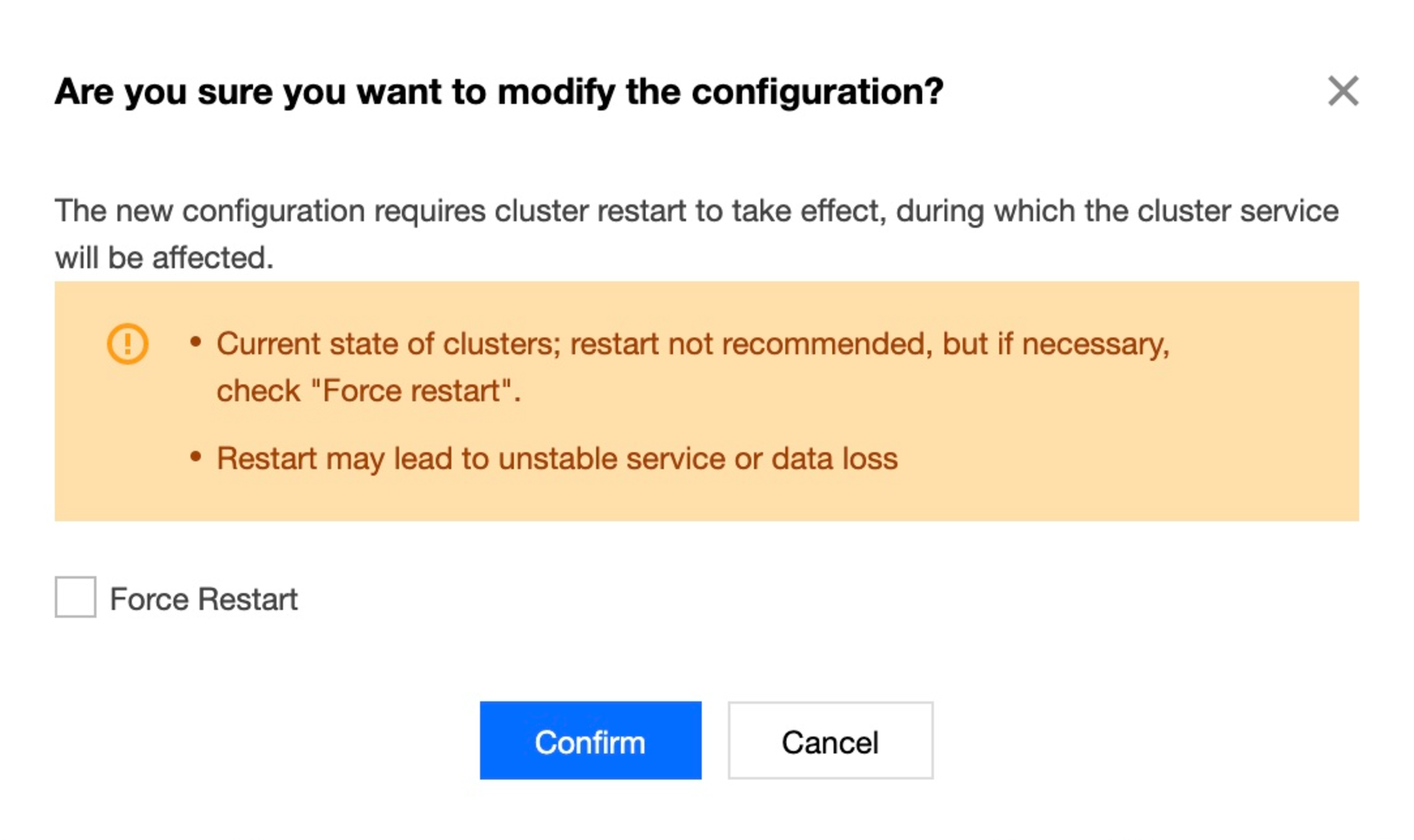
If the cluster health status is Yellow or Red, or if there is an index without replicas in the cluster, you will be prompted to force restart if you try to modify the configuration items. In such cases, there is a higher risk of data loss or service interruptions if you update the configuration. We recommend repairing the cluster status first by adding replicas to all indices.
If you are aware of the risk and still want to update the configuration, you can check the "Force Restart" box and click Confirm to restart. For more information, please see the figure below:
The Tencent Cloud ES instance will restart upon confirmation. You can check the progress in the cluster change history during the restart and your YML file configuration will be completed once the restart is successful.
Supported Parameters
Parameter
Description
Default Value
indices.fielddata.cache.size
Specifies the percentage of Java heap space allocated to the field data
15%
indices.query.bool.max_clause_count
Specifies the maximum number of clauses allowed in a Lucene Boolean query
1024
Supported Hotfix Parameters
Parameter
Description
Valid Values
action.destructive_requires_name
Specifies whether it is required to define the index name when deleting an index
true or false. Default value: true
Reindex Allowlist Configuration
Parameter
Description
Default Value
reindex.remote.whitelist
Allowlist of remote ES cluster access addresses
[]
Custom Queue Sizes
Parameter
Description
Default Value
thread_pool.bulk.queue_size
Document write queue size, applicable to v5.6.4
1024
thread_pool.write.queue_size
Document write queue size, applicable to v6.4.3 and above
1024
thread_pool.search.queue_size
Document search queue size
1024
Custom CORS Access Configurations
Parameter
Description
Default Value
http.cors.enabled
Cross-origin resource sharing (CORS) configuration item. true indicates to enable CORS, while false indicates to disable it
false
http.cors.allow-origin
Origin resource configuration item, which indicates the domain names allowed for access requests
""
http.cors.max-age
Cache period of the obtained CORS configuration information in the browser
1728000 (20 days)
http.cors.allow-methods
Allowed request methods for CORS
OPTIONS, HEAD, GET, POST, PUT, DELETE
http.cors.allow-headers
Request header information allowed for CORS
X-Requested-With, Content-Type, Content-Length
http.cors.allow-credentials
Specifies whether to allow Access-Control-Allow-Credentials information to be returned in the response header
false
Watcher Configuration
Parameter
Description
Default Value
xpack.watcher.enabled
true indicates to enable the Watcher feature of X-Pack