tencent cloud

Tencent Real-Time Communication

お知らせ・リリースノート
製品アップデート情報
Tencent Cloudオーディオビデオ端末SDKの再生アップグレードおよび承認チェック追加に関するお知らせ
TRTCアプリケーションのサブスクリプションパッケージサービスのリリースに関する説明について
製品の説明
製品概要
基礎概念
製品の機能
製品の強み
ユースケース
性能データ
購入ガイド
Billing Overview
無料時間の説明
Monthly subscription
Pay-as-you-go
TRTC Overdue and Suspension Policy
課金に関するよくあるご質問
Refund Instructions
初心者ガイド
Demo体験
Call
コンポーネントの説明(TUICallKit)
Activate the Service
Run Demo
クイック導入
オフライン通知
Conversational Chat
クラウドレコーディング(TUICallKit)
AI Noise Reduction
インターフェースのカスタマイズ
Calls integration to Chat
Additional Features
No UI Integration
Server APIs
Client APIs
Solution
ErrorCode
公開ログ
よくある質問
ライブ配信
Billing of Video Live Component
Overview
Activating the Service (TUILiveKit)
Demo のクイックスタート
No UI Integration
UI Customization
Live Broadcast Monitoring
Video Live Streaming
Voice Chat Room
Advanced Features
Client APIs
Server APIs
Error Codes
Release Notes
FAQs
RTC Engine
Activate Service
SDKのダウンロード
APIコードサンプル
Usage Guidelines
クライアント側 API
高度な機能
RTC RESTFUL API
History
Introduction
API Category
Room Management APIs
Stream mixing and relay APIs
On-cloud recording APIs
Data Monitoring APIs
Pull stream Relay Related interface
Web Record APIs
AI Service APIs
Cloud Slicing APIs
Cloud Moderation APIs
Making API Requests
Call Quality Monitoring APIs
Usage Statistics APIs
Data Types
Appendix
Error Codes
コンソールガイド
アプリケーション管理
使用統計
監視ダッシュボード
開発支援
Solution
Real-Time Chorus
よくあるご質問
課金関連問題
機能関連
UserSig関連
ファイアウォールの制限の対応関連
インストールパッケージの圧縮に関するご質問
AndriodおよびiOS関連
Web端末関連
Flutter関連
Electron関連
TRTCCalling Web関連
オーディオビデオ品質関連
その他のご質問
旧バージョンのドキュメント
TUIRoom(Web)の統合
TUIRoom (Android)の統合
TUIRoom (iOS)の統合
TUIRoom (Flutter)の統合
TUIRoom (Electron)の統合
TUIRoom APIのクエリー
クラウドレコーディングと再生の実現(旧)
Protocols and Policies
セキュリティコンプライアンス認証
セキュリティホワイトペーパー
情報セキュリティの説明
Service Level Agreement
Apple Privacy Policy: PrivacyInfo.xcprivacy
TRTC ポリシー
プライバシーポリシー
データ処理とセキュリティ契約
用語集
ドキュメントTencent Real-Time Communication

Electron

フォーカスモード
フォントサイズ
最終更新日: 2024-10-15 17:23:26
This article will detail how to customize the TUIRoomkit user interface. TUIRoomkit offers two customization methods: one is through the simple use of Custom UI API, and the other is by replacing existing UI components. We will introduce these methods in detail below.

Scheme 1: Interface Fine-tuning

TUIRoomkit provides a series of API, allowing for easy customization of the UI. The table below lists some of the main APIs and their functions:
API
Description
Set the interface language.
setTheme
Set the interface topic.
Enable the text watermark feature in the application. For details, see: Text Watermark.
Disable the text messaging feature in the application. After invoking this function, users will not be able to send or receive text messages.
Disable the screen sharing feature in the application. After invoking this function, users will not be able to share their screen with others.
Hide specific feature buttons in the application. By invoking this function and passing in the appropriate FeatureButton enumerated values, the corresponding buttons will be hidden from the user interface.

Scheme 2: UIKit Source Code Export and Modification

You can directly modify the UI source code we provide to adjust the TUIRoomKit user interface according to your needs. Execute the following node script to automatically copy the TUIRoomKit interface source code into your project (default path ./src/components/TUIRoom).
Note: After exporting the source code, you need to manually change the reference of the TUIRoom component from the npm package address to the relative path address of the TUIRoom source code.
Vue3
Vue2
node ./node_modules/@tencentcloud/roomkit-electron-vue3/scripts/eject.js
node ./node_modules/@tencentcloud/roomkit-electron-vue2.7/scripts/eject.js

1. Replace Icons

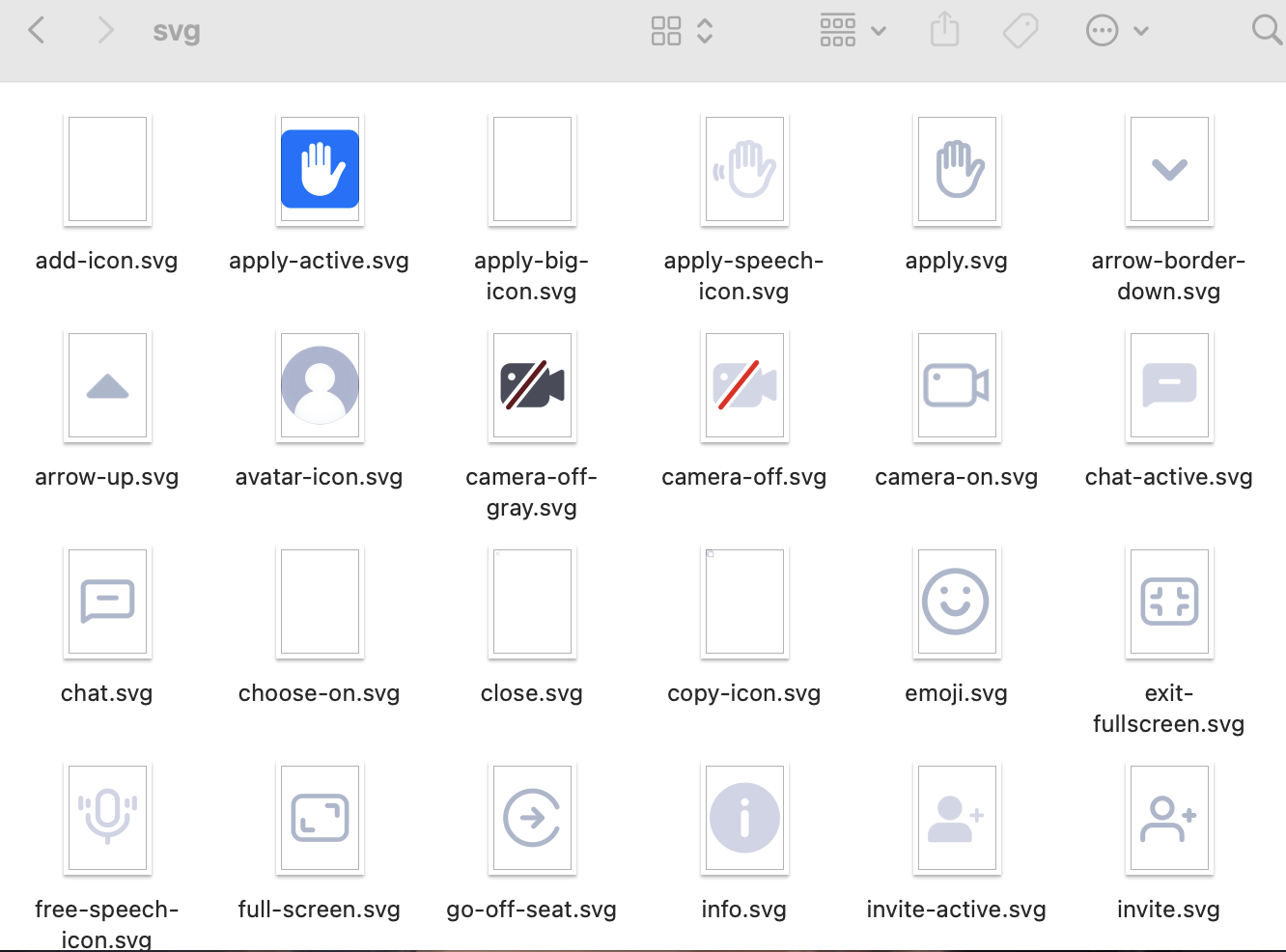
You can directly modify the icon components in the /TUIRoom/assets/icons/svg folder, to ensure the icon color and style are consistent throughout the app. Please keep the icon file names unchanged while replacing them.


2. Adjust UI Layout

You can adjust the UI layout of the multi-person video conference interface by modifying different components in the /TUIRoom/components/ folder
- components/
- Chat Chat
- common Public Icon Components
- ManageMember Member Management
- RoomContent Room Video
- RoomFooter Room Page Footer
- RoomHeader Room Page Header
- RoomHome Home Page
- RoomInvite Invite Members
- RoomLogin Login Page
- RoomMore More
- RoomSetting Settings
- RoomSidebar Drawer Components

Solution 3: Implement Your Own UI

The overall feature of TUIRoomKit is based on the TUIRoomEngine, a UI-less SDK. You can fully implement your own UI interface based on TUIRoomEngine. For more details, see:

ヘルプとサポート

この記事はお役に立ちましたか?

フィードバック