When an exception occurs in the system, personnel who receive an alarm notification can claim the alarm in the alarm details, indicating they have received the notification and started handling the alarm. Claimed alarms will not trigger repeated notifications.
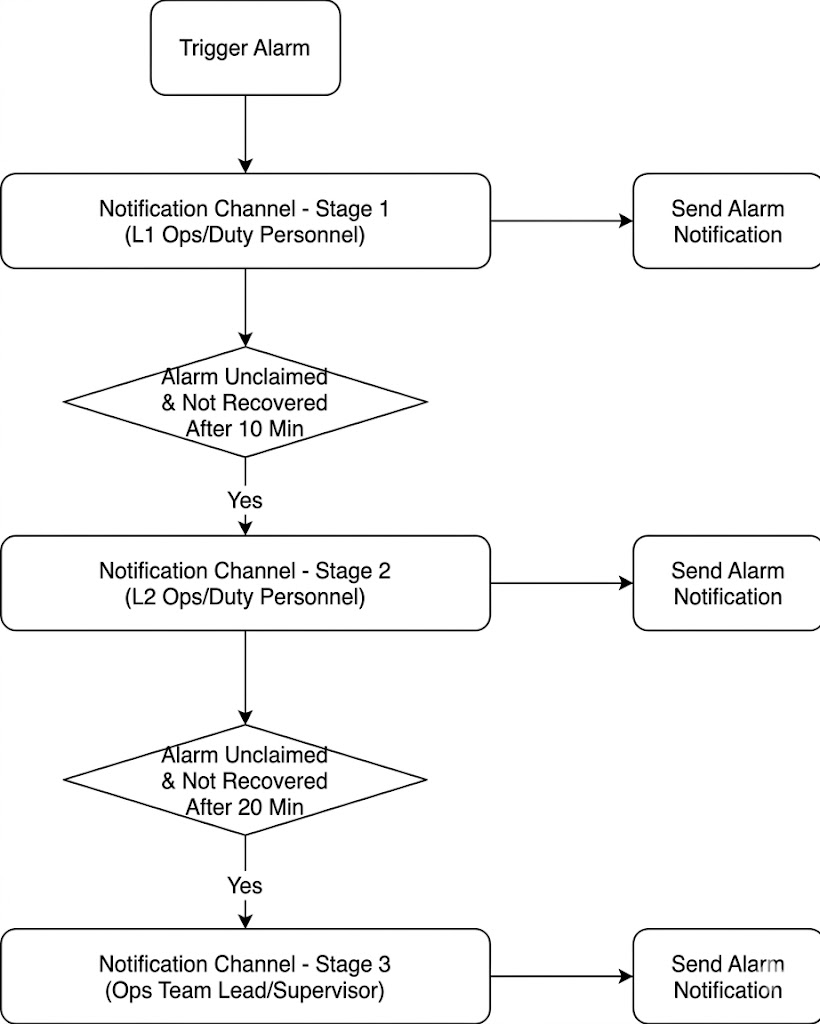
Claiming can also be used in conjunction with alarm escalation. After configuring escalation rules in the notification channel group, alarm notifications can be sent sequentially to each stage in the notification channel group. After the specified time, if the alarm remains unclaimed in the previous stage, a notification will be sent to the next stage, as shown in the figure below.
Prerequisites
In the advanced configuration of notification channel group, enable Login-free Operation Alarm to allow directly blocking/claiming related alarm notifications without logging in to the Tencent Cloud console.
Notifications via WeChat are not currently supported.
2. In the left sidebar, choose Monitoring Alarm > Notification Group to go to the notification channel group management page.
3. Select the notification channel group for which you want to configure escalation rules, and then click Edit.
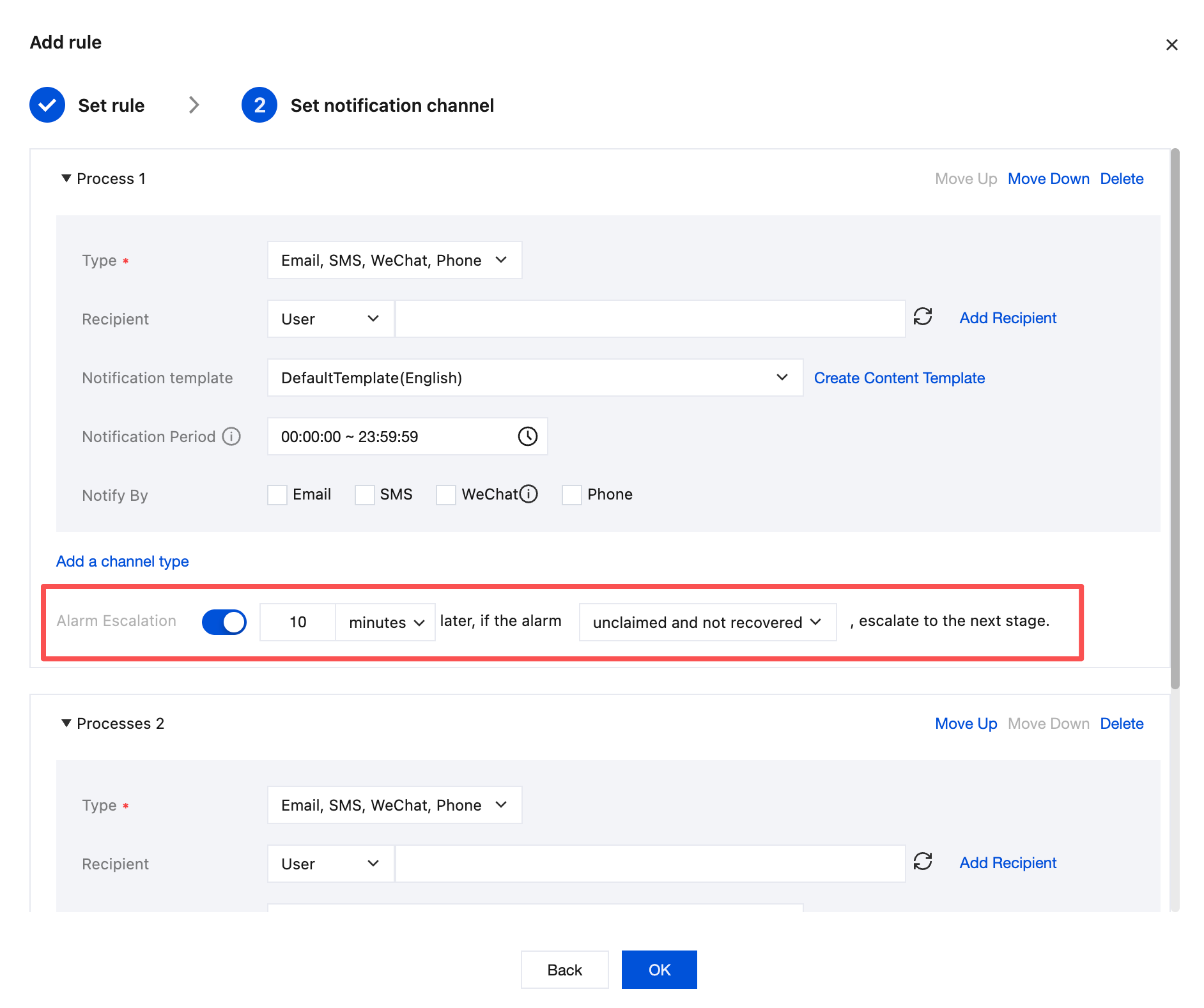
4. After adding rules in Notification Rule, you can set whether an alarm escalation is needed at the bottom of each notification channel stage. Up to 5 stages can be configured.
Claiming an Alarm
Text channels such as SMS, email, WeCom, and DingTalk:
Receive an alarm notification.
Click Claim Alarm or Detailed report in the notification (then click Claim Alarm at the bottom), go to the alarm configuration page, and fill in the operator's name.