Using the installation path /opt/loglistener/ as an example, you can run the following commands in the /opt/loglistener/conf directory to view and configure the LogListener configuration file.
vim loglistener.yaml
Note:
In the new LogListener architecture (version ≥ 3.4.0), secret keys are no longer exposed in configuration files. If you need to replace a secret key or use a temporary key, use the following commands:
Replace secret key (non-temporary key scenario):
./loglistener ak -a update -s ${secret_id} -k ${secret_key}
Replace temporary key:
./loglistener ak -a update -u -s ${secret_id} -k ${secret_key} -t ${token}
Here, `secret_id` and `secret_key` are the TencentCloud API key credentials you need to replace. Go to API Key Management to obtain them. `token` is the token information required only for temporary key scenarios. For obtaining temporary keys, see Temporary Key Usage Guide.
Parameter description
Parameter Name
Parameter Description
Default Value
Value Range
agent_ip
IP address. The machine group can be associated with the machine using the configured IP address. For details, see Machine Group.
By default, the NIC's IP address is automatically obtained. However, if a specific IP address is provided during the initialization of LogListener, that address will be used instead.
-
agent_labels
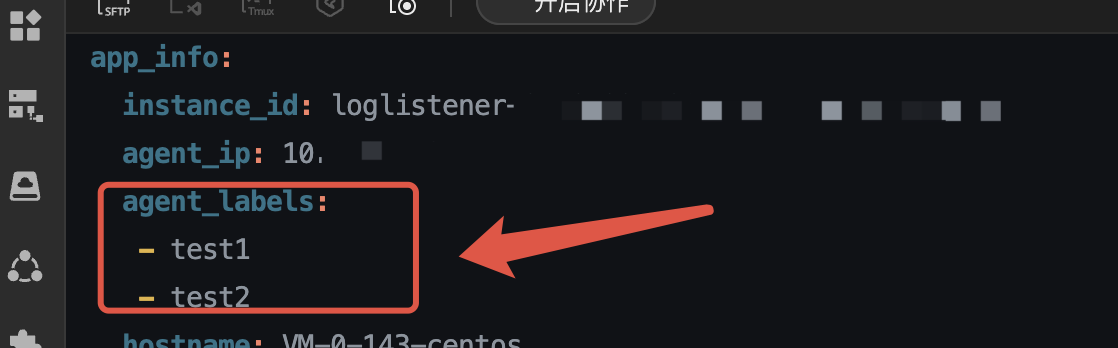
Machine id. After configuration, the machine group can be associated with the machine using the configured machine id. For details, see Machine Group. You can configure multiple ids. In yaml format, use "-" to separate them by line breaks, as shown in the figure on the right.
Note:
Machines configured with machine labels can only be associated with machine groups using those labels, rather than IP addresses.
No default value. Specify it during initialization or modify it in the configuration file. For multiple configurations, refer to the following figure.
-
dynamic_instance_id
Whether to dynamically generate/update the instance ID.
false
true,false
dynamic_ip
Controls whether to enable the dynamic IP address auto-detection capability. If the input parameter is true, the IP address can be updated in real time when it changes (supported only in the machine id scenario, not supported in the scenario associated via IP address).
false
true,false
load_server_config
Load the collection configuration of the service.
true
true,false
load_user_config
Load local collection configurations.
false
true,false
memory_limit
Maximum memory usage (Bytes).
314572800
Integer greater than 0.
cpu_limit
Maximum CPU usage.
1000
Integer greater than 0.
max_dir
Maximum number of directories to monitor.
5000
Integer greater than 0.
max_file
Maximum number of files to monitor.
15000
Integer greater than 0.
enable_polling_discovery
Whether to enable polling for log file discovery.
true
true,false
enable_inotify_discovery
Whether to enable Inotify for log file discovery.
true
true,false
max_read_size
Maximum number of bytes to read from a log file at a time (Bytes).
1048576
1048576 - 8388608
timeout
Timeout for network requests to send logs to CLS (seconds).
60
Integer greater than 0.
port
The port. The default is 80. To use https for encrypted transmission, specify 443.
80
80,443
max_send_retry_times
Maximum number of retry attempts after a log send failure.
10800
Integer greater than 0.
endpoint
The CLS access domain name, which corresponds to the region where the CLS service is located.
ap-guangzhou.cls.tencentyun.com
CLS Endpoint
concurrency_count
Maximum number of concurrent log upload requests.
2000
Integer greater than 0.
switch_endpoint
Enable the backup domain name. The default is false. If the input parameter is true, the backup domain name is used when the primary domain name network fails.
When the input parameter is true, the backup_endpoints field (backup domain name) is added to the configuration file, and the system automatically populates the backup domain name.
If the user initializes access over the private network, backup_endpoints are automatically populated with public network addresses.
If the user initializes access over the public network, backup_endpoints are automatically populated with private network addresses.
false
true,false
backup_endpoints
The content of the backup domain name.
-
-
compress
The compression method. The default is lz4, and zstd is an optional alternative.
Note:
This parameter does not support hot updates. After making the modification, run the `systemctl restart loglistener` command to restart the collector.
lz4
lz4,zstd
Using the installation path /usr/local/ as an example, you can run the following commands in the /usr/local/loglistener/etc directory to view and configure the LogListener configuration file.
vim loglistener.conf
Parameter description
Parameter Name
Parameter Description
Default Value
Value Range
proxy_host
The target CLS service access domain name.
If a region (-region) and a network access type (-network) are specified during LogListener initialization, the CLS private or public network domain name corresponding to the specified region is used here by default.
If a domain (-domain) is specified but a region (-region) is not specified during LogListener initialization, the domain name is used here by default.
Whether the secret_id and secret_key fields need to be decrypted during CLS service access and authentication. To modify the key storage mode, see Encrypted Storage of Keys.
If encryption (whether to encrypt and store the key information) is set to true during LogListener initialization, this value is true; otherwise, it is false.
true,false
group_ip
IP address. The machine group can be associated with the machine using the configured IP address. For details, see Machine Group.
By default, the NIC's IP address is automatically obtained. However, if a specific IP address is provided during the initialization of LogListener, that address will be used instead.
-
group_label
Machine id. After configuration, the machine group can be associated with the machine using the configured machine id. For details, see Machine Group. Multiple machine ids can be configured, separated by commas.
Note:
Machines configured with machine labels can only be associated with machine groups using those labels, rather than IP addresses.
-
-
max_connection
Maximum number of parallel log upload requests at the same time.
10
Integer greater than 0.
max_mem
Maximum memory usage (Bytes).
2097152000
Integer greater than 0.
max_dir
Maximum number of directories to monitor. This configuration is supported only in LogListener v2.8.8 and later versions.
5000
Integer greater than 0.
max_file
Maximum number of files to monitor.
15000
Integer greater than 0.
cpu_usage_thres
Maximum CPU usage per core (%). 0 means no limit.
0
1 - 100
max_send_rate
Maximum upload rate (Bytes/s). 0 means no limit.
0
Integer greater than 0.
max_depth
Maximum collection directory depth. This configuration controls the probing depth for. 0 means no probing.
10
Integer greater than 0.
request_compression
Whether to compress uploaded logs.
true
true,false
replace_special_characters
Whether to replace special characters with spaces when they appear in the collected logs. This configuration is supported only in LogListener v2.8.8 and later versions.
false
true,false
memory_tight_mode
Whether to enable memory-saving mode.
false
true,false
max_send_retrys
Maximum retry attempts when a log upload request fails. 0 means retry indefinitely.
0
Integer greater than 0.
max_send_retry_time
The maximum timeout (s) when the log upload request fails and is retried.
10800
Integer greater than 0.
send_retry_period
The maximum retry time interval (s) when the log upload request fails.
3
Integer greater than 0.
dynamic_config
Whether to dynamically update collection configurations. When the parameter is true, the collection configuration parameters can be updated without restarting the collector.
false (LogListener versions earlier than 3.4.0)
true (LogListener version 3.4.0 and later)
true,false
After completing the configuration modification, run the following command to restart LogListener for the changes to take effect. (If dynamic_config is true, skip the following steps.)
Executed by systemd
Not executed by systemd
Applicable to LogListener version 2.8.3 and later on operating systems with systemd.
systemctl restart loglistenerd
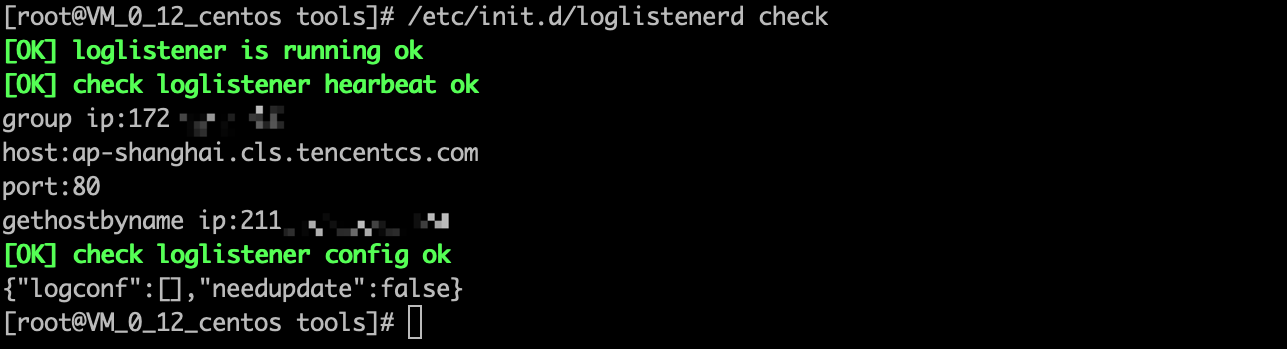
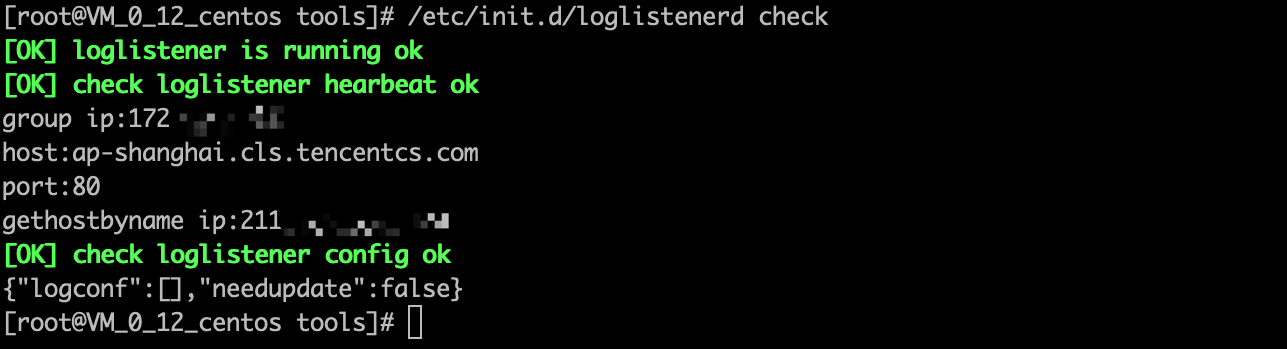
Run /etc/init.d/loglistenerd check to check whether the restart is successful.
Applicable to LogListener version 2.8.3 and earlier versions, or LogListener version 2.8.3 and later on operating systems without systemd.
/etc/init.d/loglistenerd restart
Run /etc/init.d/loglistenerd check to check whether the restart is successful.
Using the installation path C:\\Program Files (x86)\\Tencent\\LogListener as an example on Windows, locate the loglistener.yaml file in the installation directory and open it with any text editor.
Parameter description
Parameter Name
Parameter Description
Default Value
Value Range
host
The target CLS service access domain name.
If a region (--region) and a network access type (--network) are specified during LogListener initialization, the CLS private or public network domain name corresponding to the specified region is used here by default.
If a domain (--endpoint) is specified but a region (--region) is not specified during LogListener initialization, the domain name is used here by default.
IP address. The machine group can be associated with the machine using the configured IP address. For details, see Machine Group.
By default, the NIC's IP address is automatically obtained. However, if a specific IP address is provided during the initialization of LogListener, that address will be used instead.
-
secret_id
API key ID.
The key ID specified during LogListener initialization.
Machine label. The machine group can be associated with the machine using the configured machine label. For details, see Machine Group. You can configure multiple labels by separating them using commas.
Note:
Servers with a configured identifier can only be associated via server label, not IP address.
-
-
check_net
Whether to perform network connectivity verification during installation. The default value is true. If the input parameter is true, the installation will fail when the network is abnormal. If you do not need to verify the network environment, set the input parameter to false. (Not supported for Windows event collection.)
true
true,false
After completing the configuration modification, run the following command to restart LogListener for the changes to take effect.
Run Windows PowerShell as an administrator, navigate to the installation directory C:\\Program Files (x86)\\Tencent\\LogListener, and run the following command to restart LogListener: