TRAE IDE is an AI-powered development environment that delivers an end-to-end coding experience, covering code authoring, project understanding, debugging and execution, and change management. This article explains how to configure and use the Tencent Cloud LLM Token Plan in TRAE.
Prerequisites
Before you begin the configuration, make sure you have completed the following preparations:
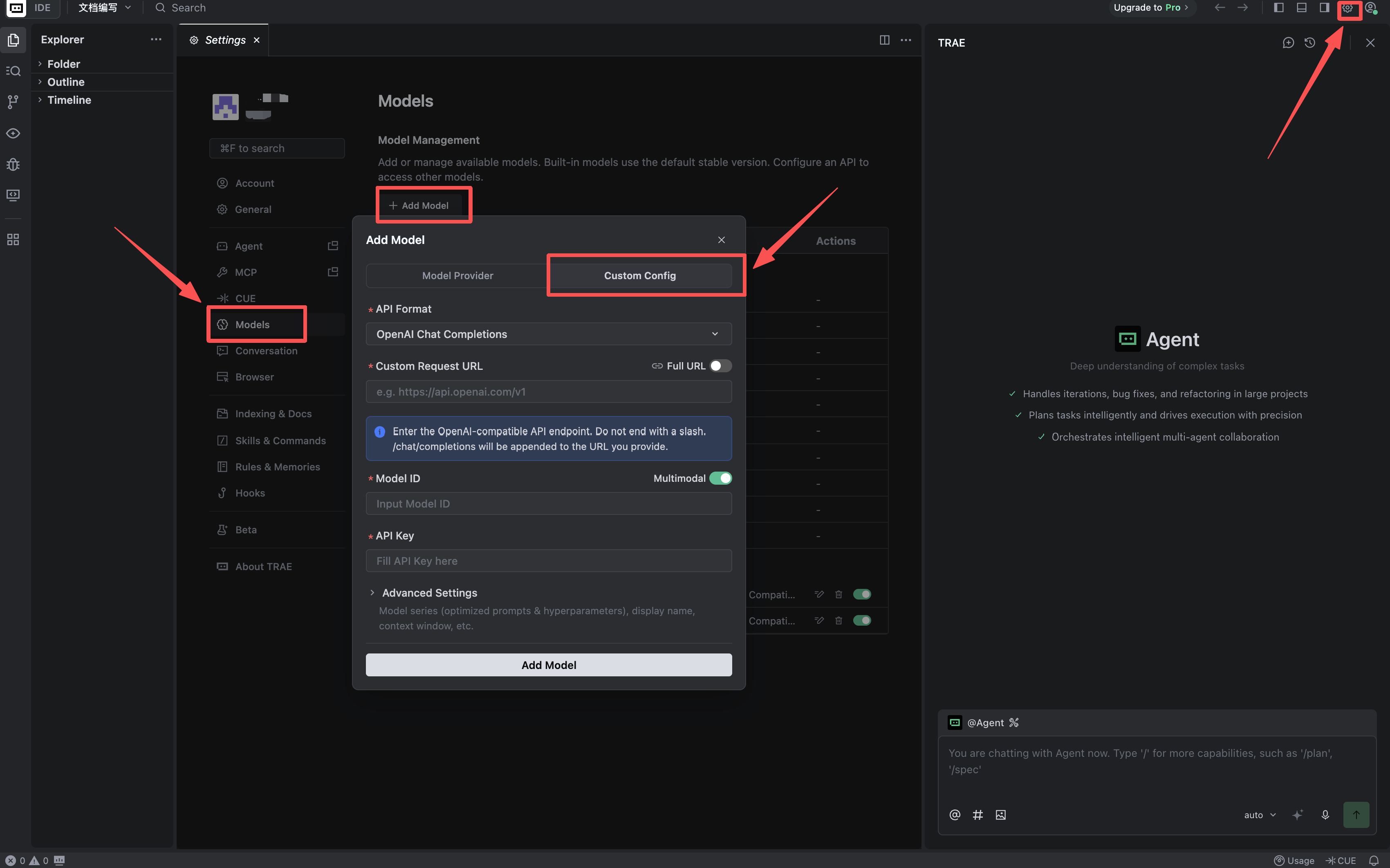
1. Log in through the User portal, then click the Settings icon in the upper-right corner to open the Settings Center.
2. In the left navigation pane, select Models to open the model management page.
3. Click + Add Model to open the Add Model window.
4. In the Add Model window, select Custom Config.
Step 2: Configure the Model in the Custom Configuration Section
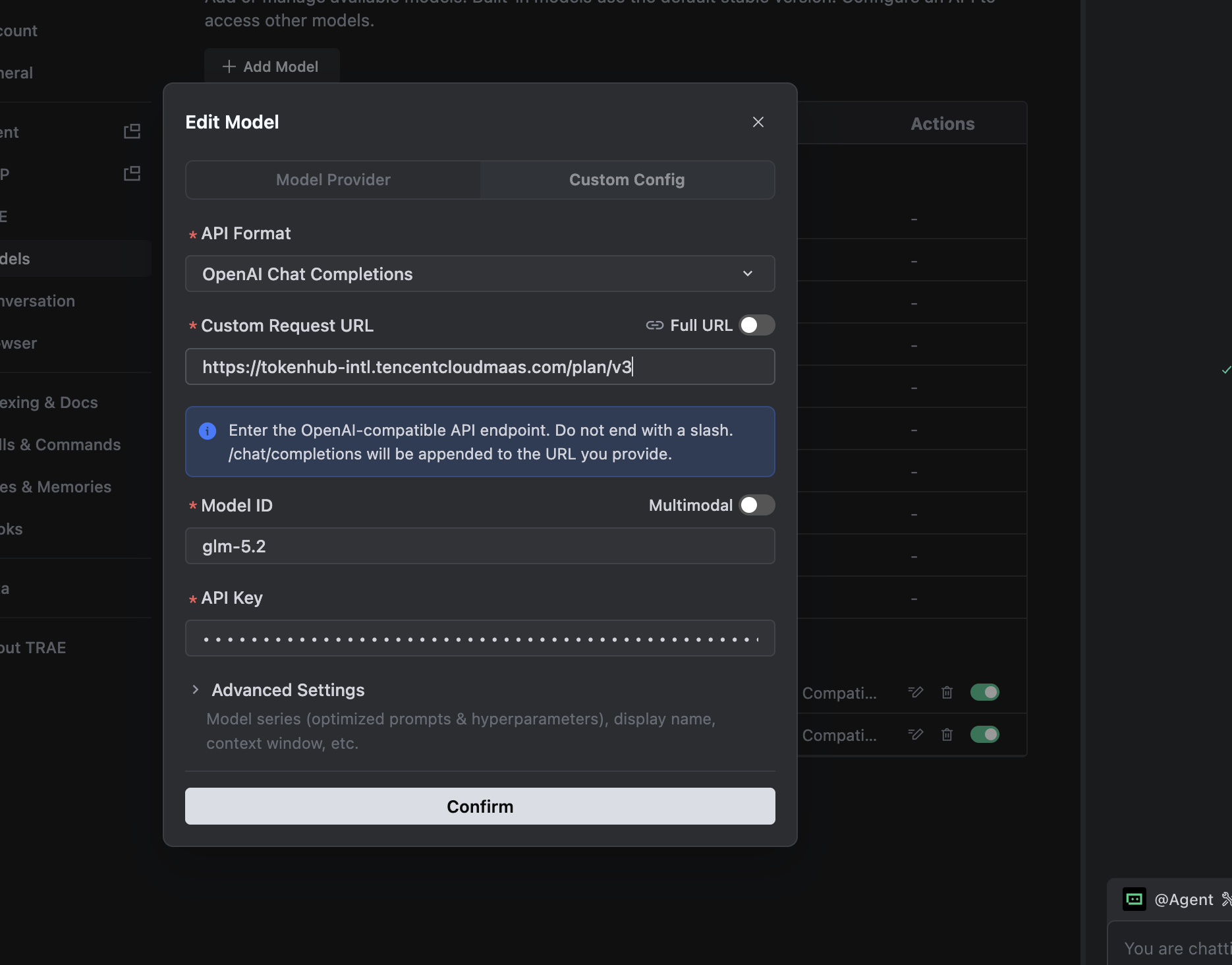
Configure the following content and click Add Model.
1. API Format and Custom Request URL: The platform provides different endpoints for different regions to ensure stable access. The default endpoints are as follows:
Attention:
Select the corresponding API address based on the region where the service is activated. Cross-region and cross-site service calls are not supported.
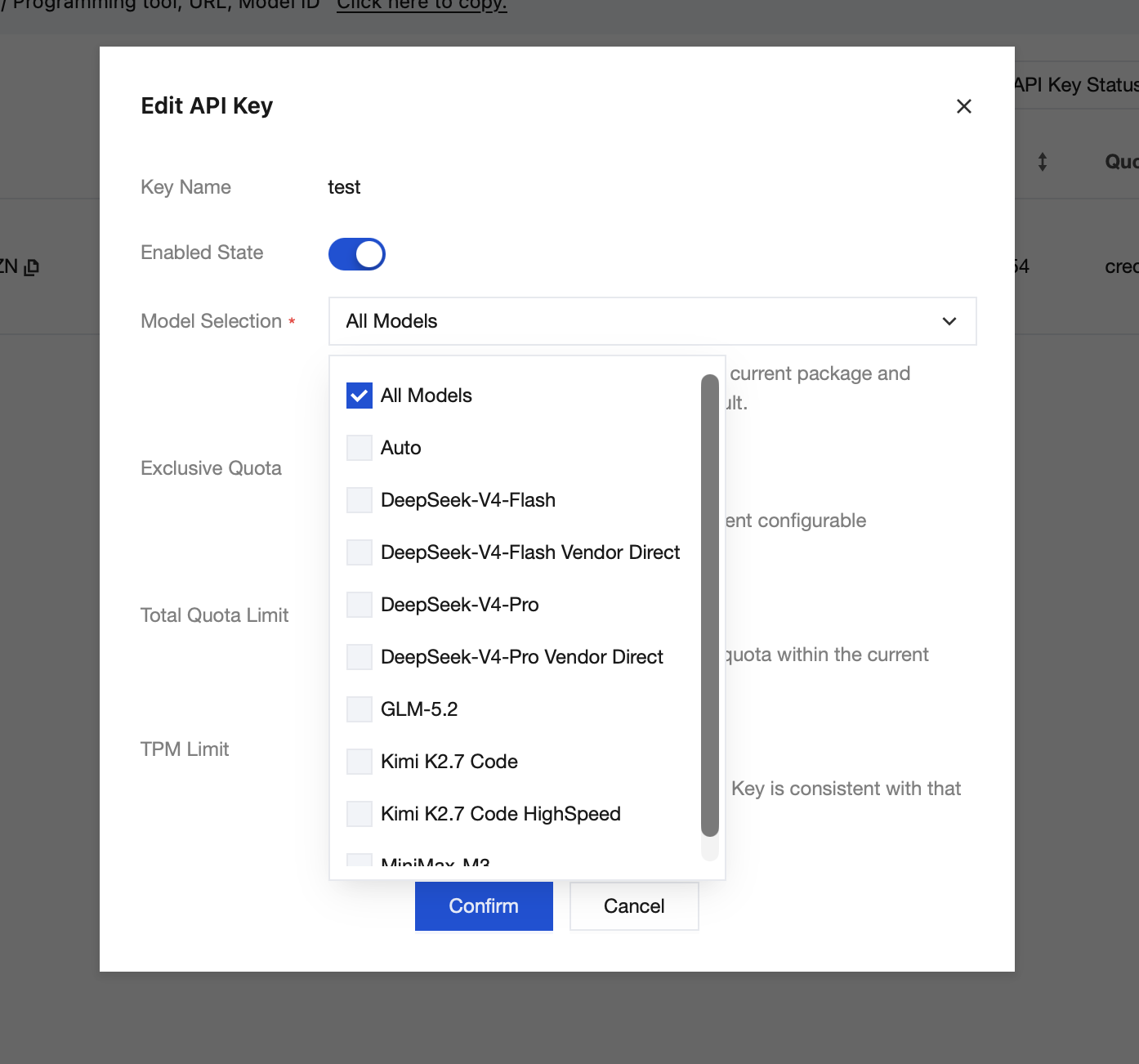
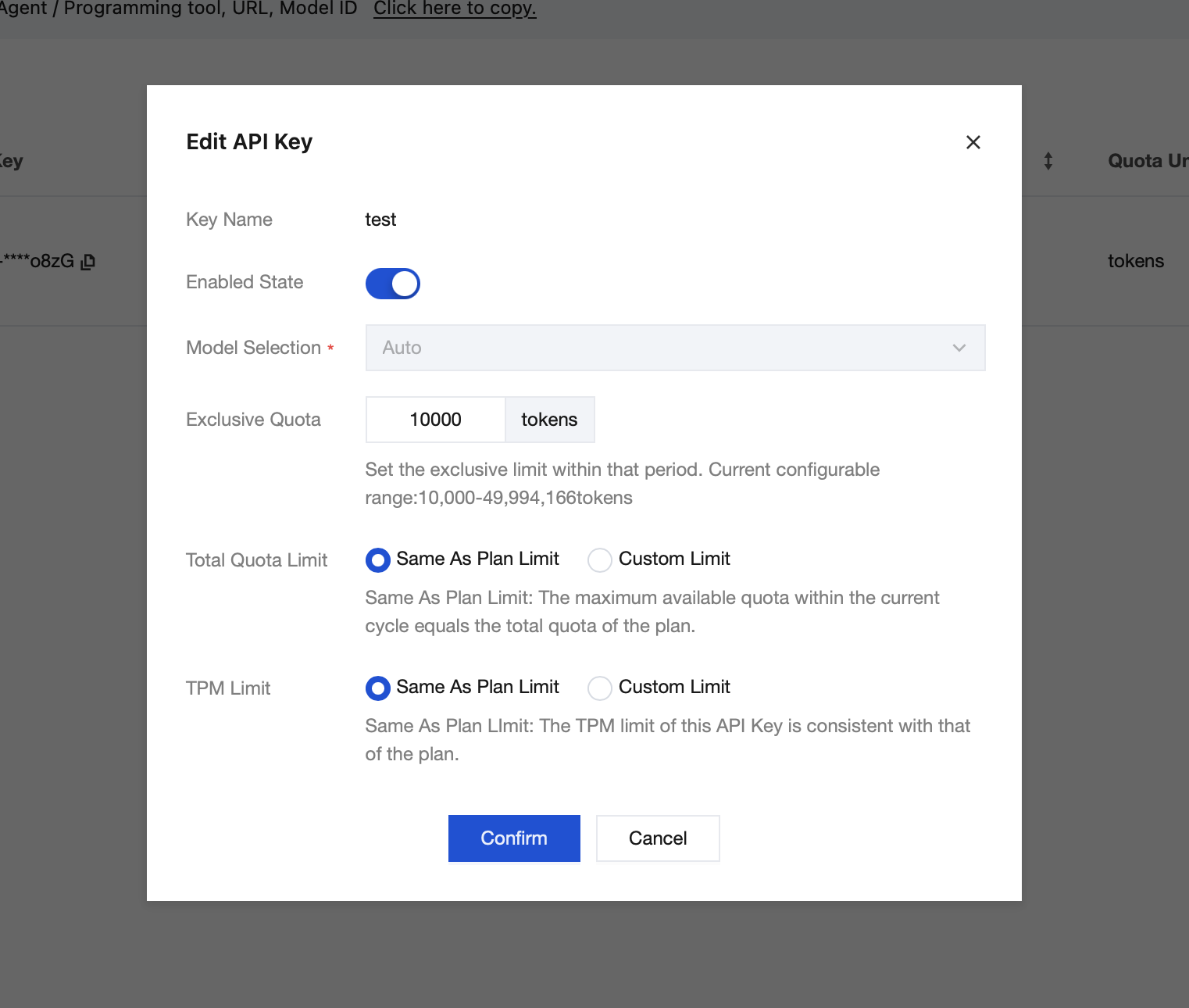
3. API Key: Obtain the API Key from your plan, then configure the model access and quota permissions.
Pro Plan: You can create multiple API keys and independently configure model permissions and quotas for each key.
Lite Plan: Only one API key can be created, and the model selection is fixed to Auto.
4. Once configured, you will receive the corresponding API key. Enter it as follows:
Step 3: Use TRAE
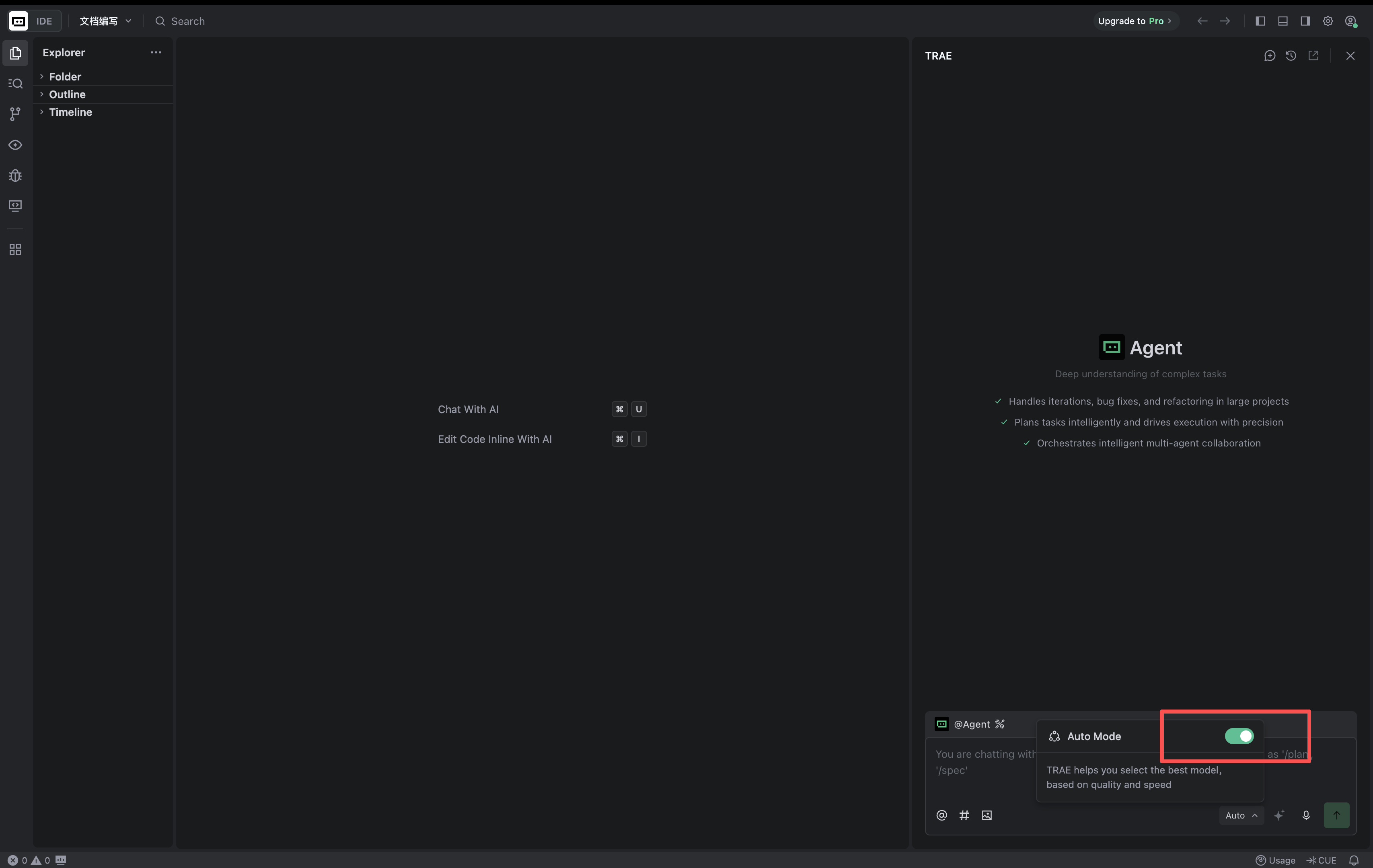
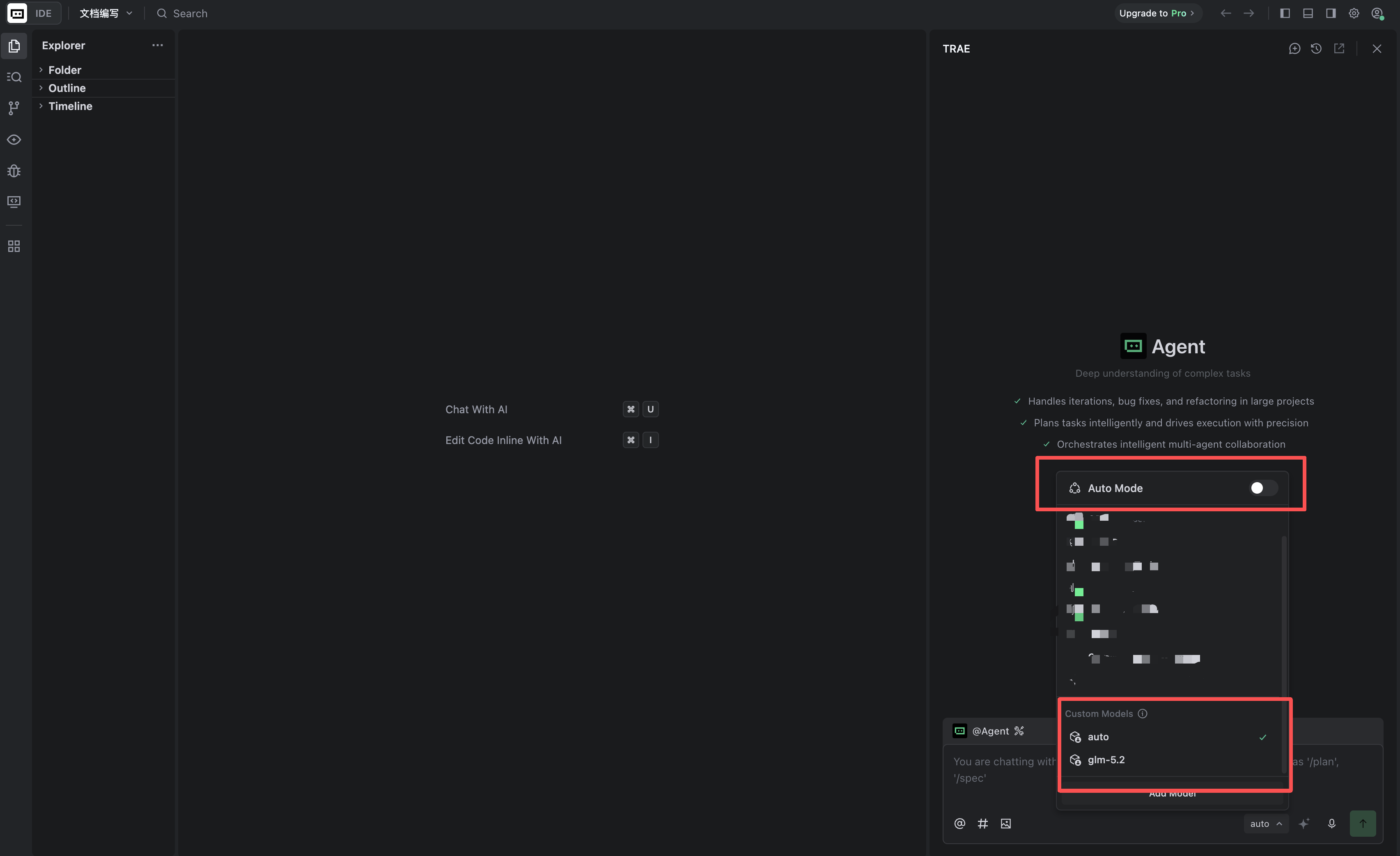
1. In the lower-right corner of the AI chat input box, click the current model name. If it is displayed as Auto Models, click to turn it off.
2. In the model list, locate Custom Models and select the model you configured
3. After selecting the model, you can use TRAE for your development tasks.
FAQs
The Model Access Permission Error Is Displayed
Example error:
The current API Key is not authorized to access model <MODEL_ID>.
Model Provider Error Code: 403002
HTTP Status: 403
This error indicates that the request has reached the model service, but the API key included in the request does not have permission to access the target model.
Please check the following:
1. Whether the API key was created under the correct Enterprise Plan.
2. Whether the model permissions assigned to the API key include the model ID shown in the error message.
3. Whether the API key saved in TRAE is the authorized key.
4. Whether the model ID configured in TRAE exactly matches the authorized model ID in the console.
5. Whether the current chat is still using an older custom model configuration.
If you modify the API key permissions or the model configuration in TRAE, we recommend reselecting the model and starting a new chat before trying again.
Insufficient Quota or Request Rate Limited
Go to the API Key management page for the applicable Enterprise Plan and check the plan’s remaining quota, the API key’s total quota limit, and its TPM limit. The quota calculation methods differ between the Professional Plan and the Lite Plan; refer to the information displayed on the corresponding plan page.