tencent cloud

ドキュメントDatabase Management Center

SQL Operations

Download
フォーカスモード
フォントサイズ
最終更新日: 2026-05-29 11:23:03
AI翻訳
SQL operations executed in the SQL execution panel provide a graphical SQL editor with predefined SQL templates and support for user-defined SQL execution. This allows users to efficiently query and manage database data through an intuitive interface.

Use Limits

The SQL types that are not supported in the SQL window are as follows:
SQL statements that require session persistence, such as cursor-related operations.
SQL statements that require sequential execution of multiple SQL queries, such as transaction operations and bulk operations.
SQL related to MapReduce.
SQL related to aggregate operations.

Prerequisites

SQL Execution Panel Operations

1. Access the SQL execution panel using the following methods.
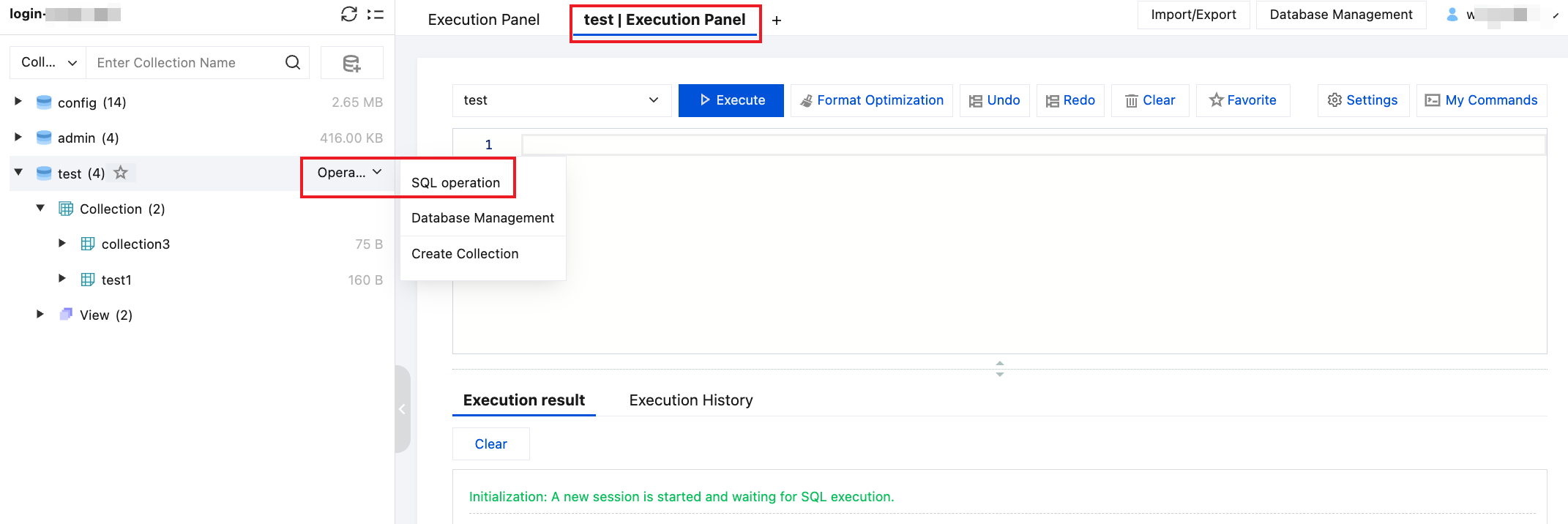
After you successfully log in to the instance, the execution panel will be displayed on the right side of the page.
Hover over the database name, select Operation > SQL Operation, and enter the execution panel for the selected database.

Hover over the collection name, select Operation > SQL Operation, and enter the execution panel for the collection.
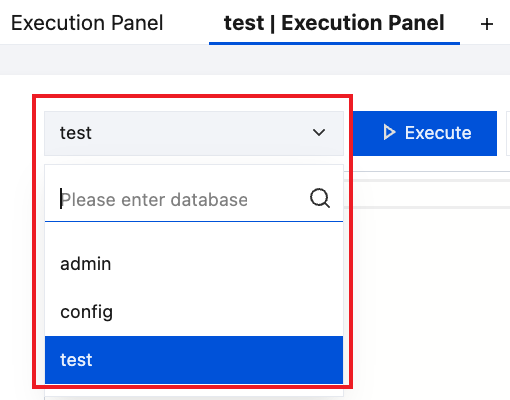
2. Select the database for executing the SQL.

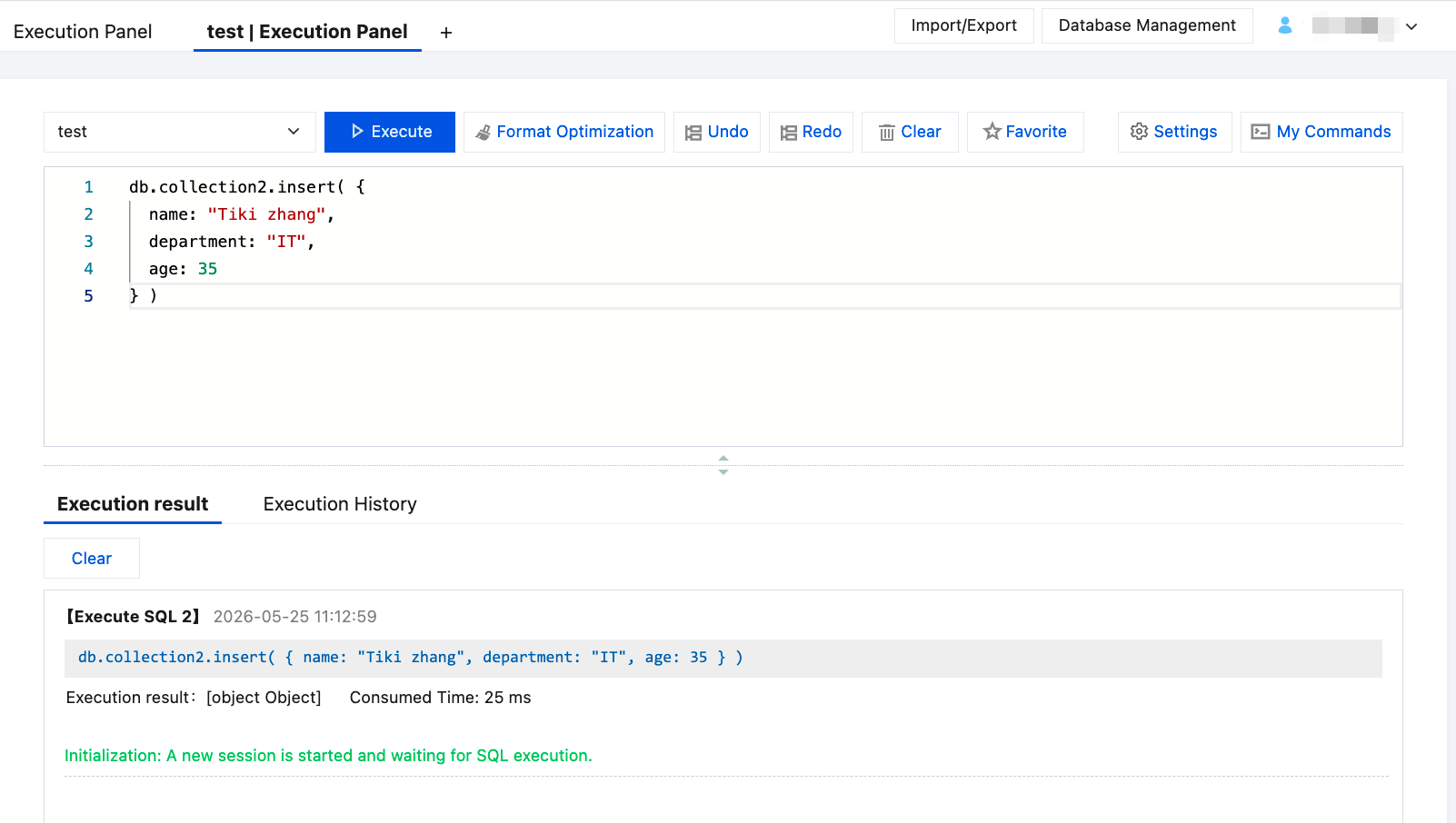
3. Enter the SQL statement, and perform the following operations as needed.
Note:
In the right panel, go to My Commands > System Template, select a template SQL statement, and modify it as needed.
Optimize the SQL format: Click Format Optimization at the top of the page.
Save the command: Click Favorite at the top of the page. In the pop-up window, enter a name, select the applicable scope, and click OK.
You can click My Commands in the upper-right corner of the page and select My Favorites to view the favorited command templates.
Clear the currently entered SQL statement: Click Clear at the top of the page.
The execution panel also supports undo and redo operations.
4. After entering the SQL statement, click Execute to view the execution result and data result.

You can click

on the Execution History page to download historical execution data.

ヘルプとサポート

この記事はお役に立ちましたか?

フィードバック