tencent cloud

ドキュメントDatabase Management Center

Database Management

Download
フォーカスモード
フォントサイズ
最終更新日: 2026-05-20 17:53:43
This document introduces how to create, edit, and delete a database, along with related operations.

Prerequisites

Creating a Database

1. In the left database and table panel, hover over the database name and select Operation > Database Management.
2. At the top of the Database Management page on the right, click Create Database.
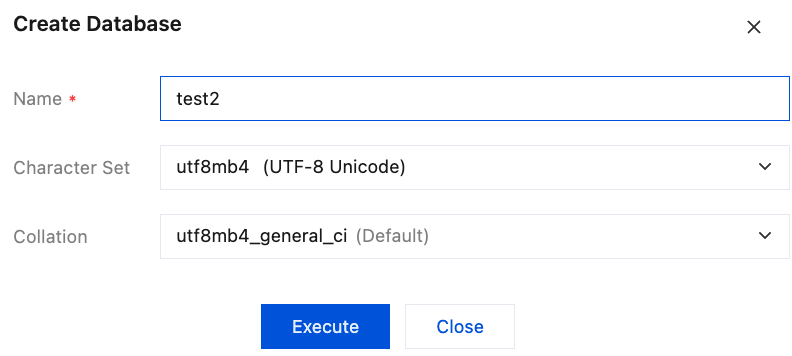
3. In the pop-up dialog box, enter the database name, select the character set and collation, and click Execute.

The created database will be displayed in the database list and the left database and table panel.

Database SQL Operations

Editing a Database

Only custom databases support editing operations.
1. In the left database and table panel, hover over the database name and select Operation > Database Management.
2. On the Database Management page, in the corresponding Operation column, click Edit, modify the character set and collation, and click Execute to apply the changes.

Deleting a Database

Only custom databases support deletion operations.
1. In the left database and table panel, hover over the database name and select Operation > Database Management.
2. On the Database Management page, in the corresponding Operation column, click Delete, and then click OK in the pop-up dialog box.

Quick Search for a Database

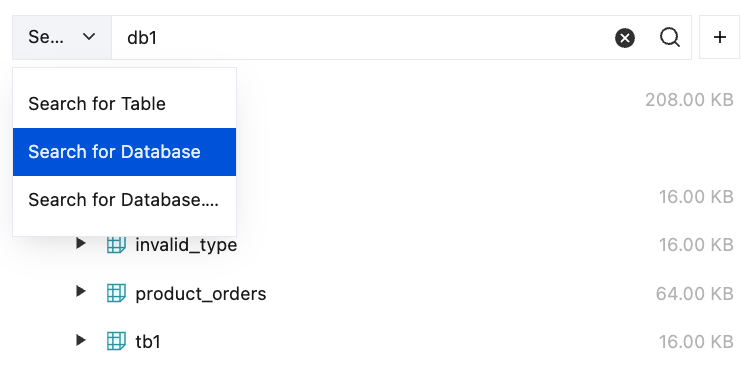
In the left database and table panel, select Search for Database, enter the database name, and click
.


ヘルプとサポート

この記事はお役に立ちましたか?

フィードバック