tencent cloud

Elastic MapReduce

  • Release Notes and Announcements
  • Product Introduction
  • Purchase Guide
    • EMR on CVM Billing Instructions
    • EMR on TKE Billing Instructions
    • EMR Serverless HBase Billing Instructions
    • EMR Serverless TCBase Billing Overview
  • Getting Started
  • EMR on CVM Operation Guide
    • Planning Cluster
    • Administrative rights
    • Configuring Cluster
    • Managing Cluster
    • Managing Service
    • Monitoring and Alarms
    • TCInsight
  • EMR on TKE Operation Guide
  • EMR Serverless HBase Operation Guide
  • EMR Serverless TCBase Operation Guide
  • EMR Development Guide
    • Hadoop Development Guide
    • Spark Development Guide
    • Hbase Development Guide
    • Phoenix on Hbase Development Guide
    • Hive Development Guide
    • Presto Development Guide
    • Sqoop Development Guide
    • Hue Development Guide
    • Oozie Development Guide
    • Flume Development Guide
    • Kerberos Development Guide
    • Knox Development Guide
    • Alluxio Development Guide
    • Kylin Development Guide
    • Livy Development Guide
    • Kyuubi Development Guide
    • Zeppelin Development Guide
    • Hudi Development Guide
    • Superset Development Guide
    • Impala Development Guide
    • Druid Development Guide
    • TensorFlow Development Guide
    • Kudu Development Guide
    • Ranger Development Guide
    • Kafka Development Guide
    • StarRocks Development Guide
    • Flink Development Guide
    • JupyterLab Development Guide
    • MLflow Development Guide
  • Practical Tutorial
    • Practice of EMR on CVM Ops
    • Data Migration
    • Practical Tutorial on Custom Scaling
  • API Documentation
    • History
    • Introduction
    • API Category
    • Making API Requests
    • Cluster Resource Management APIs
    • Cluster Services APIs
    • User Management APIs
    • Information Query APIs
    • Scaling APIs
    • Configuration APIs
    • Other APIs
    • Cluster Lifecycle APIs
    • Serverless HBase APIs
    • YARN Resource Scheduling APIs
    • Data Types
    • Error Codes
  • FAQs
    • EMR on CVM
  • Service Level Agreement
  • Contact Us

Adding Components

Download
フォーカスモード
フォントサイズ
最終更新日: 2023-12-27 11:09:22

Feature Description

This document describes how to add components in the EMR console.
Caution
You need to manage the components through Cluster Service. Component changes made directly by logging in to a node (such as adding a component) will not be synced to the console and thus cannot be further managed.
Components on a different EMR version or component version cannot be added. Instead, you can only add components on the current EMR version.

Directions

1. Log in to the EMR console and click the ID/Name of the target cluster in the cluster list to enter the cluster details page.
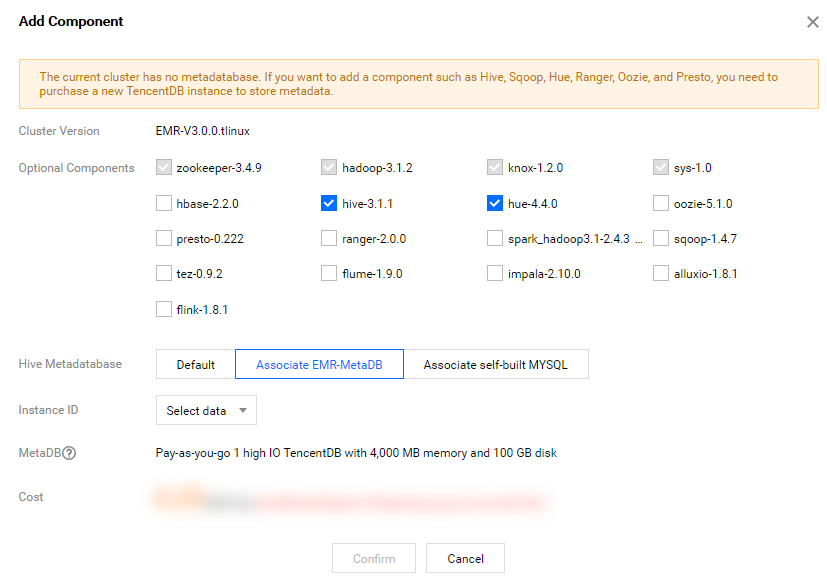
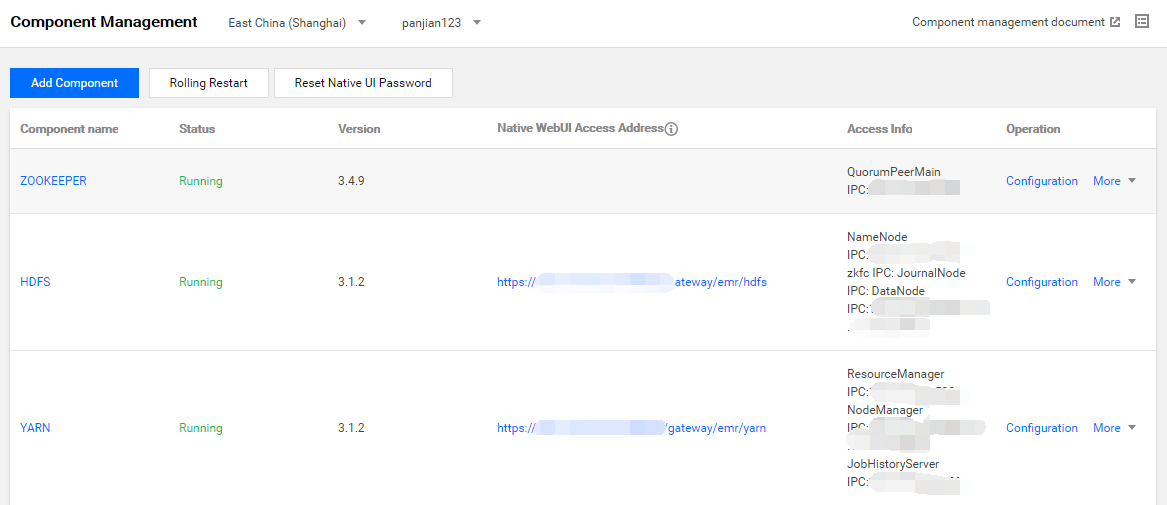
2. On the cluster details page, select Cluster Service > Add Component to add a component not installed in the cluster.


3. If there is no metadatabase in the cluster and Hue, Ranger, Oozie, Druid, and Superset components are to be installed, you need to purchase a TencentDB instance as the metadata store. You cannot add the Kudu component to a non-HA cluster.
4. There are two storage options for Hive metadata: you can store the metadata in the MetaDB (default option) or associate the metadata with EMR-MetaDB or a self-built MySQL database. In the latter case, metadata will be stored in the associated database and will not be deleted when the cluster is terminated.


5. The selection for MetaDB purchase and Hive metadatabase is the same as when you purchase a new cluster.
6. After selecting the component, click OK.

ヘルプとサポート

この記事はお役に立ちましたか?

フィードバック