tencent cloud

Cloud Connect Network

Release Notes and Announcements
Announcements
Product Introduction
Overview
Strengths
Use Cases
Use Limits
Purchase Guide
Billing Overview
Expiration Reminder
Overdue Payment ‍Policies
Getting Started
Getting Started with the CCN
Connecting Network Instances Under the Same Account
Connecting Network Instances Across Accounts
Operation Guide
Operations Overview
Instance Management
Route Management
Bandwidth Management
Cross-Region Traffic Management
Monitoring and Alarms
API Documentation
FAQs
Troubleshooting
Failed to Ping VPCs Connected with a CCN Instance
Service Agreement
Service Level Agreement
Contact Us

Viewing Routing Information

PDF
フォーカスモード
フォントサイズ
最終更新日: 2024-01-10 14:41:59
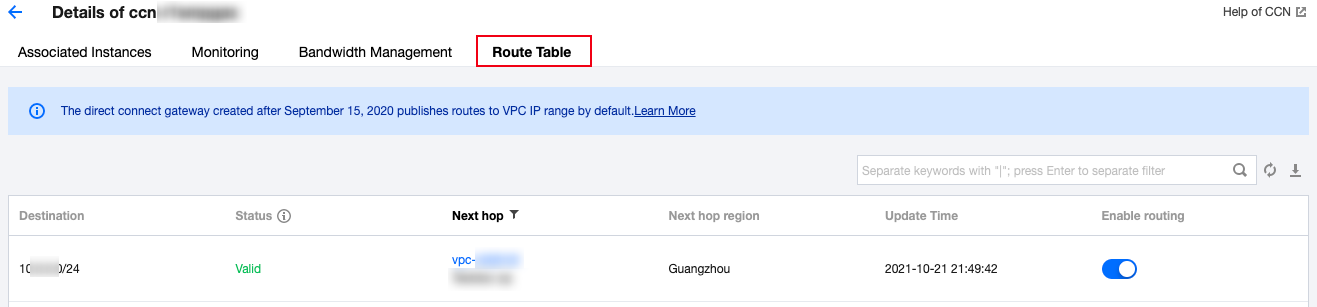
1.Log in to the CCN console and access the CCN management page. 2. In the CCN list, click the ID of the desired CCN to open the details page. 3. Click the Route Tables tab to view the route table of this CCN.
Note:
A route table is in one of the following states:
If no IP range conflict occurs, the route table is Valid by default.
If the route conflicts with an existing route, the route table is Invalid. For more information about the conflict rules and restrictions, see Use Limits - Routing Restrictions.
If you need to use an "invalid" route, see Disabling a Route and Enabling a Route.


ヘルプとサポート

この記事はお役に立ちましたか?

フィードバック