Migrating Databases to CKafka Using DTS
Unduh
Mode fokus
Ukuran font
I. Migration Scenarios
Objective: Synchronize database data to CKafka.
Legacy migration solution: It performs a smooth migration by adopting a dual-write to single-write migration pattern.
For new synchronization links, refer directly to Part IV of this document.
II. Migration Steps
Summary: Perform dual-write first and then single-write to complete a smooth migration. The specific migration steps are as follows:
1. Dual-write: First, create a data synchronization task on the DTS platform that has the same feature as the CKafka connector, and synchronize data to the same topic (you can query topic information in the CKafka console).
2. Incremental database data is written to CKafka through two links simultaneously, resulting in a small amount of data duplication.
3. Single-write: After the DTS data synchronization task runs normally, stop the CKafka connector task to achieve single-write.
4. Stop the connector task in the CKafka console and use only the DTS data synchronization task, so that topic data is no longer produced in duplicate.
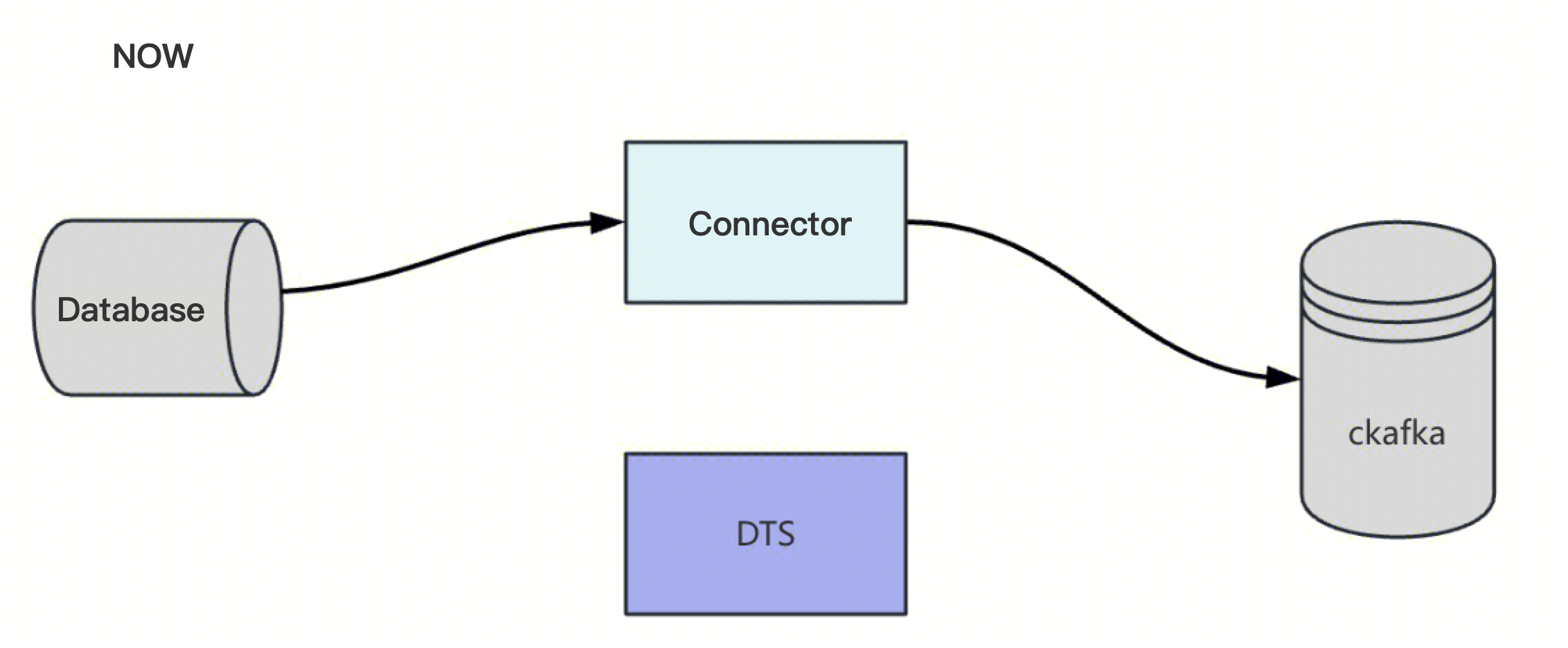
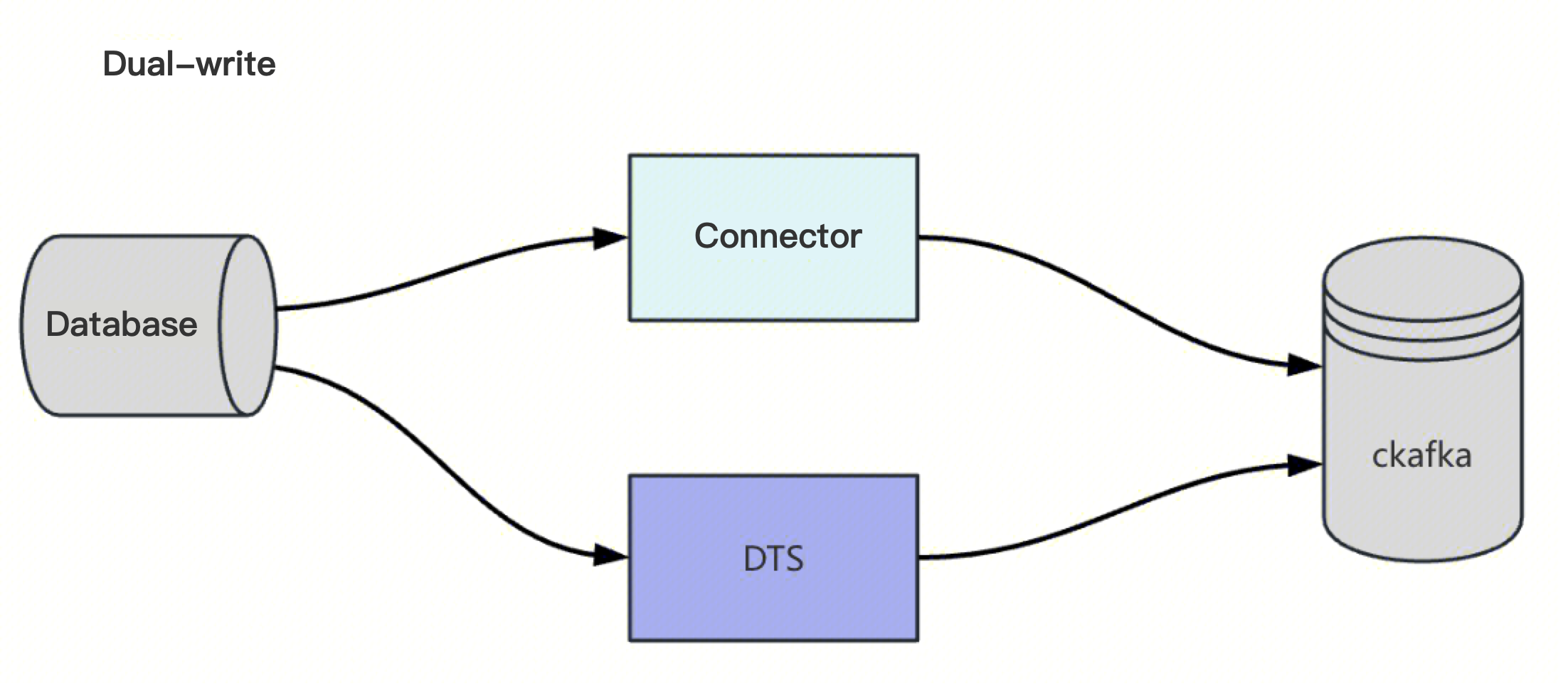
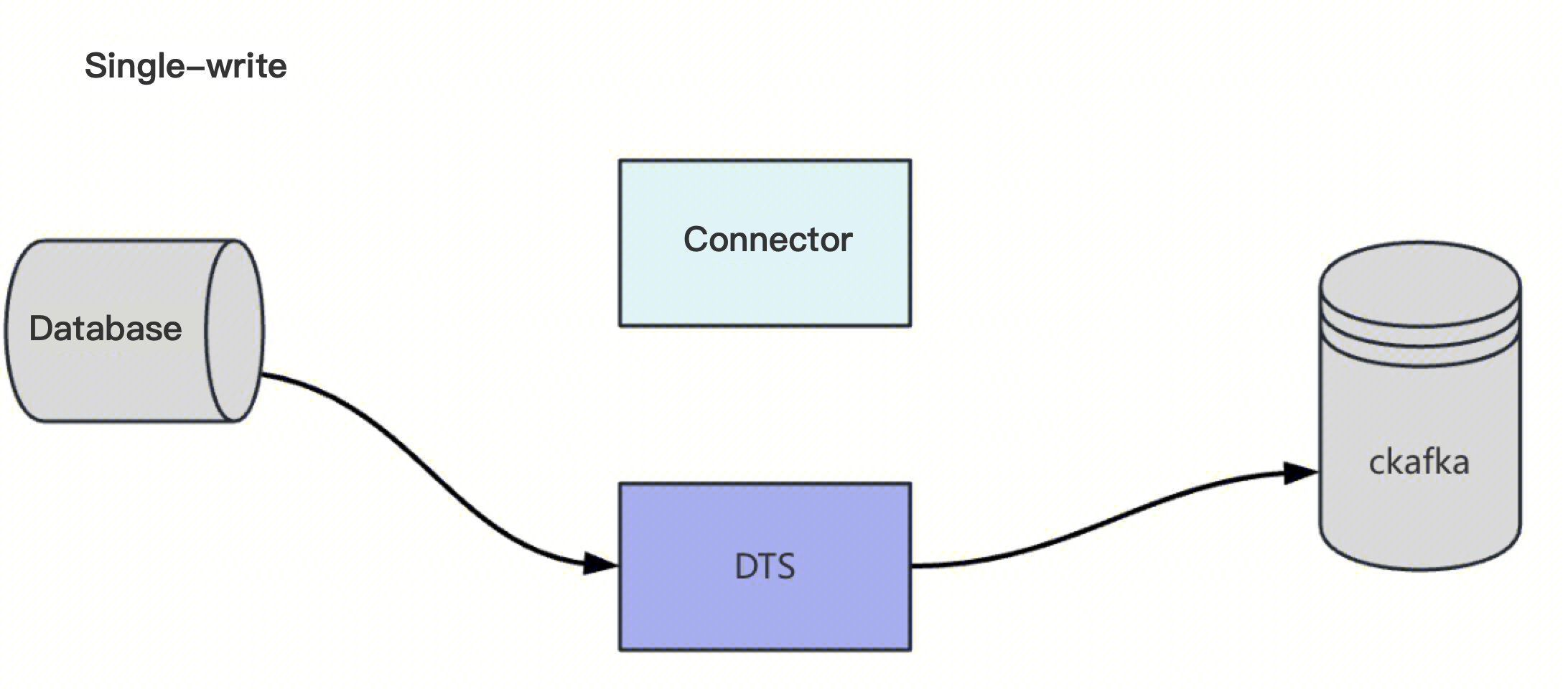
Risk: topic data may be duplicated to a small extent.
Recommendation: Perform the operation during off-peak hours to minimize impact.
III. Migration Solution
3.1. Solution Comparison
Solution | Solution 1: Proactive Migration to Mitigate Risks in Advance. | Solution 2: Passive Migration to Prevent Secondary Failures. |
Approach | Start DTS data synchronization during off-peak hours and decommission the connector. | Start the DTS data synchronization task after the connector fails. Create the DTS data synchronization task in advance, keep it in a paused state, and do not start it. After the connector fails or becomes abnormal, enable the DTS data synchronization task. |
Advantages | Proactive action, operation during off-peak hours, and controllable risk. | Existing tasks remain unchanged, and business is not affected. |
Disadvantages | Data imported into CKafka may have minor duplicates. | The post-failure mitigation plan has low timeliness, and the scope of the failure impact is uncontrollable. CKafka may lack data from the failure period. |
Others | - | Rollback Plan Dual-write phase: If the DTS data synchronization task does not meet expectations, you can directly pause or delete the task on the DTS platform. Single-write phase: If data is found not to meet expectations, you can restart the connector and pause the DTS data synchronization task. Fallback Plan: Pause or delete the DTS data synchronization task. The CKafka connector task is restarted. |
3.2. Precautions
The mongoDB database can only use the Kafka cluster built by DTS, which imposes many restrictions and incurs high business transformation costs. The main points are as follows:
Topics and consumer groups cannot be customized.
The CKafka server address needs to be changed.
Business requirements necessitate configuration changes and deployment.
Solution: You need to submit a request to DTS - the feature that supports data synchronization from mongoDB to Kafka.
IV. POC Verification
The process of using DTS to synchronize data from MySQL/MariaDB/Percona/TDSQL-C MySQL to TencentDB for CKafka.
The deployment types supported by the source database are as follows:
Self-built MySQL, third-party cloud vendor MySQL, and TencentDB for MySQL.
Self-built MariaDB and TencentDB for MariaDB
Self-built Percona
TencentDB for TDSQL-C MySQL.
MongoDB uses the DTS data subscription method.
Data cannot be synchronized to CKafka instances for now, but it can be synchronized to the DTS Kafka cluster.
4.1. DTS SOP for MySQL/MariaDB/Percona/TDSQL-C MySQL Connector Migration
The operations for these database types (MySQL/MariaDB/Percona/TDSQL-C MySQL) are similar. The following sections use MySQL as an example.
Step 1: In the TDMQ for CKafka console, click Connector > Task List and then click the database tables and topic information that need to be synchronized.
Step 2: Create a synchronization task on the DTS platform.
In the TencentDB console, click DTS > Data Synchronization > Create Synchronization Task.
Select the instance type for synchronization: specify the source instance type and the target instance type.
After creation, click Configure in the list, and then configure the database information and Kafka topic information as prompted.
Select the instance ID for the source database and the instance ID for the target Kafka database, and configure other options as needed.
After the synchronization task passes verification, you can start the task.
Return to the data synchronization list to see that the task is running normally.
Observe whether the task status is normal.
Step 3: Return to the CKafka console and stop the connector task.
4.2. DTS SOP for MongoDB Connector Migration
For data transmission, select "Data Subscription" for Service Type and select MongoDB for Database.
Go to the TencentDB console, click Data Subscription in the left sidebar, locate the subscription in the list, and click Configure Subscription.
Configure the subscription as prompted.
In the subscription details, you can obtain the Kafka subscription topic and private network address (server address).
Bantuan dan Dukungan
Apakah halaman ini membantu?
Anda juga dapat Menghubungi Penjualan atau Mengirimkan Tiket untuk meminta bantuan.
masukan