By integrating CLS, TKE provides a complete set of productized capabilities to collect and consume Nginx Ingress logs. For more information, see Nginx-ingress Log Configuration. If the default log index setting does not meet your needs, you can customize the setting. This document describes how to modify the log index setting of Nginx Ingress.
Prerequisites
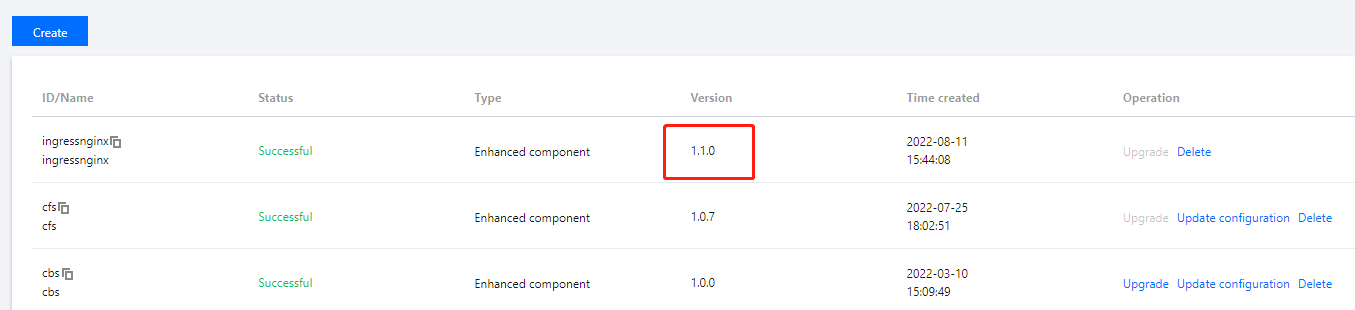
1. Nginx Ingress v1.1.0 or later is used. To view the version of the Nginx Ingress add-on, log in to the TKE console and choose Cluster details > Add-on management.
Note:
Only Nginx Ingress v1.1.0 or later supports this feature. For earlier versions, such as Nginx Ingress v1.0.0, the add-on will roll back the log index setting modified by users.
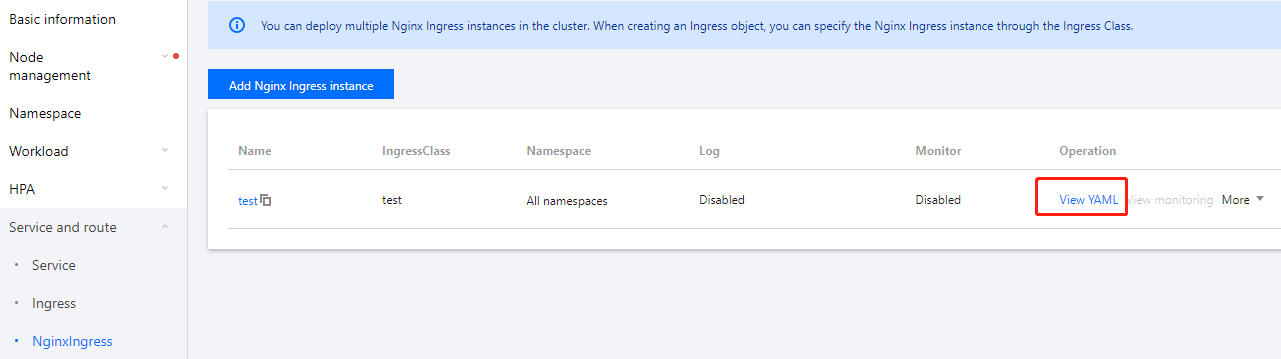
2. The Nginx Ingress instance is on v0.49.3 or later. To view the version, log in to the TKE console, choose Cluster details > Services and Routes > NginxIngress, and click View YAML on the right of the target instance. In the YAML file, the ccr.ccs.tencentyun.com/paas/nginx-ingress-controller image must be on v0.49.3 or later.
To modify the log structure, you need to understand the log stream of Nginx Ingress, which consists of log output, collection, indexing, and configuration. Here, if log output or collection is missing or incorrectly configured, log structure modification will fail.
Step 1. Modify the log output format of the Nginx Ingress instance
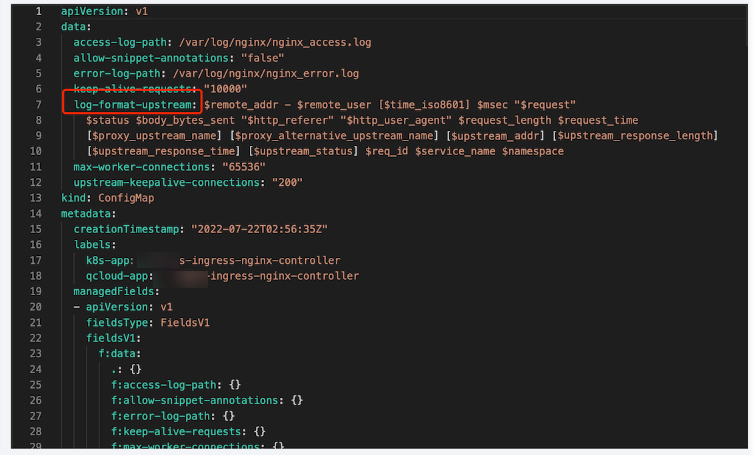
The log configuration of the Nginx Ingress instance is in the master configuration ConfigMap named in the format of Instance Name-ingress-nginx-controller. In the ConfigMap, you need to modify the log-format-upstream key.
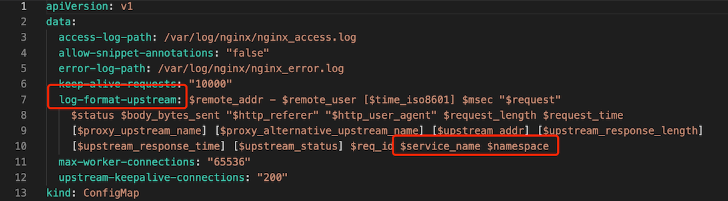
Sample
Add two consecutive strings $namespace and $service_name to the end of a log.
For more information about fields in Nginx Ingress logs, see Log format.
Step 2. Modify the format for collecting and reporting cluster logs to Agent
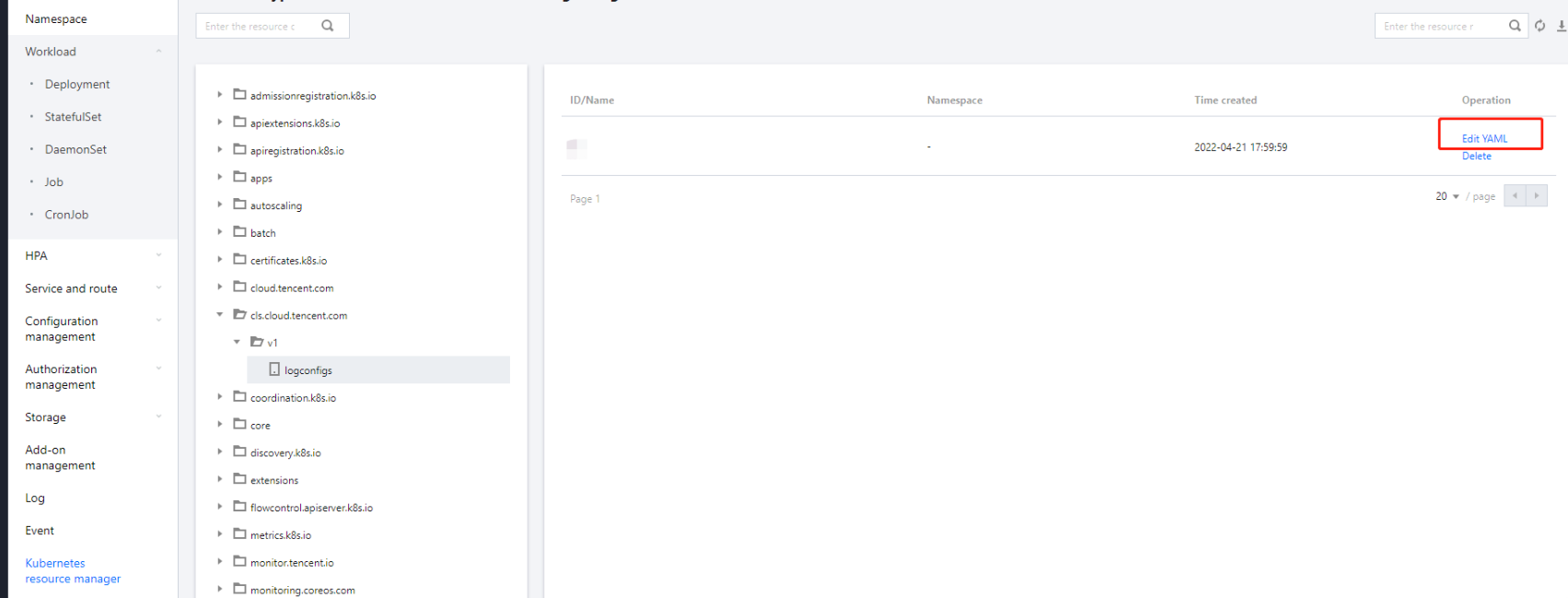
The cluster log collection rules are in a resource object of the logconfigs.cls.cloud.tencent.com type. Log in to the TKE console, choose Cluster details > Kubernetes resource manager, find the Instance Name-ingress-nginx-controller resource object, and click Edit YAML to modify it.
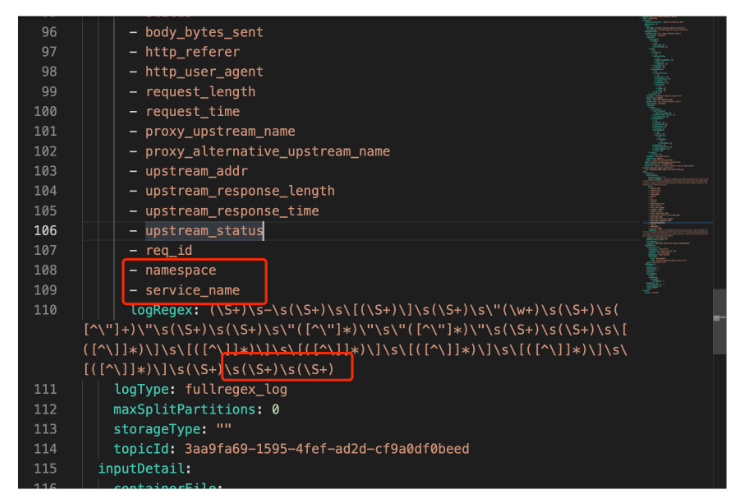
You need to modify the following fields:
beginningRegex: Regular expression to match the start of a log.
keys: Log fields.
logRegex: Regular expression to match the end of a log.
The regular expressions match the Nginx log row format. We recommend you add the fields to the existing Nginx log format, declare them at the end of keys, and add their regular expression parsing results to the end of beginningRegex and logRegex respectively.
Sample
Add two keys in Step 1 to the end of keys and add the regular expression strings to the end of beginningRegex and logRegex respectively:
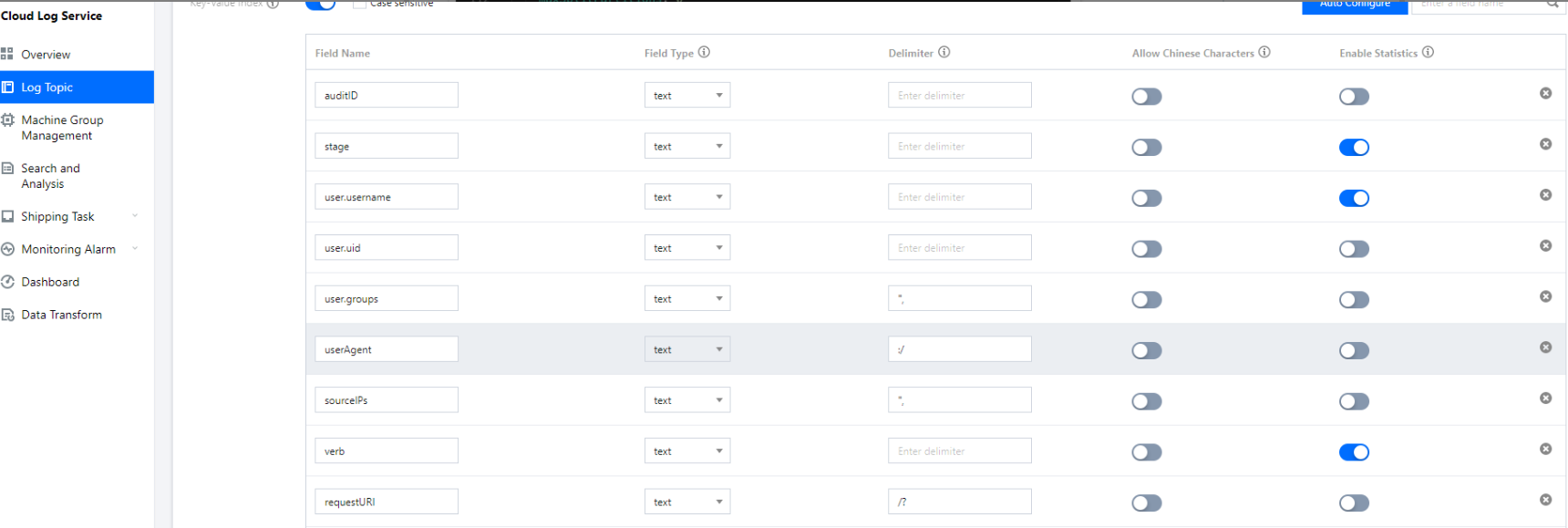
(Optional) Step 3. Modify the log index format of CLS
To search for a field, you need to add the index of the new field in the corresponding log topic in the CLS console as instructed in Configuring Index. Then, all collected logs can be searched for by the index.
Restoring the Initial Settings
As log rule modification is complicated and involves regular expressions, any incorrect step can cause log collection failure. If a log collection error occurs, we recommend you restore to the initial log collection capabilities by disabling the log collection feature and then enabling it again.