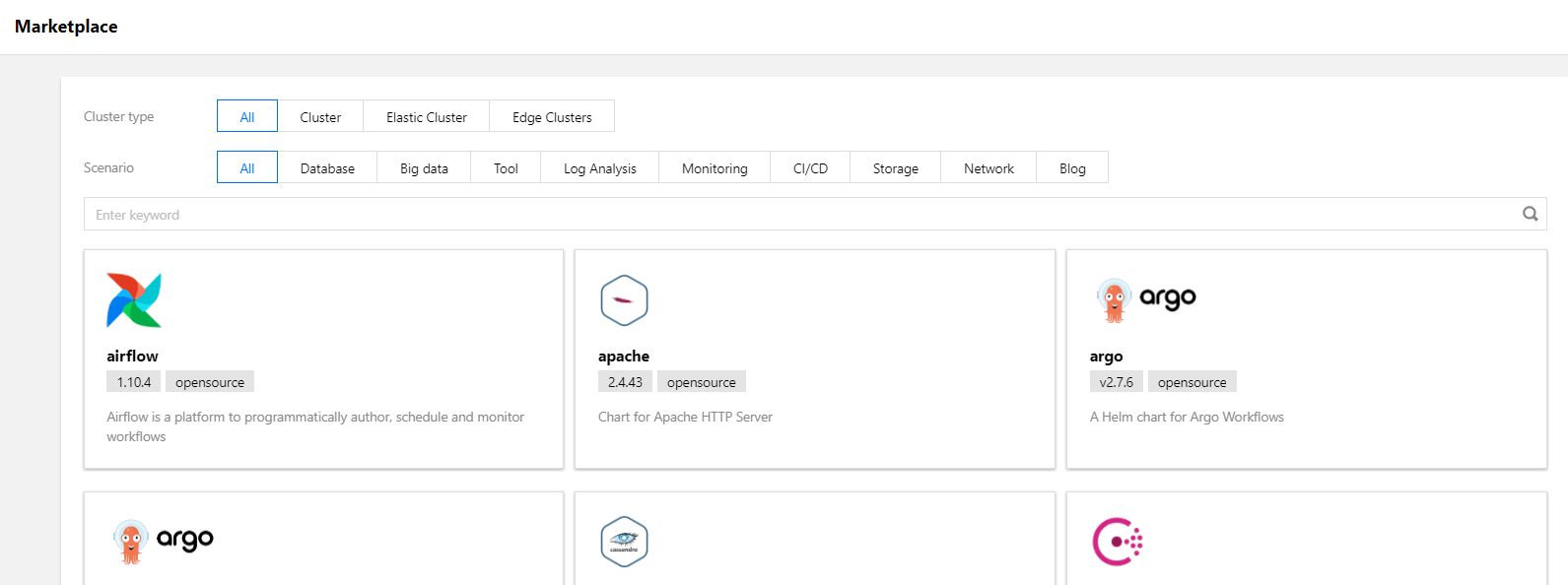
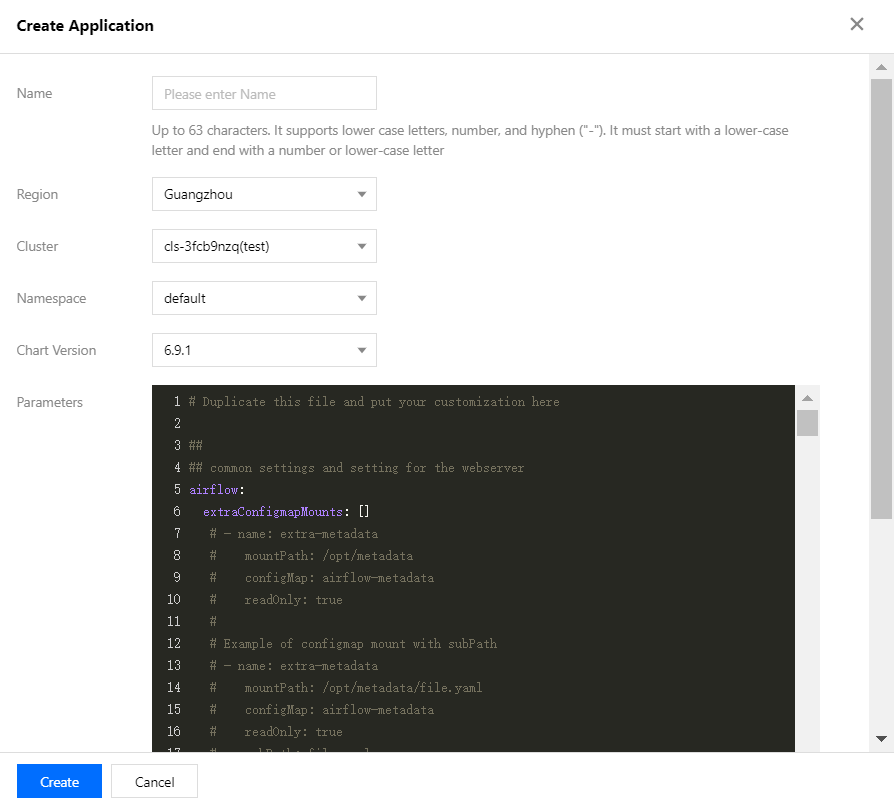
The Tencent Kubernetes Engine (TKE) marketplace provides a variety of products and services including Helm Chart, Tencent Container Registry (TCR), and software services that are classified by cluster type or scenario. This document describes how to create applications quickly through “Marketplace” in the TKE console.
View Applications
1. Log in to the TKE console and click Marketplace in the left sidebar.
2. The following operations are available on the “Marketplace” page.
Filter applications: You can filter applications by cluster type or scenario, or by entering keywords.
Cluster type: The types include “Cluster”, “Serverless cluster”, “Edge cluster” and “Registered cluster”.
Scenario: The scenarios include “Database”, “Big data”, “Tool”, “Log analysis”, “Monitoring”, “CI/CD”, “Storage”, “Network”, and “Blog”.
View applications: Click the desired application package to go to the details page.
Create Applications
1. Log in to the TKE console and click Marketplace in the left sidebar.
2. On the Marketplace page, select a desired application package to go to the application details page.
3. Click Create application on the “Basic information” page.
4. In the “Create application” pop-up window, configure and create the application as needed.