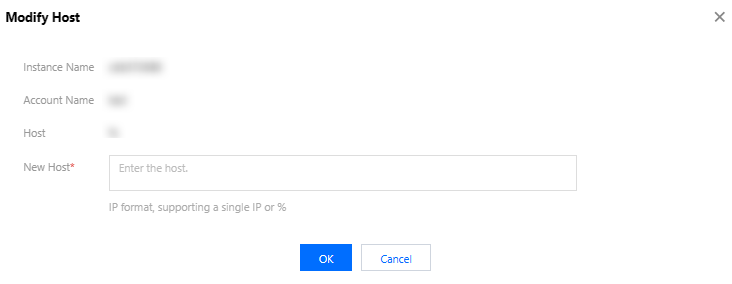
1. You might be using the wrong database account. Log in to the TencentDB for MySQL console, click the instance name and go to Database Management > Manage Account, locate the account, and click More > Modify Host in the Operation column. Set New Host to "%" or the address of the server where your MySQL client is installed to grant the account access permissions.
2. If you are using the right account, your password may be incorrect. Enter a correct password or reset your password.
What should I do if I cannot create any database or table?
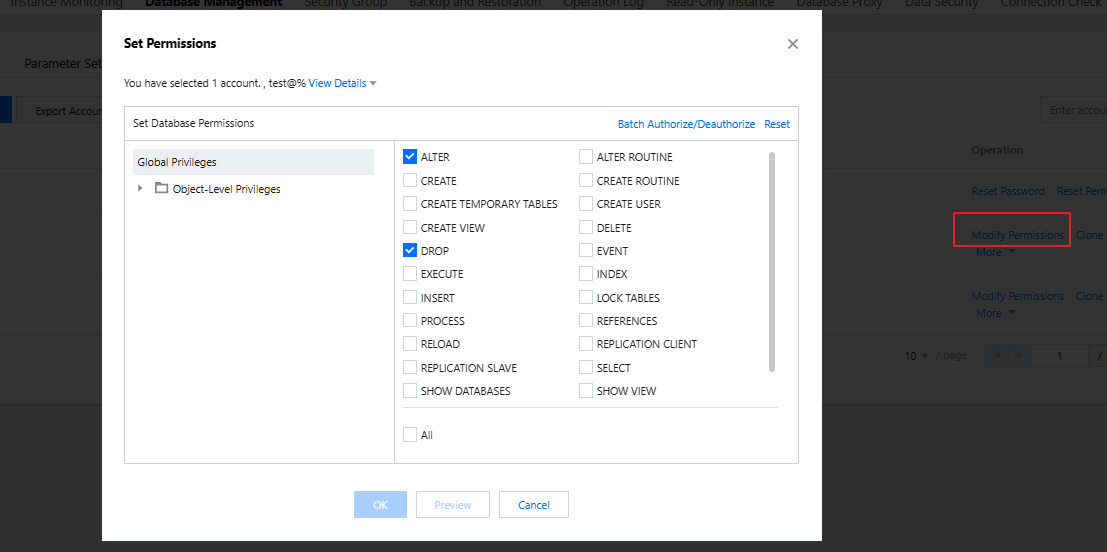
You might be using a database account that is not authorized to create databases or tables. Log in to the TencentDB for MySQL console, click the instance name and go to Database Management > Manage Account, locate the account, and click Modify Permissions in the Operation column to grant permissions as shown below.
What should I do if I have no permissions to modify database parameters such as sql_mode?
You might be using a sub-account without parameter modification permissions. You can use the root account or grant the sub-account permissions as instructed in Overview.
How do I grant a sub-account permissions to modify TencentDB for MySQL instances?
To grant a user permissions to create and manage TencentDB instances, you can implement the QcloudCDBFullAccess policy for the user. For more information, see Console Examples > Full Access Policy for TencentDB.