Encrypting a USB Flash Drive
下载
聚焦模式
字号
1. Log in to the Tencent iOA Zero Trust Security Management System console, choose Terminal Management > Peripheral Management. in the left sidebar.
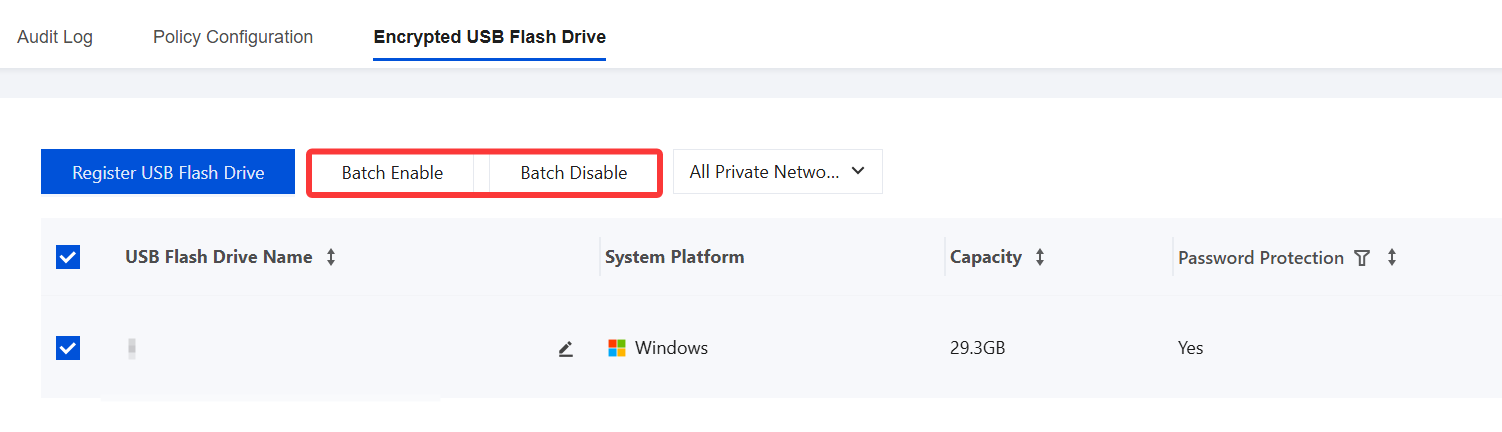
2. On the Peripheral Management page, select Encrypted USB Flash Drive.
3. It displays detailed information of all registered USB drives. Administrators can enable or disable encrypted USB drives. By registering USB drives, only registered USB drives are allowed to be used within the enterprise, ensuring enterprise data security.
Registering a USB Flash Drive
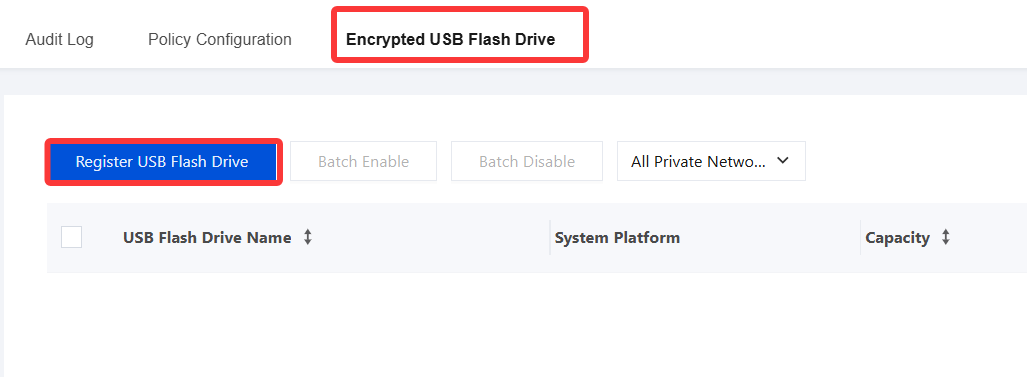
1. Insert the USB drive into the terminal. On the Encrypted USB Flash Drive page, click Register USB Flash Drive.
2. Configure the USB drive registration information. When finished, click OK to save.
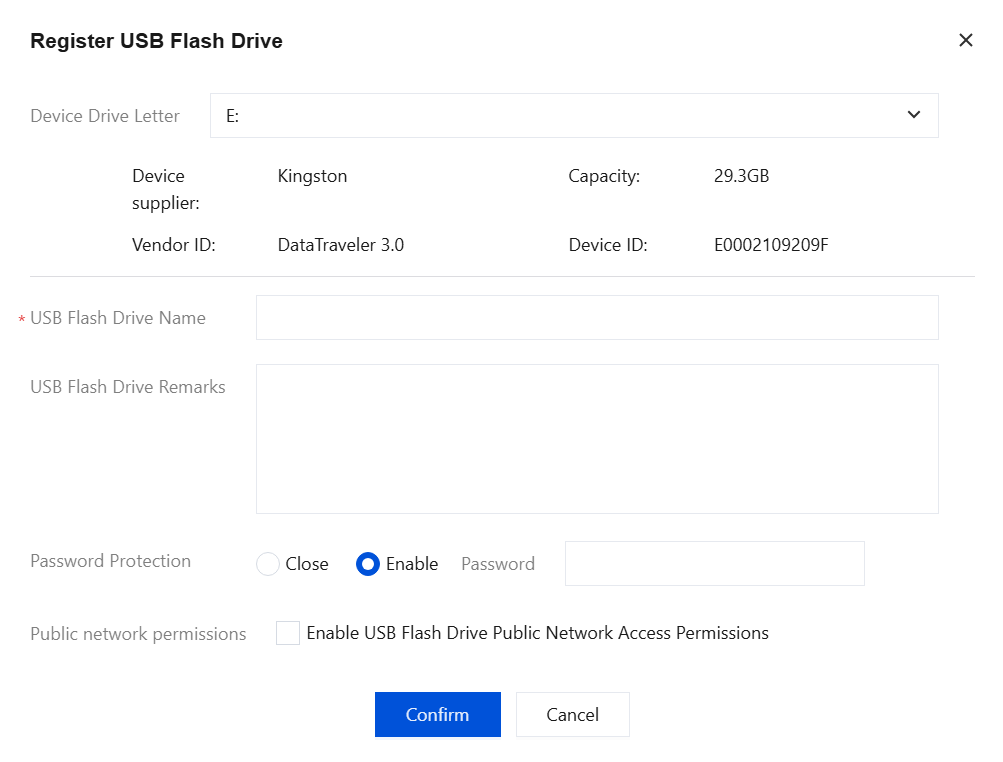
Parameter Name | Description |
Device drive letter | The system automatically identifies the drive letter and recognizes the USB drive model and manufacturer. |
USB Drive Name | Customizable. |
USB Drive Remarks | User-defined. |
Password Protection | Enable password protection. After it is enabled, a password is required to open the USB drive. |
Public Network Permission | You can choose whether to enable public network permissions for USB drives. After enabled, USB drives are allowed to be used in environments without iOA or with a different iOA private network. If this feature is disabled, USB drives cannot be opened in environments without iOA or in different iOA private network environments (connected to the same Control Center). |
3. When registering a USB drive, you will be prompted that the USB drive must be formatted first, which will erase all data. Click OK.

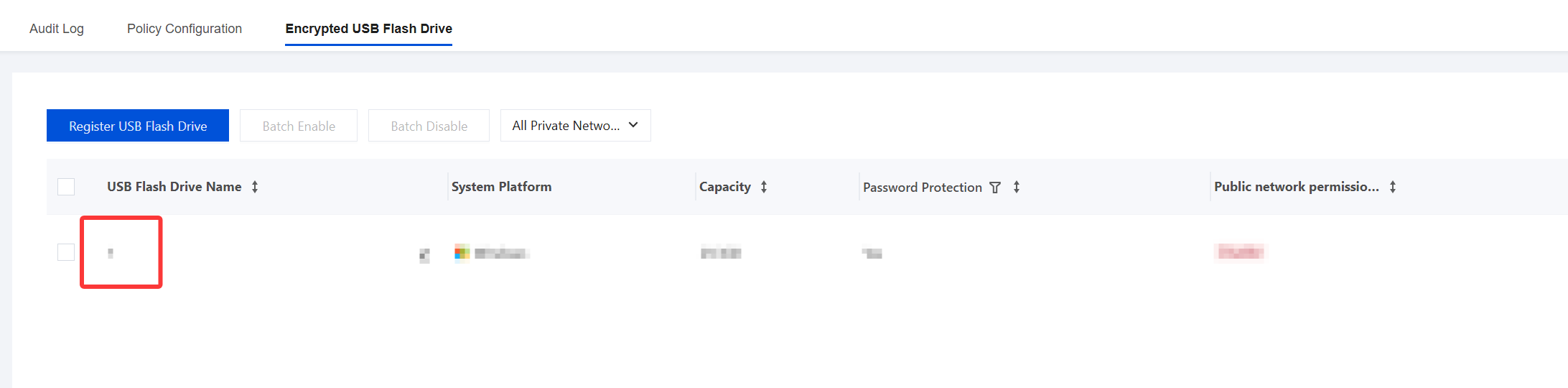
4. The USB drive registration is complete.
5. Insert the USB drive into the terminal. If password protection is enabled, you need to enter the USB drive password to open it.
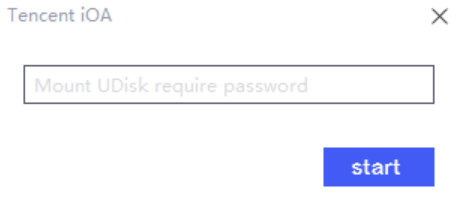
6. If the public network usage permission for USB drives is not enabled, when a USB drive is opened, you will be prompted that use outside the company is not allowed.
7. You can modify the USB drive name.
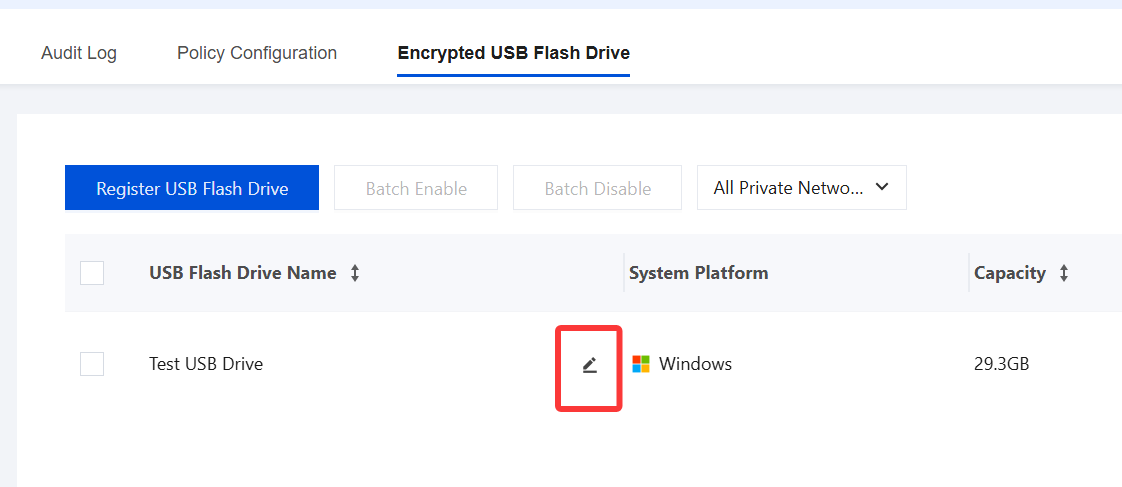
8. You can modify USB drive usage permissions for both private and public networks.

Unregistering a USB Flash Drive
If users no longer want a registered USB drive to be managed, they can unregister it at any time. If the registered USB drive is manually formatted abnormally, its original storage capacity cannot be restored. In addition, because the "Open Secure USB Drive.exe" file on the USB drive is deleted, the USB drive contents cannot be accessed normally. In this case, contact the administrator to unregister the USB drive again.
Attention:
Unregistering the USB drive will format it and erase all data. Proceed with caution.
1. The administrator obtains the USB drive, inserts it into the terminal, and clicks Delete.
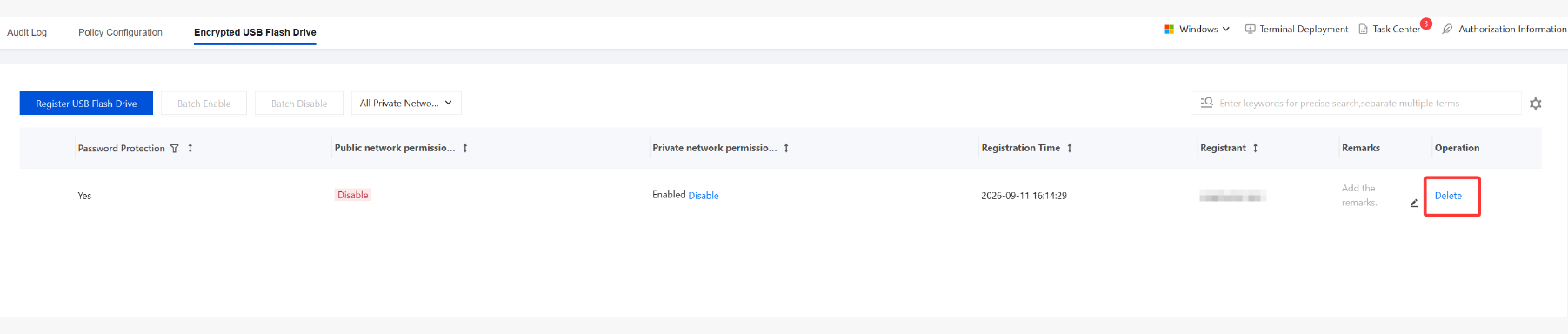
2. The unregistration process also formats the USB drive. After unregistration, the registration information is deleted from the current list, and the USB drive becomes a regular USB drive.

文档反馈