LLM Knowledge Engine Basic API Calls
Unduh
Mode fokus
Ukuran font
LLM Knowledge Engine Basic API
The LLM Knowledge Engine Basic API provides decoupled capabilities in the RAG pipeline, including document reconstruction, splitting, embedding and multi-turn rewriting. Below is a brief introduction to each Basic API, which can be used as a reference for business access selection.
Basic API Name | Capabilities and Features | Relevant APIs |
Document Reconstruction (sync) | Supports converting various file formats to Markdown, parsing content elements including spreadsheets, formulas, images, headings, paragraphs, headers, and footers, and intelligently converting content into a readable sequence. Suitable for parsing scenarios with high time requirements, such as real-time document QA. Supports small files with short duration. | ReconstructDocumentSSE |
Document Reconstruction (async) | Supports converting various file formats to Markdown, parsing content elements including tables, formulas, images, titles, paragraphs, headers, and footers, and intelligently converting content into a readable sequence. Suitable for knowledge base QA scenarios with no strict time requirements, supporting larger files. | CreateReconstructDocumentFlow GetReconstructDocumentResult |
Document Splitting | Supports converting multiple file formats into Markdown format files and performing multi-level semantic splitting, returning the split results. Applicable to subsequent retrieval of recording clips, recall, and reading comprehension. Using the split model enhances answer integrity by 20% compared with traditional regular splitting methods. | CreateSplitDocumentFlow GetSplitDocumentResult |
Embedding | Supports calling text representation models to convert text into vector form represented by numeric values, applicable to text retrieval, information recommendation, knowledge mining, and other scenarios. | GetEmbedding |
Mutil-turn Rewriting | This API is primarily used for reference resolution and omission complement in multi-round dialogue. With this interface, there is no need to manually input prompt descriptions. Based on dialogue history, it can generate more accurate user-submitted query statements. This API applies to various scenarios such as intelligent Q&A and Conversational Search. | QueryRewrite |
Rerank | The ranker provides relevance ranking between queries and sliced fragments. In RAG and search scenarios, it helps find more relevant content and returns results sequentially. Introducing the ranking service can effectively enhance retrieval and large model generation accuracy. | RunRerank |
API Calls
To test these Basic APIs online, use the API Explorero invoke them and review code samples. The following guide demonstrates the end-to-end process for calling an atomic service via the API Explorer, using the Rerank API nterface as a concrete example.
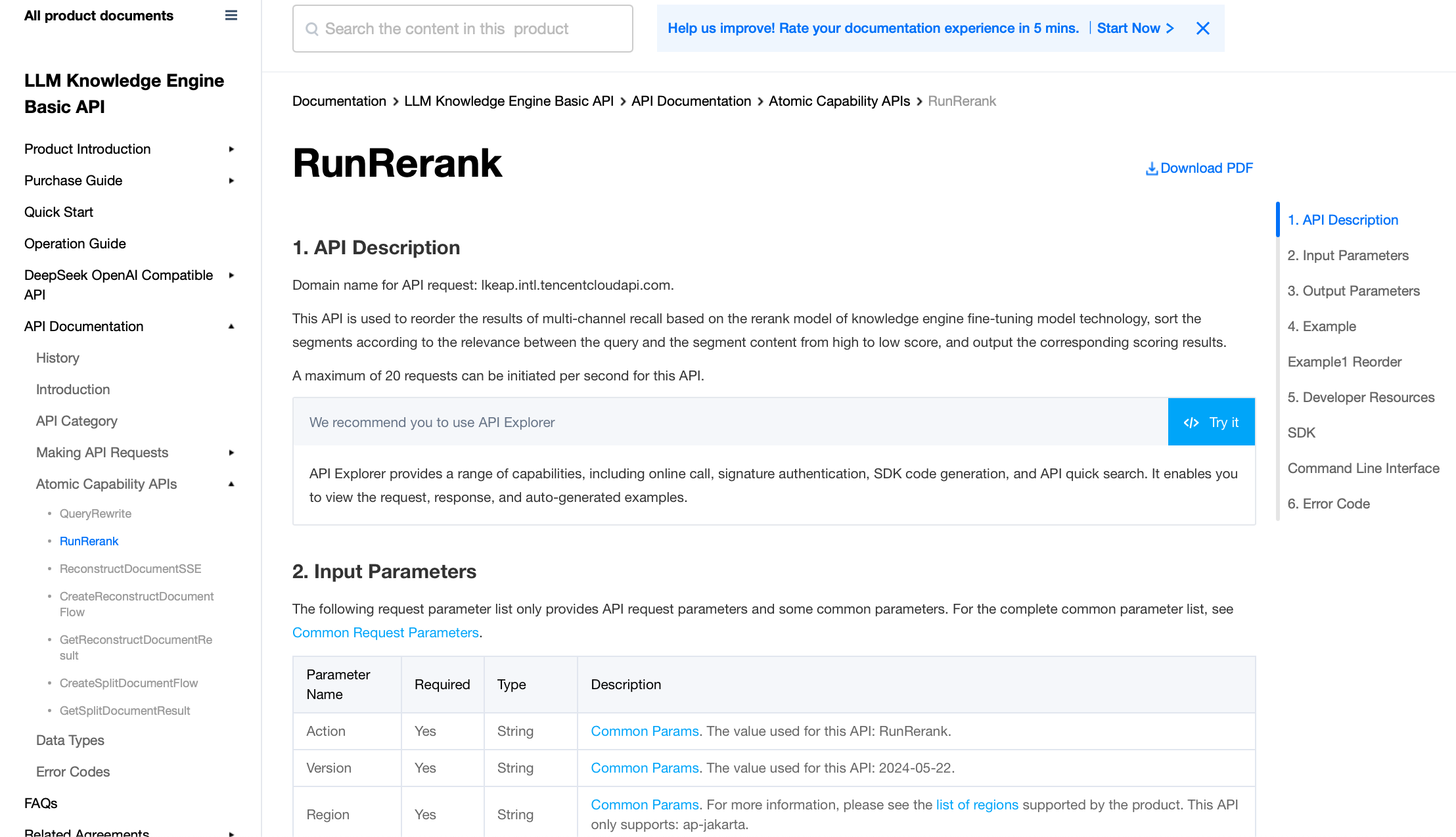
The Rerank API leverages the fine-tuned Rerank model technology from the Knowledge Engine. It re-ranks multi-source retrieval results based on the relevance between a Query and text snippets, sorting these snippets by their similarity scores in descending order and outputting the corresponding scores. For details on input and output parameters, please refer to Input/Output Parameters.
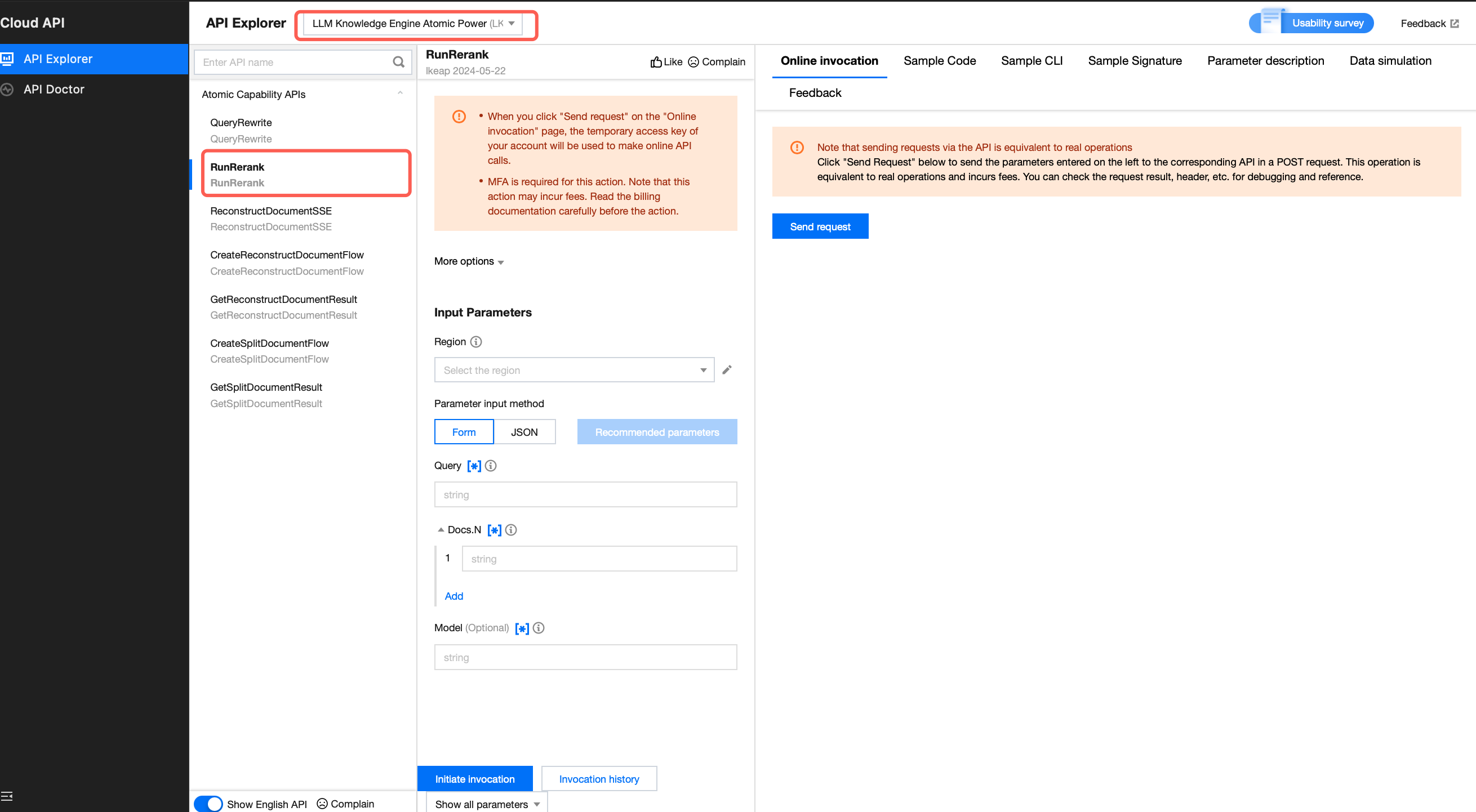
1. Enter API Explorer and select the Rerank API.
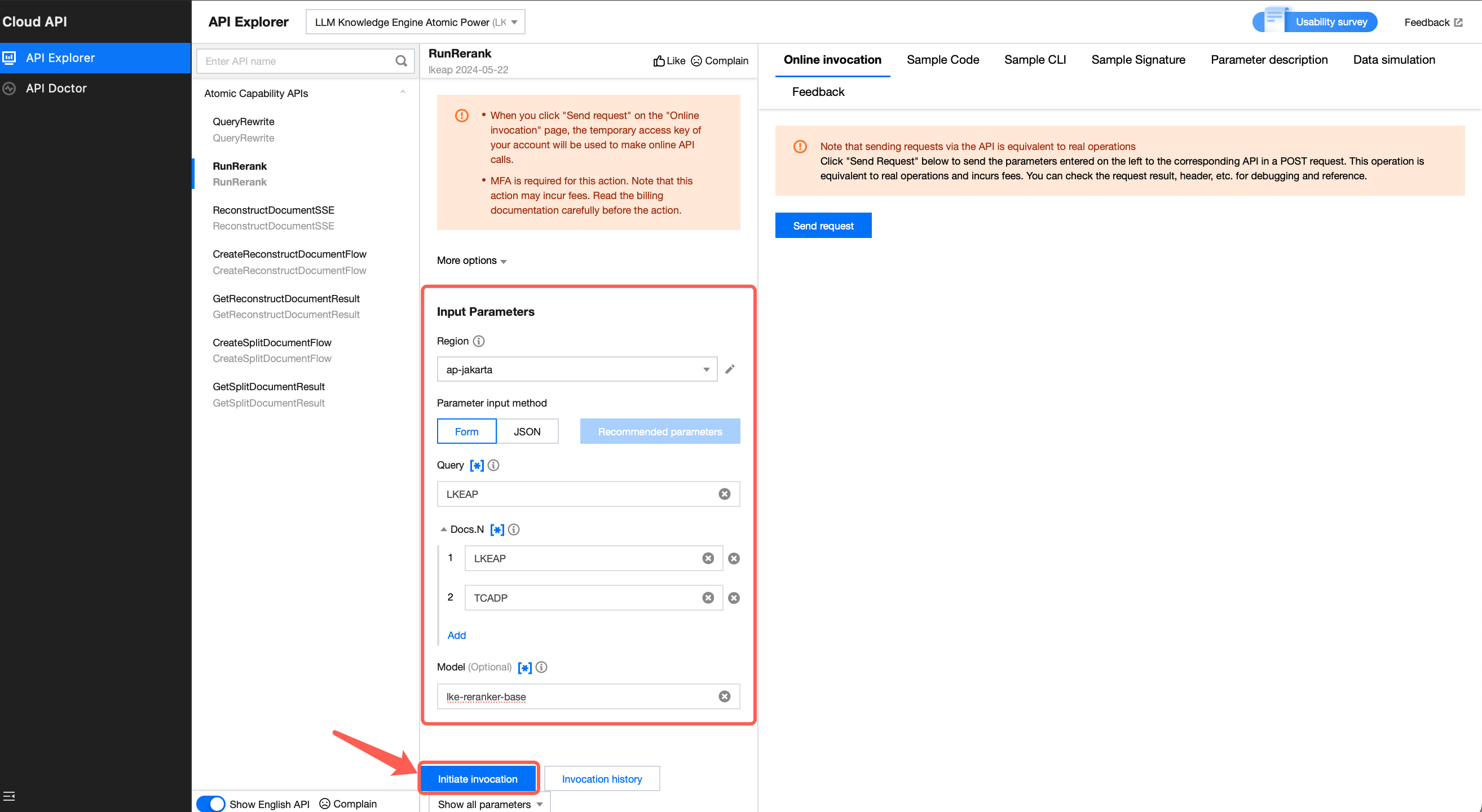
2. Fill in Input Parameters and click Initiate invocation.
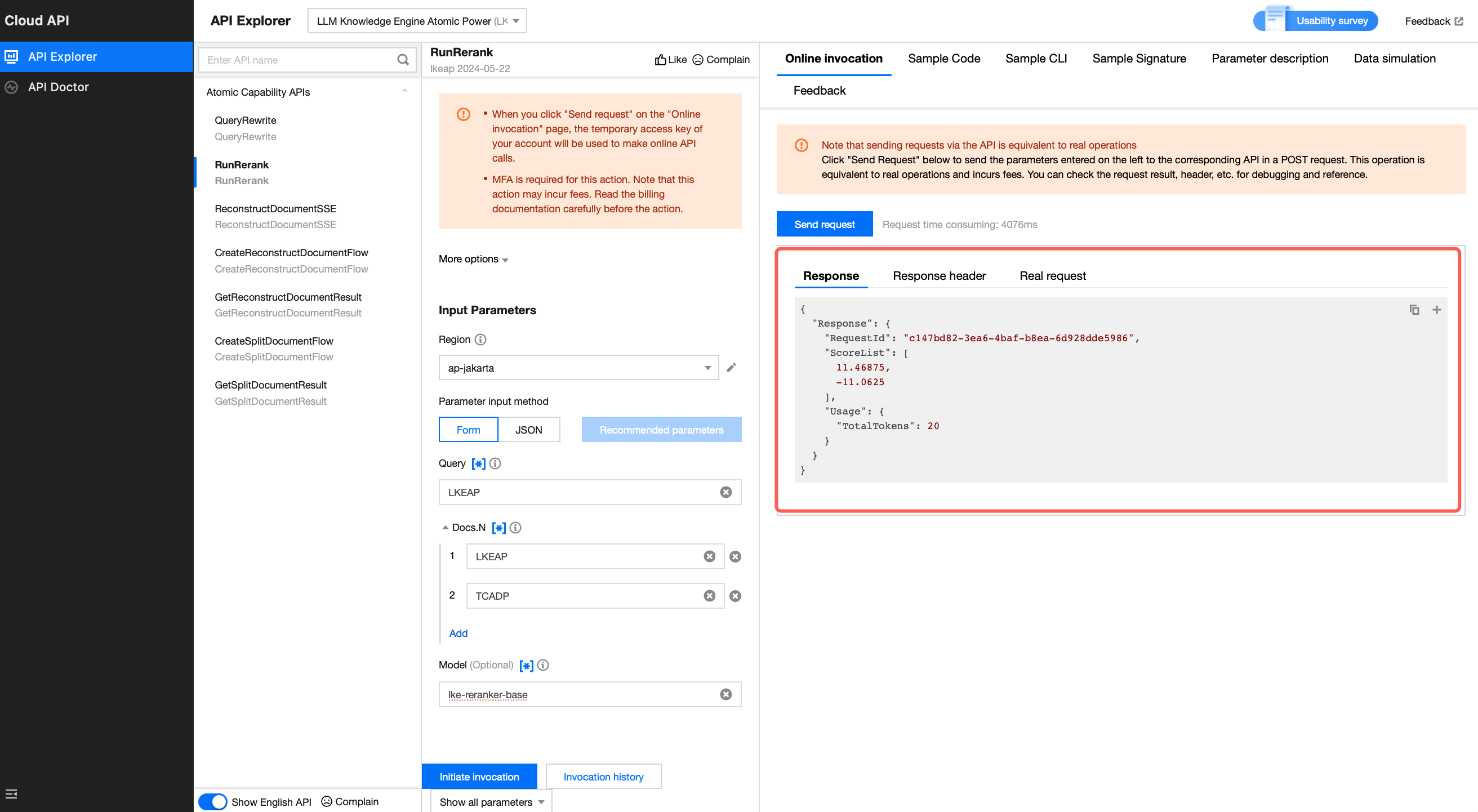
3. View API call results.
4. Click Sample Code to select the the code corresponding to your preferred access method and development language, then copy to your local environment.
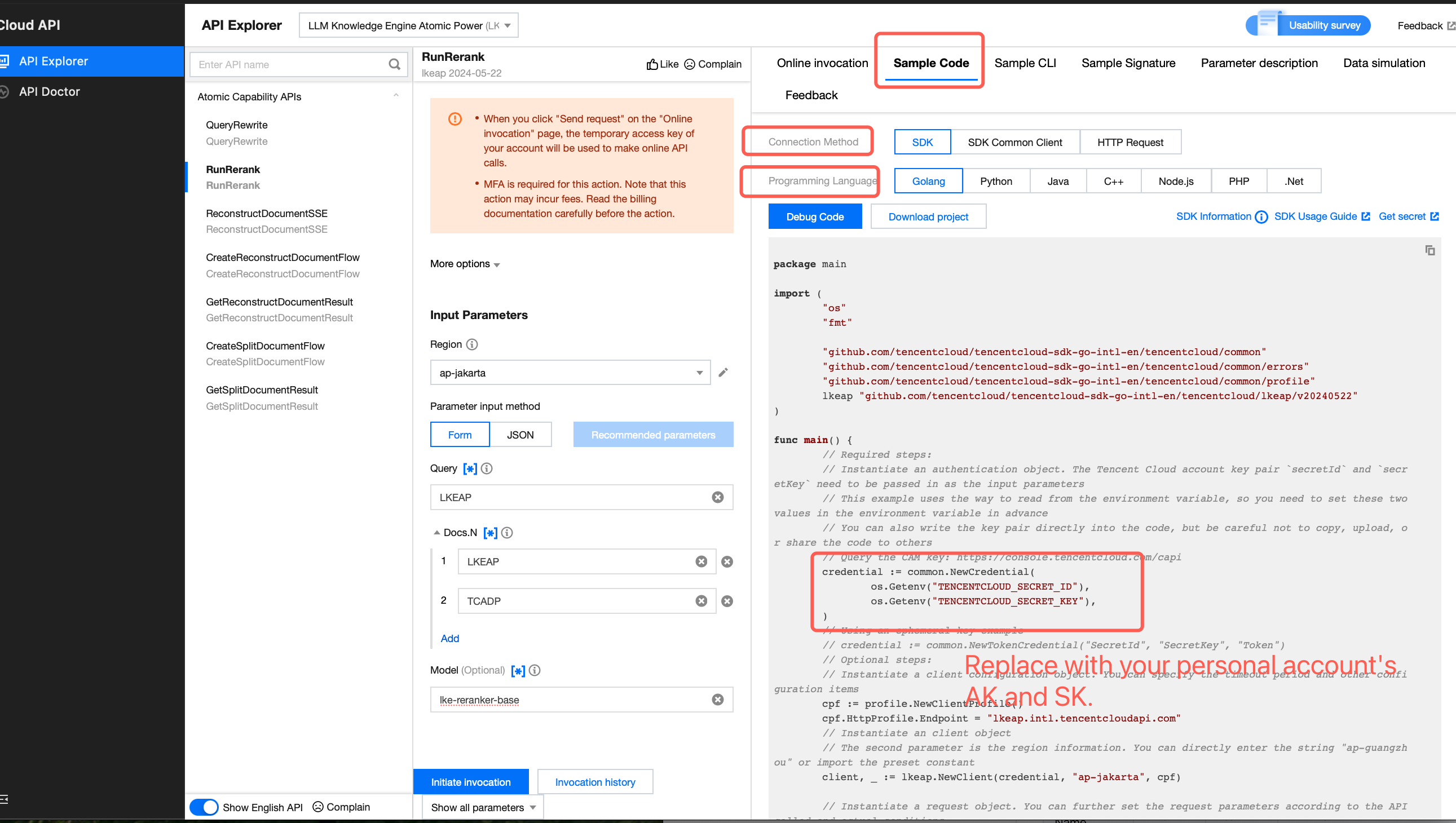
Note:
1. When instantiating an authentication object in the code, you need to pass in the Tencent Cloud account's SecretId and SecretKey as parameters. Additionally, it is crucial to maintain the confidentiality of this key pair.
2. Code leak may lead to SecretId and SecretKey leakage, threatening the security of all resources under the account.
3. Go to the console to get the key.
Bantuan dan Dukungan
Apakah halaman ini membantu?
Anda juga dapat Menghubungi Penjualan atau Mengirimkan Tiket untuk meminta bantuan.
masukan