DokumentasiTencent Cloud Agent Development Platform
Memory Bank
Unduh
Mode fokus
Ukuran font
Terakhir diperbarui: 2026-10-23 15:18:34
Diterjemahkan oleh AI
The memory library is a long-term memory management feature provided by the Tencent Cloud Agent Development Platform. During conversations with end users, the application automatically accumulates long-term memories and stores them in the memory library bound to the application. In the Memory Library module of the console, developers can view, edit, delete, batch delete, manually add, import, and export memories by end user, enabling cold-start acceleration, calibration, and auditing of memories.
Supported application modes: Claw mode, standard mode, single-workflow mode, and Multi-Agent mode.
Note:
The isolation dimension of long-term memory is "memory library × end user": within the same memory library, memories of different end users are independent of each other, while for the same end user across multiple applications bound to the same memory library, memories remain consistent.
Feature Introduction
Permission Description
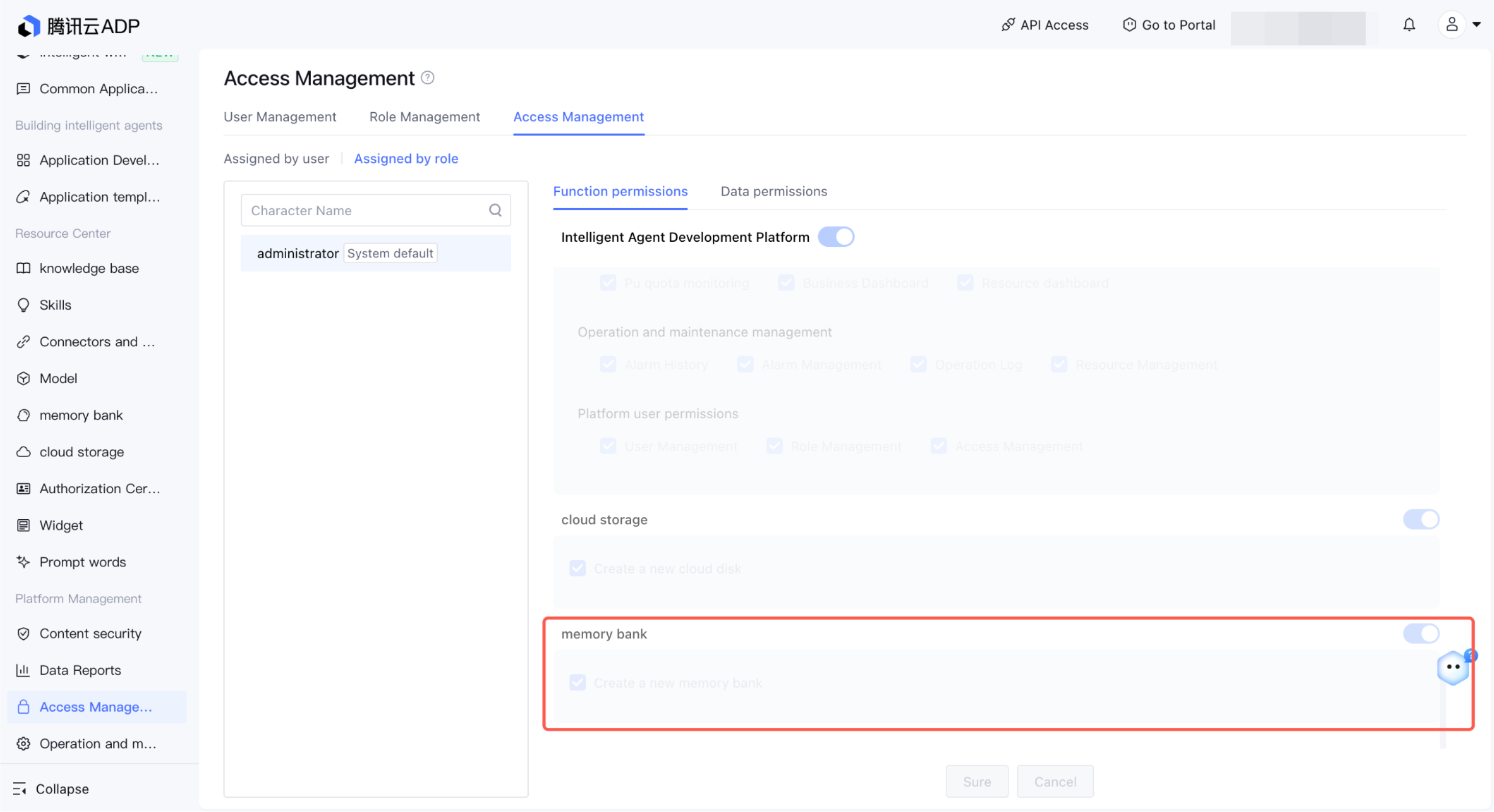
1. In the feature permissions of platform-side user management, Create Memory Library is available by default to all users who have joined the space.
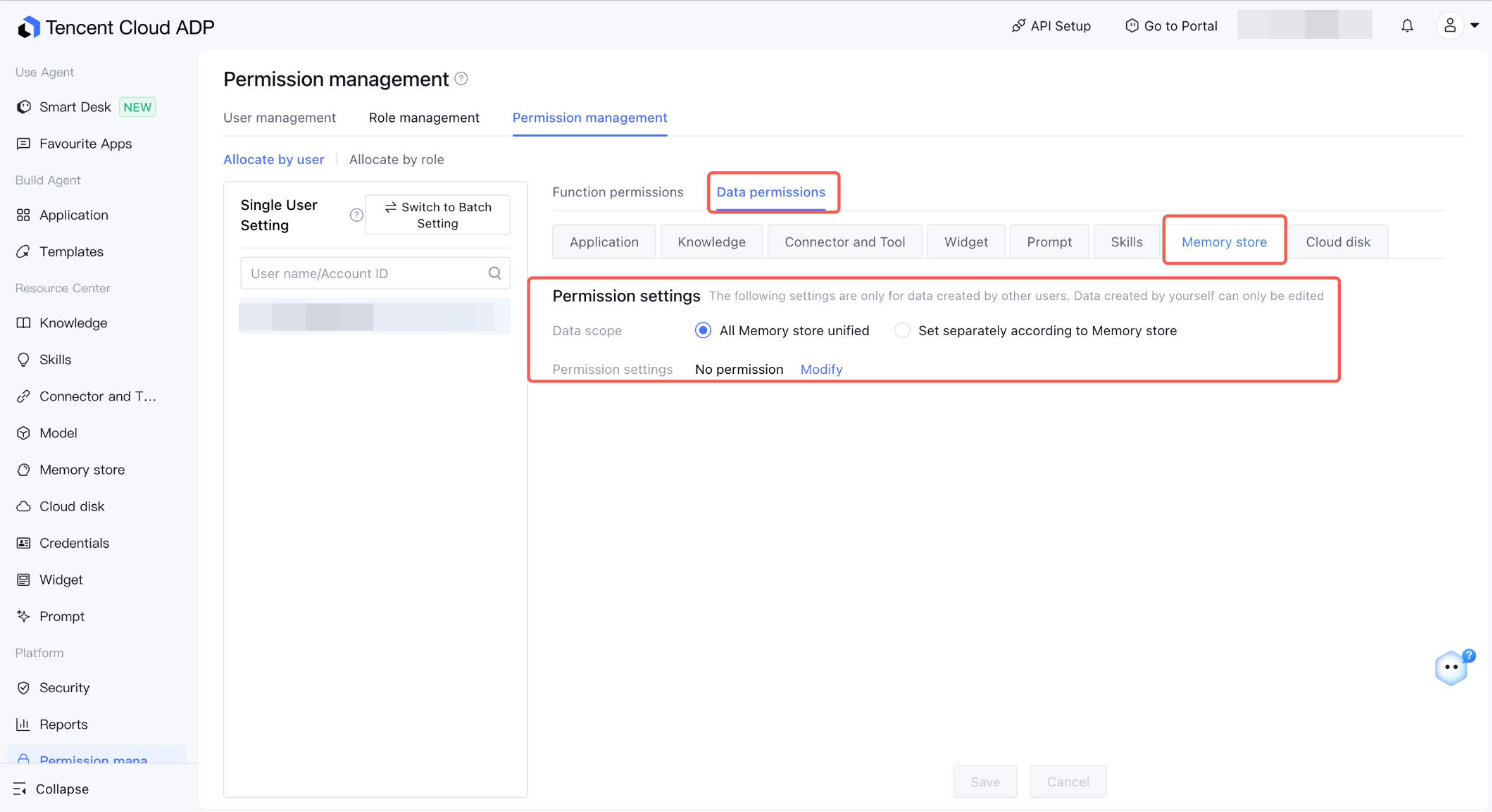
2. The data permission of the memory library defaults to View. All space members except the creator of the memory library can view the memory library content but cannot modify it. To control edit and delete capabilities, you can choose the memory library scope in Permission Management > Data Permissions to configure permissions.
Memory Bank Types and Binding Rules
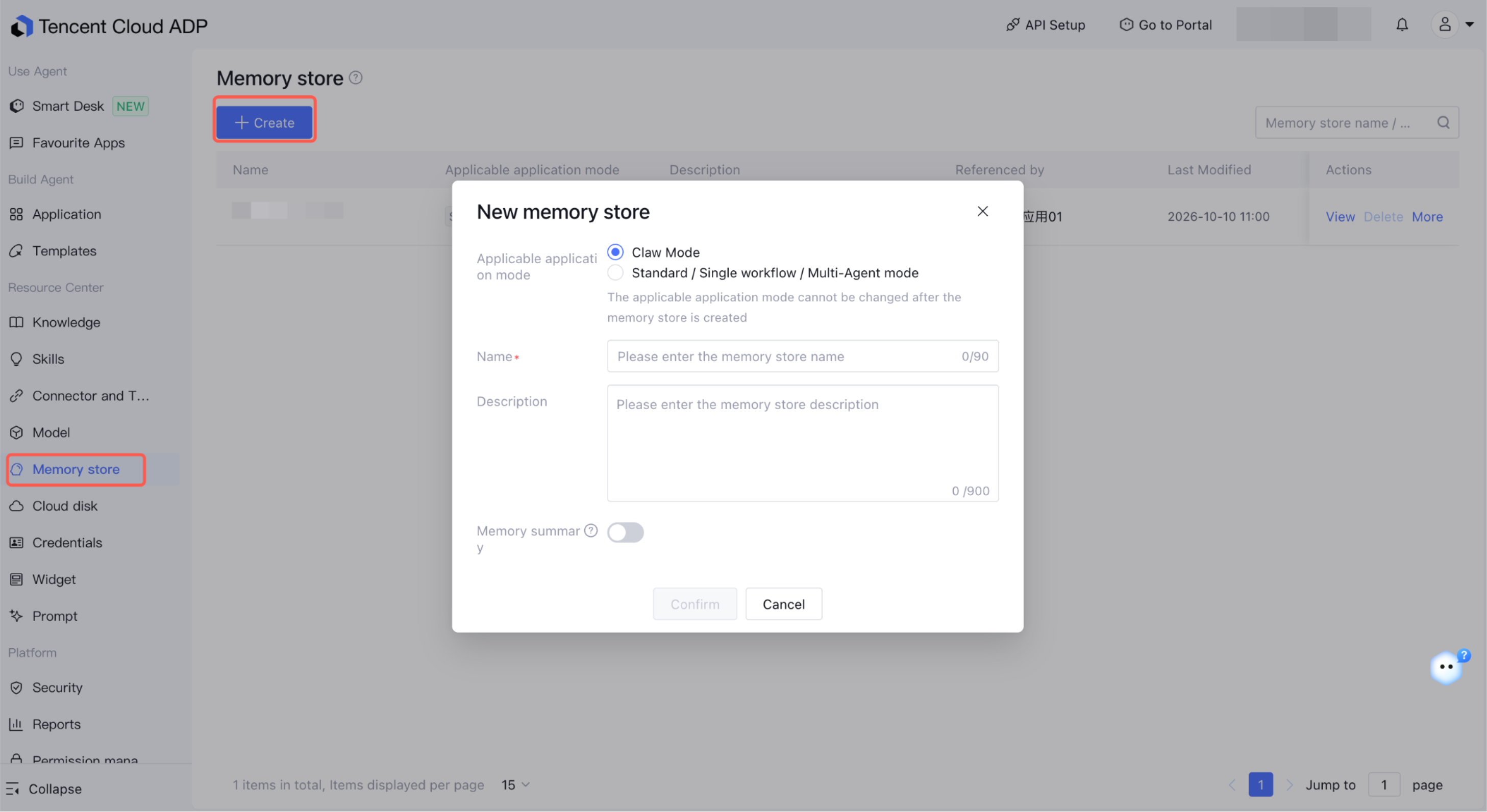
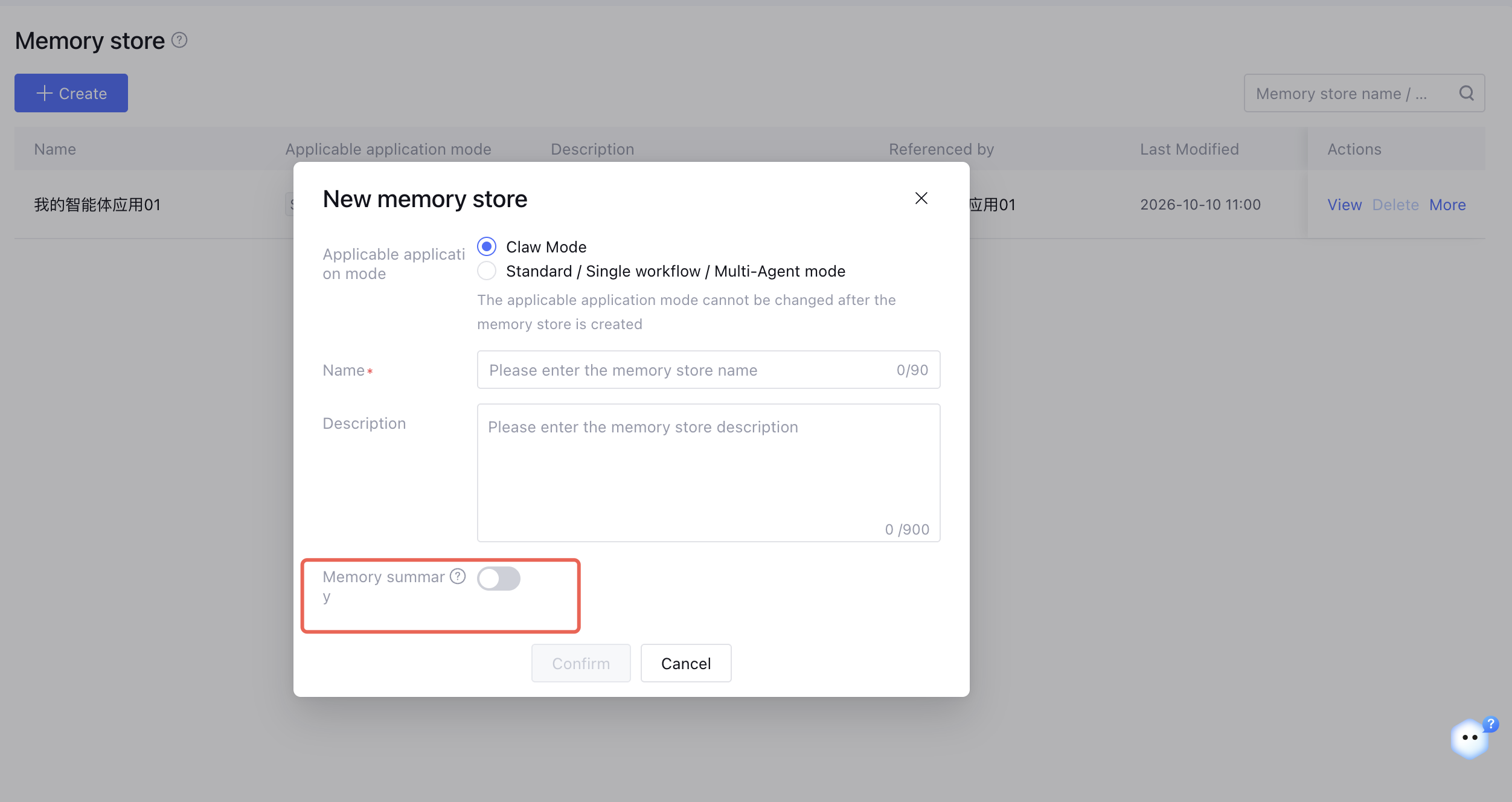
The memory library is adapted to two major application modes. The two modes are not interoperable and cannot be modified after creation:
Applicable Application Mode
Applicable Application Mode
Sharing Rule
Claw mode
Claw mode application
Multiple Claw apps can be bound to the same memory library, and memories are isolated by end user.
Standard/single-workflow/Multi-Agent modes
Standard mode/single-workflow mode/Multi-Agent mode applications
Multiple apps in these three app modes can be bound to the same memory library, and memories are isolated by end user.
Attention:
1. The two modes cannot be bound to each other, and cross-mode memory migration is not supported.
2. An application can be bound to only one memory library, while multiple applications can be bound to the same memory library.
2. Click Create Memory Library. In the pop-up window, select the memory library type (Claw memory library / application memory library), enter a name and description, and click OK.
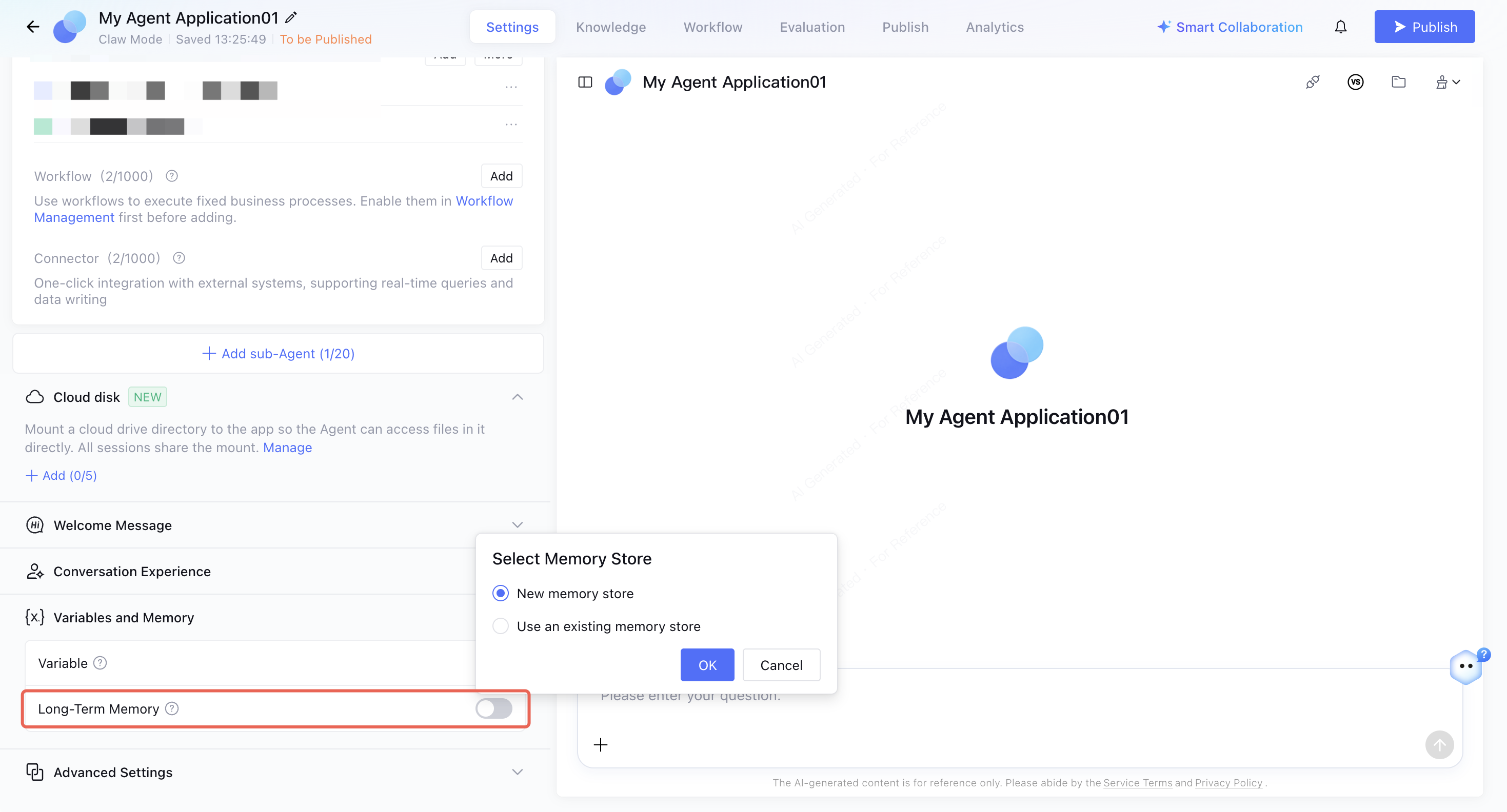
Method 2: When enabling long-term memory in an application, you can create or select an existing memory library.
Enabling Long-Term Memory in Applications
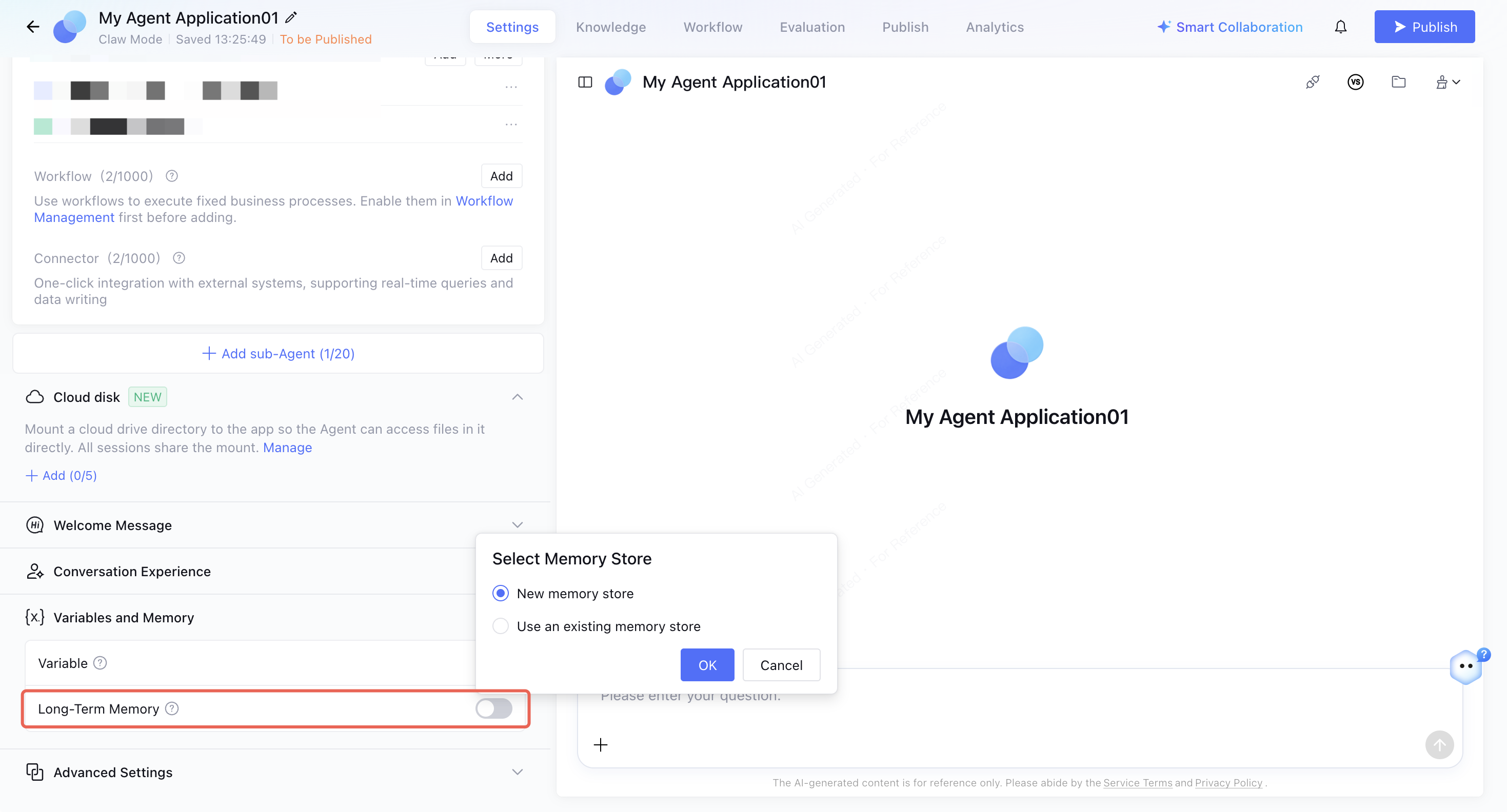
Entry: The entry for configuring long-term memory on the application side is Application Development > Application Settings > Variables and Memory.
First-time enablement: When you enable the Long-term Memory switch for the first time, you can create/select an existing memory library. If you choose to create a new memory library, the system creates a memory library with the same name as the application and binds it to the application. You can also select an existing memory library that uses the same application mode.
Note:
1. Long-term memory can be enabled only after it is bound to a memory library.
2. Toggling long-term memory does not affect the binding relationship between the application and the memory library. After long-term memory is disabled, the application does not read from or write to the memory, and the accumulated memories are retained. You can enable it again to continue using the memories.
Replace Application Memory Library: To migrate an application's memories to a memory library maintained by the team, you can replace the current library with another library of the same type. After the replacement, the memory scope that the application reads from and writes to switches to the newly bound memory library, and data in the original memory library is not automatically migrated.
Memory Summary (Supported Only by Claw Memory Bank)
Memory Library - Memory Summary: After this feature is enabled in the memory library settings, the system incrementally generates a user summary every 24 hours based on the memories of each end user in the library. Summary generation consumes model tokens and is billed. After this feature is disabled, summary synthesis is no longer performed, and generated summaries are retained.
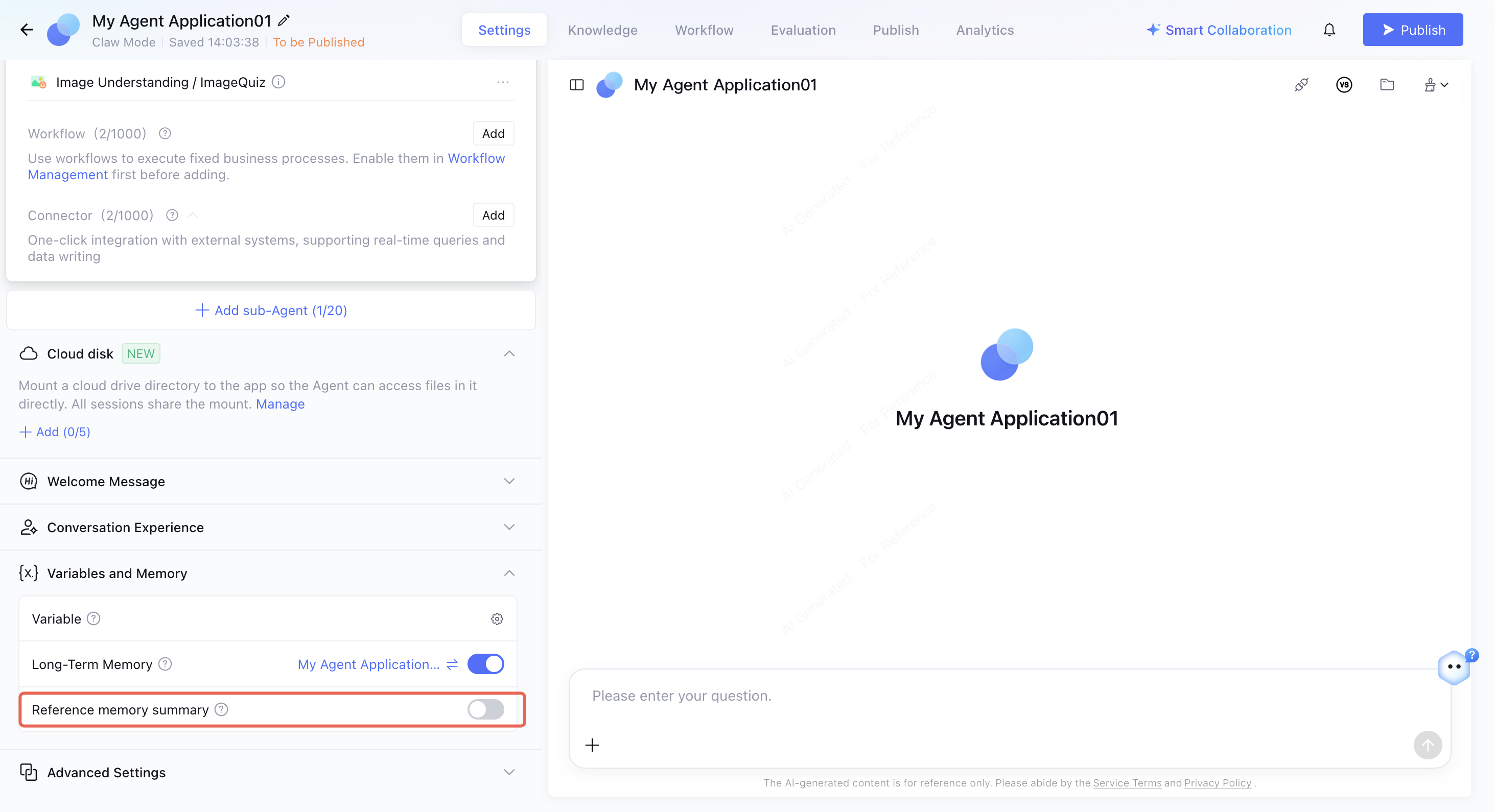
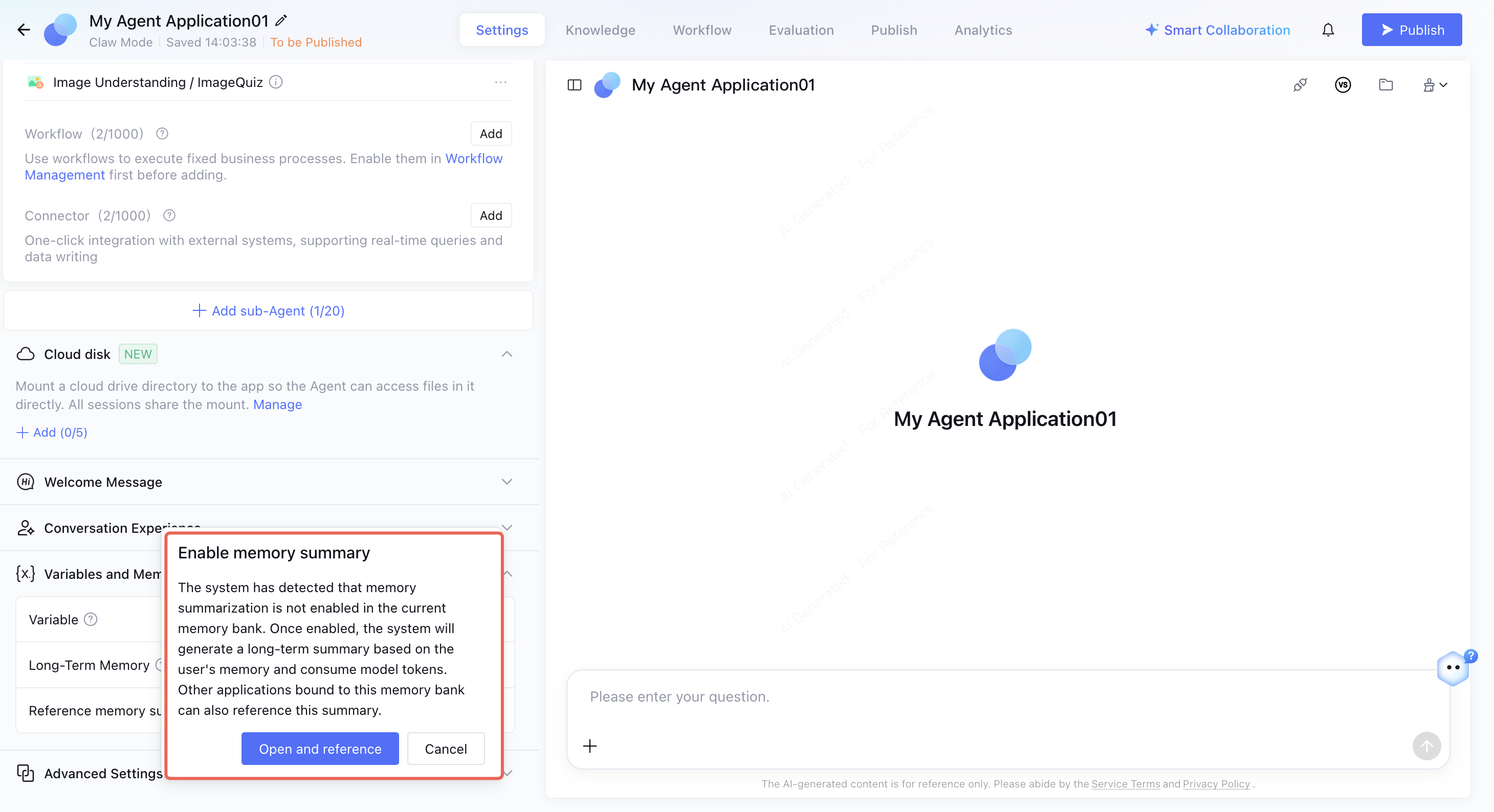
Application Settings - Reference Memory Summary: After memory summary is enabled in Variables and Memory, the current user's memory summary is written into the system prompt during conversations. If memory summary is not enabled for the selected memory library, enabling it in the application settings prompts you to also enable library-level summary (which consumes tokens). After confirmation, both switches take effect.
Note:
For memory summaries to be actually injected into an application, the following conditions must be met simultaneously: memory summary is enabled for the memory library, and Reference Memory Summary is enabled for the application.
Managing Memory Content
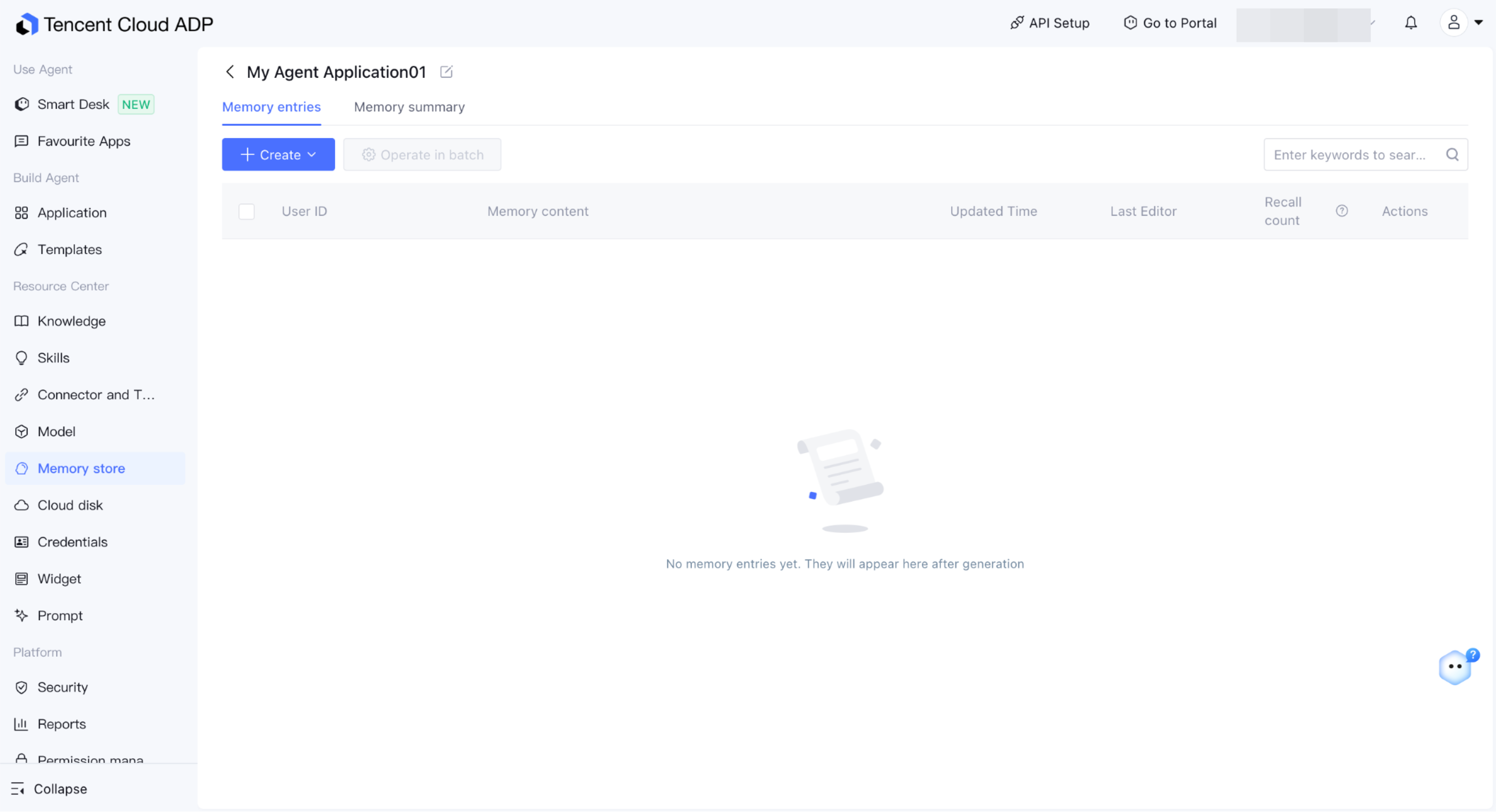
Go to Memory Library and click the target memory library to manage the memory content of all end users in the library.
Memory List
Claw Mode: Displays the user, memory content, update time, number of recalls in the last 30 days, and last modifier (system or specific user). The memory type automatically extracted during conversations is Memory Entry. After memory summary is enabled, the system generates a Memory Summary for each user every 24 hours.
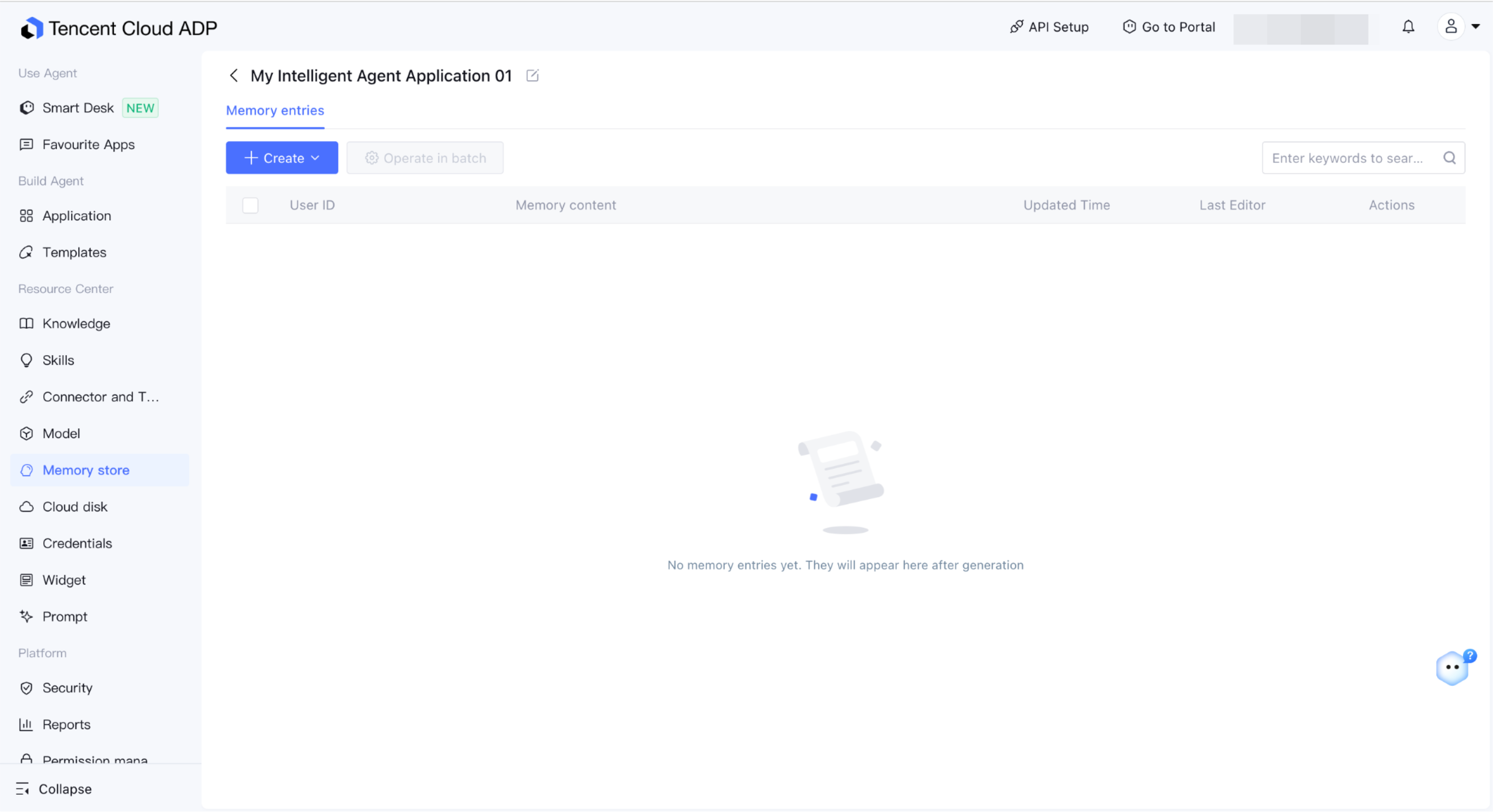
Standard/Single-Workflow/Multi-Agent Mode: Displays the user, memory content, update time, and last modifier (system or specific user).
Single Memory Operations
Operation
Description
Editing an alarm policy
Modify the memory content (each entry cannot exceed 4,000 characters). The modification takes effect in the next round of conversation after being saved.
Deleting an alarm policy
Delete the memory after secondary confirmation. Once deleted, it cannot be recalled in application conversations.
Manual update
Only the "Memory Summary" type in the Claw memory library is supported. After triggering, the memory summary is regenerated based on the user's memory entries.
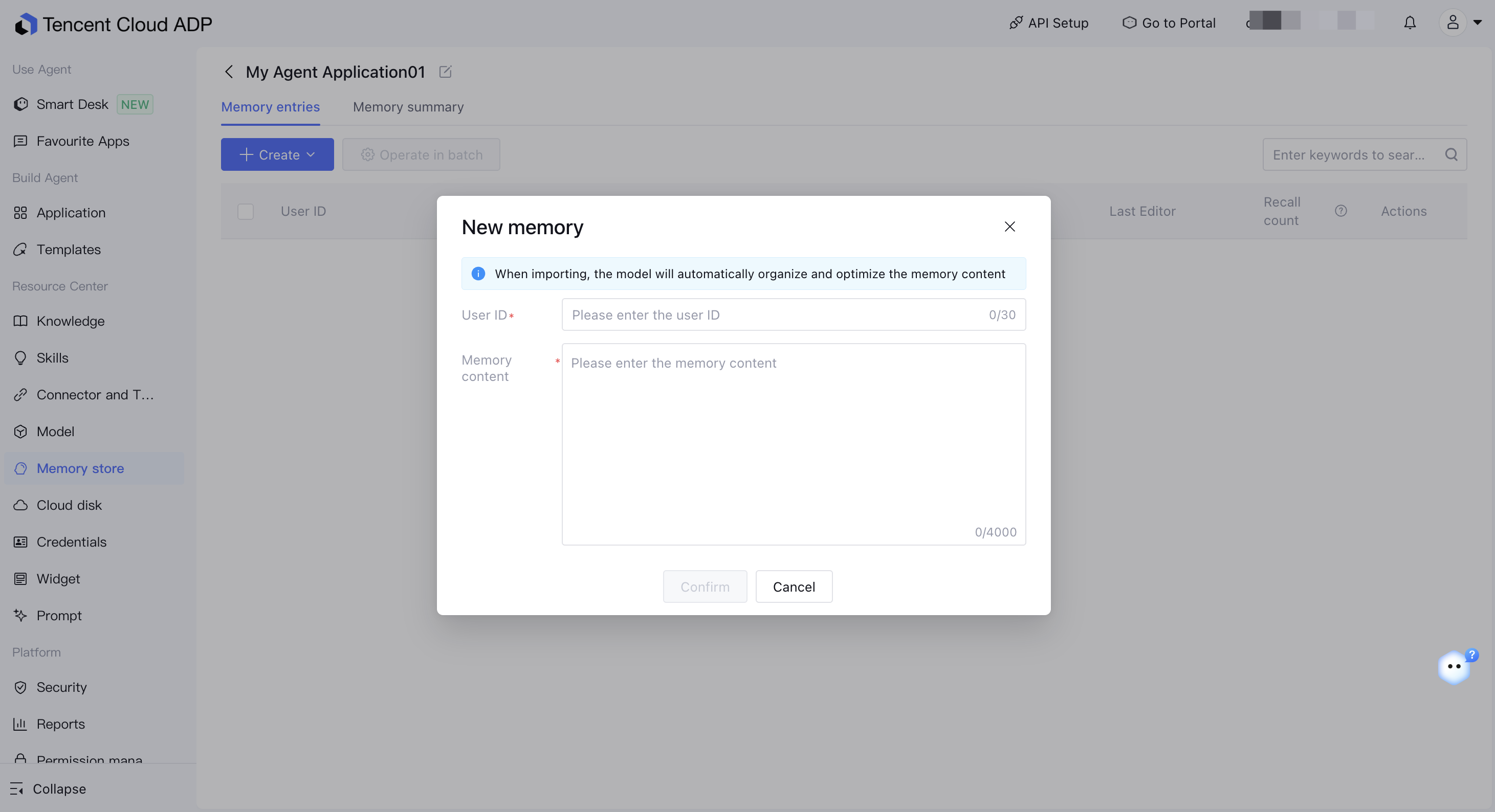
Adding a Memory
You can manually write memories for specified end users to support cold starts or supplement known information on the business side.
1. Click Add and enter the User (end user ID) and Memory Content (no more than 4,000 characters).
2. After saving, the memory entry is stored in the library, the last modifier is displayed as the current operator, and the memory can be recalled in the next round of conversation.
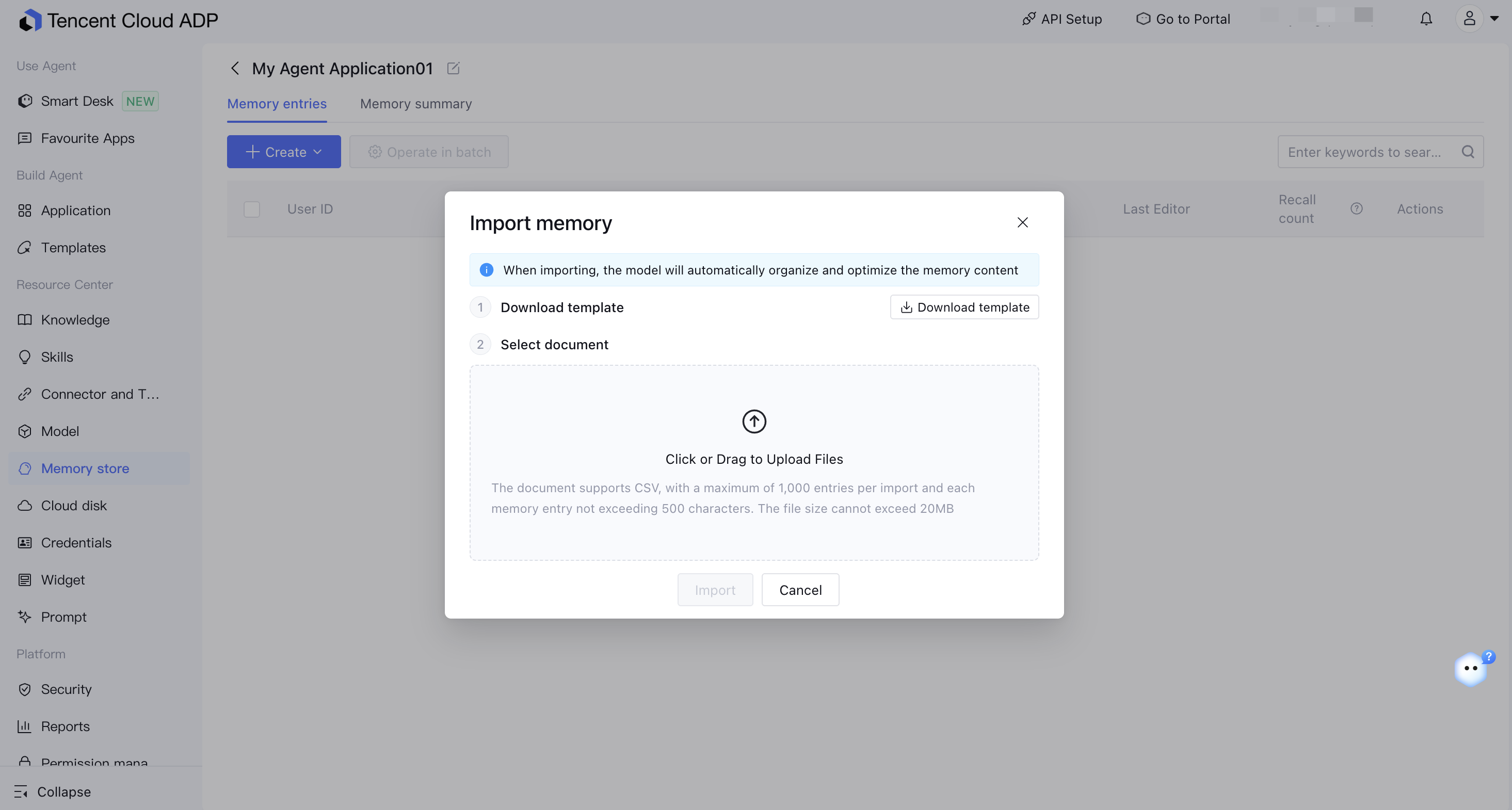
Importing Memory
You can import memories in batches through a CSV file. Use the import template to fill in the following fields: User and Memory Content.
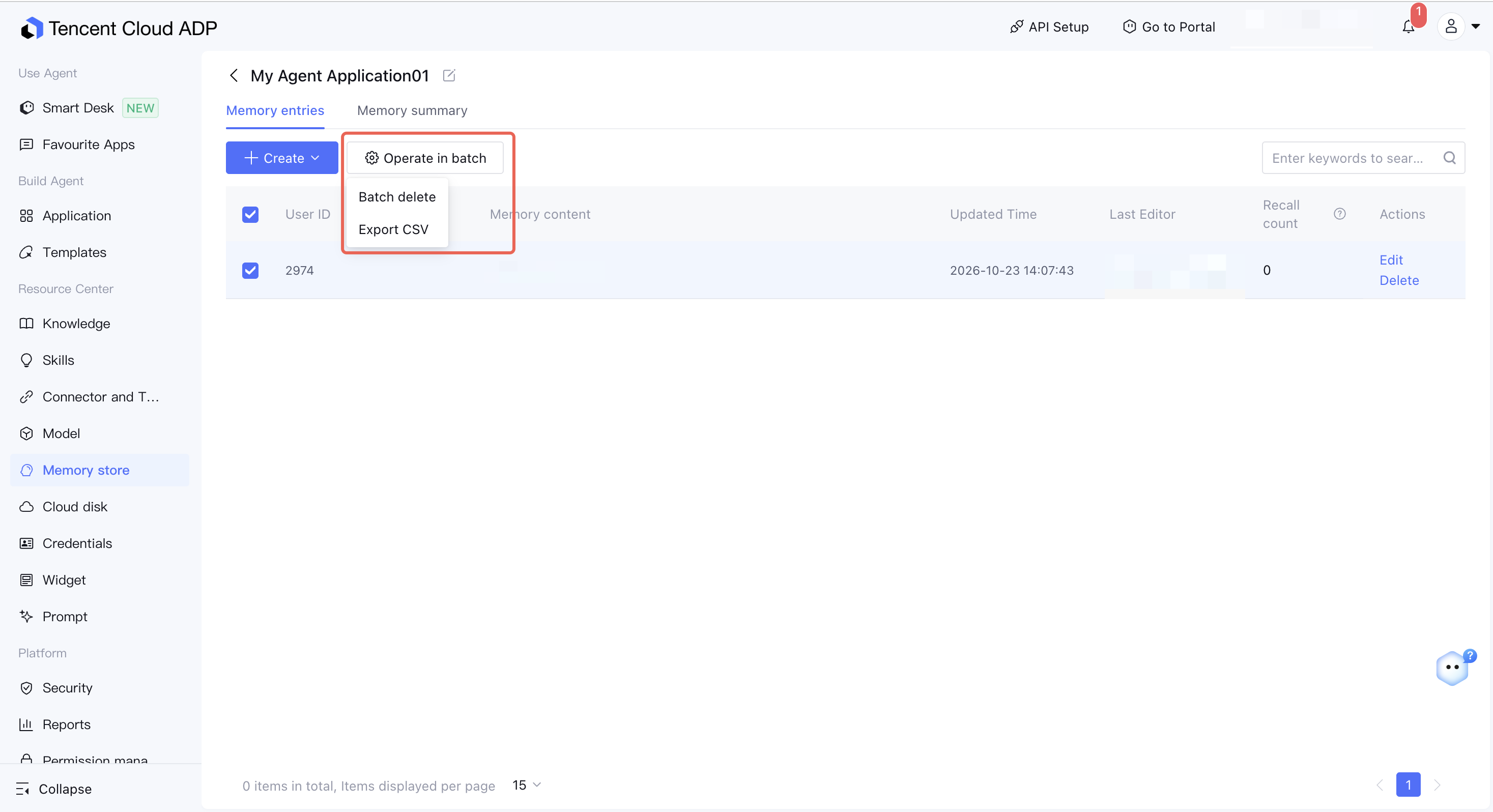
Export and Batch Deletion
Export CSV: Supports exporting the content of selected memory entries.
Batch Delete: Select multiple memory entries to delete them in batches. A second confirmation is required.
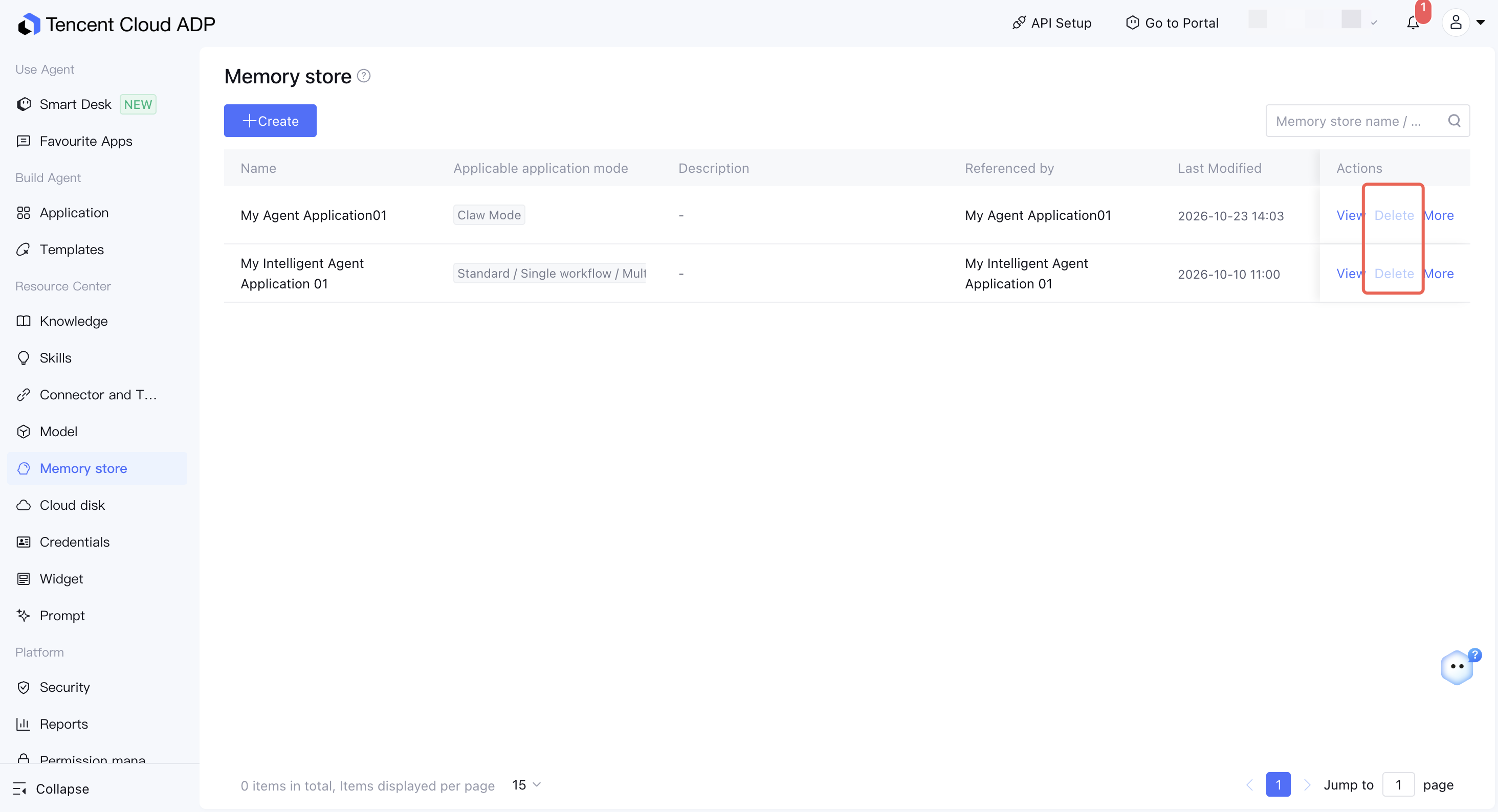
Deleting a Memory Bank
Select the target library from the memory library list to delete it. The deletion takes effect after a second confirmation.
Note:
A memory library bound to an application cannot be deleted directly. Unbind the application first. Deleting a memory library also deletes all memory content in the library, and this operation cannot be undone. Proceed with caution.
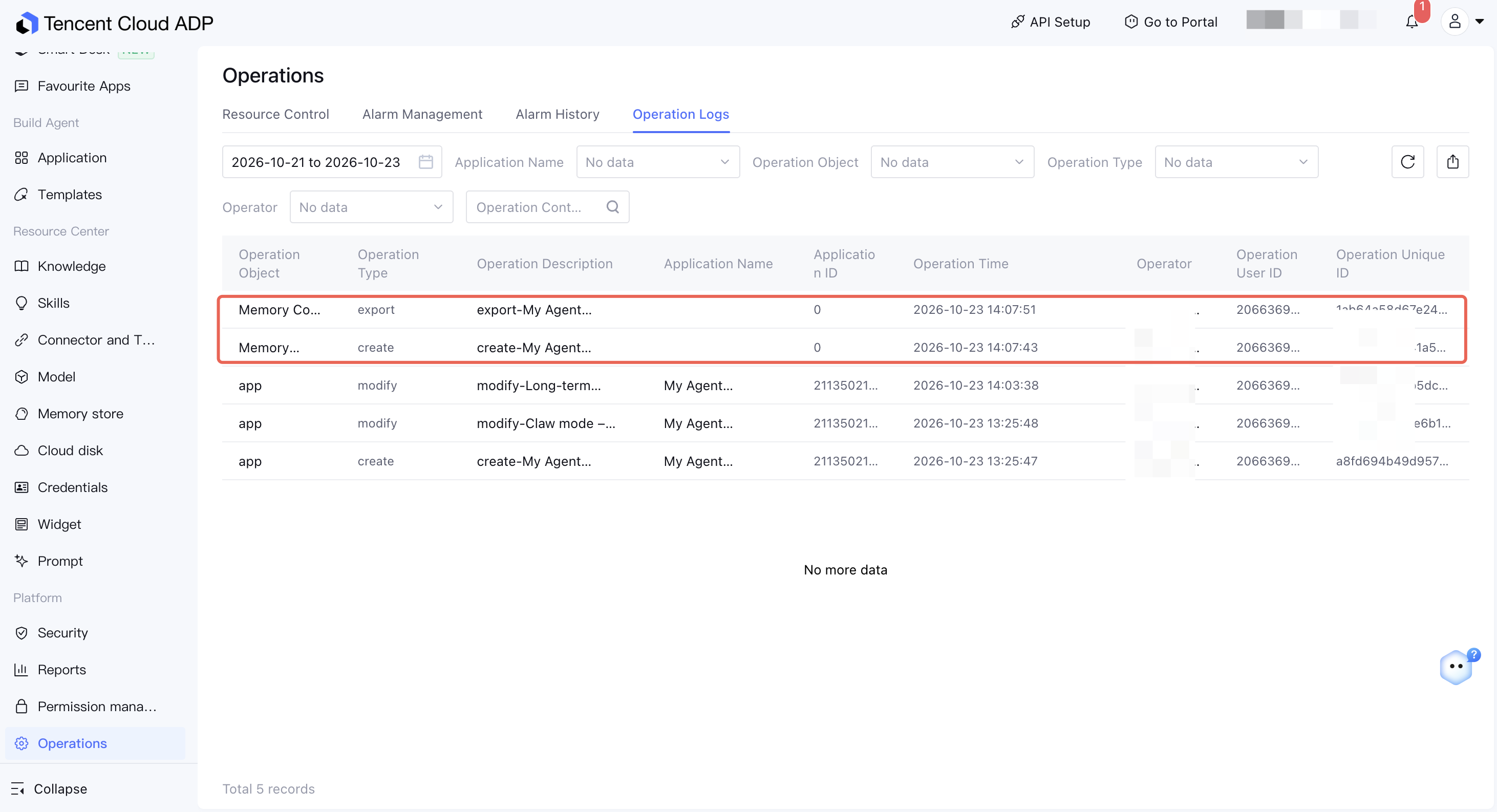
Operation Logs
Operations such as adding, editing, importing, exporting, and deleting memory libraries are recorded in the platform operation logs, making it easier to audit and track which users have modified memory content.
Must-Knows
Memories that are manually edited or deleted take effect in the next round of conversation. If the user has an ongoing conversation, the current round may still use the original memories.
Memory data in the memory library accumulates continuously as long-term memory is enabled for the application. We recommend that you regularly audit the memories in the library and promptly remove incorrect or outdated memories to avoid affecting the application's response quality.