Content security refers to real-time risk identification of the input and output content of Tencent Cloud Agent Development Platform (Tencent Cloud ADP for short) to ensure it complies with laws and regulations and ethical standards. This module uses a visualization form, supports security policy configuration, keyword library management, and application security settings, and also supports real-time viewing of online risk data.
Concept Definition
Security policy: A security policy consists of a "moderation model" and "keywords", which are the core of content security for identifying whether a piece of content poses a risk of non-compliance. Among them, the "moderation model" is a built-in model specially trained for risk review; "keywords", also known as "black words", refer to a collection of system-defined or user-defined words used to determine if they contain non-compliant words by matching them with the content.
Application security: Application security is the abbreviation for "application-security policy". Each application mounts a security policy, which enforces risk identification for the application's input and output content.
Operation Instructions
Note:
This feature is in grayscale stage and is expected to gradually open comprehensively in February 2026. If you do not see the feature module, contact sales to request to join the grayscale list or wait patiently for follow-up opening.
Security Policy
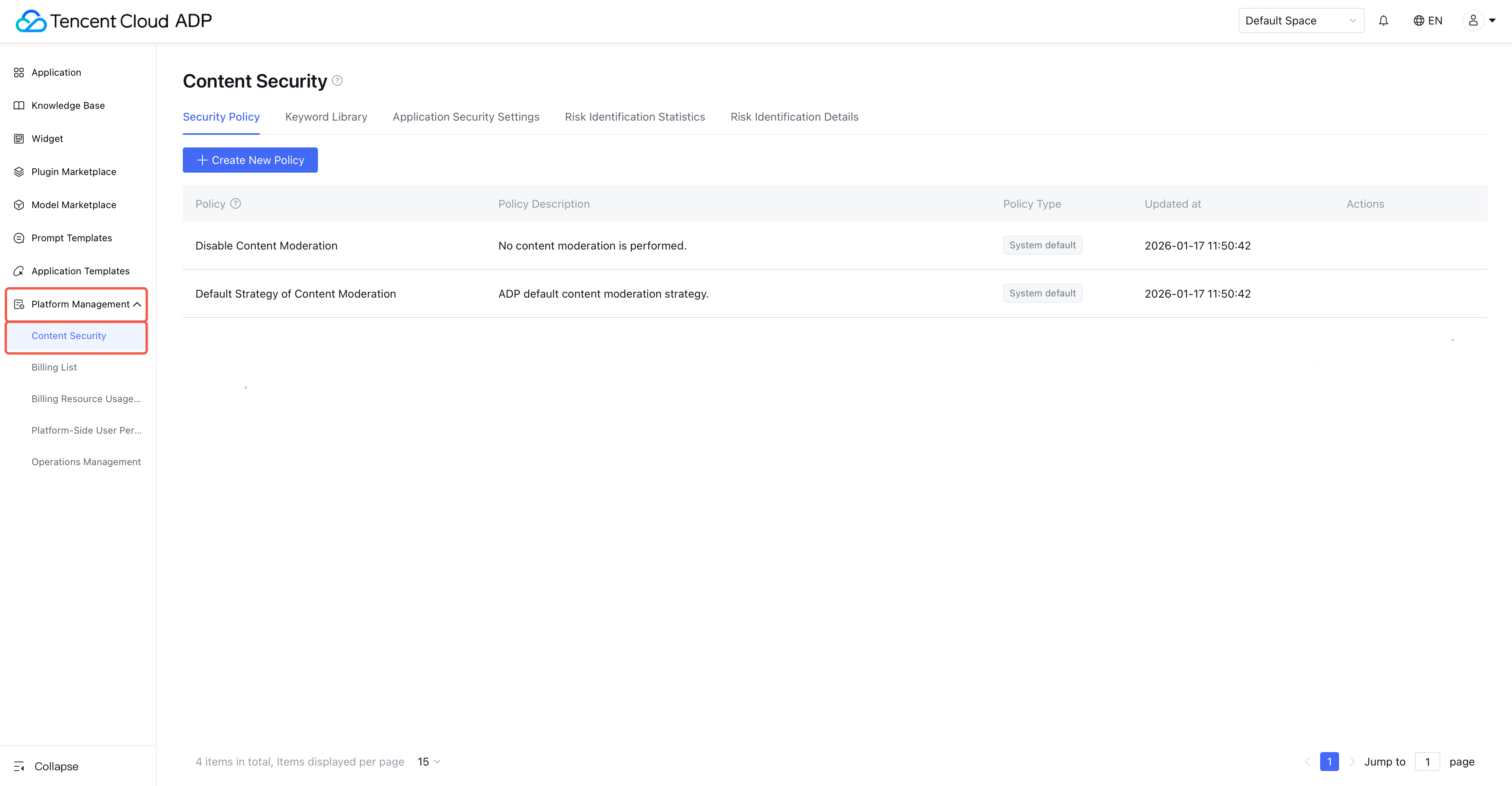
1. Enter the Tencent Cloud ADP console, click on the left menu platform management > content security. Note:
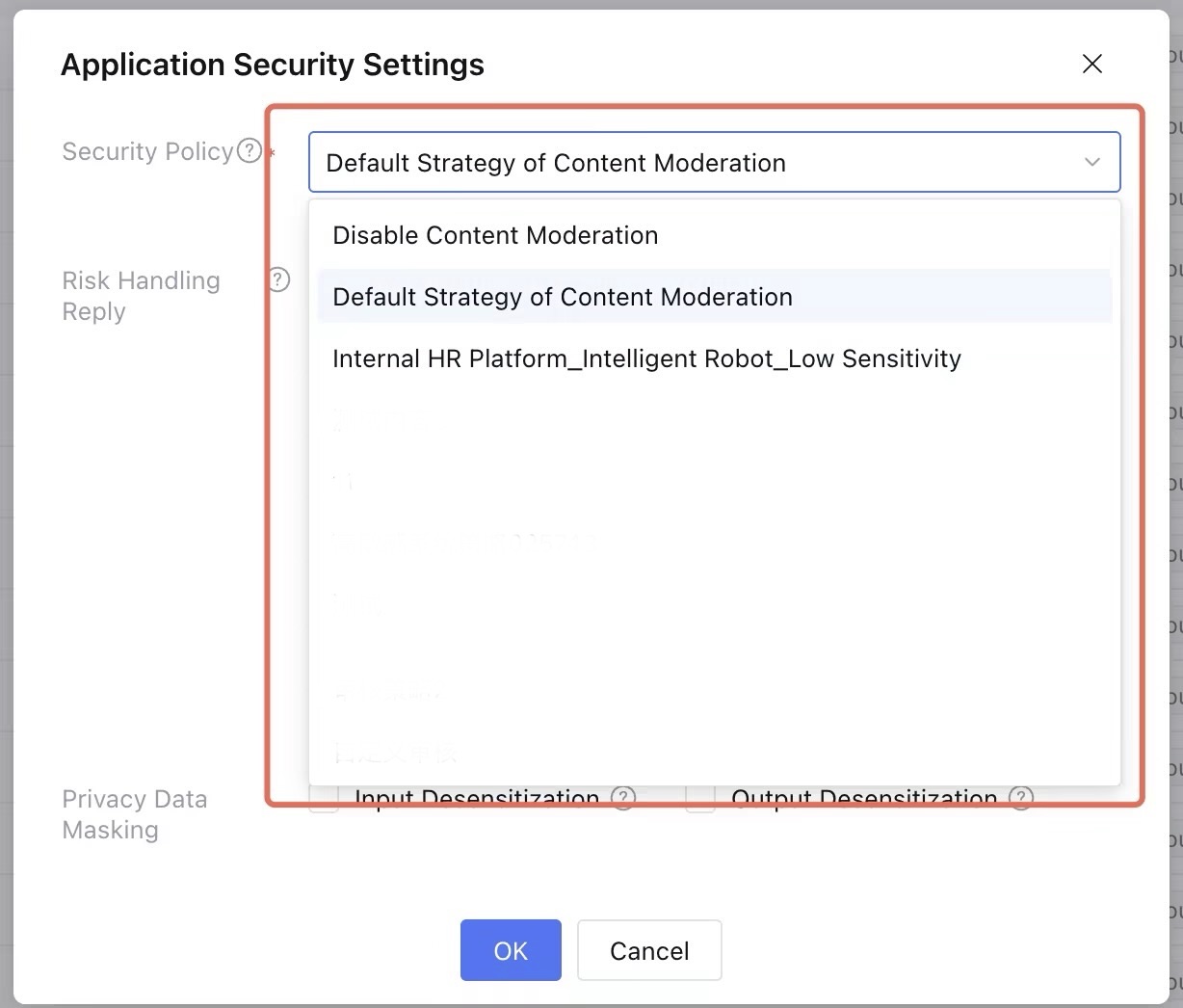
1. The system automatically generates two security policies: "waive review" and "system default policy".
2. The system-generated security policy cannot be edited. Normally, these two security policies meet most usage scenarios. Among them, the default is the "system default policy".
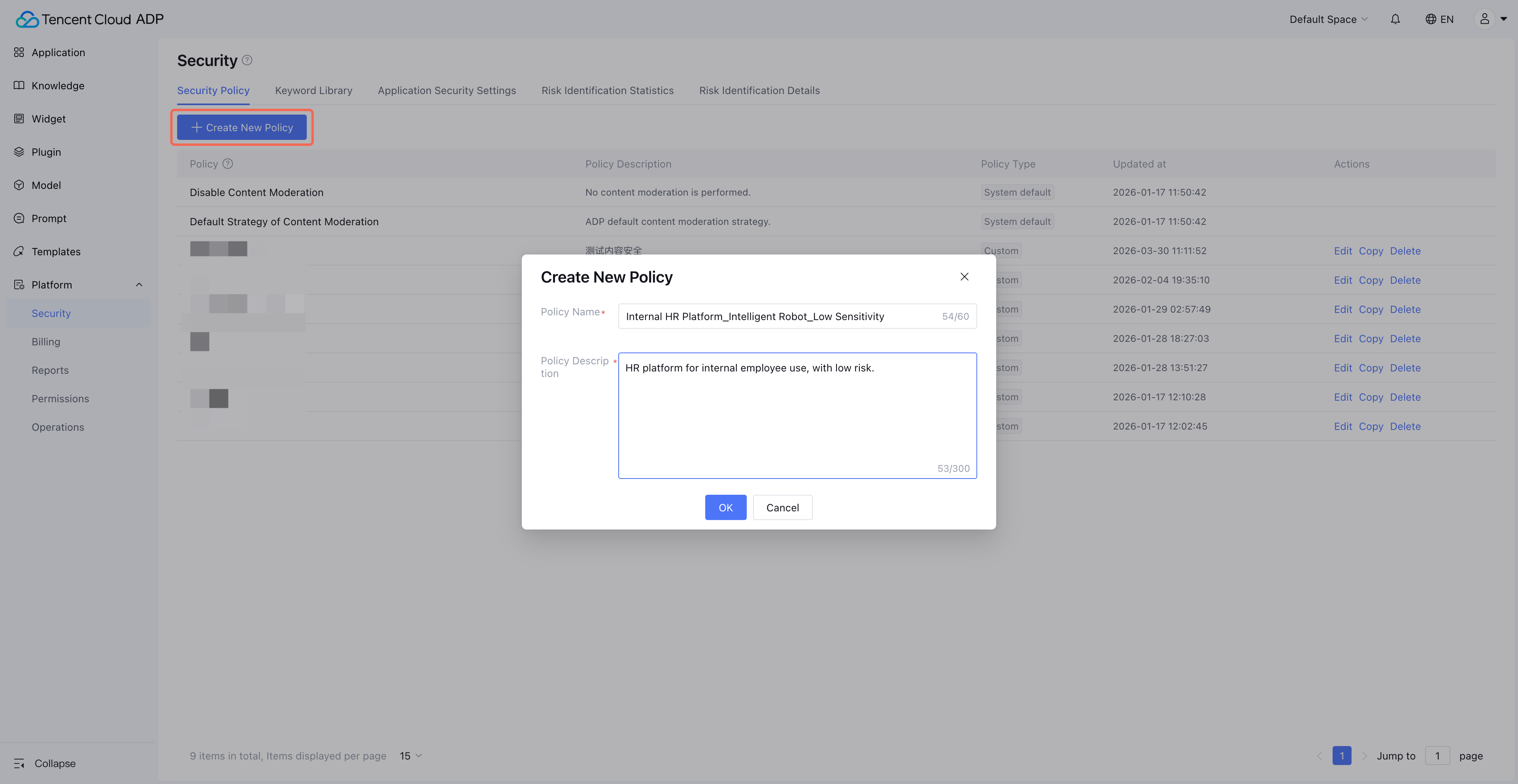
2. Click Create New Policy to create custom policy. Custom policy allows you to configure effective moderation model and keyword.
Note:
For convenient management, we recommend naming the policy in a certain format, such as "business scenario_application_risk level".
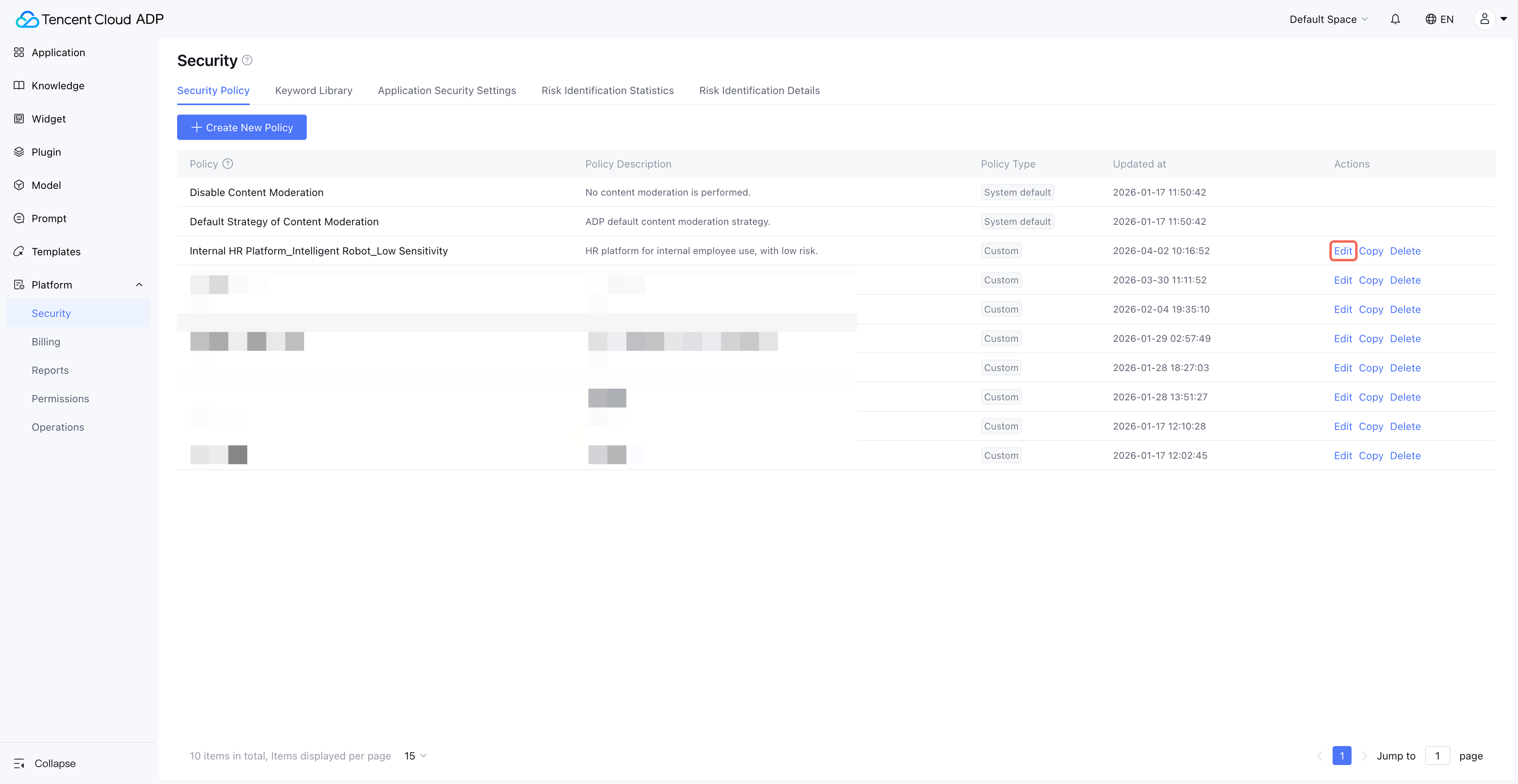
3. After creating a custom policy, click Edit to configure keyword library and moderation model.
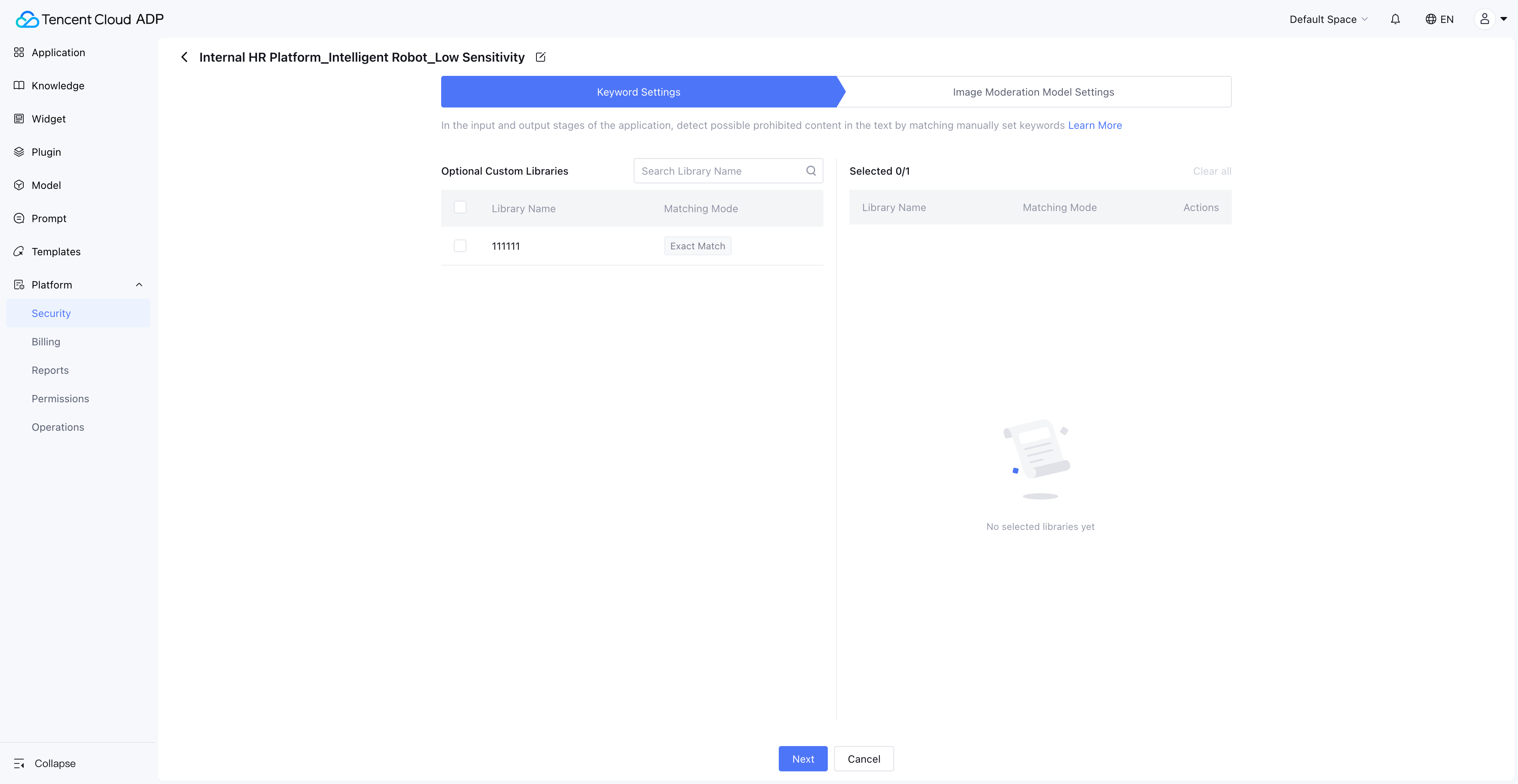
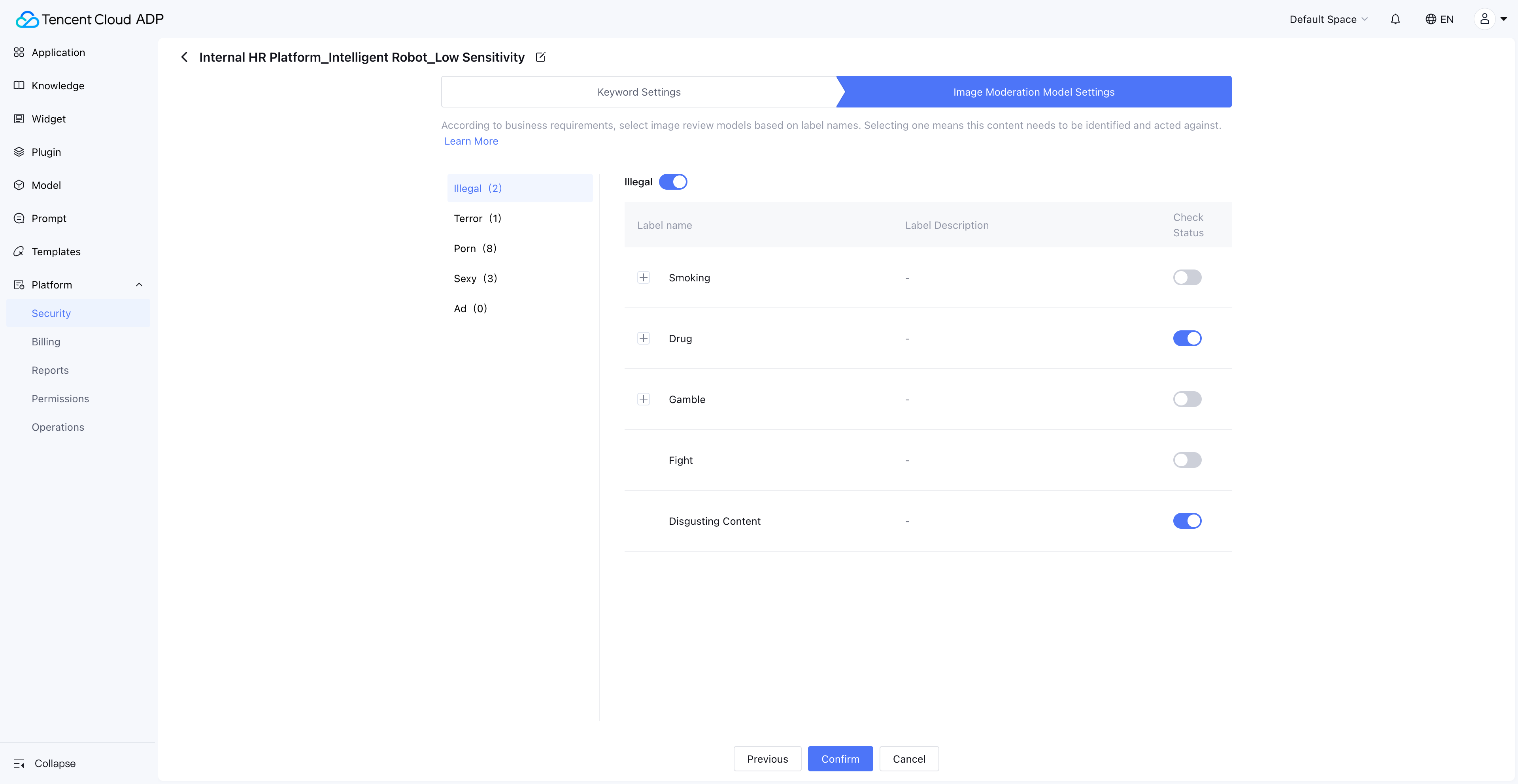
4. Editing a custom policy involves two steps: "Keyword Settings" and "Image Moderation Model Settings".
4.1 Keyword Settings: The left side displays your custom keyword list. Checking the box indicates this policy requires the corresponding keyword library.
4.2 Image Moderation Model Settings: The moderation model is built-in. Set which identification capabilities need to be enabled. The Image Moderation model performs vision-based risk identification on images in the application's input/output.
Keyword Library
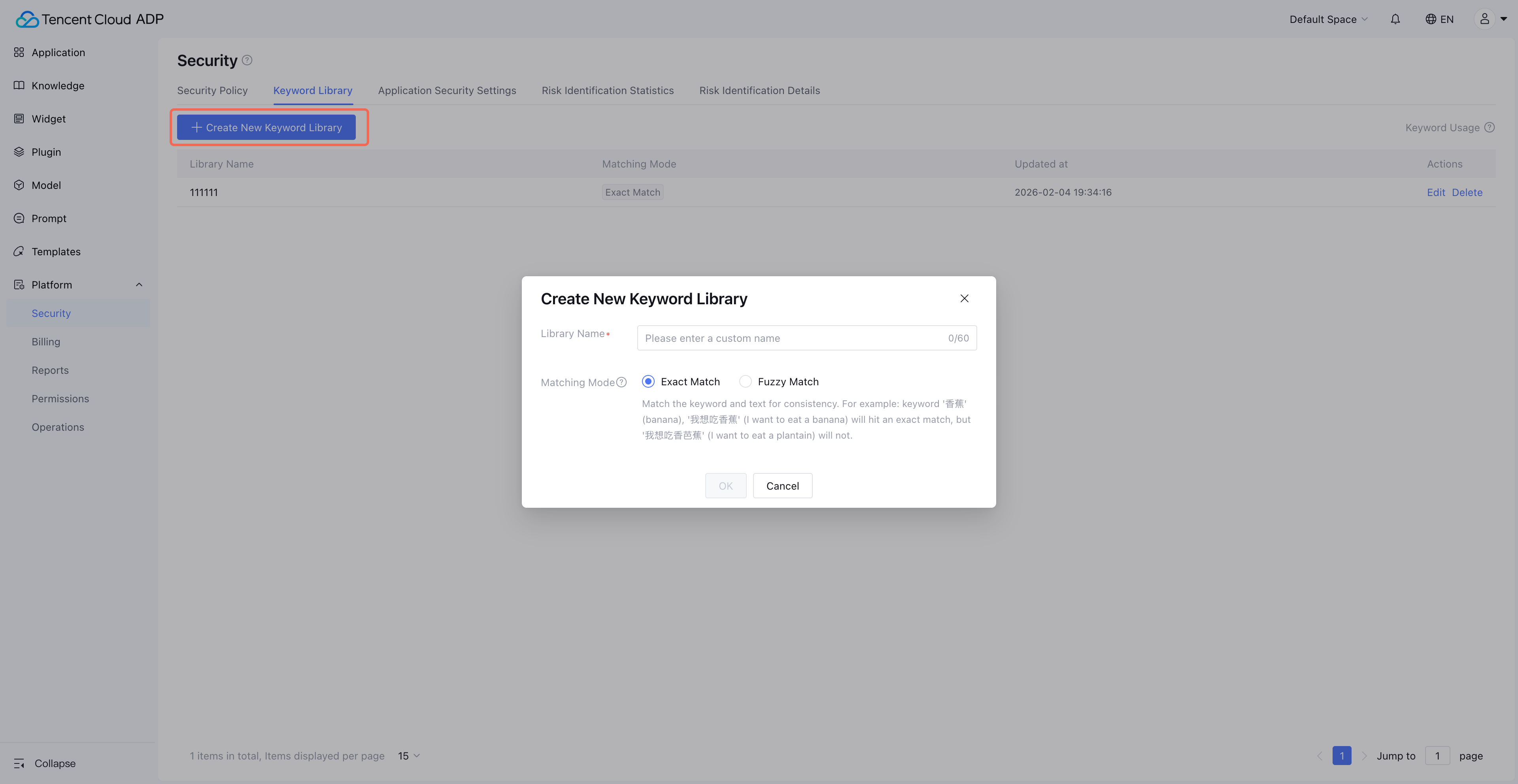
1. Click Platform Management > Content Security > Keyword Library to enter the maintenance management page for custom keywords. Step one requires you to Create New Keyword Library. Keywords are added within specific keyword libraries.
Note:
1. Each lexicon only supports one match mode. Recommended for use is exact matching to ensure identification accuracy.
2. Fuzzy matching serves as a supplementary mechanism to exact matching, suitable for expanding identification of risks of high confrontation. During fuzzy matching, the system will first escape the text pending review. This process includes:
Convert English letters to lowercase
Convert Chinese (Traditional) to simplified
Convert Chinese characters to pinyin
Convert Chinese numerals to Arabic numerals
Remove ALL spaces and special characters
Hence, when adding an entry to the blurry lexicon, use lowercase, simplified, pinyin, and Arabic numerals format to ensure match validity.
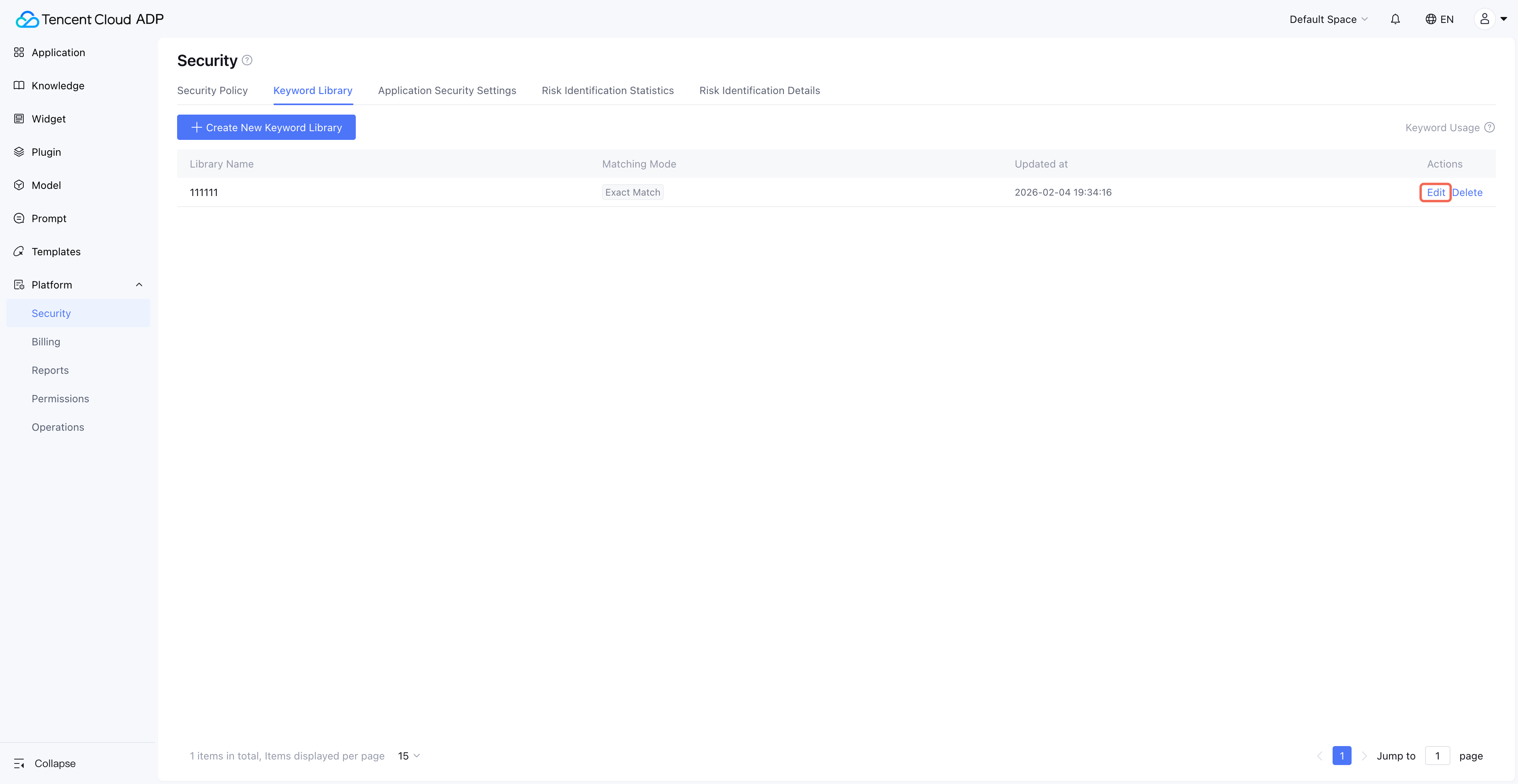
2. After creating a library, click Edit to enter keyword operations for the library.
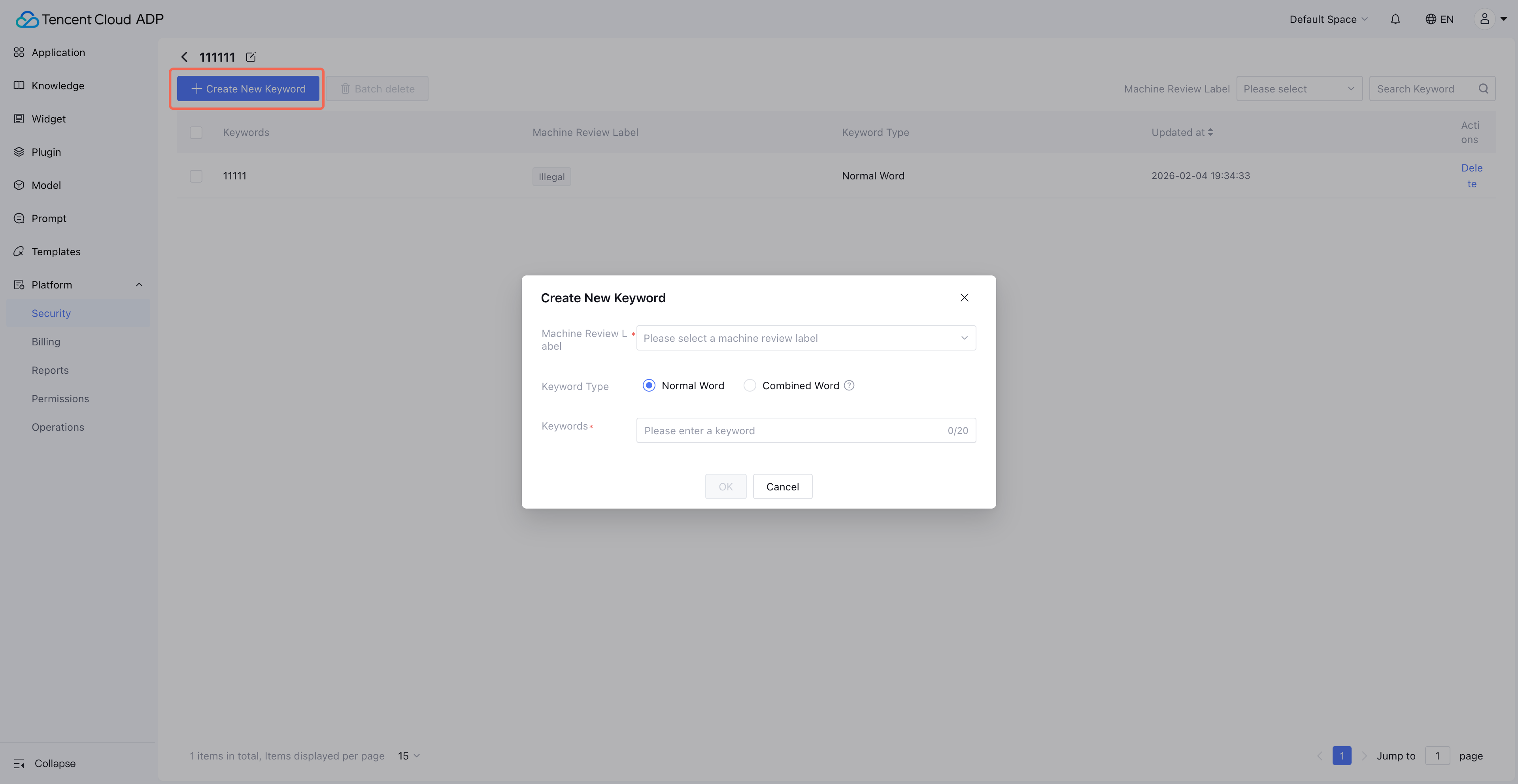
3. Click Create New Keyword, and a pop-up window for user-submitted input appears.
Note:
Machine Review Tag: It is the classification of keyword hits, making it easy for subsequent data statistics and case analysis. Machine Review Tags are system-defined and do not support customization.
Compound word: It refers to a piece of text where each phrase in the compound word must be hit at the same time to count as a hit.
Application Security Settings
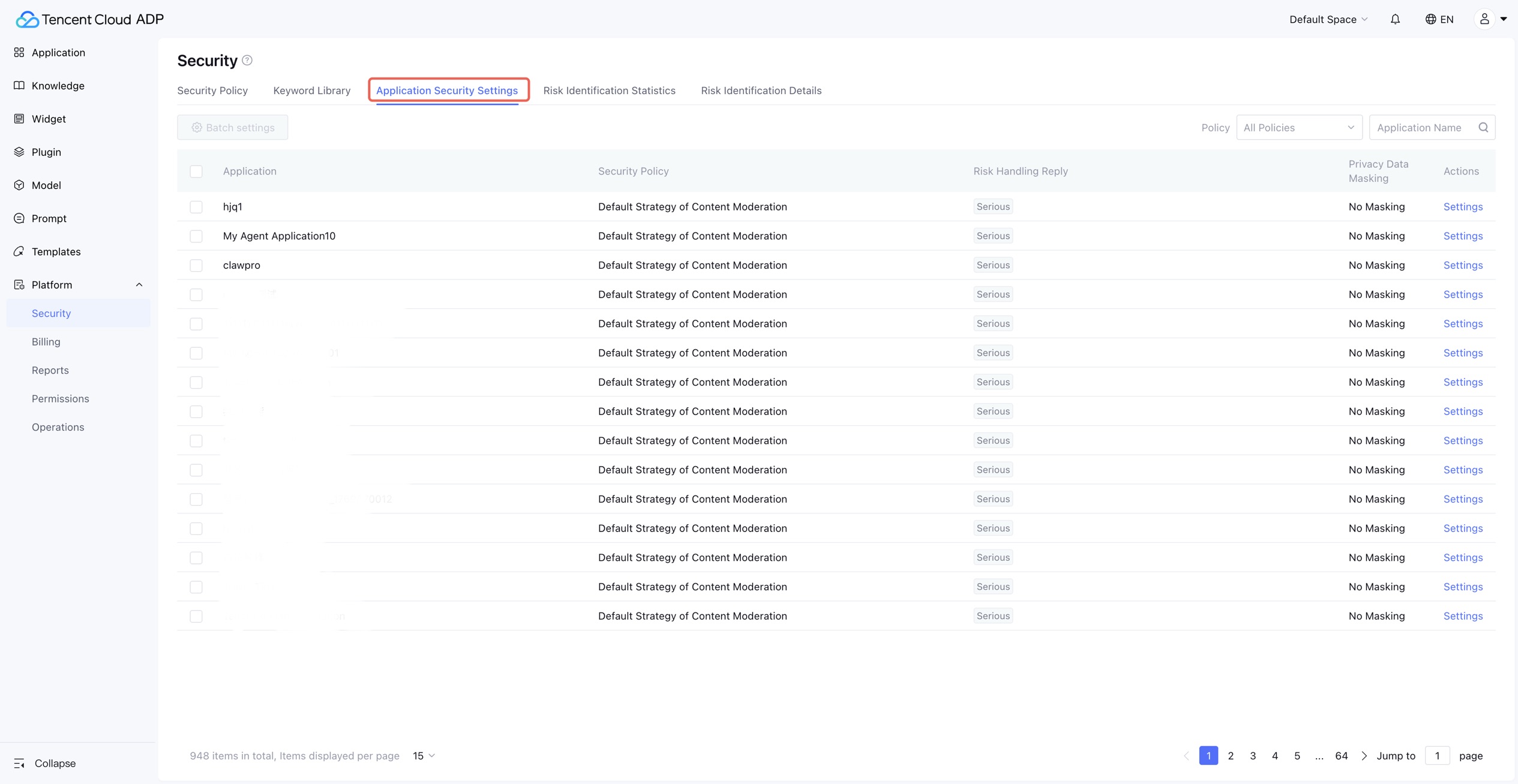
1. Click Application Security Settings to enter the Application > Security Policy maintenance management page.
Note:
This page sets security policies for application usage, disposal copywriting for hit risk content, and whether to enable privacy information masking at the application dimension.
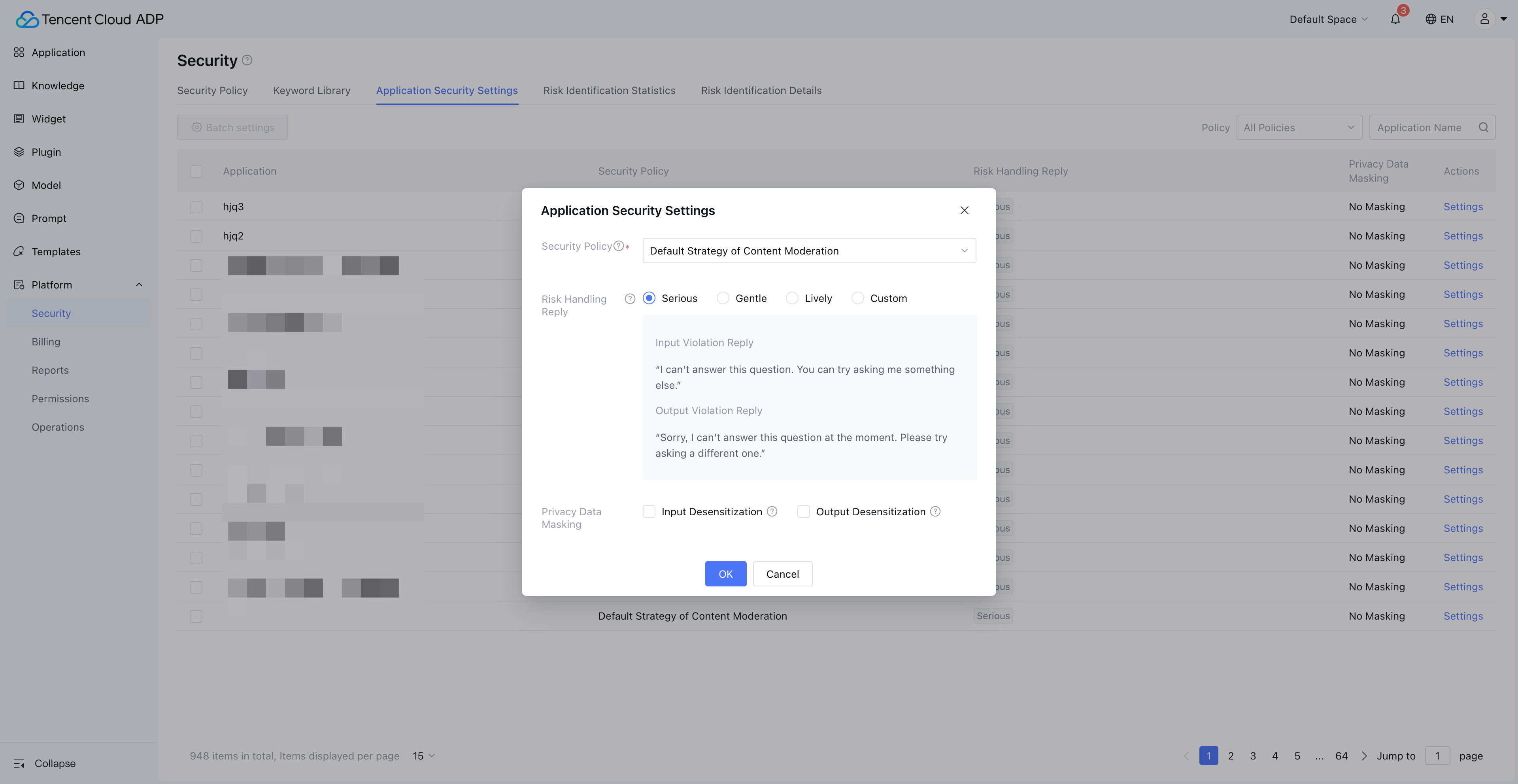
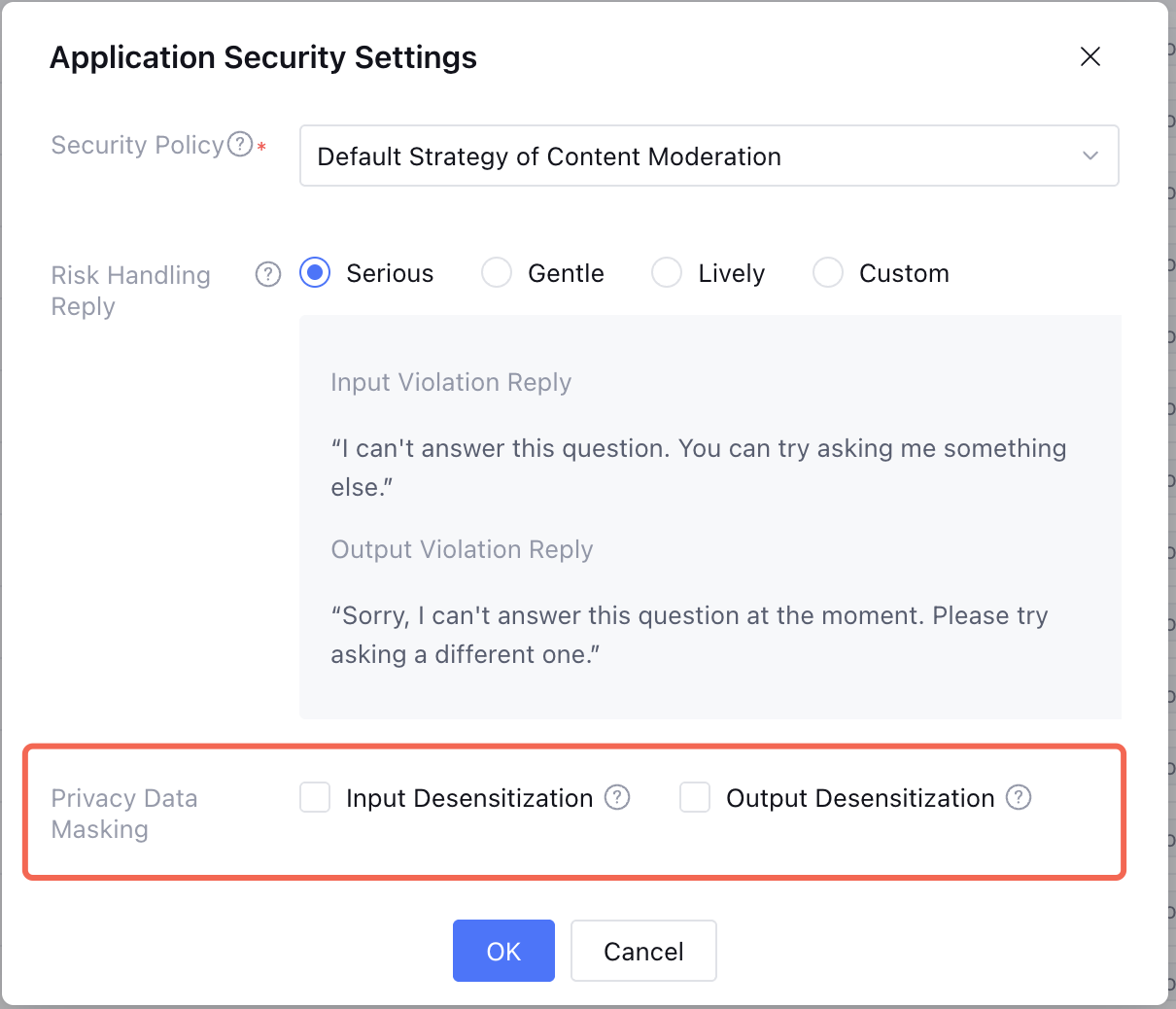
2. Click Settings on the right side of the list, and a pop-up window for Application Security Settings appears.
2.1 Security Policy: Select the security policy to apply to projects.
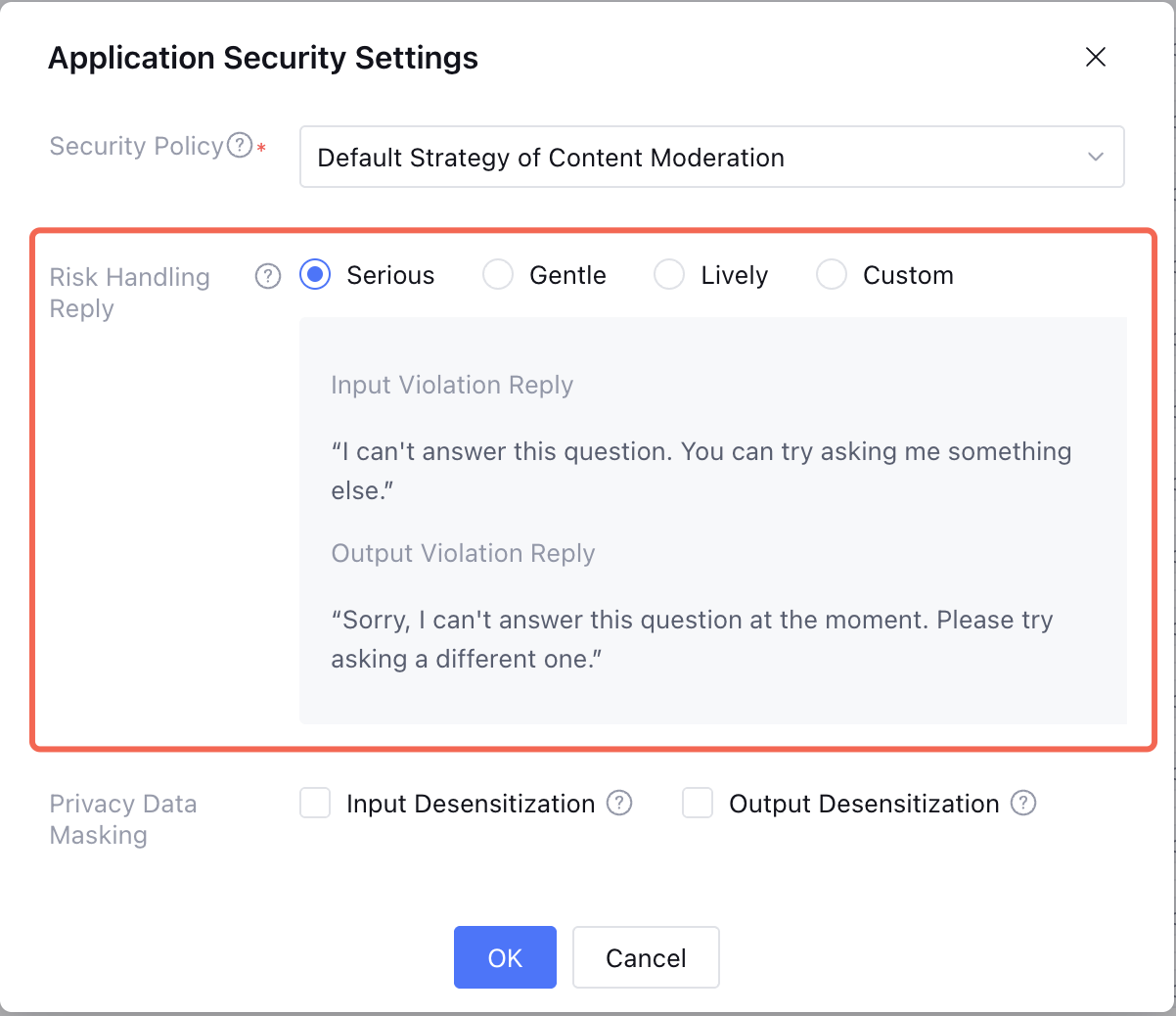
2.2 Risk Handling Reply: Copywriting in the dialogue end of Tencent Cloud ADP applications when input/output is recognized as rule violation.
Note:
Tencent Cloud ADP response effect example in dialogue:
2.3 Information Masking: Perform desensitization operation when input or output involves privacy.
Note:
1. Support scope: bank account, identity card number, military officer ID card, passport, driving license, social security card, Residence Permit, address, phone number.
2. Desensitization effect: Take ID card number for example, the desensitization effect is 110105********1234.