An Agent is an intelligent entity that possesses autonomous awareness, decision-making, and execution capabilities. It can independently complete specified tasks based on external tools and its own logic. On the Intelligent Agent development platform, you can create an Agent, configure its name, description, prompt content, tools, and advanced settings to achieve complex business logic and adapt to different business scenarios.
Creating Agents
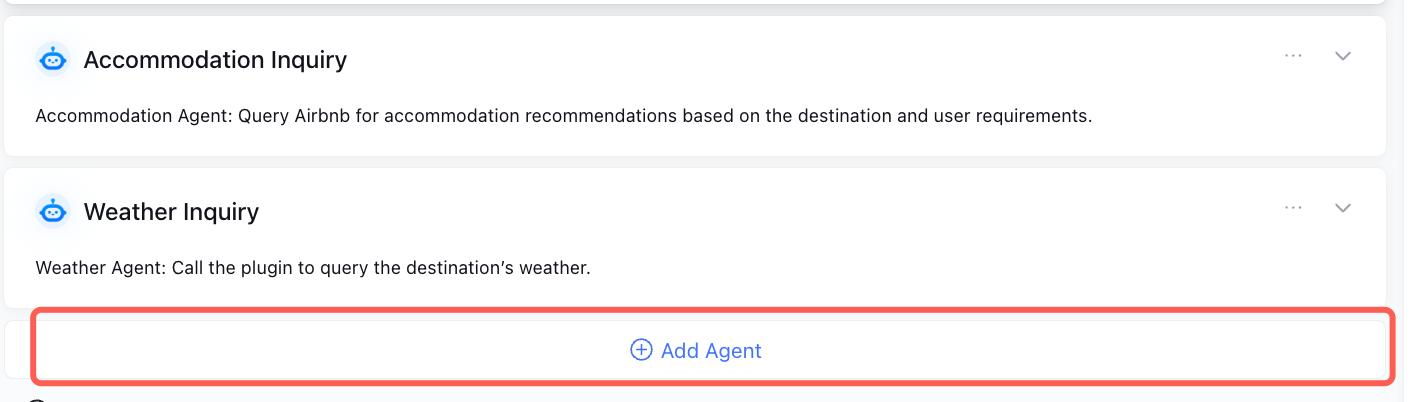
After creating a Multi-Agent Mode application, the system automatically creates a Main Agent. If you need multiple Agents to complete tasks, click Add Agent to create new Agents.
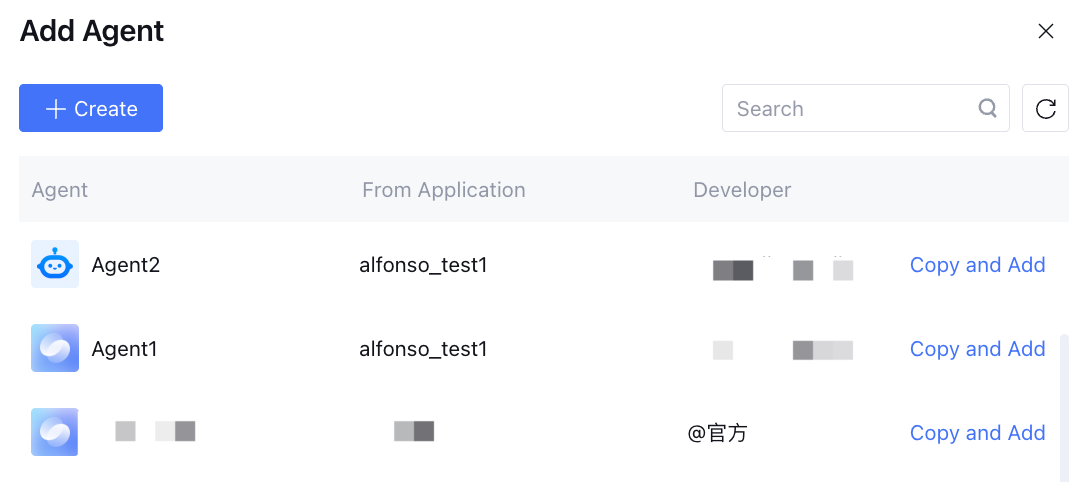
Support adding Agents in the same space or official Agents.
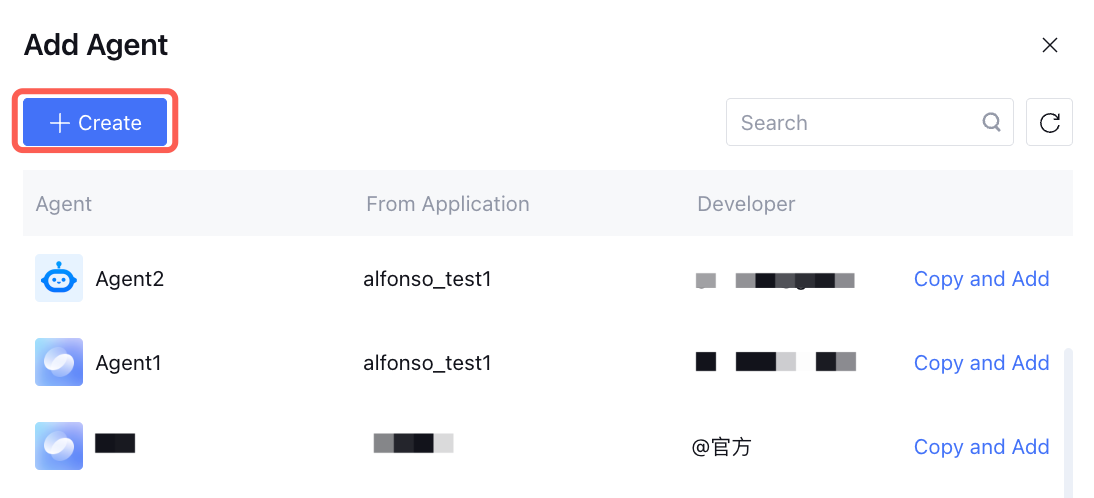
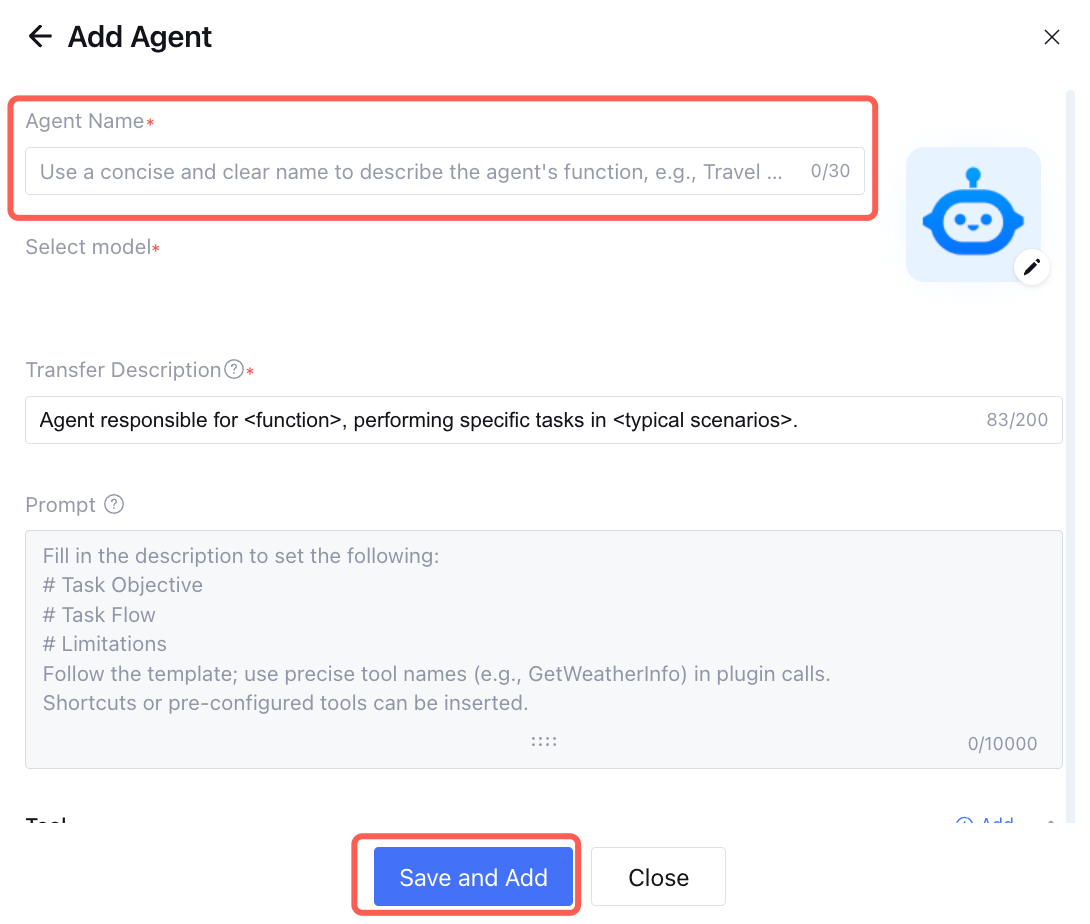
You can also click Create, fill in the Agent name and transfer description to create a new Agent.
Note:
Support modifying configuration messages such as name, model, and transfer description after creating an Agent.
Configuring an Agent
1. Configuration Name
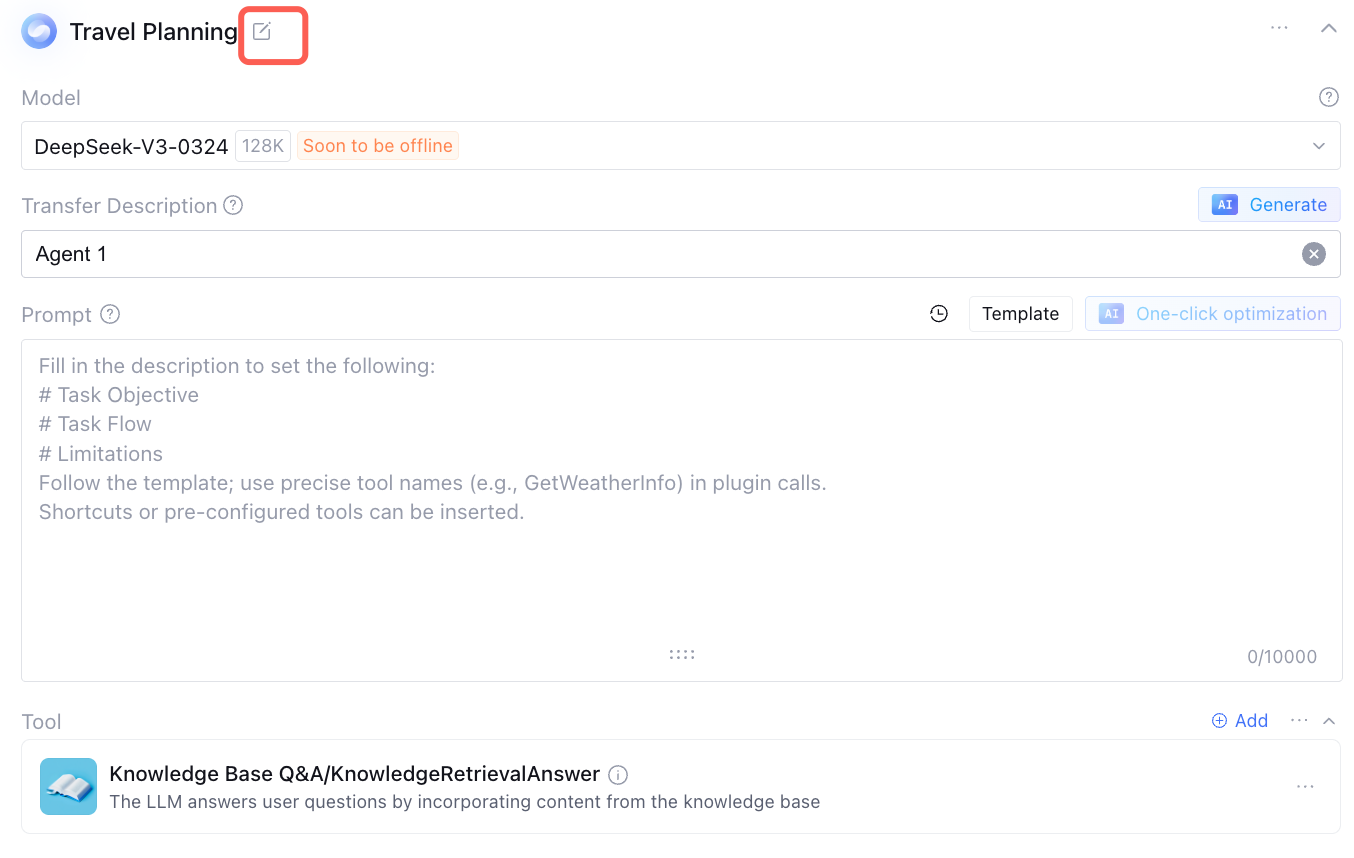
Click the edit icon on the right of the Agent name to modify it.
Note:
For single-Agent apps, a neutral name is fine. For Multi-Agent apps, both the agent name and description are key information for task transfer. Use simple, meaningful names to describe agent features, such as Travel Planning Assistant, Web Page Analytics Agent, or Copywriting Optimization Agent.
2. Configuring the Model
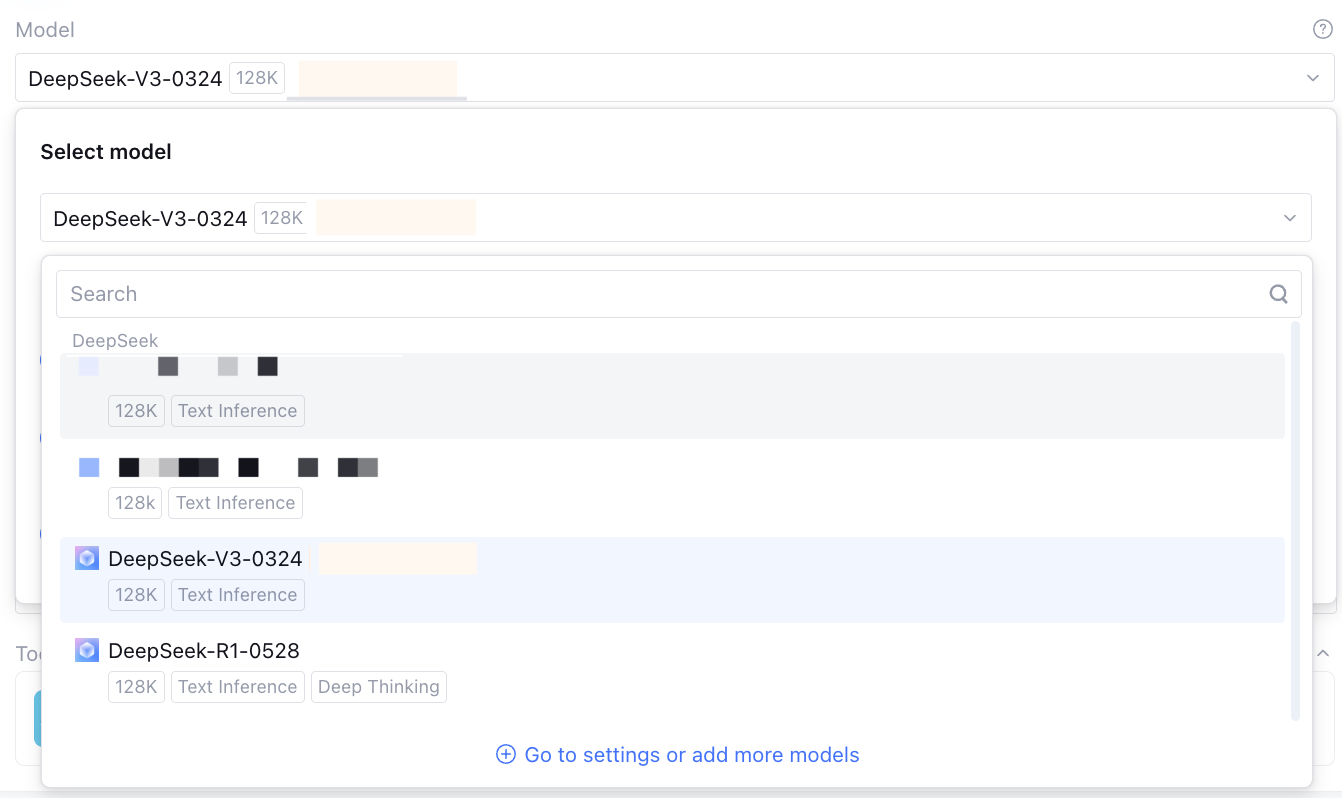
The model in the Agent is used for task planning and tool selection, supporting model selection as needed. You can configure more models in the Model Hub. For details, see Model Marketplace. 3. Configuring Transfer Description
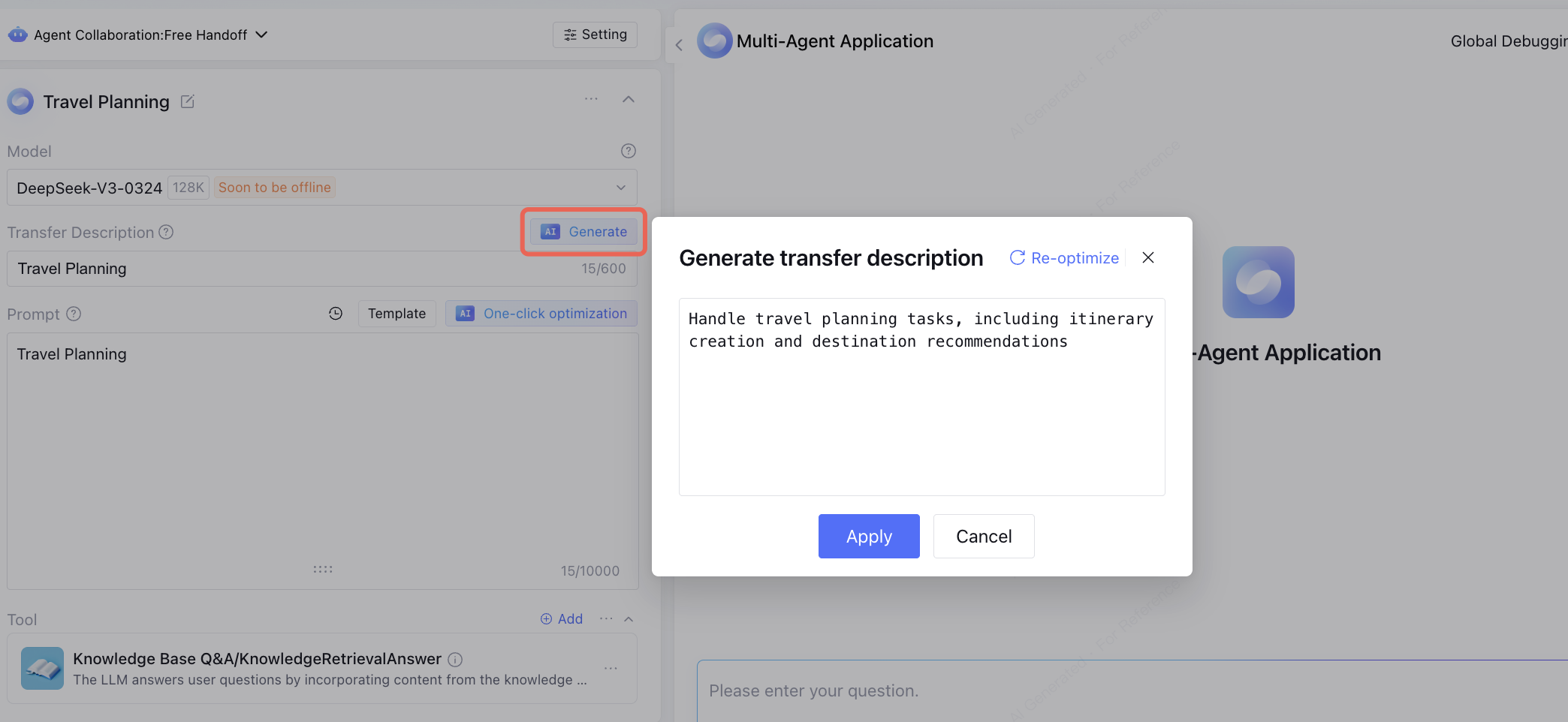
The Agent description is used to briefly explain the Agent's feature and use cases, helping other Agents judge when to transfer tasks to it.
Note:
If configuring a single Agent usage scenario, you can simply fill in the transfer description. But in multi-Agent collaboration scenarios, clear descriptions are critical for correct transfer.
Support clicking AI One-click Generation to auto generate transfer description. This operation will consume the token of the Agent model.
4. Configure Prompt Content
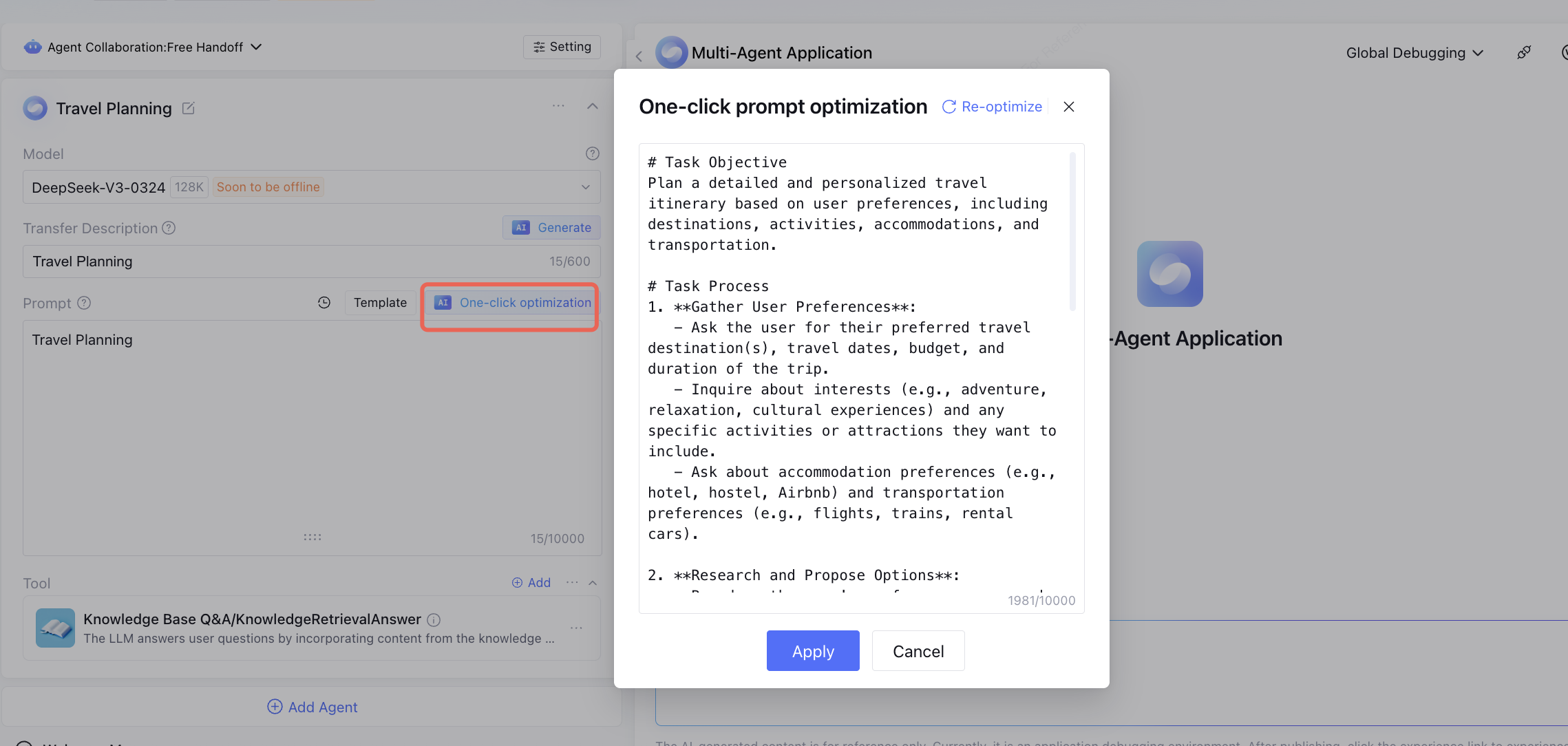
Support adding the task objective, task flow, and limitation notes of the current Agent to the prompt content.
See the Template and fill in according to actual needs, or use the AI One-click Optimization feature to quickly add related prompts and improve content.
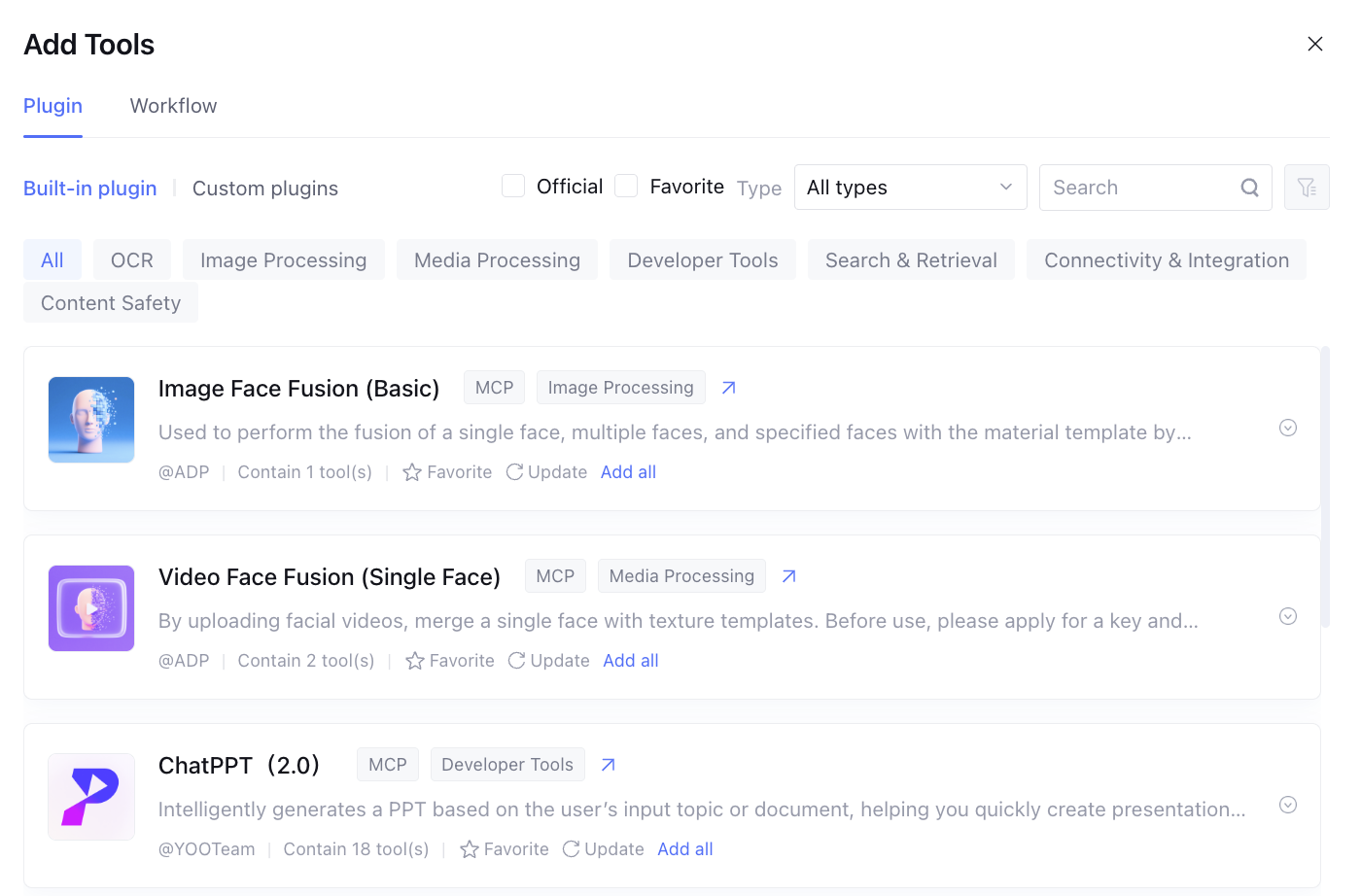
5. Configure Plugin
A tool is an API that fulfills a requirement by calling it. A plugin is a collection of tools, which includes several tools (essentially a tool group). In fact, the Agent selects tools included in the plugin. Model invocation of tools is achieved by registering the tool name and description in the system prompt of the large model, enabling the model to learn which tools are available and their specific usage scenarios. When a user inputs a question, the large model selects one or more suitable tools to resolve the issue based on its understanding and breakdown of the question, as well as the tool description.
Therefore, for the Agent, it is necessary to select the required tools and provide easy-to-understand tool descriptions (pay attention when creating custom plugins), which is critical for successful call.
6. Agent Advanced Setting
Agent Advanced Setting is an optional configuration content used for fine-grained adjustment of the Agent's thinking logic and output method. Users can choose appropriate policies for different business scenarios, thereby optimizing Agent performance and improving result accuracy or response speed.
7. Other App Settings
You can also implement refined tuning of the Agent by configuring application variables, long-term memory, as well as features such as synonyms in advanced settings. For configuration methods and functions, refer to Application Settings Overview. Delete Agent
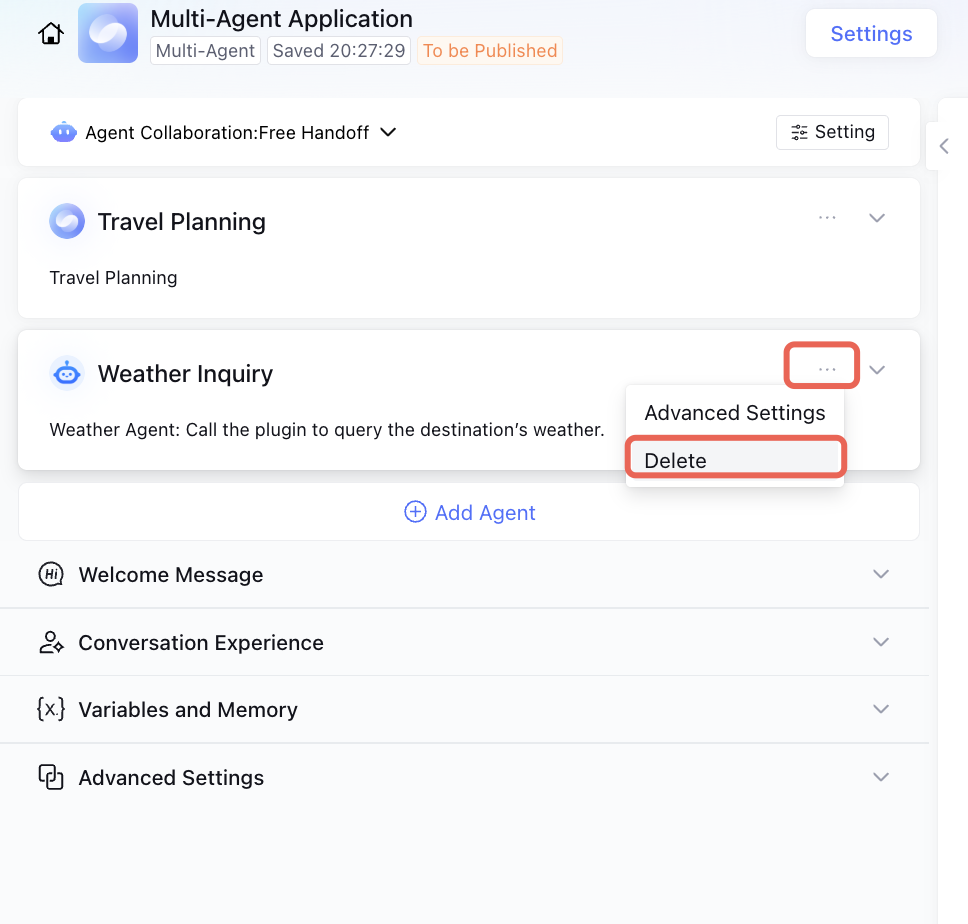
If you no longer need a certain Agent feature, you can delete it.
Note:
1. Once deleted, the Agent cannot be restored. Please be cautious when performing the deletion operation.
2. Primary Agent is non-deletable.