Node Function
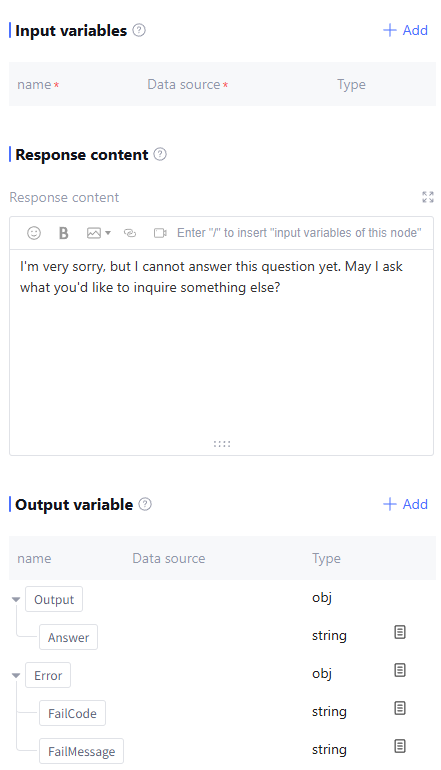
Response Node belongs to Basic Node, used for outputting the workflow execution result to users.
Directions
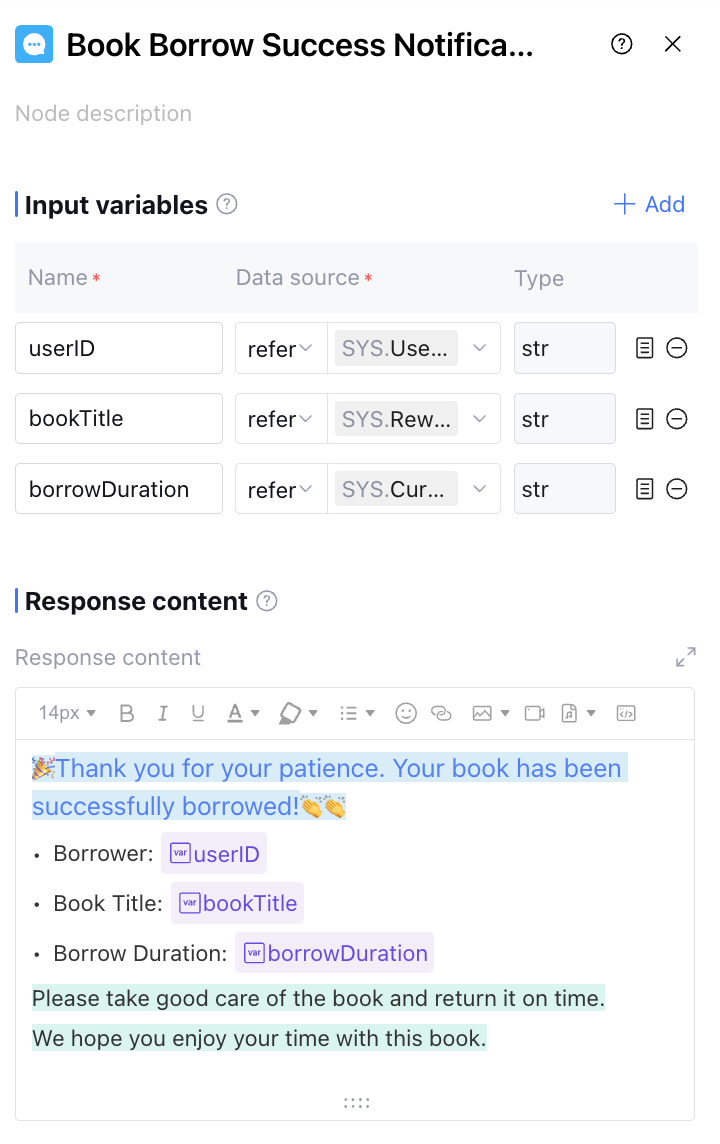
Input Variables
Input variables take effect only within the same node and cannot be used cross-node. Support up to 50 input variables to meet scene requirements. Click "Add" to configure input variables as follows.
|
Variable Name | The variable name can only contain letters, digits, or underscores, must start with a letter or underscore. Required. |
Description | Description of this variable. Optional. |
Data Source | The data source of this variable supports two options: "refer" and "input". "Refer" allows selecting output variables from all preceding nodes, while "input" supports manually filling in a fixed value. |
Type | The data type of this variable cannot be selected and defaults to the variable type of "refer" or the string type of "input". |
Response Content
The content to be replied to the user during the workflow execution. It supports input text, modifying font size, bold text, italic, underline, changing text color, and highlight.
Support for introducing node variables, inserting emojis, inserting images, inserting links, inserting video content, inserting code, inserting audio, and other features.
Support selecting the language of code blocks, including HTML, JSON, Python, Java, Markdown and other common languages.
Output Variable
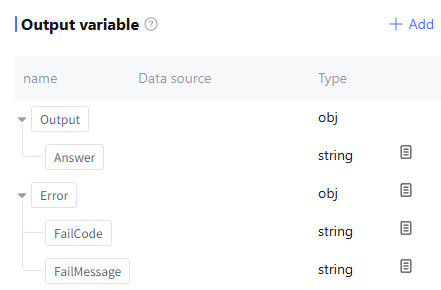
By default includes the content of replies to users as well as runtime Error info (data type: object, this field is empty during normal operation). Support users to manually add output variables by configuring as follows.
|
Variable Name | The variable name can only contain letters, digits, or underscores, must start with a letter or underscore, and is required. |
Description | Description of this variable. Optional |
Data Source | The data source of this variable supports two options: "refer" and "input". "Refer" allows selecting output variables from all preceding nodes, while "input" supports manually filling in a fixed value. Required |
Type | The data type of this variable cannot be selected and defaults to the variable type of "refer" or the string type of "input". |
Application Example
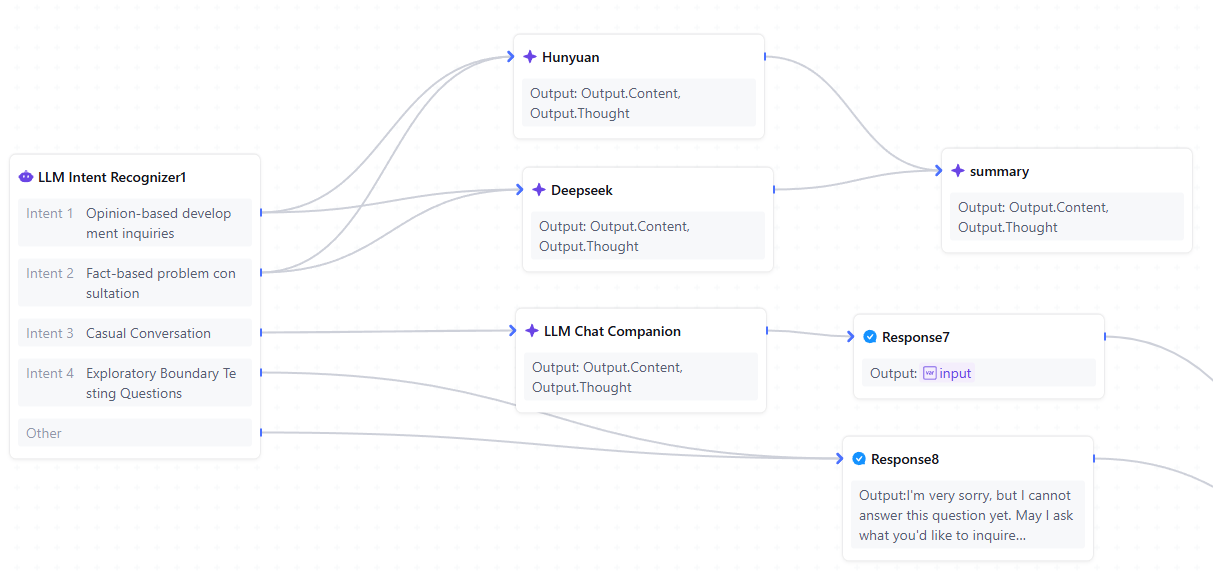
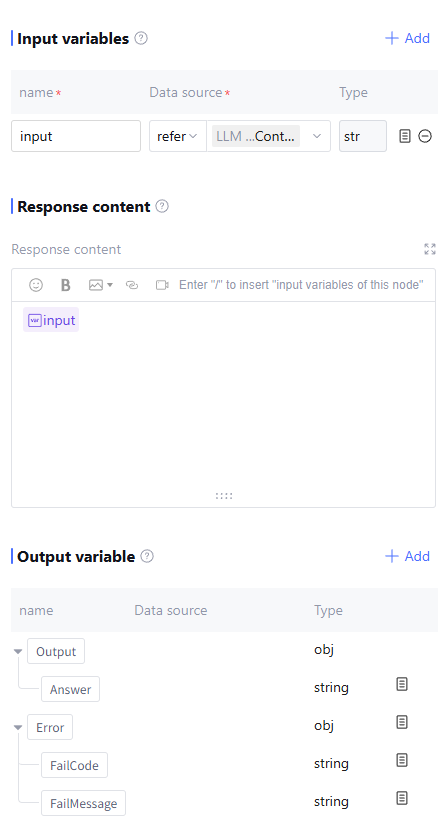
For different user inputs, provide different replies. For example, for casual chat inputs, call the LLM for conversation before replying; for boundary-testing questions, reply directly with "unable to process".
Chat reply configuration:
Tentative boundary issue reply configuration:
FAQs
What is the difference between the End Node and the Response Node?
The response node and end node are adjusted from the end-reply node in Tencent Cloud Agent Development Platform (Tencent Cloud ADP) version 2.6. The primary purpose is to clearly distinguish the function of these two types of nodes. The response node supports outputting intermediate computing results while the workflow is running, and multiple reply nodes can be added in a workflow. The end node aggregates the complete workflow results for external output, and only one end node can exist in a workflow.