Inviting Accounts
Unduh
Mode fokus
Ukuran font
Overview
This document describes how to invite accounts.
Directions
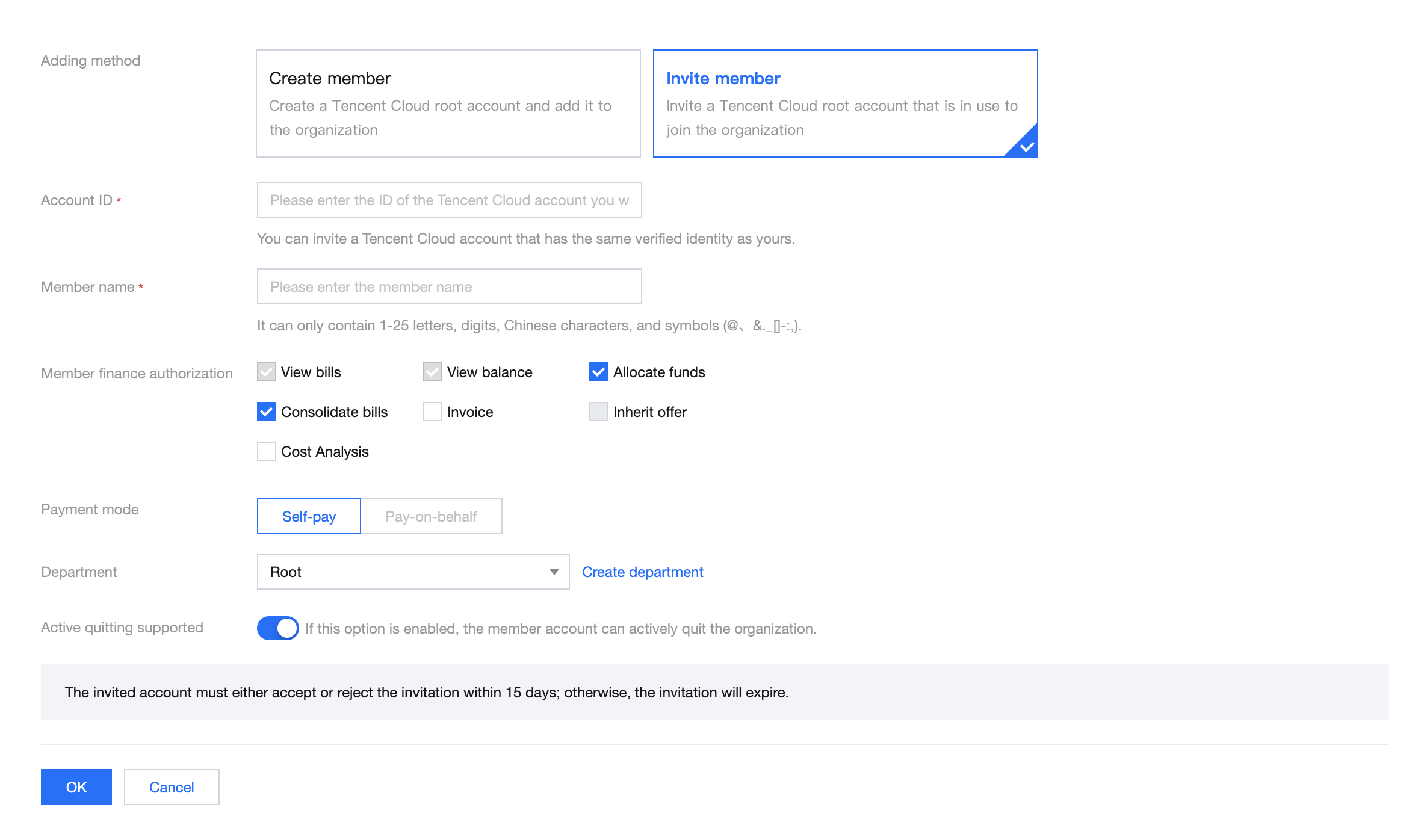
1. Log in to the Tencent Cloud console and go to the Control Center > Accounts page. Click Invite account.

2. On the page that appears, select Invite member as the adding method. For more information about the configuration, see Adding Members.
Bantuan dan Dukungan
Apakah halaman ini membantu?
Anda juga dapat Menghubungi Penjualan atau Mengirimkan Tiket untuk meminta bantuan.
masukan