Registering a TKE Cluster
Unduh
Mode fokus
Ukuran font
Prerequisites
1. Tencent Kubernetes Engine Distributed Cloud Center (TDCC) service has been enabled.
2. You need to have management permissions for this cluster.
3. The TKE cluster and Hub are connected by default through the private network. Ensure the private network connectivity. If the TKE cluster and Hub are not in the same VPC, you can use Cloud Connect Network (CCN) for communication. Confirm the connectivity between the TKE cluster and Hub before associating the TKE cluster with the Hub. It is important to check the routing table's routing policy effectiveness and any potential conflicts in the network instance's IP range. For detailed steps, see CCN VPC Intercommunication.
Directions
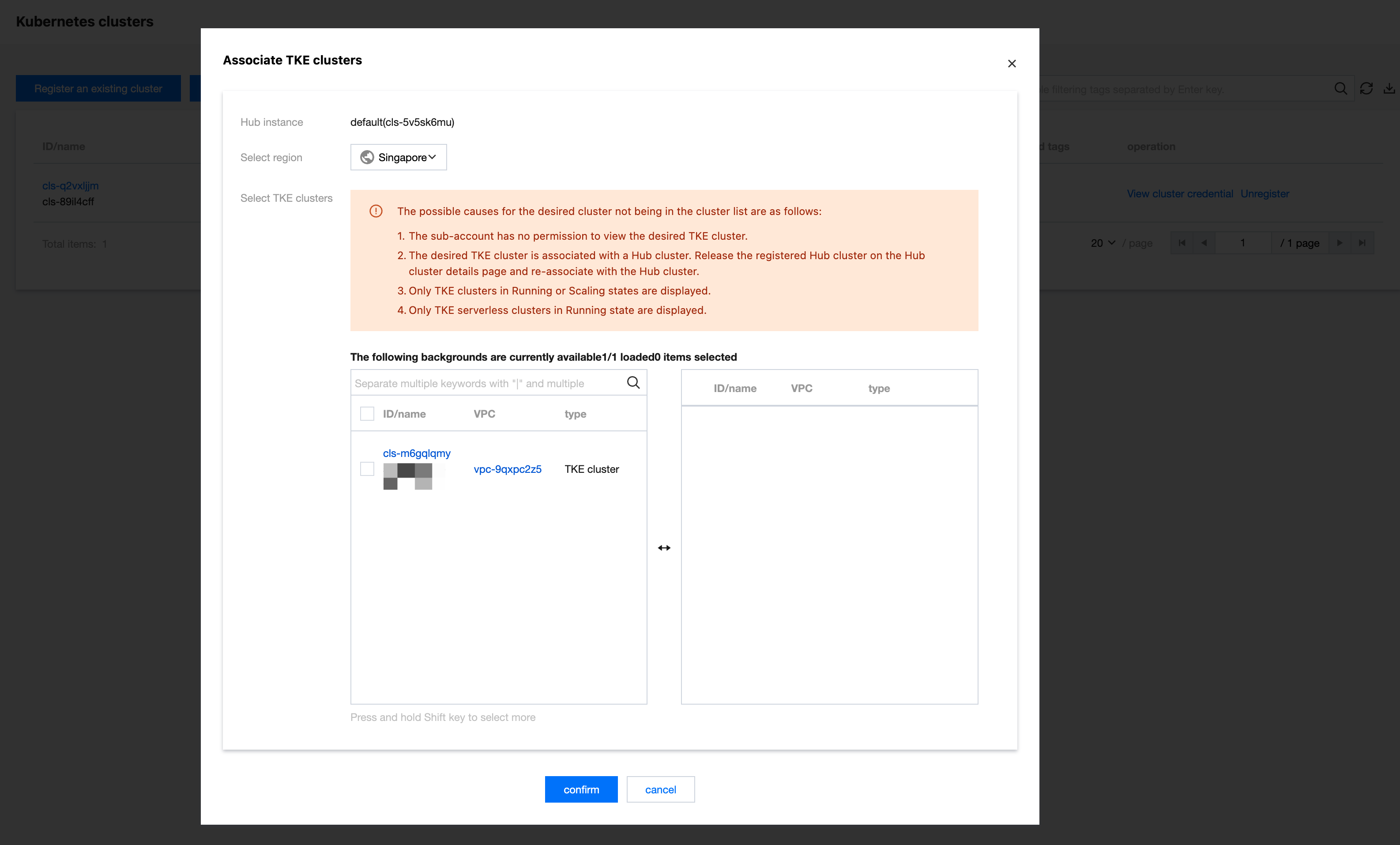
1. Log in to the TDCC console, and click Associate TKE Cluster.
2. On the Associate TKE Cluster page, select the TKE cluster to be added.
3. Click confirm.
4. You can log in to the TKE console, select Cluster in the left sidebar, locate the associated TKE cluster in the corresponding region, and check the running status of the clusternet-agent in the clusternet-system namespace.
5. After successful registration, the status of the registered cluster will change to running.
Bantuan dan Dukungan
Apakah halaman ini membantu?
Anda juga dapat Menghubungi Penjualan atau Mengirimkan Tiket untuk meminta bantuan.
masukan