Authorizing the Database for Users
Download
Mode fokus
Ukuran font
This document introduces how to authorize database table permissions to users. A user can be granted access to multiple databases, and multiple users can share access to the same database.
Prerequisites
The operation role should be a DMC administrator.
Directions
1. Log in to the DMC console.
2. In the top menu bar, select System Management > User Management.
3. In the operation column of the target user, click Grant Permissions.
4. In the pop-up dialog box, select the database instance, database, permissions, and permission validity period, and then click OK after you complete the configuration.
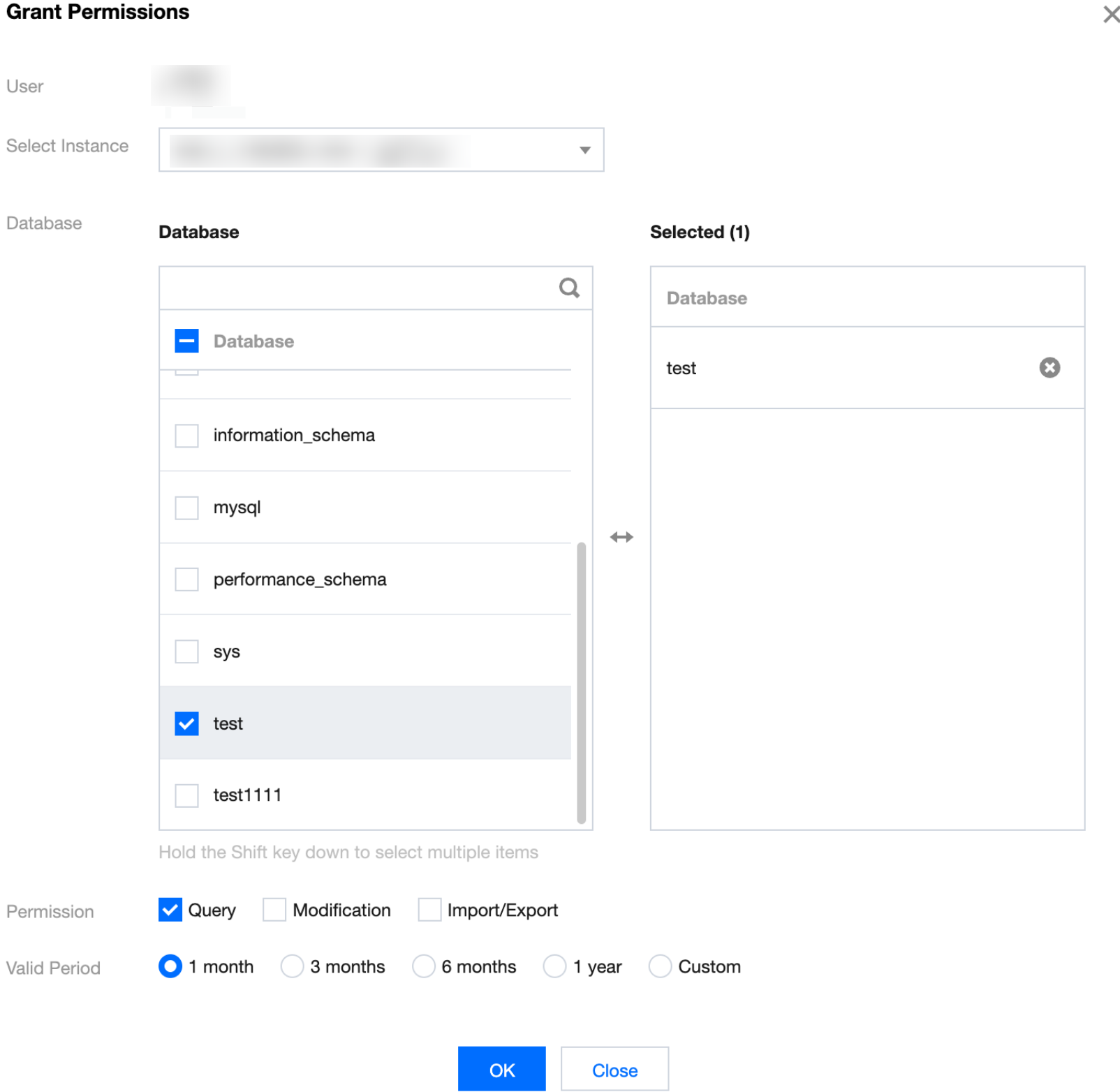
Following Steps
Once permissions are authorized, the user can manage data in the authorized database. For details, see Enterprise Edition Data Management.
Bantuan dan Dukungan
Apakah halaman ini membantu?
Anda juga dapat Menghubungi Penjualan atau Mengirimkan Tiket untuk meminta bantuan.
masukan