Disabling Access Control
Unduh
Mode fokus
Ukuran font
Note:
If you disable access control, all access policies you have configured will be cleared, and the server will accept all connections by default.
Disabling the feature while creating an SSL VPN server
1. Log in to the VPC console.
2. Click VPN Connections > SSL VPN server on the left sidebar to enter the management page.
3. Click +New.
4. In the Create an SSL VPN server pop-up window, disable access control and configure other parameters.
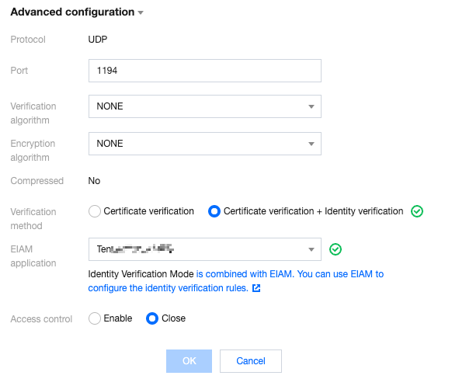
5. Click OK.
Disabling the feature after creating an SSL VPN server
1. Log in to the VPC console.
2. Click VPN Connections > SSL VPN server on the left sidebar to enter the management page.
3. Click the name of the target instance.
4. On the instance details page, disable access control in the Server configurations section on the Basic information tab.
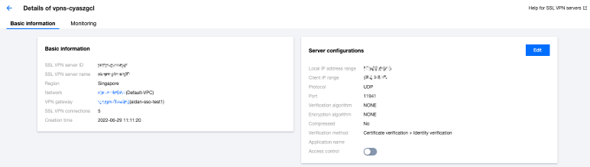
5.
Bantuan dan Dukungan
Apakah halaman ini membantu?
Anda juga dapat Menghubungi Penjualan atau Mengirimkan Tiket untuk meminta bantuan.
masukan