Field Type Conversion Through Reindex
Download
Modo Foco
Tamanho da Fonte
Overview
When you create an index in the ES Serverless service, a time field should be specified, and its type should be set to
date. When you synchronize data from an existing ES cluster to an index in the ES Serverless service, if the field in the data has the same name as the time field but a different type, the write operation will fail. In this case, you can use the Reindex API to convert the field type.Process Description
1. Create the target index for reindexing, and set the type of the field to
date if the field has the same name as the time field in the ES Serverless service index.2. Use the reindex API to synchronize the existing data to the target index.
Example
1. Suppose we need to synchronize data from the
source_index to an index in the ES Serverless service (where the time field is @timestamp). Upon checking the field configuration of source_index, we find that in source_index, the field @timestamp is of type keyword. In this case, attempting to synchronize the data will result in a write error.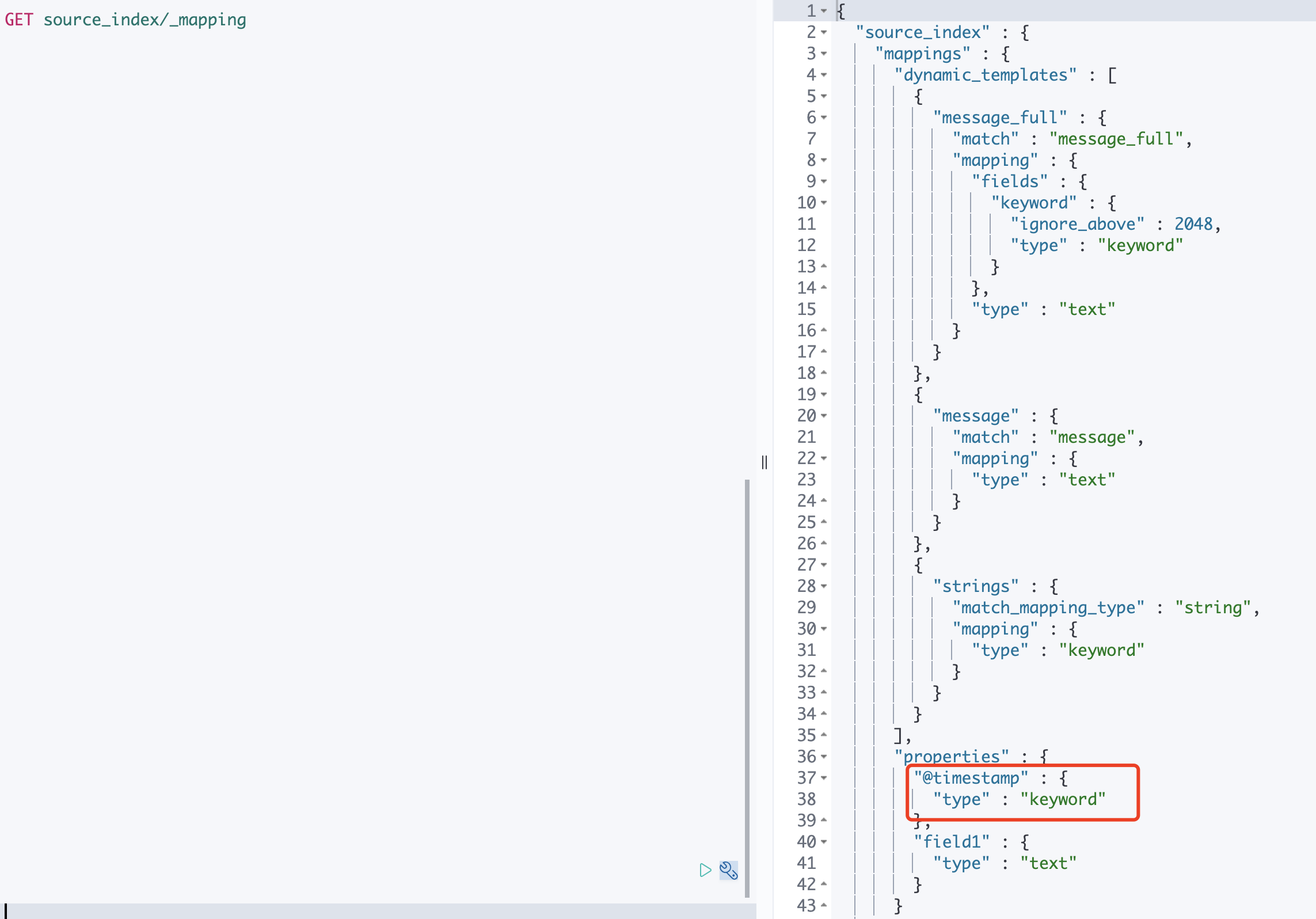
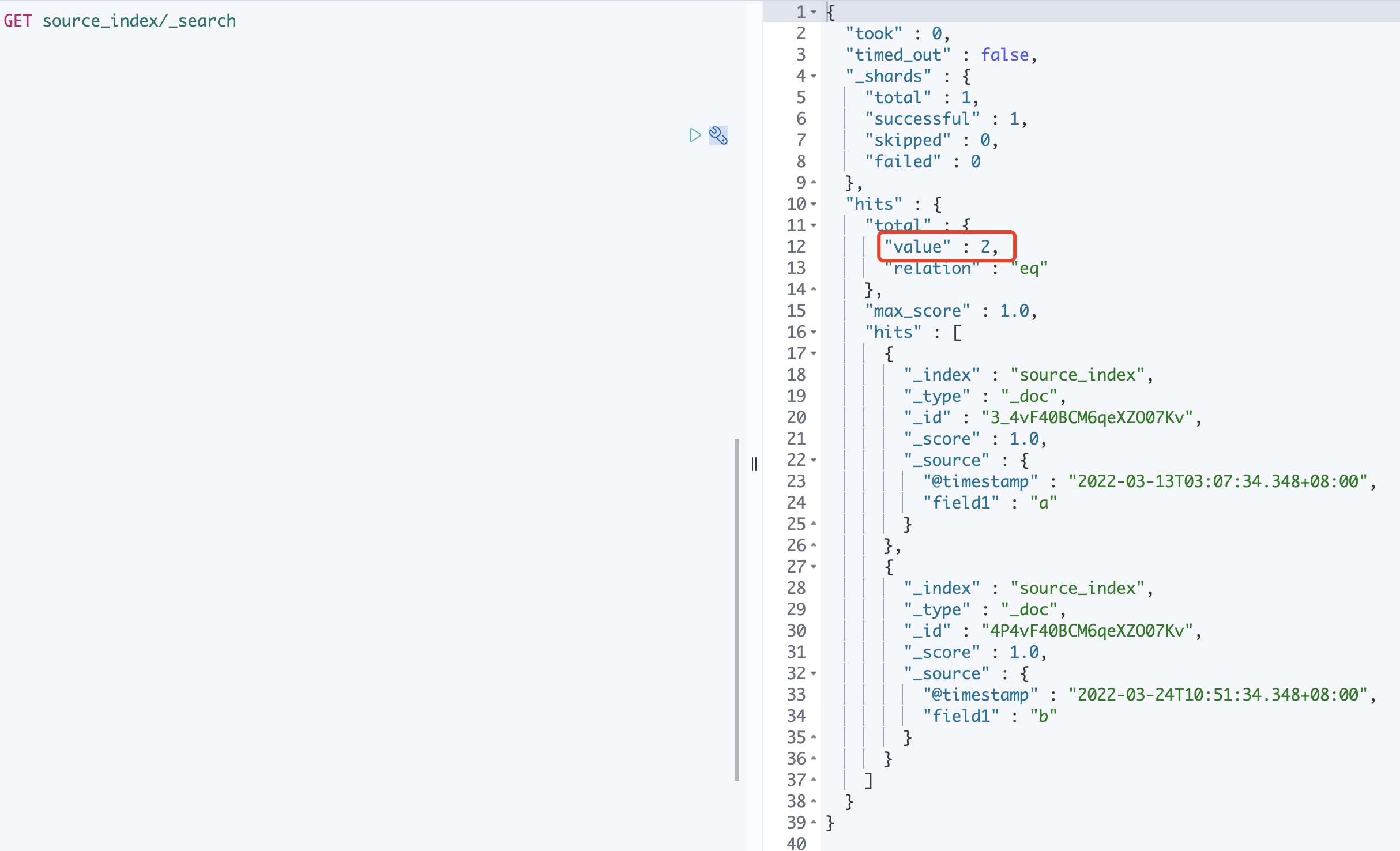
2. View the number of documents in source_index.
3. Create the target index
dest_index for reindexing, and specify the type of the @timestamp field in the mapping as date.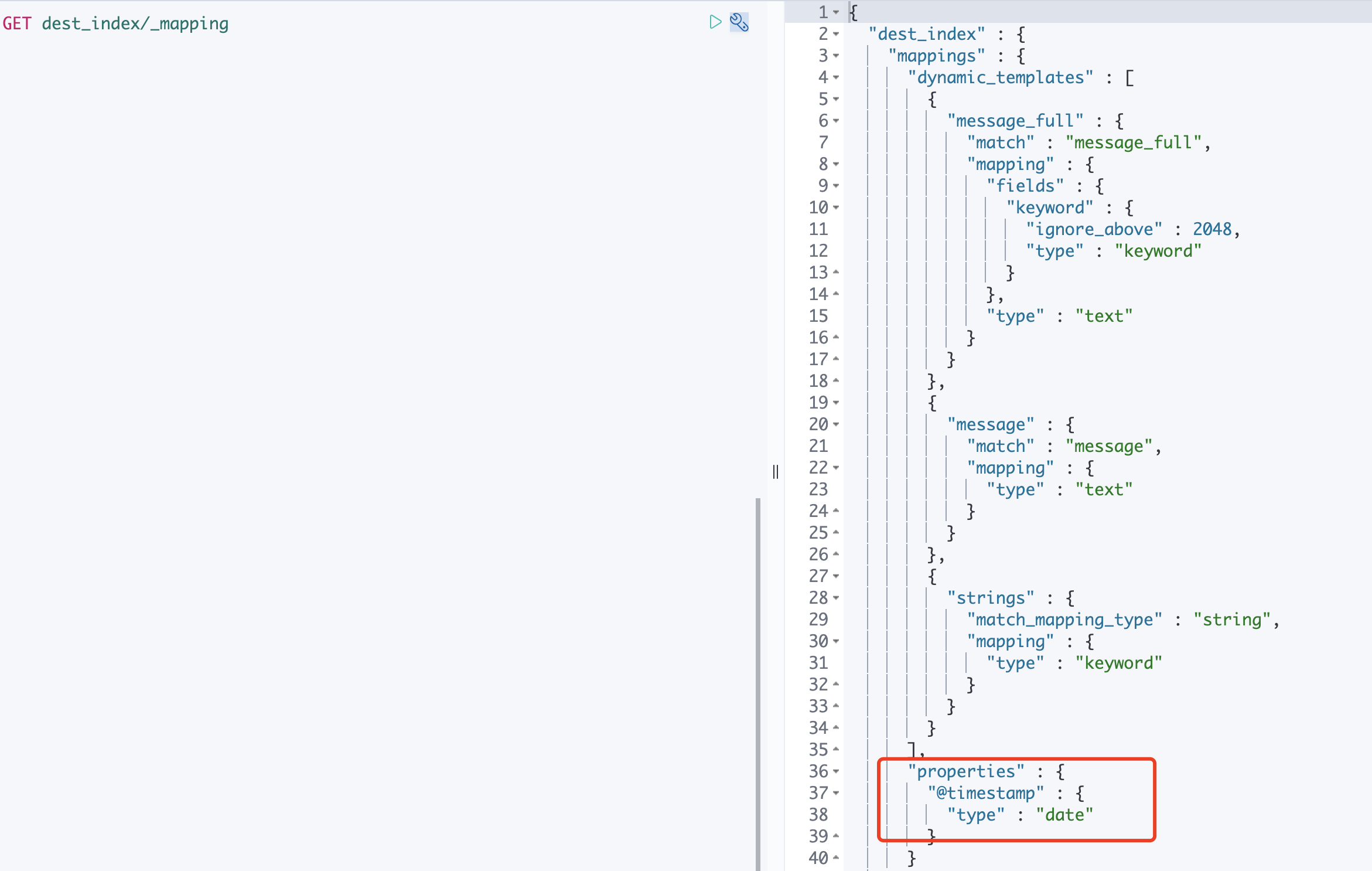
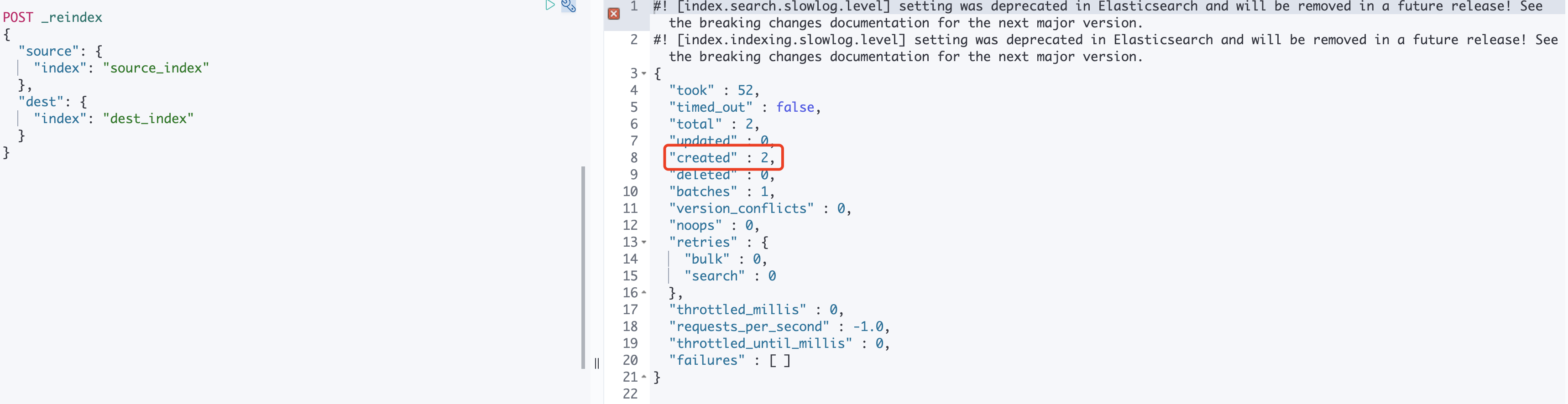
4. Use the reindex API to synchronize data from
source_index to dest_index, and the number of documents in dest_index should match exactly the number in the original source_index.POST _reindex{"source": {"index": "source_index"},"dest": {"index": "dest_index"}}
5. In this case, searching
dest_index will retrieve the data that was synchronized from source_index.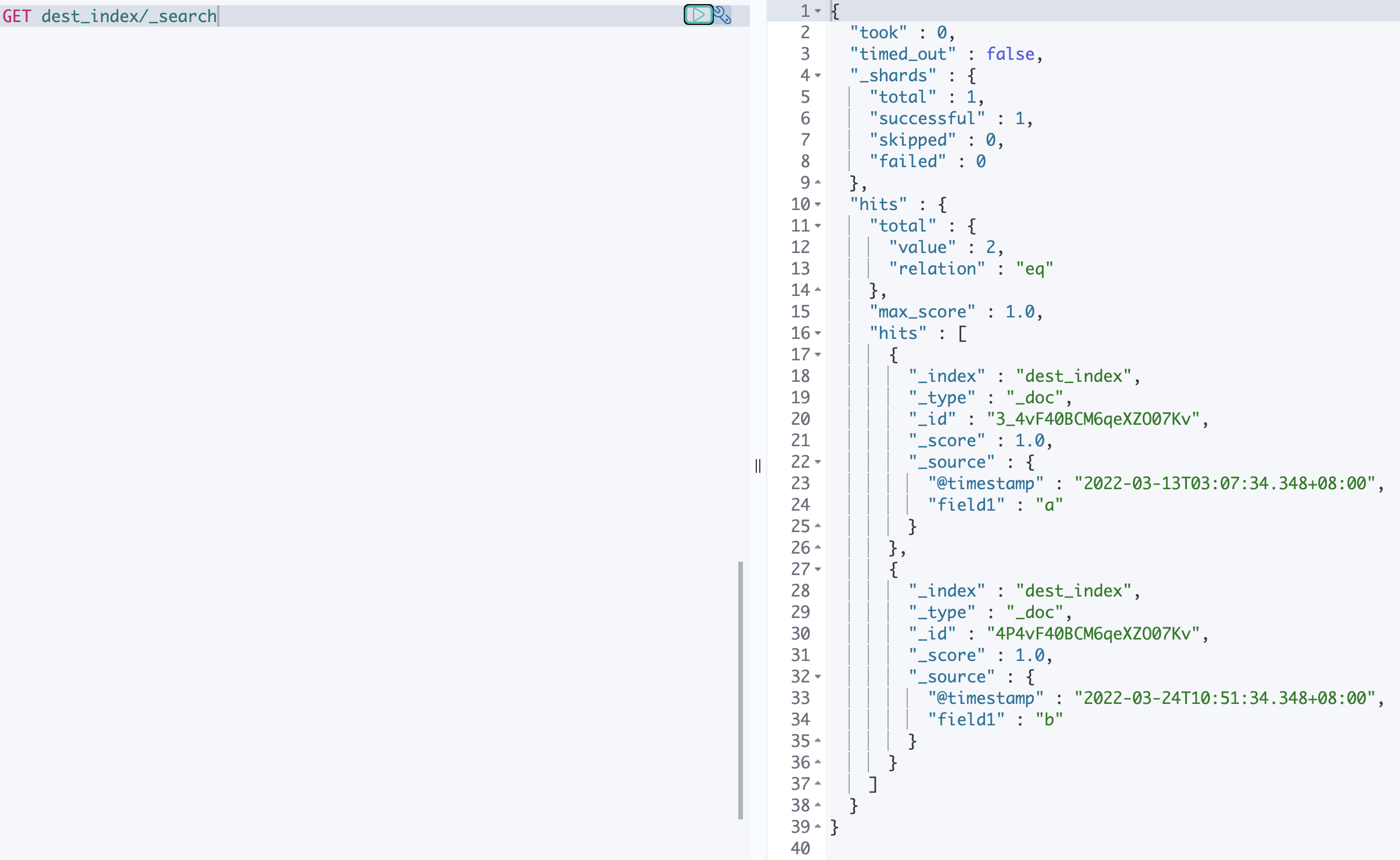
Ajuda e Suporte
Esta página foi útil?
Você também pode entrar em contato com a Equipe de vendas ou Enviar um tíquete em caso de ajuda.
comentários