tencent cloud

Elasticsearch Service

User Guide
Release Notes and Announcements
Release Notes
Product Announcements
Security Announcement
Product Introduction
Overview
Elasticsearch Version Support Notes
Features
Elastic Stack (X-Pack)
Strengths
Scenarios
Capabilities and Restrictions
Related Concepts
Purchase Guide
Billing Overview
Pricing
Elasticsearch Service Serverless Pricing
Notes on Arrears
ES Kernel Enhancement
Kernel Release Notes
Targeted Routing Optimization
Compression Algorithm Optimization
FST Off-Heap Memory Optimization
Getting Started
Evaluation of Cluster Specification and Capacity Configuration
Creating Clusters
Accessing Clusters
ES Serverless Guide
Service Overview
Basic Concepts
5-Minute Quick Experience
Quick Start
Access Control
Writing Data
Data Query
Index Management
Alarm Management
ES API References
Related Issues
Data Application Guide
Data Application Overview
Data Management
Elasticsearch Guide
Managing Clusters
Access Control
Multi-AZ Cluster Deployment
Cluster Scaling
Cluster Configuration
Plugin Configuration
Monitoring and Alarming
Log Query
Data Backup
Upgrade
Practical Tutorial
Data Migration and Sync
Use Case Construction
Index Configuration
SQL Support
Receiving Watcher Alerts via WeCom Bot
API Documentation
History
Introduction
API Category
Instance APIs
Making API Requests
Data Types
Error Codes
FAQs
Product
ES Cluster
Service Level Agreement
Glossary
New Version Introduction
Elasticsearch Service July 2020 Release
Elasticsearch Service February 2020 Release
Elasticsearch Service December 2019 Release

Cluster Status

PDF
Modo Foco
Tamanho da Fonte
Última atualização: 2020-05-13 21:10:01
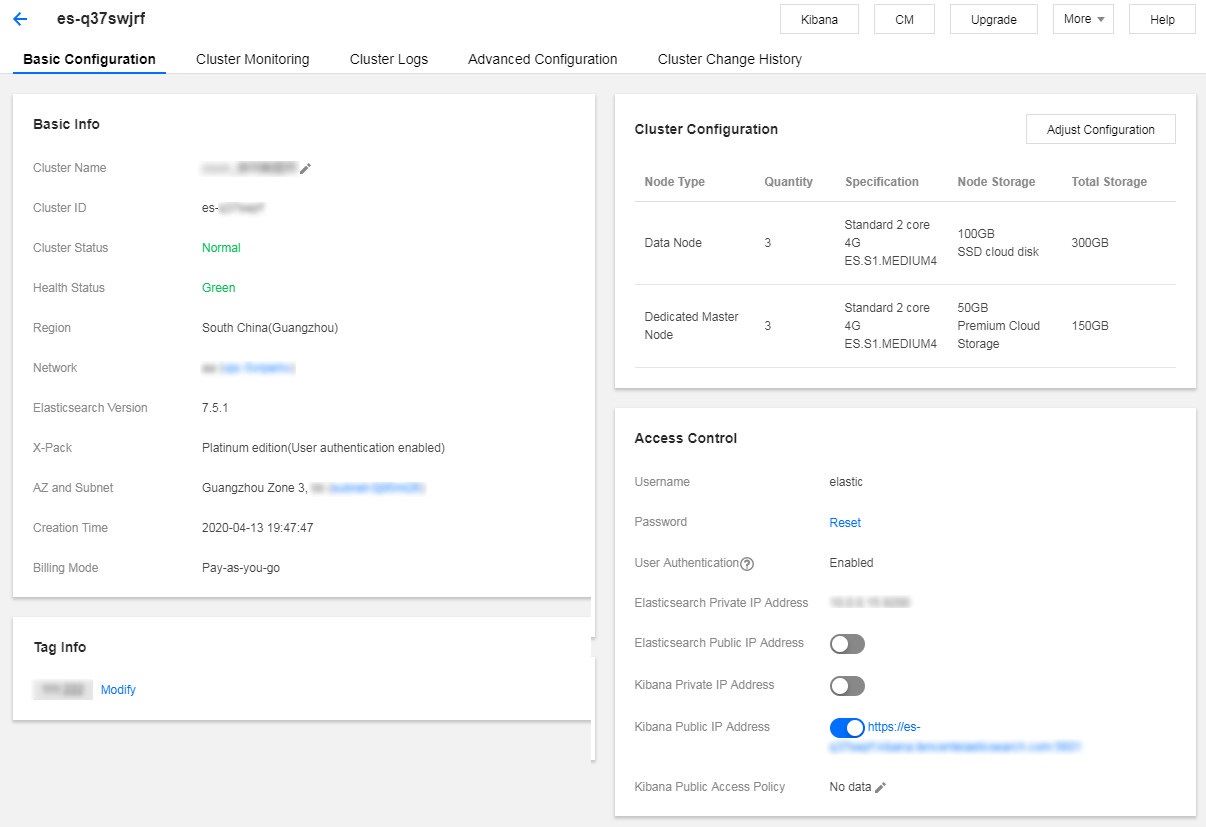
On the cluster list page and in the basic information section on the cluster details page, you can view the status information of the cluster.

The cluster status is a metric that reflects whether the cluster is being changed or running normally as described below:
Status
Description
Normal
The cluster has been created and can be accessed and used normally with no operations such as configuration change or cluster restart in progress.
Processing
This is the status when an operation such as cluster creation, cluster configuration change, or cluster restart that takes time to complete is being processed. During this period, access to some services will be affected, such as Kibana, data storage, and query.
The health status is one of the most important monitoring metrics in the ES cluster, which is used to indicate whether the cluster is working normally. Health status divides into the following:
Color
Health Status
Green
All master and replica shards are running normally.
Yellow
All master shards but not all replica shards are running normally.
Red
Some master shards are not running normally.
For more information, please see Cluster Health.

Ajuda e Suporte

Esta página foi útil?

comentários